
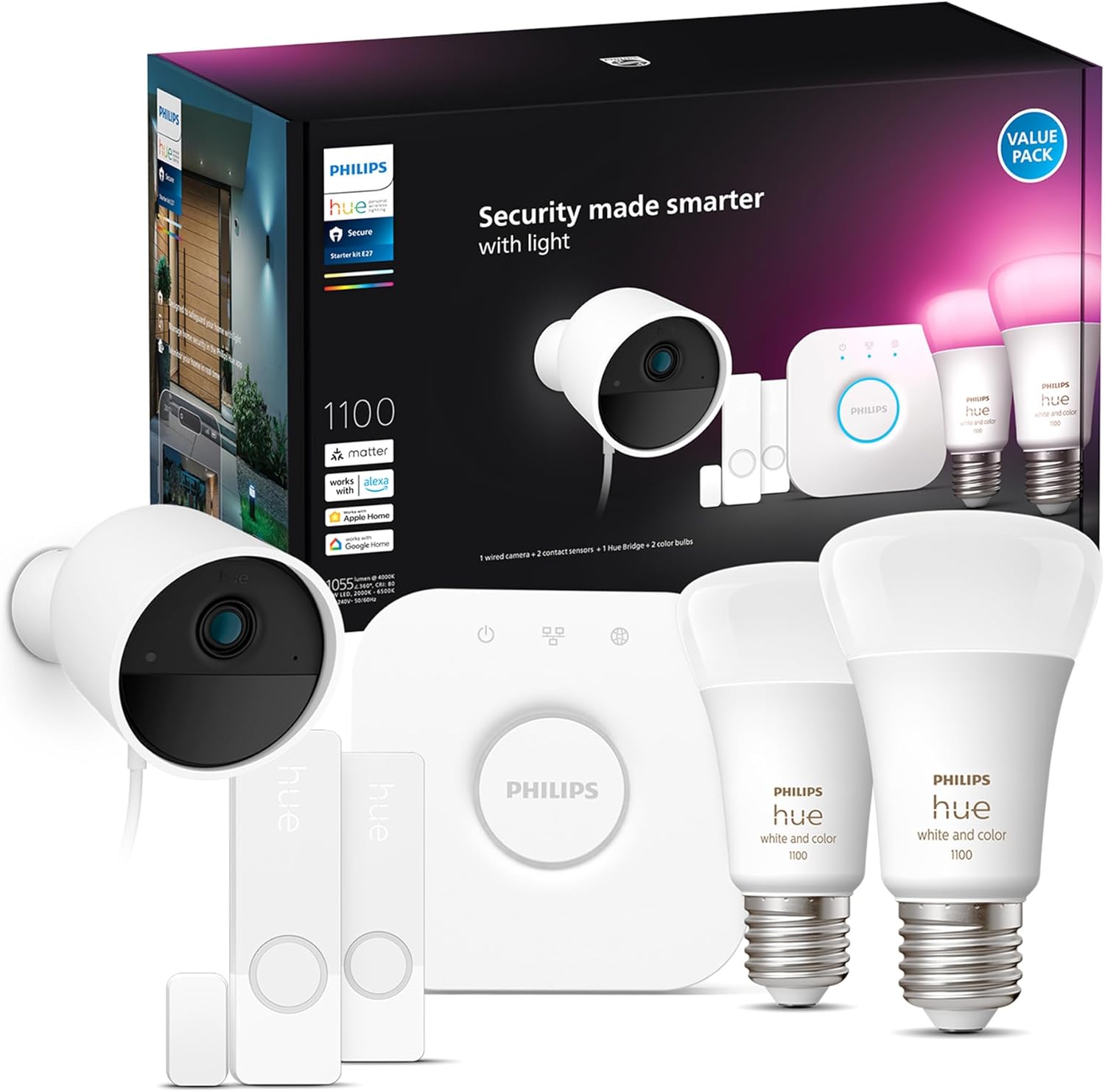
?Are you looking for a smart home security solution that works with your Philips Hue lights and puts control in your hand?
Buy Philips Hue Secure Starter Kit On Amazon
Product Overview: Philips Hue Secure Starter Kit with Bridge, Wired Security Camera, (2) Secure Contact Sensor, (2) 75W A19 Bulb, White & Color Ambiance, Works Security Center in Hue App
This kit combines lighting and security into a single, app-driven system that’s designed to be simple and cohesive. You get the Hue Bridge, a wired security camera, two contact sensors, and two color A19 bulbs, all managed from the Hue app with the built-in security center.
What this kit is designed to do
You can use this kit to have lights react to motion, receive real-time notifications, view live camera feeds, and review a 24-hour free video history — all from the Hue app. It’s built for users who already use or want to use Hue lighting and want an integrated security experience.
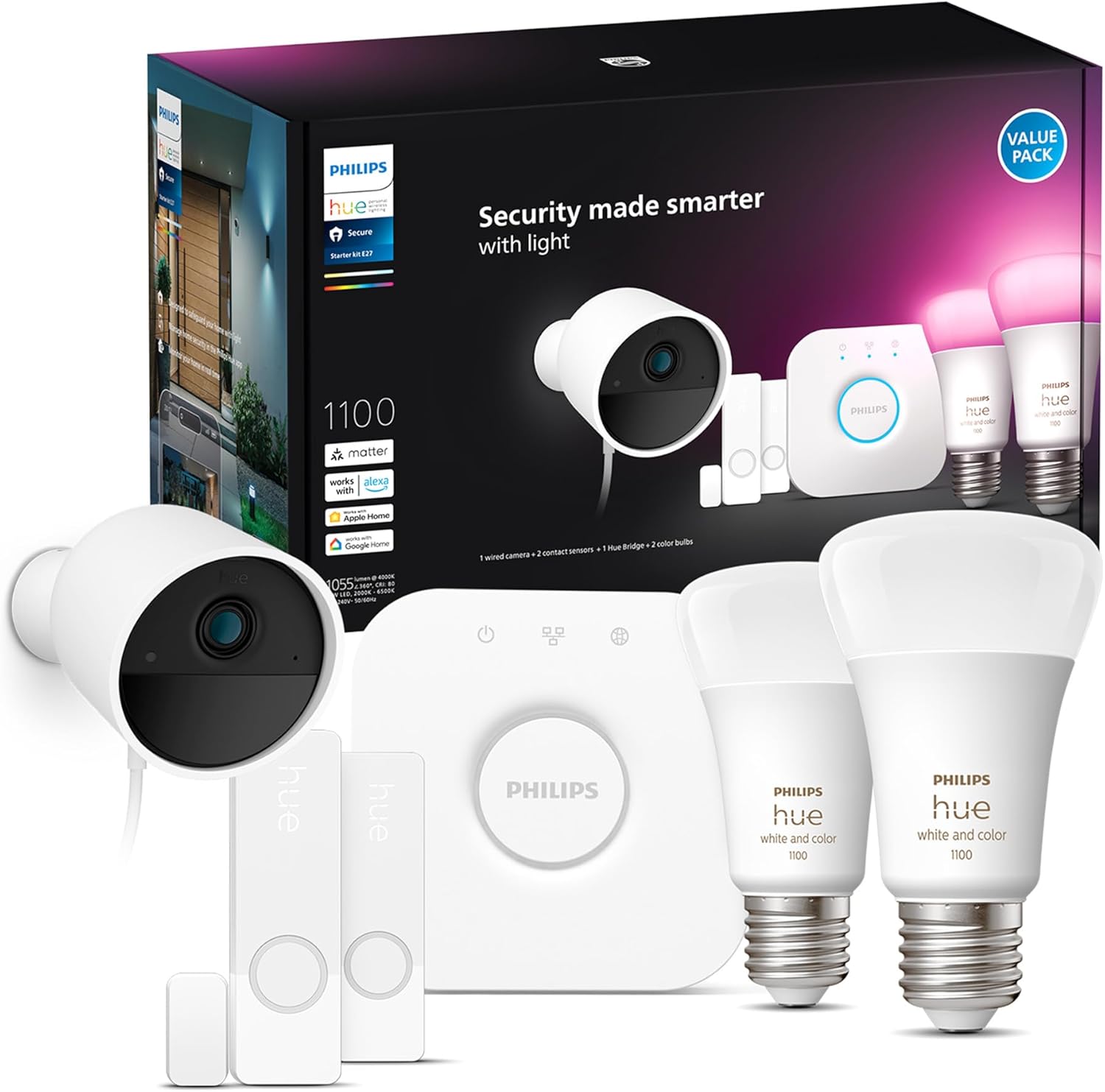
Philips Hue Secure Starter Kit with Bridge, Wired Security Camera, (2) Secure Contact Sensor, (2) 75W A19 Bulb, White & Color Ambiance, Works Security Center in Hue App
What’s included in the box
You’ll find everything needed to start a basic smart lighting and security setup. The contents are intended to reduce the number of ecosystems you manage.
- Hue Bridge (to connect and control devices)
- Wired Philips Hue Secure camera
- Two Secure contact sensors (for doors/windows)
- Two 75W A19 White & Color Ambiance bulbs
- Cables, mounting hardware, and Quick Start guides
Why the kit composition matters
Having a camera, sensors, bulbs, and a Bridge means you don’t need separate hubs or multiple apps to coordinate lighting and security. This reduces complexity and potential compatibility headaches.
Quick technical snapshot
Here’s a compact breakdown of the most relevant specs so you can get a fast sense of capabilities.
| Component | Key Specs |
|---|---|
| Hue Bridge | Connects up to 50 Hue lights and multiple accessories; centralizes control in Hue app |
| Wired Security Camera | 1080p HD video, infrared night vision, wired power, real-time notifications |
| Secure Contact Sensors (x2) | Magnetic contact sensors for doors/windows, trigger automations |
| 75W A19 White & Color Ambiance Bulbs (x2) | Tunable white and full color range, works with automations |
| Video History | Free 24-hour rolling history for camera footage |
| App Integration | Hue app with Security Center for lights, cameras, sensors |
How to use this snapshot
You can use this table to quickly compare this kit’s core features with other setups or to understand which part of the system addresses which need.
Installation and setup experience
Setting up the starter kit is designed to be approachable, especially if you already own Hue products. The Bridge is the hub, and the app guides you through adding devices.
Setting up the Hue Bridge
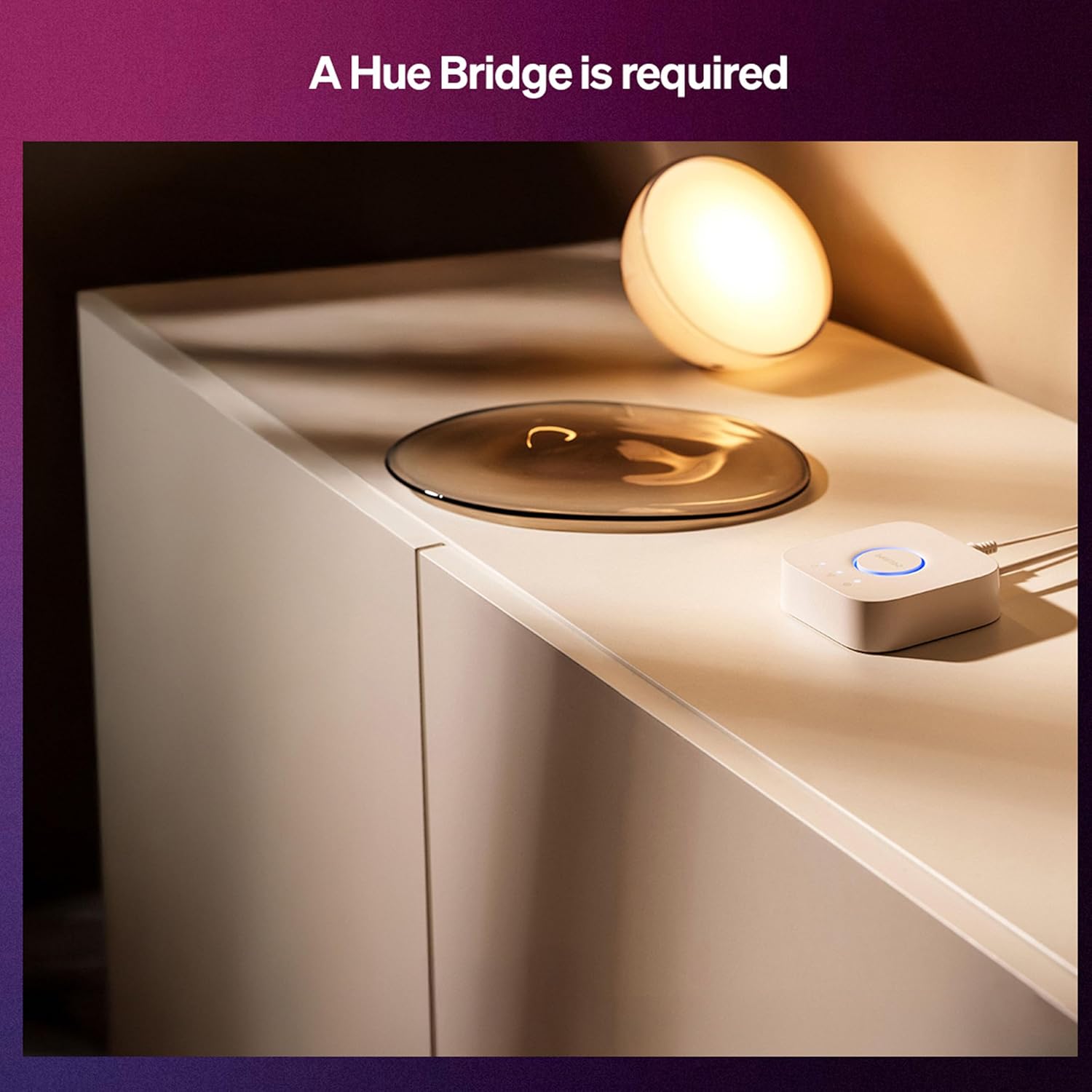
You’ll connect the Bridge to your router, power it on, and follow the Hue app prompts to add it to your account. This step centralizes control and is required for the security features to work.
Adding the camera and sensors
The wired camera needs a power source and placement near an Ethernet or power outlet. The contact sensors are simple to mount on doors or windows with adhesive or screws. The Hue app walks you through each device addition and offers configuration options.
Time investment and ease
You should expect 20–45 minutes for full setup if you’re comfortable with home tech; if you want to fine-tune automations and placement, plan for a bit more time. The guided app steps make the process friendly, especially for first-time smart home users.
Shop Philips Hue Secure Starter Kit On Amazon
Video quality and day/night performance
Video quality is a major factor for any camera you rely on for security, and this wired Hue camera focuses on clear 1080p capture with night vision.
Daytime footage
You’ll get crisp 1080p HD footage with good color and clarity during the day. For general monitoring, faces and movement are usually distinguishable, which helps with identification and incident review.
Low-light and night vision
The infrared night vision provides usable detail in low-light situations, both indoors and outdoors. While IR view converts to monochrome, you’ll still be able to see shapes and activity clearly when ambient lighting is absent.
Motion detection, alerts, and automation
Motion detection is central to how this system secures your home, and the integration with Hue lights makes automation especially useful.
Motion notifications to your phone
When the camera or sensors detect motion, you receive real-time notifications on your phone through the Hue app. This lets you take immediate action, like checking the live feed or triggering an alarm sequence.
Lights reacting to motion
You can set automations so your Hue lights turn on when motion is detected, which can deter intruders and provide immediate illumination for better camera capture. Those automations are customizable per sensor and time of day.
Reducing false alerts
The app allows you to tune sensitivity and create routines or schedules to limit notifications when you expect movement (for example, when you’re at home or during set hours). This reduces alert fatigue and keeps your attention on important events.
Hue app and Security Center
One of the kit’s main selling points is that everything is controlled through the Hue app, including a Security Center that centralizes camera and sensor activity.
Single-app control benefits
You’ll appreciate having one consistent interface for lights and security. The app combines lighting scenes and security notifications so you don’t switch between multiple apps and accounts.
Security Center features
The Security Center shows camera feeds, sensor status, and notifications in one place. You can review the free 24-hour video history, manage automations, and take actions like sounding an alarm from the app.
Video storage and privacy
The kit provides a free rolling 24-hour video history, which is helpful if you need to review recent activity without subscribing to a cloud plan.
Free 24-hour video history
You can access up to 24 hours of recorded footage for free, which is enough for most short-term reviews and incident checks. This is stored via the Hue ecosystem and accessible in the app.
What happens after 24 hours
After 24 hours, older footage is removed from the free history. If you want longer retention, check Philips’ or partners’ options for extended storage or exporting clips locally if the app supports that functionality.
Privacy and data handling
Hue’s ecosystem emphasizes local control via the Bridge while still leveraging cloud services for remote access and notifications. You should review Philips Hue’s privacy policy and settings to understand what data is transmitted and whether you want cloud features enabled.

Wired camera: pros and cons
A wired camera has advantages and limitations compared to battery-powered or wireless models. Consider what fits your home and expectations.
Advantages of wired power
Wired power means you don’t worry about batteries dying or frequent recharges. It offers continuous uptime which is crucial if you rely on the camera for all-day monitoring.
Limitations of wired setup
You’ll need to route a power cable and possibly deal with installation complexity if you don’t have nearby outlets. For some users, running wires or concealing cables can be a minor hassle.
Contact sensors: placement and use-cases
The two included Secure Contact Sensors are simple but effective devices that add a meaningful layer of perimeter security.
Typical placement
You’ll want to put these on entry points like front and back doors, or important windows. They’re small and unobtrusive, making them easy to install and forget about until they’re needed.
Automation examples
Pair contact sensors with lights to turn on bulbs when a door opens, or configure them to send immediate alerts when an expected perimeter is breached. You can create “away” modes that arm sensors automatically.
Bulbs: White & Color Ambiance integration
Two A19 bulbs are included so you can use lighting as part of your security routines and daily ambiance.
Lighting for security
You can program bulbs to switch on automatically when motion is detected, simulating occupancy or improving camera visibility. Color options let you use visual cues for certain events (for example, red for an alarm).
Everyday lighting benefits
Beyond security, these bulbs add smart lighting functionality like schedules, scenes, and color temperature adjustments that make day-to-day living more convenient and comfortable.
Real-world performance and reliability
If you plan to depend on this kit for daily monitoring, reliability is crucial. The Hue ecosystem is well-established and usually consistent.
Network and Bridge reliability
Your system’s reliability hinges on your home network and the Hue Bridge. If your router is stable and the Bridge is placed centrally, you’ll get steady performance for lights and cameras.
Camera uptime and alerts
The wired camera’s continuous power supplies consistent uptime. Notifications are fast and the app’s live view is responsive on most modern phones, though app speed may vary by network and phone performance.
Practical tips for placement and usage
A few small choices can improve camera performance and make automations more useful.
Camera placement tips
Mount the camera at a height that captures faces and movement without obstruction. Avoid pointing it directly at bright lights or windows that cause glare and reduce image quality.
Sensor placement advice
Keep contact sensors aligned and within the recommended gap to ensure reliable open/close detection. Place them where they won’t be accidentally bumped by doors or pets.
Bulb usage recommendations
Use color scenes for specific triggers and set schedules for routine lighting behaviors. For security, keep at least one bulb on an automated schedule to simulate presence when you’re away.
Privacy considerations and legal notes
When recording or streaming video, you should be mindful of privacy and legal restrictions in your area.
Privacy in shared spaces
If you share your home with others, let family members or roommates know where cameras are placed and how footage may be accessed. Transparent expectations reduce conflicts and privacy concerns.
Legal considerations
Check local regulations about audio/video recording in certain spaces, especially where guests or service workers may reasonably expect privacy. Laws differ by region, so a bit of research helps you stay compliant.
Troubleshooting common issues
You may encounter typical smart home hiccups; here are straightforward fixes you can try.
Connectivity problems
If a camera or bulb disconnects, check the Bridge’s network connection and your Wi-Fi. Restarting the Bridge, router, or the app often resolves transient issues.
Notification delays or missing alerts
Ensure push notifications are enabled for the Hue app in your phone’s settings and that the app is allowed to run in the background. Check motion sensitivity settings and whether automations are enabled.
Video playback or history not available
If the app won’t show clips, verify the Bridge’s connection and that the camera is online. Rebooting the camera’s power source and checking app permissions can restore access.
Comparing alternatives
You may want to compare this kit to other all-in-one solutions or separate best-in-class components.
Hue Secure kit vs. standalone camera ecosystems
Compared to single-purpose security systems, the Hue kit’s advantage is integration with a mature lighting platform. If you already use Hue lights, this kit reduces fragmentation.
When to consider other systems
If you need longer-term cloud storage included, a higher-resolution camera (4K), or advanced AI person detection beyond what Hue offers, you might look at specialized security brands. Those systems may have extra subscription costs and require a separate app.
Pricing and value
Assessing value depends on what you already own and how much integration matters to you.
Upfront cost vs. ongoing fees
You’ll pay upfront for the kit, but the free 24-hour video history avoids mandatory subscriptions for basic monitoring. If you want extended storage, factor potential subscription fees into your long-term cost.
Value for Hue users
If you already use or plan to use Hue for lighting, the kit is strong value since it keeps everything under one ecosystem and reduces need for separate hubs or apps.
Pros and cons
Here’s a concise list to help you weigh whether this kit meets your needs.
Pros
- Integrated with Hue lighting and single-app control
- Free 24-hour rolling video history
- 1080p HD video with infrared night vision
- Wired camera for continuous power and uptime
- Contact sensors and color bulbs included for automations
- Security Center centralizes notifications and footage
Cons
- 24-hour retention may be limiting if you need long-term recordings
- Wired camera requires a power source and cable management
- Advanced analytics or longer cloud storage may require additional services
- If you don’t use Hue lights already, the value proposition is less compelling
Final verdict
If you want a security system that integrates seamlessly with lighting and offers single-app convenience, this starter kit is compelling. You’ll get reliable day/night video, simple automations with Hue bulbs and sensors, and the convenience of a free 24-hour video history without subscription pressure.
Who should buy this kit
You should consider this kit if you already use Philips Hue or want to centralize your smart lighting and entry-level security into one ecosystem. It’s especially suitable for people who value consistent integration over piecing together multiple brands.
Who might want something else
If you need multi-day video retention out of the box, ultra-high-resolution cameras, or highly advanced object detection, look at more specialized security providers or larger systems that include extended cloud storage.
Frequently asked questions (FAQ)
These are common questions people ask before buying, with concise answers to help your decision.
Will the camera work without a subscription?
Yes — the camera provides free 24-hour rolling video history and app access for live view and notifications without a mandatory subscription. Extended storage options may require a paid plan.
Can the camera be used outdoors?
The kit’s wired camera is designed for both indoor and outdoor use depending on model specifics and IP rating; check the product manual if outdoor placement is planned and confirm weatherproofing and cable routing needs.
Can you add more devices later?
Yes, the Hue Bridge supports additional Hue devices and accessories, letting you expand lights, sensors, and other Hue-compatible products over time.
Does this kit require the Hue Bridge?
Yes — the Hue Bridge is necessary to centralize device management and enable the Security Center features in the Hue app.
How secure is the system from hacking?
Philips Hue uses typical smart home security measures including encrypted communications and account protections. For added safety, use strong, unique passwords, enable two-factor authentication where available, and keep firmware updated.
Quick checklist before buying
Use this short checklist to confirm this kit fits your needs.
- Do you have or plan to have Hue lighting? If yes, this kit integrates naturally.
- Are you okay with a 24-hour rolling video history as the default storage option?
- Can you accommodate a wired camera’s power requirements where you want coverage?
- Do you want a single app to control lighting and basic security functions?
Final few words
You’ll get a polished experience if you want your lights and security to work together with minimal fuss. The Philips Hue Secure Starter Kit with Bridge, Wired Security Camera, (2) Secure Contact Sensor, (2) 75W A19 Bulb, White & Color Ambiance, Works Security Center in Hue App is a solid choice for users who prefer a unified smart-home system and appreciate the convenience of integrated automations and a dedicated Security Center.
Get The Philips Hue Secure Starter Kit On Amazon
Disclosure: As an Amazon Associate, I earn from qualifying purchases.