
?Looking for a single in-wall touchscreen that controls lights, locks, thermostats and also plays background music for your home?

Product at a Glance
You’ll find the Smart Home Control Panel, Dimmer and Background Music Player, 4” Switch Panel in-Wall Touchscreen Control for Various Tuya Smart Appliances, Black to be a compact, multifunctional device that replaces multiple remotes and switches. It combines a 4-inch touchscreen interface with Tuya compatibility, a dimmer, and the ability to play music so you can manage scenes, lighting and locks from one wall-mounted location.
Quick Specs
These highlights give you an immediate sense of what the device can do and how it fits into your existing setup. You’ll want to check compatibility details and wiring requirements before ordering to ensure a smooth installation.
| Feature | Details |
|---|---|
| Product name | Smart Home Control Panel, Dimmer and Background Music Player, 4” Switch Panel in-Wall Touchscreen Control for Various Tuya Smart Appliances, Black |
| Screen size | 4-inch touchscreen |
| Primary functions | Touchscreen control, dimmer, background music player, scene control, Tuya Smart APP integration |
| Smart ecosystem | Tuya-compatible (supports various Tuya smart appliances) |
| Storage | 16GB TF card included for app/music installation |
| Installation | In-wall mounting; connects to hidden wiring and optional speaker wiring |
| Installation time | Typical user-reported 15 minutes for basic wiring and mounting |
| Music support | Play music via installed apps on TF card; connect home theater speakers |
| Lighting control | Dimmer and control of Tuya lights and scenes |
| Locks & other devices | Compatible with Tuya smart locks and other Tuya appliances |
| Color | Black |

Smart Home Control Panel, Dimmer and Background Music Player, 4'' Switch Panel in-Wall Touchscreen Control for Various Tuya Smart Appliances, Black
Design and Build
The panel has a neat, low-profile in-wall design so you can replace a traditional switch with something far more capable without changing the look of your wall too much. You’ll appreciate the 4-inch touchscreen for its balance between visibility and compactness, making it suitable for hallways, kitchens, bedrooms, or living room walls.
Aesthetics and Materials
You’ll notice the black glass-like front gives a modern, minimal vibe that blends with most interior styles, especially contemporary and smart homes. The physical build feels solid enough for daily interaction, and the touchscreen surface cleans easily with a soft cloth.
Physical Dimensions and Fit
The 4” panel is designed to fit standard wall boxes, but you should confirm the depth and wiring layout in your home before purchase to avoid surprises. You’ll also want to check whether your wall box has space for speaker wiring if you plan to connect home theater speakers.
Setup and Installation
You’ll likely find installation straightforward if you have basic electrical experience and the right tools, but if you’re unsure about wiring, hire a licensed electrician. The manufacturer claims that replacing the old switch with this dimmer and panel typically takes just 15 minutes for the wiring and mounting portion.
Wiring and Time Estimate
You’ll need to connect the wires hidden in the wall to the dimmer module inside the panel, which usually requires identifying the live, neutral, and load wires — please consult the manual or electrician for exact wire details. If you plan to connect external speakers, add a few extra minutes to run and attach speaker wires and secure connectors.
Mounting and Speaker Connection
You’ll mount the panel to your in-wall box using the included screws and attach the decorative front plate, which should be quick if your current switch occupies a standard box. When connecting speakers, make sure speaker wiring is routed during installation so you can directly attach your home theater speakers to the panel as recommended.

Software and App Integration
You’ll be able to use the built-in Tuya Smart APP on the panel itself, which means you don’t always need your phone to control devices around the house. This can make daily operations smoother since guests and family members can use the wall panel to manage lights or music without app downloads and account access.
Tuya Smart App Built-in
Having Tuya Smart pre-installed gives you broad compatibility with many third-party smart devices, because Tuya acts as a central platform for lots of brands. You’ll be able to add Tuya-compatible lights, thermostats, locks and scenes directly via the touchscreen, avoiding the need to pair each device separately on a mobile phone first.
Installing Other Apps via 16GB TF Card
The included 16GB TF card lets you download and run additional apps or music players directly on the panel, so you can customize the software environment to your preferences. You’ll insert the card, install your preferred player, and then play music without streaming from a phone — a handy offline option when you want quick access.
Lighting and Dimmer Features
Controlling lighting with the panel is convenient: you’ll be able to dim lights, switch groups, and trigger predefined scenes with a single tap. This replaces multiple switches on a wall and simplifies the path to consistent lighting moods for different activities.
Scene Creation and Automation
You’ll set up scenes like “Arrive Home,” “Movie Night,” or “Romantic Dinner” that combine specific light levels, music selections, and possibly thermostat or curtain actions. Assign those scenes to a single tap on the panel and your selected devices will respond together, creating a seamless ambiance without searching for remotes.
Day-to-Day Lighting Control
For everyday use, you’ll appreciate the tactile feedback and visual controls that come with a touchscreen — sliders for brightness and tap buttons for presets make it easy to adjust the room instantly. You’ll also save time because everything is consolidated into one control point instead of juggling multiple switches or apps.
Background Music Player
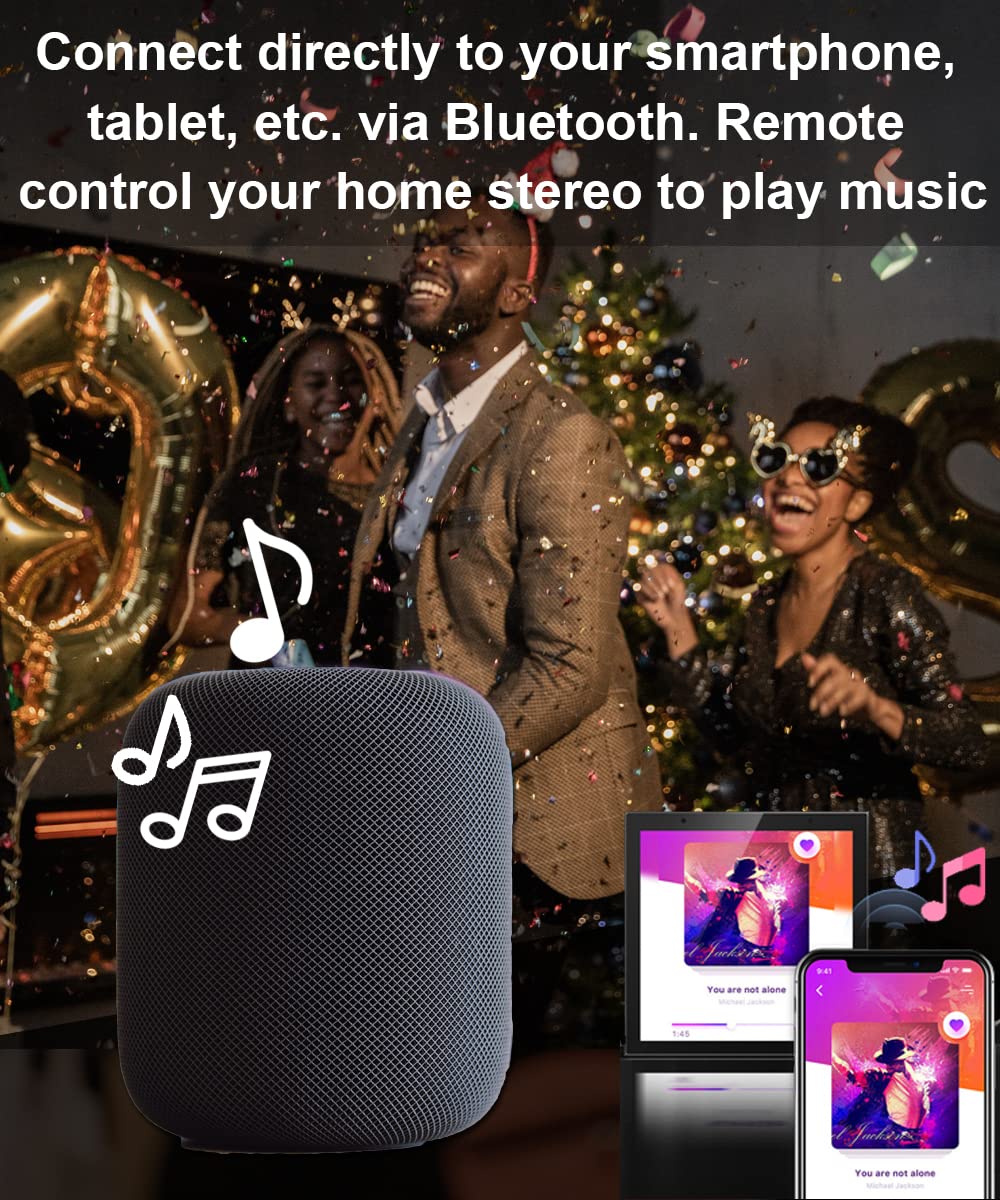
You’ll be able to play music from apps installed on the TF card directly through the panel, turning that wall location into a dedicated music control station. This is convenient for kitchens, living rooms, or entryways where you might want background music without pulling out your phone.
Connecting Speakers
If you want sound with more depth than a small onboard speaker, you can connect your home theater or bookshelf speakers to the panel wiring (if supported). You’ll need to route speaker cables into the wall cavity and attach them during installation, which makes the wall panel act as a local amplifier and control hub.
Multi-Room and App Playback
You’ll have the flexibility to play music to specific speakers or zones (depending on how your audio ecosystem and Tuya integration are set up), and you can use installed music apps to manage playlists and streams. This gives you a turnkey option for background music without relying solely on phone-based streaming for everyday listening.

Smart Lock and Security Control
You’ll be able to control compatible Tuya smart locks directly from the panel, which is especially handy by the door when your hands are full and you need to unlock quickly. The panel can act as a localized control point for locks, making access easier for family members who may not have the mobile app on their phones.
Lock Integration Use Cases
You’ll find the panel useful in entryways where you want one-touch actions such as “Unlock + Turn On Porch Light + Play Welcome Song” when someone arrives. These combinations reduce friction for common tasks and keep lock control centralized so you don’t juggle apps or multiple devices.
Safety and Privacy Concerns
You’ll want to secure the panel with appropriate authentication and ensure your Tuya account uses a strong password and two-factor authentication if available. Because the device controls locks and other sensitive systems, you should keep firmware up to date and follow best practices for network security to protect access.
User Experience and Touchscreen Interface
You’ll notice the touchscreen layout is designed for quick access to common functions, with large buttons and sliders for light and music controls. The interface is aimed at being intuitive so anyone in the household can use it without a steep learning curve.
Responsiveness and Customization
You’ll likely find the touchscreen responsive for taps and slides, and the ability to configure scenes and shortcuts means you can tailor the UI to match how you use the spaces in your home. Customization makes the panel more personal and reduces the number of taps needed for frequently used actions.
Performance and Reliability
You’ll want the panel to respond quickly every time you touch it and for automations to trigger reliably, and many users report stable performance when it’s on a robust local Wi‑Fi network. Reliability will depend on your network stability, the device’s firmware, and correct installation, so plan for occasional updates and basic troubleshooting.

Troubleshooting Common Issues
If you run into problems like unresponsive touch, failed device pairing, or audio playback issues, you’ll usually find fixes by restarting the panel, checking wiring, or re‑pairing devices through the Tuya app. You’ll also want to verify the TF card installation and app permissions for music apps if playback fails.
Steps to Troubleshoot
You’ll start by rebooting the device and confirming the wall wiring is secure if there are power or dimming issues. For software problems, you’ll check for updates, remove and re-add Tuya devices, and verify any third-party app installations on the TF card are compatible with the panel’s OS.
Pros and Cons
You’ll want a clear list of strengths and trade-offs before you commit, so here’s a balanced view to help with your decision. Think about whether the pros align with how you live and whether the cons are acceptable for your technical comfort level.
Pros
- You’ll consolidate lighting, music, and lock control into a single in-wall hub, reducing clutter.
- You’ll enjoy the convenience of a built-in Tuya Smart APP and the option to run other apps via the included 16GB TF card.
- You’ll be able to quickly set scenes that combine lighting and music for immediate ambiance.
- You’ll replace multiple remotes and switches, making daily routines simpler and more consistent.
- You’ll appreciate the rapid installation claim (about 15 minutes for basic wiring) if you’re comfortable with electrical work.
Cons
- You’ll need to understand or hire for in-wall wiring; installation isn’t plug-and-play for everyone.
- You’ll want to verify model compatibility with your exact Tuya devices, as not every third-party device always integrates perfectly.
- You’ll rely on Tuya’s ecosystem and firmware updates for long-term feature support and security, which may introduce dependencies.
- You’ll have limited screen real estate on a 4-inch display for complex control or highly detailed settings.
Who Should Buy This
You’ll benefit from this panel if you’re consolidating a smart home setup and want a fixed, accessible control point that’s always available to family members and guests. You’ll also like this if you want on-wall music control without hauling a phone around and if your home already uses or plans to use Tuya-compatible devices.
Who Might Skip It
You’ll probably skip this if you prefer voice-only controls, large tablet-style home control stations, or if your home’s wiring makes in-wall installations impractical. You’ll also want to avoid it if you’re deeply invested in a non-Tuya ecosystem with no path to integrate those devices.
Alternatives and Comparisons
You’ll want to compare this product with smart in-wall panels from other ecosystems (such as Zigbee/Z-Wave control panels or brand-specific hubs) to make sure you pick the system that best fits your devices. You’ll find alternatives that focus more on voice assistants, larger displays, or dedicated audio zones if those are priorities for you.
How It Compares
You’ll notice this panel’s main advantage is the combined music player and Tuya control in one compact form factor, whereas many competitors separate audio hubs from scene controllers. You’ll also find some panels with larger screens or built-in voice assistants, so choose based on whether you want a compact touchscreen or a more feature-heavy wall tablet.
Maintenance and Firmware Updates
You’ll need to check for firmware updates periodically to keep the panel secure and performance-optimized, especially because it controls locks and other important systems. You’ll also want to back up any scene configurations or note down settings before major updates so you can restore if anything changes.
Caring for the Device
You’ll keep the touchscreen smudge-free with a microfiber cloth and avoid spraying cleaning liquids directly onto the panel. For longevity, you’ll ensure the internal temperature around the panel isn’t extreme and that the wall box provides enough ventilation.
Security and Privacy
You’ll want to set up secure passwords and enable any available two-factor authentication on your Tuya account to protect access. You’ll also place the panel in a central but trusted location so casual guests can use common features while sensitive functions like unlocking doors remain protected.
Network Practices
You’ll use a secure, WPA2 or WPA3 Wi‑Fi network and consider setting up a dedicated IoT VLAN or guest Wi‑Fi for your smart devices if your router supports it. You’ll reduce exposure by limiting access and regularly checking for unknown devices on your network.
Practical Use Cases and Routines
You’ll find many practical scenarios where the panel improves daily routines. Put a panel by the front door for unlocking and lighting upon arrival, in the kitchen for music and cooking lights, or in the living room for movie-night scenes that lower lights and start background music in the right zone.
Example Scenes You’ll Enjoy
You’ll create a “Good Morning” scene that gradually brings up bedroom light, plays a mellow playlist and sets the thermostat to a comfortable temperature. You’ll also set a “Goodnight” scene that locks doors, dims lights, and stops music with one tap as you head to bed.
Common Questions You’ll Have
You’ll probably ask how the TF card works, whether the panel supports cloud or local music playback, and what the exact wiring requirements are. You’ll also want to know if multiple panels can synchronize music or scenes across several rooms, which depends on your network, Tuya setup, and speaker configuration.
Quick Answers
You’ll use the 16GB TF card for installing apps and storing local music files, which the panel will run without needing constant phone streaming. You’ll be able to control Tuya-compatible devices locally through the panel, but features like multi-room synchronization may require additional configuration or compatible speakers and apps.
Final Verdict
You’ll see the Smart Home Control Panel, Dimmer and Background Music Player, 4” Switch Panel in-Wall Touchscreen Control for Various Tuya Smart Appliances, Black as a strong option if you want a compact, in-wall solution that consolidates lighting, locks and background music into one accessible location. You’ll appreciate the Tuya integration and the flexibility of adding apps via the included TF card, but you’ll need to be ready for an in-wall installation and mindful of compatibility and security best practices.
Buying Tips and Recommendations
Before you buy, you’ll verify the panel fits your wall box depth and wiring, confirm compatibility with your Tuya devices, and plan whether you’ll connect external speakers. If you’re not comfortable with electrical wiring, you’ll budget for a qualified electrician to install it, and you’ll set aside time to configure scenes and test music playback once the panel is live.
If you’d like, tell me where you plan to install the panel (entryway, kitchen, bedroom, etc.) and which Tuya devices you already own, and I’ll give you a tailored setup checklist and scene ideas that match your space and habits.

Disclosure: As an Amazon Associate, I earn from qualifying purchases.