
?Want to make your existing blinds smart without replacing them?


Quick Verdict
You get a convenient retrofit solution with the SwitchBot Blind Tilt Automatic Blind Opener 3-Pack & Hub 2 – Smart Motorized Blinds with Bluetooth/IR Remote Control, WiFi Thermometer Hygrometer, Light Sensor, Work with Alexa, Google Home, HomeKit. You’ll find it easy to install, energy friendly thanks to solar charging, and flexible through multiple control methods including app, voice, and automation rules.
SwitchBot Blind Tilt Automatic Blind Opener 3-Pack & Hub 2- Smart Motorized Blinds with Bluetooth/IR Remote Control, WiFi Thermometer Hygrometer, Light Sensor, Work with Alexa, Google Home, HomeKit
What’s in the Box
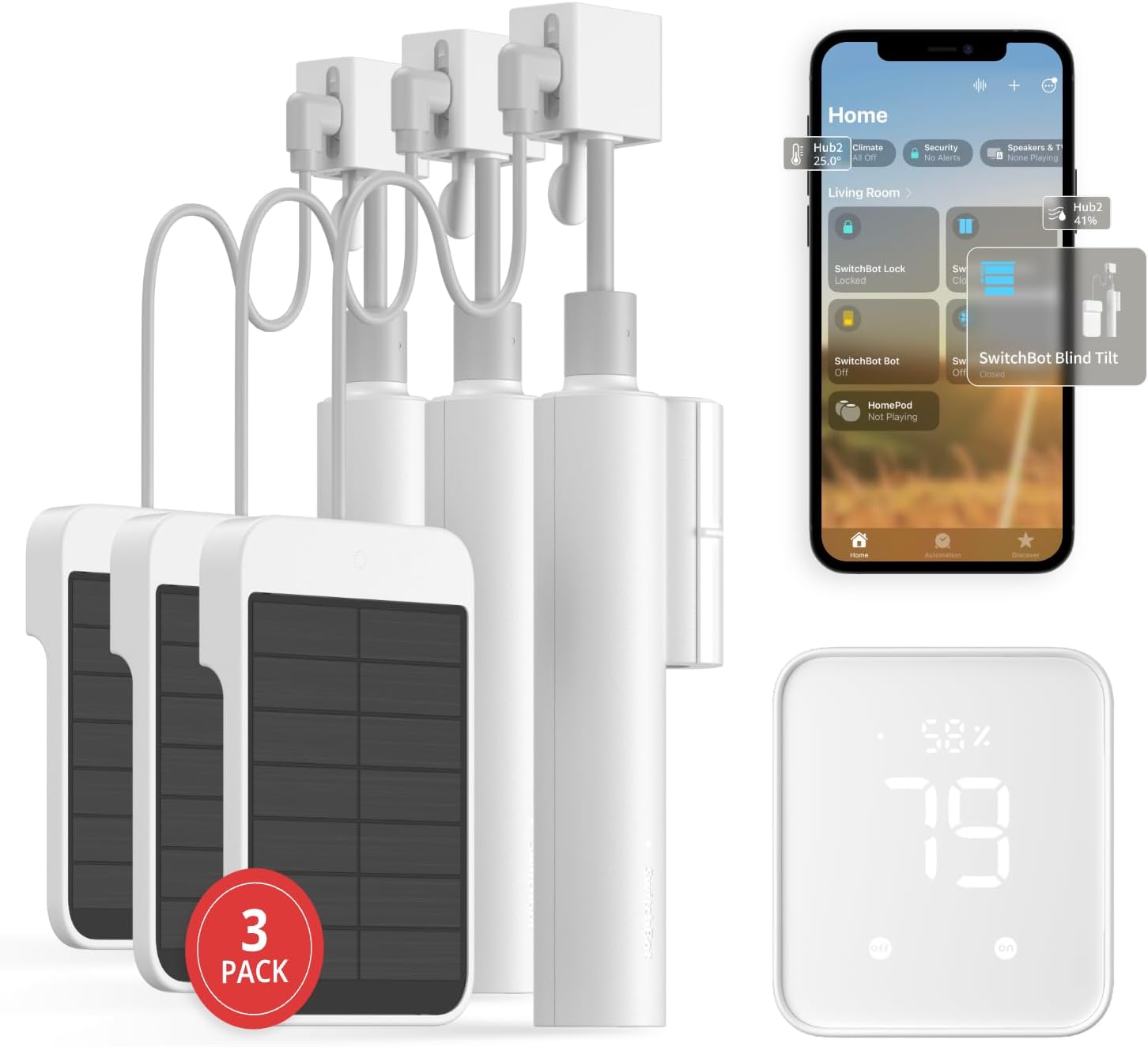
You’ll receive three Blind Tilt devices and a SwitchBot Hub 2 in this package, plus mounting accessories and basic documentation. You’ll also get the advantages of a hub that adds infrared learning, additional sensor readings, and cloud connectivity for remote control.
Product Breakdown Table
This table gives you a quick snapshot of the core specs and features so you can compare at a glance. You’ll be able to see power, connectivity, and compatibility details without hunting through paragraphs.
| Feature | What it Means for You |
|---|---|
| Package Contents | 3 Blind Tilt motors + SwitchBot Hub 2 (2nd Gen) and mounting tape/pads |
| Power Source | Solar panel on each Blind Tilt for continuous charging plus internal battery |
| Motor Precision | High-precision motor allowing adjustments to the closest 2° for fine control |
| Sensors | Built-in light sensor on Blind Tilt; Hub 2 adds temperature & humidity |
| Connectivity | Bluetooth for local control; Hub 2 adds Wi-Fi and IR learning/control |
| Smart Home Compatibility | Works with Alexa, Google Home, Apple Home (via Hub 2/Matter) |
| Group Control | Up to 4 blinds via single control in Bluetooth range; unlimited when using Hub 2 |
| Smart Learning IR | Hub 2 can learn and consolidate infrared remotes for other appliances |
| Automation | Scenes, geo-fencing, sensor-triggered actions through Hub 2 |
| Matter Support | Supported when used with SwitchBot Hub 2, enabling HomeKit & broader compatibility |

Design and Build Quality
The Blind Tilt units are compact and designed to attach to the headrail or tilt rod of most existing Venetian-style blinds. You’ll appreciate that they don’t require you to replace the slats or change the blinds’ look, which saves money and avoids a full retrofit.
The SwitchBot Hub 2 has a clean, modern design that fits into most rooms without drawing attention. You’ll notice the hub includes IR functionality and a built-in thermometer and hygrometer that make automation more contextual and useful.
Installation Overview
Installation is aimed at being simple and tool-free for many window styles, using adhesive pads and a clamping mechanism where needed. You’ll be guided by the app through placement, alignment, and initial calibration so you can get your blinds moving in a few minutes.
You’ll want to test fit each Blind Tilt and ensure the solar panel faces adequate light to maintain battery level. If some windows are dim, the internal battery still provides charge, but you may consider occasional manual charging or prioritizing placement where sunlight hits.
Installation Steps
First, you’ll attach the Blind Tilt to the tilt rod or headrail using the included adhesive or mounting bracket depending on your blind type. Next, you’ll pair each unit via Bluetooth to the SwitchBot app and calibrate the rotation limits to match your blind’s full open and full close positions.
You’ll then add the Hub 2 to your Wi-Fi network following the app prompts so that remote control, cloud automations, and voice assistant integrations become available. Finally, you can group devices, set scenes, and configure sensor-based triggers to automate your blinds with temperature, humidity, or light readings.
Solar Charging and Battery Life
Each Blind Tilt includes a solar panel designed to supply continuous charging, which reduces the need for manual recharging and supports greener operation. You’ll find this especially convenient for east- or west-facing windows where daily sunlight helps maintain battery levels without intervention.
Even if a window doesn’t get enough sun, the Blind Tilt has an internal battery that stores energy and will keep the device functioning for many cycles. You’ll still want to check battery status in the app occasionally, and the hub’s light sensor can help automate behaviors to conserve power if needed.
Practical Tips for Solar Performance
Place the unit where it will receive direct or reflected sunlight during the day for best results, since shading or curtains can reduce panel effectiveness. You’ll also want to avoid installing the solar surface against dark or highly absorptive surfaces that reduce reflected light.
If you live in an apartment or dim room, you can still use the Blind Tilt reliably — it may simply rely more on stored battery and require occasional recharges. You’ll appreciate that SwitchBot designed the system to operate even without constant direct sunlight.

Motor, Precision, and Performance
The Blind Tilt uses a customized high-precision motor to move blinds with fine-grained control, allowing adjustments down to approximately 2°. You’ll be able to set the exact slat angle you want to let in a sliver of light or the maximum natural illumination.
You’ll notice smooth starts and stops that help prevent jarring movement of delicate blinds, and the device handles the typical torque demands of most Venetian blind systems. If you have large or heavy headrail systems, verify compatibility, but for most residential blinds the Blind Tilt works smoothly.
Noise and Smoothness
Operation is relatively quiet and unobtrusive, suitable for bedrooms and living areas where you don’t want a loud motor. You’ll hear soft mechanical sounds, but they’re not distracting during daily use.
The precise stopping points also prevent slats from over-rotating or misaligning, which keeps your blinds looking neat over long-term use. You’ll find that the accurate angle control is especially helpful for glare management and privacy control.
Hub 2: Infrared, Sensors, and Smart Integrations
The included SwitchBot Hub 2 expands the Blind Tilt’s capabilities by adding IR learning and control, Wi-Fi connectivity for cloud access, and additional sensors like temperature and humidity. You’ll get a single device that can both extend your local control range and centralize automation triggers.
The Hub 2’s IR learning means you can consolidate other remotes — TV, air conditioner, set-top boxes — into the SwitchBot app so you can control multiple devices from one interface. You’ll also use Hub 2 sensor data as conditions for scenes, such as closing blinds when the room gets too hot or triggering an AC when humidity rises.
Using Sensor Data
You’ll be able to use temperature, humidity, and light sensor readings to create automated routines that react to actual room conditions. For example, you can set your blinds to close when the light sensor detects harsh midday sun, helping reduce glare and heat.
The hub’s sensor data can also be used in combination with geofencing to create presence-aware behaviors, like opening blinds when you arrive home or closing them at night. You’ll find this adds convenience and energy-saving potential to your smart home setup.
Connectivity and Smart Home Compatibility
When you pair the Blind Tilt with the Hub 2, you get local Bluetooth control plus remote Wi-Fi control and cloud integration. You’ll be able to operate blinds from anywhere via the SwitchBot app, set complex scenes, or control devices using voice assistants.
SwitchBot supports Alexa, Google Home, and Apple Home via Matter when used with the Hub 2, which gives you broad compatibility with major ecosystems. You’ll appreciate that Matter support aims to make devices more universal across platforms, so you won’t be locked into a single smart home brand.
Group Control and Range
If you’re within Bluetooth range, you can control up to four Blind Tilt units with a single button command in the SwitchBot app. You’ll get unlimited grouping flexibility when using the Hub 2, which is ideal for larger windows or coordinated daily routines across multiple rooms.
Grouping simplifies scenes like “All Blinds — Morning” or “Living Room Movie Mode” where several blind units should respond together. You’ll find groups helpful when you want consistent light levels across large windows or patio doors.
App Experience and Usability
The SwitchBot app serves as your central control hub for pairing, calibration, scene creation, and monitoring sensor readings. You’ll find the interface intuitive and the setup wizards helpful for guiding through device-specific steps.
You’ll be able to use the app to set schedules, configure open/close limits, and monitor battery levels and sensor data. The app also provides firmware updates so your devices stay current with performance improvements and new features.
Creating Scenes and Automations
In the app, you can build routines that use time, sensor triggers, or geofencing to perform actions automatically. You’ll be able to combine blind control with other SwitchBot devices, like turning on a fan when blinds close due to high temperature.
The scene editor is flexible and helps you create real-world automations without needing scripting knowledge. You’ll appreciate the ability to test scenes and see sensor readings that validate your automation conditions.
Voice Control and Matter/HomeKit Support
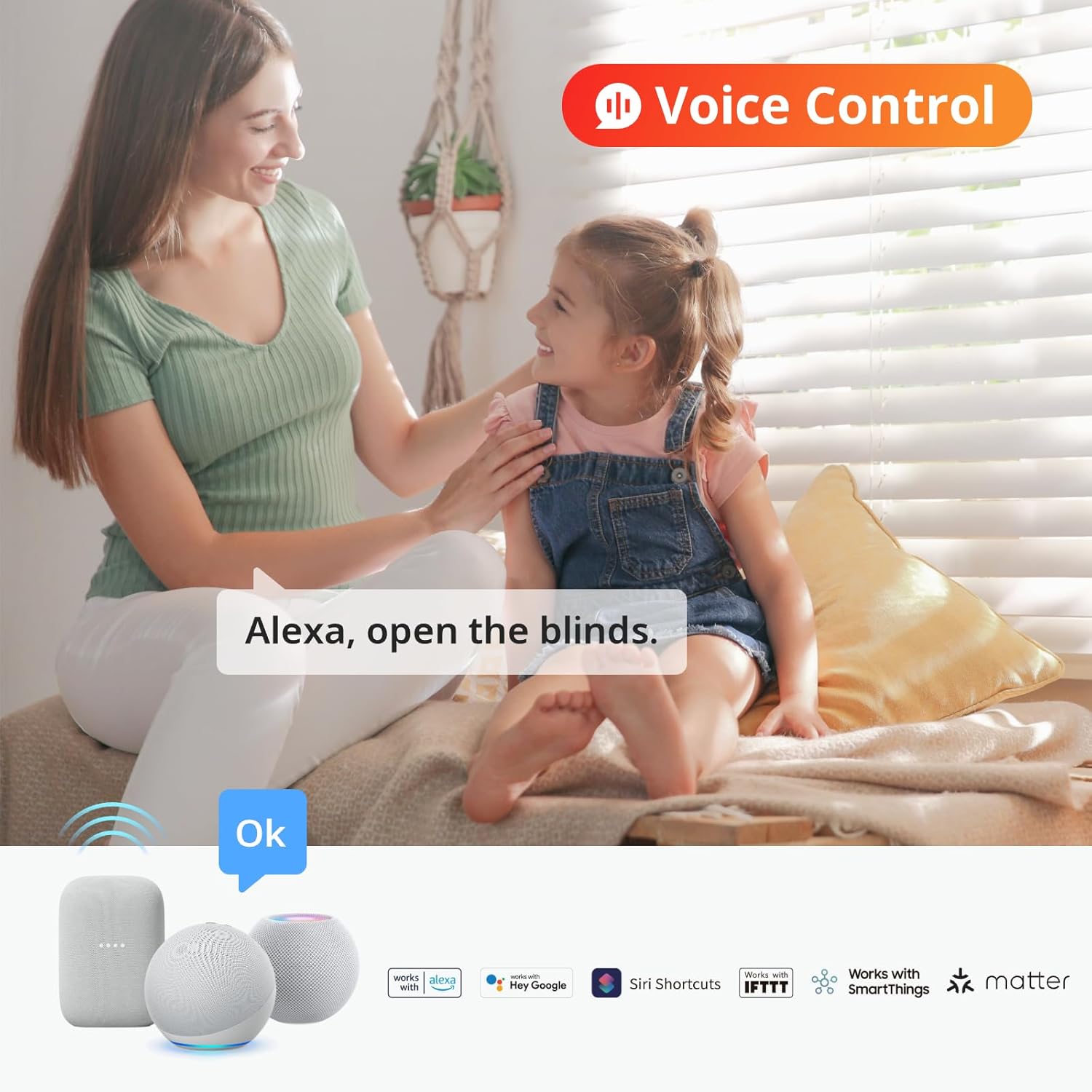
With Hub 2, the product works with Alexa and Google Assistant out of the box, and support for HomeKit comes through Matter compatibility. You’ll be able to control blinds with voice commands like “open living room blinds” or “set bedroom blinds to 30%.”
Apple Home compatibility via Matter allows you to include the blinds in HomeKit scenes and use Siri for voice control. You’ll also gain the benefits of cross-platform integrations that Matter aims to provide, making the blinds more universally accessible across different voice assistants.
Example Voice Commands
You can ask your assistant to open, close, or set the slat angle to specific percentages or degrees when integrated. You’ll find voice control convenient for hands-free adjustments as you move through the house or when your hands are full.
Voice control works best when the Hub 2 is connected and online, so you’ll want stable Wi-Fi for cloud voice commands. You’ll still retain direct Bluetooth control locally if your network goes offline.
Daily Use Scenarios and Automation Ideas
You can create morning routines that open blinds gradually to simulate sunrise and help you wake up naturally. You’ll also set cooling automations to close blinds during peak sun to reduce heat gain and ease the load on air conditioning.
For privacy, you can schedule blinds to close at sunset and open at sunrise, or trigger them based on your phone’s location so they act automatically when you arrive home. You’ll also group blinds for whole-room control during movie time or when you need a consistent light level.
Energy and Comfort Benefits
Using sensor-driven automations can help maintain comfortable room temperatures and reduce energy usage by minimizing direct Sun exposure. You’ll notice less glare on screens and more consistent natural light, which benefits both comfort and productivity.
When combined with air conditioner or thermostat controls via IR learning and scenes, you’ll create a more responsive and efficient home environment that reacts to actual conditions.
Security and Privacy Considerations
SwitchBot devices require an account to access cloud features, and the Hub 2 bridges Bluetooth devices to the internet for remote control. You’ll want to use a strong password and enable any available account security features to protect remote access.
Local Bluetooth control still works without sending data to the cloud, so you’ll have some on-site functionality if you prefer to limit cloud reliance. You’ll also be able to remove devices from the cloud or reset them if you’re moving or selling equipment.
Data and Network Best Practices
Place your Hub 2 on a secure Wi-Fi network separate from guest devices if possible, and keep firmware updated to benefit from security patches. You’ll also review app permissions and limit third-party integrations to only the services you trust.
If privacy is a high priority, you can primarily rely on Bluetooth control and only use cloud features selectively. You’ll balance convenience with your preferred level of data sharing.
Troubleshooting and Common Issues
If a Blind Tilt fails to respond, check that the unit has sufficient battery charge and that Bluetooth is enabled on your phone. You’ll also want to verify the Hub 2 is connected to Wi-Fi if you’re attempting remote control.
If blinds don’t reach exact positions during calibration, re-run calibration and ensure the unit’s mechanical mounting hasn’t slipped. You’ll also want to check for obstructions on the tilt rod or excessive resistance that could limit motor performance.
When to Contact Support
If you encounter persistent connection drops, unusual noises, or inconsistent automation triggers, SwitchBot support can help with firmware updates, diagnostics, and replacement advice. You’ll want to have the device serial numbers and a short description of the issue when contacting support for faster assistance.
Pros and Cons
You’ll appreciate many benefits but it’s useful to weigh trade-offs before buying. This section summarizes practical strengths and limitations to help you decide.
Pros:
- Easy retrofit installation that avoids replacing existing blinds. You’ll save time and money compared with full replacement.
- Solar charging reduces maintenance and supports sustainable operation. You’ll rarely worry about recharging in sunny rooms.
- High-precision motor allows fine angle adjustments for light and privacy control. You’ll set slats to exact positions for better comfort.
- Hub 2 adds IR consolidation, sensor data, and Matter/HomeKit support. You’ll get broad smart home integration and more automation options.
Cons:
- Solar charging is dependent on available light; darker rooms may need periodic manual charging. You’ll need to monitor battery levels in low-light environments.
- Heavy or non-standard blinds may be incompatible or require verification. You’ll want to check torque and mount options before purchase.
- Some advanced features rely on the Hub 2, so if you prefer Bluetooth-only setups, you’ll lose remote/cloud conveniences. You’ll need the hub for Matter and full voice assistant compatibility.
Comparisons and Alternatives
If you’re comparing options, consider motorized roller shades or integrated smart blinds as alternatives. You’ll find those options may offer stronger motors for heavy curtains but usually require full-blind replacement and professional installation.
Other retrofit products may focus on cord-pulling mechanisms instead of tilt control, which could be better for vertical blinds or shades. You’ll want to match the product to the blind type and the control style you prefer.
Why Choose SwitchBot Blind Tilt
You’ll pick Blind Tilt if you want a non-invasive retrofit solution for Venetian blinds with fine angle control and solar charging. The bundled Hub 2 also makes this package versatile for consolidating IR remotes and adding sensor-based automation.
If your priority is deep integration with HomeKit and Matter, the inclusion of Hub 2 and announced Matter support make SwitchBot a solid choice for a multi-platform smart home.
Long-Term Reliability and Maintenance
Over time, you’ll need minimal maintenance beyond occasional cleaning of the solar surface and ensuring adhesive mounts remain secure. Firmware updates via the app will keep performance optimized and may add features that improve longevity.
If you plan to move units between windows or homes, the adhesive can be replaced and mounting readjusted without much hassle. You’ll want to keep spare adhesive pads and follow any guidelines for safe removal to avoid residue.
Replacement Parts and Support
SwitchBot offers accessories and spare parts like adhesive pads and mounting brackets, and their support can advise on compatibility or replacements. You’ll find the community of users often shares helpful setup tips and configuration examples.
Who Is This Best For?
You’ll benefit most if you have Venetian-style blinds and want a quick, low-effort way to make them smart without replacing hardware. This is especially useful if you value precise light control, energy-saving automations, and multi-platform voice assistant support.
It’s less ideal if you have heavy-duty commercial blinds or proprietary systems that require stronger motors or custom fittings. You’ll want to verify your blind type and torque requirements before committing.
Final Thoughts
You’ll find the SwitchBot Blind Tilt Automatic Blind Opener 3-Pack & Hub 2 to be a practical, user-friendly solution for smartening your blinds with minimal fuss. With solar charging, precise motor control, and a Hub 2 that expands functionality through IR learning and Matter support, this package delivers a well-rounded upgrade for most homes.
If you value easy installation, flexible control methods, and sensor-driven automations that improve daily comfort and energy efficiency, this product is likely a strong fit. You’ll want to evaluate sunlight exposure for each window and check blind compatibility, but once installed you should enjoy quieter mornings, improved privacy, and smarter light control.

Disclosure: As an Amazon Associate, I earn from qualifying purchases.