
Thinking about upgrading your home security with a wired PoE system that promises high resolution, smart detection, and easy setup?

Quick summary of the REOLINK Smart 5MP 8CH Home Security Camera System, 4pcs Wired PoE IP Cameras Outdoor with Person/Pet/Vehicle Detection, 4K 8CH NVR with 2TB HDD for 24-7 Recording, RLK8-520D4-5MP
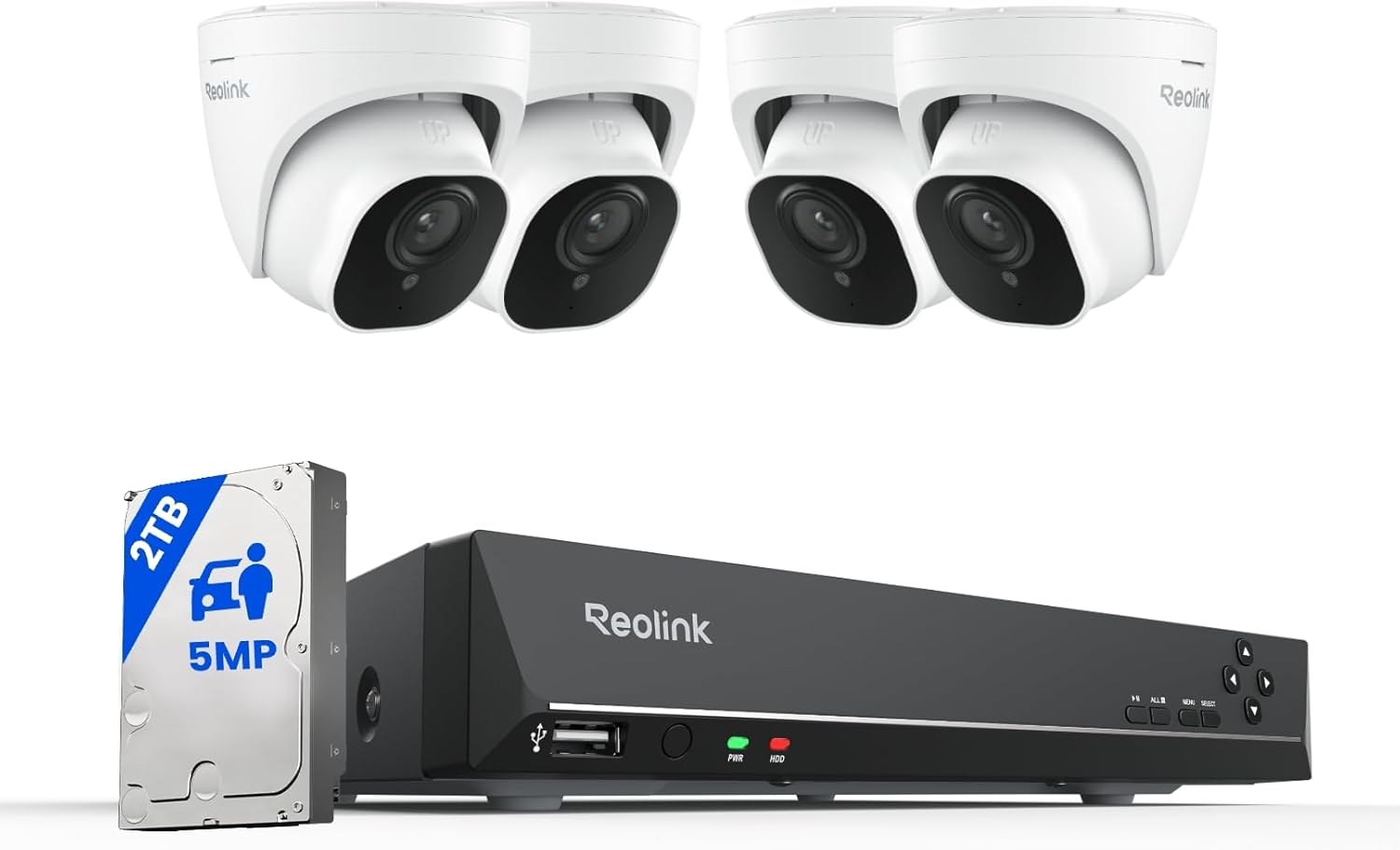
You’ll get a complete PoE kit designed for continuous monitoring of a small to medium property. The package includes four 5MP wired PoE cameras and an 8-channel NVR capable of displaying up to 4K on a monitor. It ships with a pre-installed 2TB HDD and supports smart person/animal/vehicle detection to cut down on false alerts.
What this system promises you
You can expect high-resolution daytime footage, usable night vision out to about 100 feet, on-device smart detection that filters alerts, integrated audio recording via built-in microphones, and remote viewing plus playback through the Reolink app. The system is engineered to be plug-and-play using PoE, so you only need Ethernet cables for both power and network.
REOLINK Smart 5MP 8CH Home Security Camera System, 4pcs Wired PoE IP Cameras Outdoor with Person/Pet/Vehicle Detection, 4K 8CH NVR with 2TB HDD for 24-7 Recording, RLK8-520D4-5MP
$389.99 In Stock
What’s in the box and basic hardware breakdown
You’ll find everything needed to get started right away. The idea is that you can do most of the installation yourself if you’re comfortable running Ethernet cables.
- 4 × Wired PoE 5MP IP cameras (outdoor)
- 1 × 8-Channel NVR (supports 4K)
- Pre-installed 2TB HDD
- PoE ports integrated into the NVR (for powering cameras)
- Cables, screws, and mounting hardware (may vary by package)
Table: Feature breakdown at a glance
| Feature | What you get | Why it matters to you |
|---|---|---|
| Camera resolution | 5MP (approx. 2560×1920) | Clearer stills and recognizable details versus 1080p |
| Night vision | Up to 100 ft with IR lights | Usable detection and identification at night |
| Smart detection | Person, animal, vehicle (firmware update may be required) | Fewer false alerts from leaves/bugs; faster identification of real threats |
| Channels | 8CH NVR | Room to add more cameras (system includes 4) |
| Pre-installed storage | 2TB HDD | Continuous recording and up to about 10 days of footage (typical, depending on settings) |
| Expandable storage | External up to 8TB via eSATA | Longer retention if you need it |
| PoE | Yes—power + data over one cable | Easier wiring and centralized power management |
| Audio | Built-in microphone per camera | Capture nearby sounds for more context |
| Remote access | Reolink app / client | Watch live and playback from anywhere |
| Weatherproofing | Outdoor-rated housing | Keeps cameras working in outdoor conditions |
| Recording modes | 24/7, motion-triggered, scheduled | Flexibility to conserve storage or record continuously |
Video quality and image performance
You’ll notice a substantial step up from 1080p with these 5MP cameras. Images are sharper, and you’ll have more pixels to crop and zoom while retaining clarity.
Daytime video
In good daylight, faces, license plates at moderate distances, and finer details are easier to read. You’ll find the 5MP feed gives more leeway for identifying subjects after the fact.
Low-light and night vision
The system’s advanced IR lights provide usable black-and-white night vision out to roughly 100 feet. You’ll see clear silhouettes and often enough detail for identification at close to medium distances. Keep in mind night clarity depends on ambient light and object reflectivity.

Smart detection: people, animals, vehicles
The smart detection feature is one of the selling points. You can set the cameras to specifically notify you about people, pets, or vehicles, which reduces the number of alerts you have to review.
How it helps you
When you enable person/animal/vehicle detection, you’ll receive fewer false alarms from trees, insects, or shifting shadows. That keeps your notifications relevant and saves time when you check the timeline.
Firmware and accuracy
To get the best accuracy, make sure you update the cameras’ firmware to the latest version. Detection performance is good for most residential use, but results can vary with distance, camera angle, and environmental conditions.
Audio: listening for evidence
Each camera has a built-in microphone so you can record sound along with video. If a noise event coincides with video motion, you’ll have both audio and visual context when you playback the recording.
When to use audio
You’ll want audio enabled if you need to capture suspicious conversation, alarm sounds, or other background noises. You can disable audio if privacy or local laws require it in your area.
PoE and plug-and-play installation
PoE is a big advantage. You run a single Ethernet cable from each camera to the NVR, and the cable carries both data and power.
Why PoE makes installation simpler
You won’t need separate power adapters at each camera. This reduces clutter, lowers points of failure, and centralizes power at the NVR. If a camera loses power you’ll know by looking at the NVR or via the app.
What you need to plan for
You’ll need to drill, mount the cameras, and run Cat5e/6 cables back to your NVR location. If you’re not comfortable with cable routing or holes in walls, hire a pro. Cable length limits and routing through walls or conduit should be planned in advance.

NVR and storage: how much recording time you’ll get
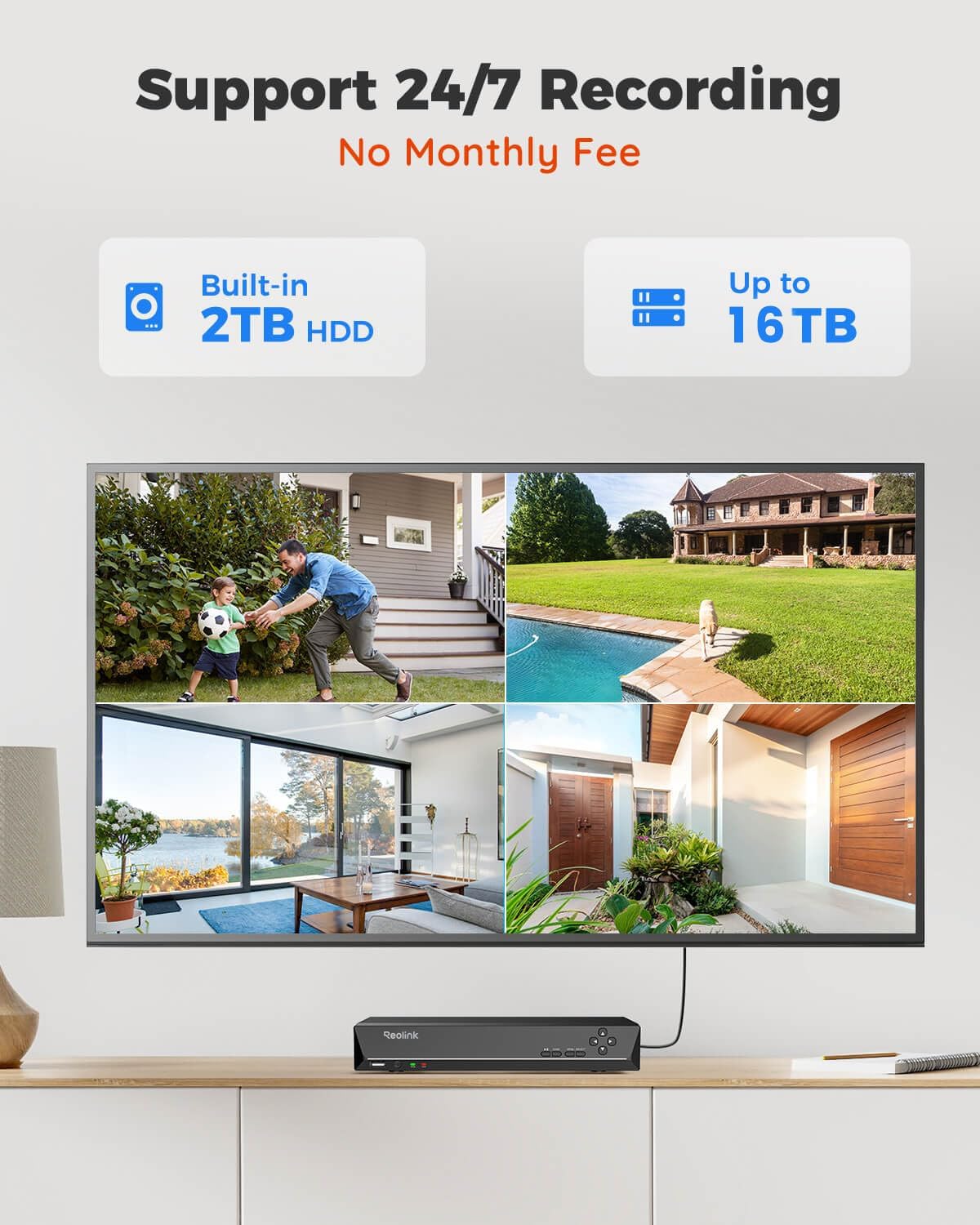
The NVR handles recording and playback and comes with a pre-installed 2TB HDD. Reolink claims about ten days of storage without overwriting, which depends on your encoding settings and recording mode.
Continuous vs motion recording
Continuous 24/7 recording consumes the most storage. If you switch to motion-only recording, you can stretch your storage dramatically. The NVR supports different modes, so you can schedule constant recording for high-risk hours and motion recording at other times.
Expandability
If you need longer retention, the NVR lets you add an external HDD up to 8TB via the eSATA port. That’s helpful for businesses or properties where you want weeks of history.
Storage estimate example
If you record all four cameras at 5MP 24/7 with a moderate bitrate, the 2TB will fill faster than lower resolutions. The vendor’s 10-day estimate is a reasonable baseline for typical high-resolution continuous recording. To extend storage, either add an external HDD or use motion-triggered recording.
Remote viewing and mobile app
The Reolink app and desktop client let you view live feeds, receive push notifications, and playback recorded video remotely.
What you can do from your phone
You’ll be able to check live video, listen to audio (if enabled), review alerts, export clips, and play back recordings stored on the NVR. Remote playback is handy when you need to verify an incident while you’re away.
Reliability and latency
Streaming performance depends on your upload bandwidth at home and the network connection of your viewing device. The app tends to be responsive, but high-resolution streams will use more data.
Build quality and weather resistance
The cameras are built for outdoor use with weather-resistant housings. That means you can mount them under eaves or on exterior walls without worrying about rain or dust ruining them.
Longevity considerations
Solid mounting and proper sealant at cable entries increase longevity. If you live in extreme climates, verify the ambient operating range so you know the hardware tolerances.

Installation walkthrough (step-by-step)
You’ll find the system easier than separate PoE injector setups because the NVR supplies power. Here’s the general flow:
- Choose camera locations and mount brackets at heights that maximize field of view and minimize tampering risk.
- Run Cat5e/6 cables from each camera back to the NVR location.
- Insert each camera cable into the PoE ports on the NVR; cameras should power on automatically.
- Connect the NVR to your router or switch for internet access (Ethernet cable).
- Connect the NVR to a monitor or TV via HDMI or VGA to complete local setup.
- Use the NVR’s on-screen menu or the Reolink app to finalize camera orientation, detection zones, motion sensitivity, and recording schedules.
- Update firmware on the NVR and cameras, then test remote access via the Reolink app.
Tips for better placement
- Mount cameras 8–12 feet off the ground for a balance between identification and coverage.
- Avoid pointing cameras directly at bright lights or windows to reduce glare.
- Angle cameras to capture faces rather than only backs or feet; slightly downward tilt often helps.
Configuration recommendations for best balance of quality and storage
You’ll want a mix of clarity and storage efficiency. Here are suggested settings:
- Resolution: Keep at 5MP for areas where detail matters (doorways, driveways). Use lower resolution for peripheral areas.
- Recording mode: Motion-triggered for most cameras; continuous for critical zones (front door, driveway).
- Bitrate: Choose “medium” or set an adaptive bitrate if available—this reduces storage needs while keeping usable detail.
- Frame rate: 15–20 fps is typically sufficient for surveillance, lowers storage compared to 25–30 fps.
- Detection zones: Limit motion zones to areas where people or vehicles will appear to reduce false alerts.
Security and privacy best practices
You’ll have remote access power, which also means you need to secure the system.
Essential steps
- Change default passwords immediately and use a strong, unique password for the NVR and account.
- Keep firmware updated to patch vulnerabilities.
- Use the latest Reolink app and, if possible, secure the NVR behind your router with updated NAT/firewall rules.
- Consider isolating the NVR on a separate VLAN or guest network if you want to compartmentalize device access.
Pros and cons — what you’ll like and what to watch for
You’ll find clear strengths and a few trade-offs with this system.
Pros
- High-resolution 5MP cameras for clearer images.
- PoE plug-and-play design simplifies cabling and power.
- Smart person/animal/vehicle detection reduces false alerts.
- Pre-installed 2TB HDD with optional expansion via eSATA.
- Built-in microphones for audio context.
- Remote viewing and playback via Reolink app.
- 8CH NVR gives room to expand to more cameras.
Cons
- Wired PoE requires cable runs; not ideal if you can’t run wires.
- Smart detection accuracy varies by placement and light conditions.
- Continuous 5MP recording can fill the 2TB drive quickly without motion-only recording or a larger HDD.
- Audio pickups can be limited by microphone range and wind noise outdoors—consider wind shields or strategic placement.
Who should buy this system?
You should consider this system if:
- You want high-resolution wired cameras with centralized management.
- You prefer PoE for cleaner installation and more reliable power.
- You need reliable 24/7 recording with expandable storage.
- You want smart detection to reduce false alerts and prioritize real threats.
You might look elsewhere if:
- You cannot run Ethernet cables or need only temporary/casual monitoring.
- You need extremely long storage retention without adding external HDDs.
Practical scenarios and use cases
You’ll find this kit useful in many common setups:
- Residential homes wanting driveway, yard, and entrance coverage.
- Small businesses looking for a watertight, always-on recording solution.
- Multi-building properties where centralized NVR allows easier management.
Example: typical home setup
You might place two cameras covering the driveway and front porch and two covering the backyard and side gate. Use continuous recording for the front porch and motion recording for other cameras to conserve space.
Troubleshooting common issues
You’ll likely handle most problems with simple checks.
- Camera offline: Check Ethernet cable, PoE port, and NVR port status. Swap cables to isolate cable faults.
- Poor image: Clean lens and verify settings (resolution, bitrate, exposure). Adjust angle and lighting.
- False alerts: Reduce detection sensitivity, refine detection zones, update firmware.
- No remote access: Verify router modem upload speed and NVR network configuration; ensure UPnP/port forwarding or Reolink cloud is set up correctly.
Frequently asked questions (FAQs)
You’ll often want short, direct answers to the questions below.
Q: Can you add more cameras?
A: Yes—the NVR supports up to 8 channels. You can add up to four more PoE cameras.
Q: Will the 2TB HDD be enough?
A: It depends on your recording settings. The vendor estimate is about 10 days, but motion recording and lower bitrates will extend that time. You can add up to an 8TB external HDD via eSATA for longer retention.
Q: Does the system require a monthly fee?
A: Reolink allows basic local recording and remote viewing through their app without mandatory monthly fees. Optional cloud services may cost extra if you choose them.
Q: Is installation DIY-friendly?
A: Yes if you’re comfortable running Ethernet cables and mounting hardware. Otherwise, hiring an installer simplifies complex cable runs.
How this kit compares to wireless camera systems
You’ll notice trade-offs between wired PoE and wireless options.
- Reliability: PoE is more stable (no Wi-Fi dropouts) and better for long-term 24/7 recording.
- Image quality: Wired systems handle higher bitrates without stressing Wi-Fi.
- Installation: Wireless cams are easier to place but need power (batteries or nearby outlets) and can suffer interference.
- Security: Wired PoE has fewer attack surfaces than Wi-Fi if you secure your local network.
Accessories and additions you may want
You’ll get the most from the system by considering a few add-ons.
- Extra HDD (eSATA) for longer storage retention.
- Surge protector or UPS for NVR to keep recordings safe during power blips.
- Conduit or cable raceway for neat outdoor runs.
- PoE switch if you want additional PoE points away from the NVR location (ensure compatibility).
Final verdict
If you want a robust, expandable wired surveillance system with good image quality, useful smart detection, and easy PoE setup, the REOLINK Smart 5MP 8CH Home Security Camera System, 4pcs Wired PoE IP Cameras Outdoor with Person/Pet/Vehicle Detection, 4K 8CH NVR with 2TB HDD for 24-7 Recording, RLK8-520D4-5MP is a strong contender. You’ll appreciate the clarity of 5MP footage, the convenience of PoE, and the time saved from fewer false alerts. Just plan your cable runs, keep firmware updated, and size your storage to match your recording habits.
If you want, I can:
- Walk you through a room-by-room camera placement plan.
- Help estimate storage needs for a custom recording schedule.
- Provide a step-by-step setup checklist tailored to your home layout.

Disclosure: As an Amazon Associate, I earn from qualifying purchases.