
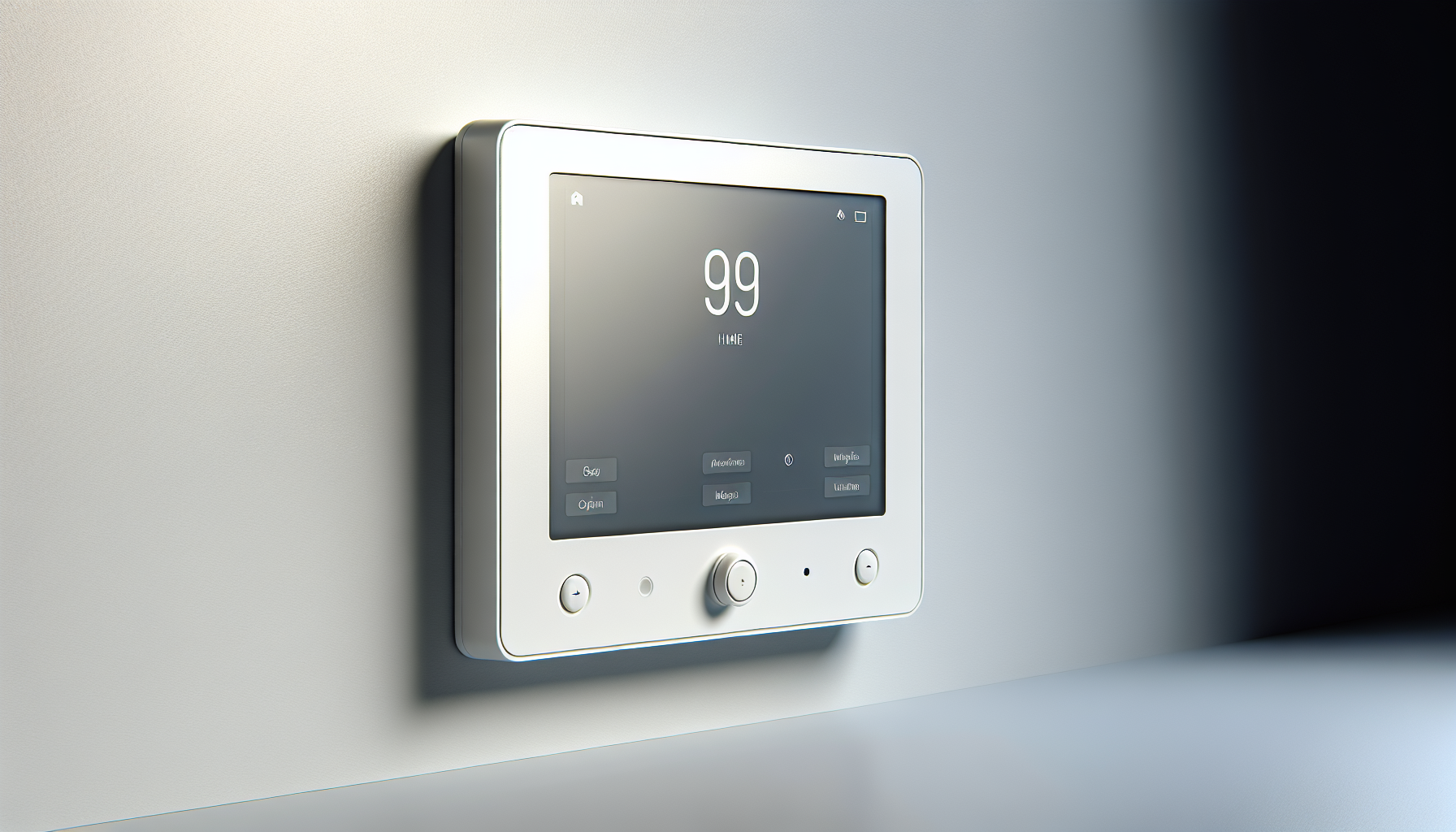
Are you considering the Qolsys IQP4003 IQ Panel 4 Security/Home Automation Control Panel (Verizon) for your home or business security system?

Qolsys IQP4003 IQ Panel 4 — Quick overview
You’ll find this model listed as Qolsys IQP4003 IQ Panel 4 Security/Home Automation Control Panel (Verizon), PowerG + 345MHz, 7″ All-in-One Touchscreen, White. You can expect a modern touchscreen control panel with PowerG sensor support and backward compatibility for many legacy 345 MHz sensors, plus the Verizon LTE cellular radio for monitoring connectivity.
Who this panel is for
If you want a single central hub that handles security sensors, connects to a monitoring service, and gives you basic smart home control, this panel is designed for you. It’s particularly useful when you want long-range encrypted sensors (PowerG) but also need to keep older compatible sensors in service without replacing everything at once.
Qolsys IQP4003 IQ Panel 4 Security/Home Automation Control Panel (Verizon), PowerG + 345MHz, 7
Key specifications at a glance
Below is a concise breakdown of the most important specs so you can quickly see how this unit might fit into your setup. This table is meant to make comparison and decision-making easier when you’re researching components or planning installation.
| Specification | Details |
|---|---|
| Product name | Qolsys IQP4003 IQ Panel 4 Security/Home Automation Control Panel (Verizon) |
| Manufacturer | Qolsys Inc |
| Cellular | Verizon LTE (primary cellular module) |
| Radio support | PowerG + 345 MHz |
| Display | 7″ All-in-One touchscreen, capacitive |
| Color/Finish | White |
| Mounting | Wall mount or table-top with included stand (varies by kit) |
| Connectivity | Wi‑Fi, Bluetooth (typical), cellular |
| Automation | Compatible with Alarm.com ecosystem (monitoring required) |
| Encryption | PowerG sensors: AES encryption (two-way) |
| Legacy sensor support | 345 MHz legacy sensors (one-way/unencrypted) |
| Built-in camera/mic | Typically includes a front-facing camera and microphone for disarm photos/sounds (confirm model specifics with vendor) |
| Power | AC mains with internal backup battery |
| Warranty | Manufacturer warranty (check retailer for period) |
Why these specs matter
The combination of PowerG and 345 MHz gives you both modern encrypted sensor performance and a path to reuse older sensors you might already own. Choosing a Verizon-equipped panel ensures broad LTE coverage for most U.S. locations, which enhances reliability if your internet goes down.
Design, display, and physical features
You’ll notice the 7″ touchscreen is compact and modern, making it easy to mount on a hallway wall or place on a tabletop. The white finish keeps the panel visually unobtrusive, and the capacitive touchscreen provides a responsive interface for daily interactions.
Build quality and display responsiveness
The panel feels solid and well-engineered for the price range, and the touchscreen responds quickly to taps and swipes. You’ll appreciate clear graphics and large icons if you need to arm or disarm quickly, even when you’re in a hurry.
Mounting and placement tips
Plan to place the panel near your main entry so you can disarm as you enter, and make sure the cellular signal and Wi‑Fi strength are adequate in that spot. If you’re wall-mounting, align the panel at a comfortable height (about chest level for most people) so you can see the display and interact without strain.
Installation and setup
You can either install the panel yourself or have a pro do the work; the choice depends on your comfort level with low-voltage wiring and monitoring account setup. You’ll need to power the unit, activate the Verizon SIM with a monitoring provider or dealer, and then enroll sensors (PowerG or 345 MHz) to complete your system.
Steps to get started
First, power up the panel and follow the on-screen wizard to connect to Wi‑Fi and activate the cellular module via your monitoring provider. Next, pair PowerG sensors using the panel’s enrollment menu, and add any legacy 345 MHz devices if you have them; finally, configure user codes and alarm settings so everything matches how you want alerts and schedules handled.
Common installation pitfalls and how to avoid them
Make sure you have a reliable Wi‑Fi SSID and password handy during setup, and check Verizon LTE signal strength where the panel will be mounted. If you plan to keep legacy 345 MHz sensors, test each one’s range before finalizing placement, because they generally have more limited range and no modern encryption.
Connectivity: Verizon LTE, Wi‑Fi, and Bluetooth
This Verizon-branded panel carries an LTE radio which provides robust cellular backup or primary connection for monitored accounts. Wi‑Fi is normally present for local and remote control, while Bluetooth is often used for accessory pairing and presence-based automation.
Why Verizon LTE matters
Verizon typically offers excellent nationwide coverage and LTE reliability, so your monitoring signals will usually get through even if your home internet goes offline. Using LTE with a reputable monitoring service gives you dual-path communication—cellular plus IP—improving redundancy and reducing false failures.
Wi‑Fi and local control
Wi‑Fi handles remote app controls when available, plus firmware updates and video streaming for compatible cameras. You’ll want a secure Wi‑Fi network and a solid password to protect the panel from unauthorized access.
PowerG and 345 MHz: sensor compatibility and implications
PowerG sensors bring encrypted, long-range wireless communication that’s highly resistant to interference and jamming. The 345 MHz band keeps older sensors usable, which lowers upgrade cost if you’re migrating from an older system.
Advantages of PowerG sensors
You’ll benefit from extended wireless range, AES encryption, and bi-directional communication that improves reliability and battery life. PowerG’s performance is particularly helpful if you have a larger property or thick walls that can interfere with lesser radios.
Tradeoffs with 345 MHz legacy sensors
Keeping 345 MHz sensors allows you to reuse older components, but those devices are generally one-way and unencrypted, so they don’t provide the same level of security as PowerG. You should plan to replace mission-critical sensors with PowerG versions over time to maintain a higher security posture.
User interface, app support, and day-to-day use
You’ll use the panel’s touchscreen for on-site control and the compatible app (commonly Alarm.com) for remote management, alerts, and automation rules. The local UI is designed for quick arming/disarming and basic configuration, while the app provides advanced conveniences like geofencing and schedules.
What you’ll do most often with the UI
On a daily basis you’ll arm away/home, disarm, and check event history for recent alarms or sensor triggers. The app also lets you create scenes and automation rules if your monitoring service includes Alarm.com support.
Voice and camera features for convenience
Some Qolsys panels include a built-in front camera for disarm photos and a microphone for event-based sounds; these features help you confirm who interacted with the system. You can use these capabilities to audit disarm events or to capture immediate pre-alarm images, depending on your monitoring provider’s settings.
Monitoring, subscriptions, and services
To get the full benefit of remote notifications, police dispatch, and cloud features, you’ll typically activate a monitoring plan through a dealer that provides Alarm.com services. Monitoring plans vary in price and features—basic self-notify vs. professionally monitored with video and automation options—so you’ll want to choose what fits your needs and budget.
Monitoring costs and what they include
Expect recurring monthly fees for cellular monitoring, remote app access, and advanced features like video recording or Z-Wave automation control if you subscribe to those packages. If you prefer DIY only, you can use local-only features, but you’ll lose remote notifications and automatic dispatch capability.
SIM activation and provider setup
Your dealer or monitoring company will usually handle Verizon SIM activation and tie the panel to your Alarm.com account. If you’re doing this yourself, be prepared to provide the panel’s radio ID and work through the provider’s activation steps or onboarding portal.
Home automation and integrations
If you want to automate lights, locks, and thermostats, this panel can act as a central controller when paired with the appropriate service and devices. Many users rely on Alarm.com-compatible Z-Wave devices or cloud-based integrations to create scenes and automation tied to arming states or schedules.
Smart devices and compatibility
You’ll find broad compatibility with Z-Wave smart locks, lights, and thermostats when using Alarm.com services, but it’s wise to check exact device models for confirmed compatibility. Integration options let you create useful automations like arming the system when you lock your smart deadbolt or turning lights on when a sensor is triggered.
Creating simple automations
Start with straightforward rules like “turn off lights when you arm away” or “disarm system when the front door unlocks with your code.” These basic automations usually give the biggest day-to-day convenience with minimal configuration.
Security, encryption, and privacy considerations
PowerG sensor encryption and cellular communication offer strong protection for alarm signals, but you should still follow security best practices to safeguard your account and network. Use strong, unique passwords for your monitoring account and secure your Wi‑Fi network to reduce the risk of unauthorized access.
What’s encrypted and what isn’t
PowerG sensors use AES-level encryption for communications to the panel, which significantly reduces the risk of intercepts and spoofing. Legacy 345 MHz devices typically do not have encryption, so prioritize upgrading important sensors to PowerG models over time.
Privacy practices and camera usage
If your panel has a built-in camera or you add external cameras, you should carefully configure when photos or video are taken and who can view them. Limit camera access to trusted accounts, enable multi-factor authentication for your monitoring provider, and review event logs periodically to monitor unexpected activity.
Battery life, power backup, and reliability
The IQ Panel 4 includes an internal backup battery to keep the system running during short power outages, and PowerG sensors are designed for long battery life. You should still plan for periodic battery checks and replace sensor batteries as recommended to maintain uptime.
Internal battery and outage behavior
When mains power fails, the internal battery will power the panel for a limited time, allowing you to receive notifications and keep sensors active. For prolonged outages, consider secondary power options or ensure key users know how to manage the system offline.
Sensor battery expectations
PowerG sensors often advertise multi-year battery life depending on the sensor type and reporting frequency, so you’ll replace batteries far less often than with older wireless devices. You’ll still get low-battery alerts through the panel or app, so you can plan replacements without surprises.
Troubleshooting common issues
You’ll occasionally encounter issues like weak cellular signal, sensor enrollment hiccups, or app connectivity problems, and most of these have straightforward fixes. Checking signal strength, ensuring firmware is up to date, and re-enrolling sensors usually resolves the majority of common problems.
Fixes for enrollment failures
If a sensor won’t enroll, verify you’re in the right enrollment mode, hold the sensor close to the panel while enrolling, and confirm the sensor’s tamper or magnet is in the required state for sending a test signal. If enrollment still fails, replace the sensor battery or reset the sensor per the manufacturer instructions and try again.
Connectivity and firmware updates
Keep the panel firmware up to date to ensure compatibility and security patches are applied; your monitoring provider may push updates or allow you to schedule them. If remote control fails, try toggling Wi‑Fi, and check the panel’s cellular signal; if both fail, contact your provider for assistance.
Comparison with similar panels
When you compare this Qolsys model to competitors, consider its PowerG support, compact 7″ display, and Verizon LTE radio as its main selling points. Other panels may offer larger displays, different radio stacks (e.g., Z-Wave plus), or alternative pricing models, so match features to what you care about most.
How it stacks up against older Qolsys models
Compared to earlier Qolsys panels, the IQP4003 typically provides updated hardware and improved responsiveness, plus easier enrollment for PowerG sensors. If you’re upgrading from much older hardware, you’ll notice enhanced sensor range and better encryption, which are good reasons to move forward.
Comparing to other brands
Other brands might focus more on local automation or offer different ecosystems; if you prioritize Alarm.com integration and PowerG sensor support, this Qolsys panel fits that niche well. If you need highly advanced local automation without a subscription, you might investigate other controllers; however, the Qolsys panel balances security and automation for most homeowners.
Pros and cons
You’ll want a balanced view before deciding, so here are the strengths and weaknesses you’ll likely experience with this panel.
Pros
- Strong sensor support with PowerG plus legacy 345 MHz compatibility that eases migration.
- Verizon LTE cellular ensures reliable off-site connectivity for monitored services.
- Responsive 7″ touchscreen with a clean, modern interface that’s easy to use.
- Integration with Alarm.com ecosystem for remote control, automation, and video.
- Encrypted PowerG communications improve security and sensor range.
Cons
- Full remote features and automatic dispatch require a paid monitoring subscription.
- 345 MHz legacy sensors remain unencrypted and less secure than PowerG options.
- Some advanced automation or device compatibility may require specific Alarm.com licensing tiers.
- If you prefer a larger touchscreen, the 7″ size may feel compact compared to 8″–10″ alternatives.
Frequently asked questions (FAQ)
Below are answers to common questions you’ll likely have while shopping and setting up the panel.
Do you need a monthly subscription?
Yes—if you want professional monitoring, mobile app control, and Alarm.com cloud features, you’ll need a monthly subscription through a monitoring provider. You can use basic local features without a subscription, but you’ll lose remote alerts and automatic dispatch.
Can you use this panel with existing sensors?
You can reuse many existing 345 MHz sensors for basic compatibility, but for the most secure and reliable sensors you should migrate to PowerG devices as budget allows. Validate each legacy sensor’s condition and range before relying on it for critical functions.
Is the Verizon radio locked to a specific carrier?
This particular listing specifies Verizon, so it’s equipped with a Verizon-certified LTE radio; activation is typically performed through your monitoring provider. If you need a different carrier, check for other panel SKUs or ask your dealer about carrier options.
Is installation DIY-friendly?
If you’re comfortable with basic mounting and following on-screen enrollment steps, you can do this yourself. For cellular activation, wiring to an existing transformer, or inclinations toward local code compliance, many people prefer professional installation to avoid mistakes.
Real-world use cases and recommendations
Think about how you’ll actually use the panel every day: as your main alarm keypad, a hub for smart devices, or as a monitored safety system for family members. The panel excels as a straightforward, secure central control device for families and small-business owners who want reliable monitoring without replacing every legacy sensor immediately.
Best scenarios for this panel
This model works best if you want reliable cellular monitoring, plan to upgrade to PowerG sensors over time, and want tight integration with Alarm.com features like remote video clips and automation. It’s also a strong choice if you value encrypted sensor communication for perimeter and entry points.
When to consider alternatives
If you need advanced local automation without a monitoring subscription, or you require an integrated voice assistant built into the panel, you might look at other platforms that emphasize local smart home control. Also consider a larger display if the 7″ touchscreen won’t meet your needs for visibility or multi-user interaction.

Final verdict and recommendation
If you want a modern, compact control panel with strong sensor support and reliable Verizon LTE connectivity, the Qolsys IQP4003 IQ Panel 4 is a compelling option. You’ll benefit from PowerG encryption and range while retaining backward compatibility with many 345 MHz devices—making it a balanced choice for upgrades and mixed-sensor environments.
Recommended next steps
Evaluate whether you’re ready to move your important sensors to PowerG over time, choose a monitoring provider that supports Alarm.com features you value, and test panel placement for cellular and Wi‑Fi signal before final mounting. If you prefer hand-holding, arrange professional installation and monitoring setup through a trusted dealer to get everything configured and tested.
Closing notes on buying and ownership
When you buy this panel, confirm warranty details, ask about the included accessories (mounting hardware, power adapter, and any stands), and verify what the monitoring provider will handle for activation. With a little planning and the right subscription, you’ll have a secure, modern control hub that keeps your home safe and connected.
Checklist before purchase
- Confirm Verizon LTE compatibility in your area and with your chosen monitoring provider.
- Decide whether you’ll reuse 345 MHz sensors or replace them with PowerG equivalents.
- Budget for the monitoring subscription and any professional installation costs.
- Ensure your Wi‑Fi password and home network are secure for smooth panel operation.
If you want, I can walk you step-by-step through installation planning, suggest a sensor upgrade roadmap, or help you compare monitoring plan options to match your budget and required features.

Disclosure: As an Amazon Associate, I earn from qualifying purchases.