
?Ready to turn your passive speakers into a smart, high-fidelity system that responds to voice commands and streams from all your favorite services?

Quick Verdict
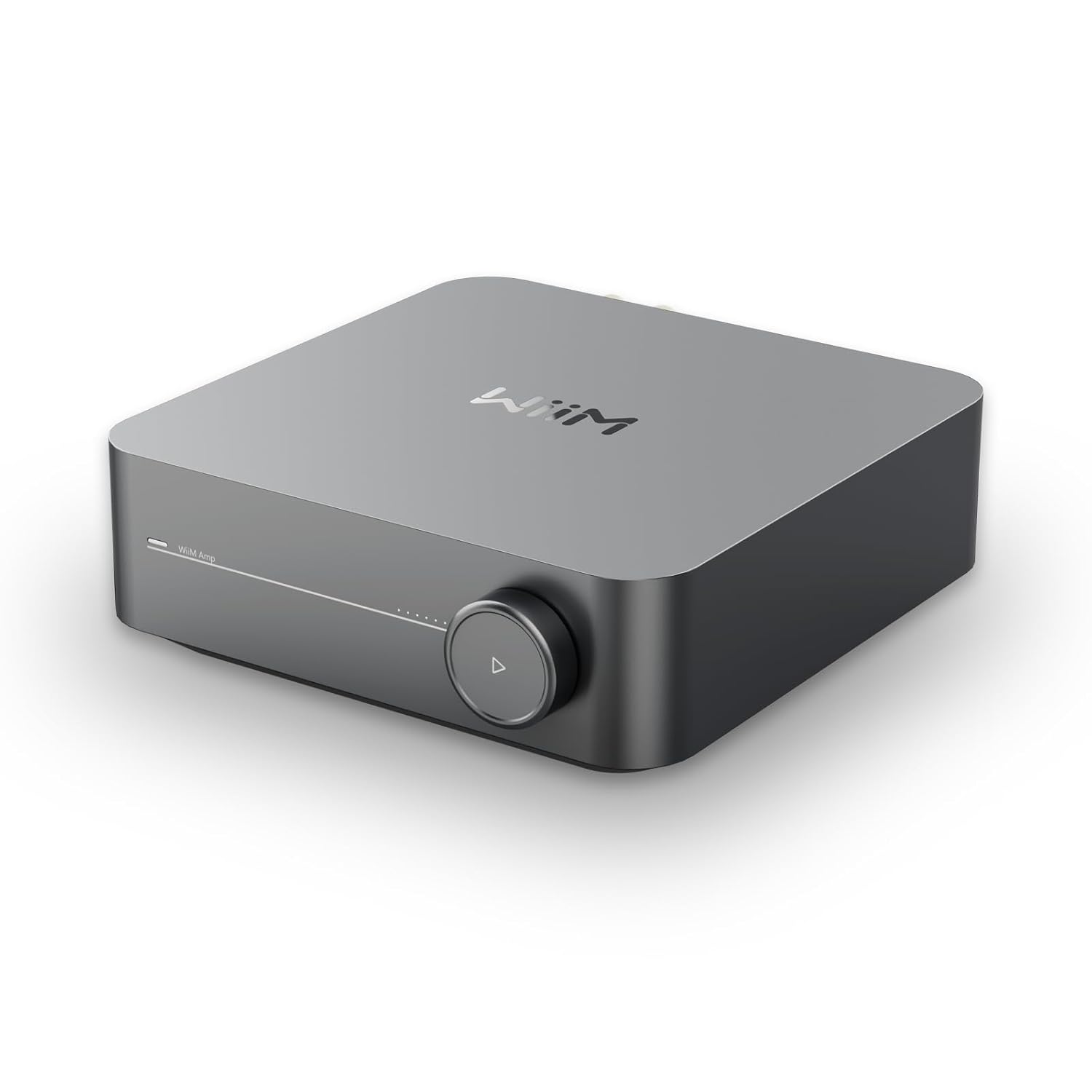
You’ll get a compact, powerful amplifier that transforms passive speakers into a modern streaming system with voice control and multiroom capability. The WiiM Amp: Multiroom Streaming Amplifier | Compatible with AirPlay, Google Cast, Alexa | HDMI, Voice Control | Stream from Spotify, Amazon Music, Tidal & More | Space Gray is small but capable, and it’s great if you want an easy way to modernize existing speakers without sacrificing sound quality.

WiiM Amp: Multiroom Streaming Amplifier | Compatible with AirPlay, Google Cast, Alexa | HDMI, Voice Control | Stream from Spotify, Amazon Music, Tidal & More | Space Gray
What the WiiM Amp Is and Who It’s For
You can think of the WiiM Amp as an all-in-one upgrade for speakers that don’t have built-in streaming. It’s designed for people who already own good passive speakers and want streaming, voice control, and multiroom features without buying a whole new speaker set. If you’re someone who keeps source components — a turntable, TV, or even older bookshelf or floor-standing speakers — this amp gives them a new lease on life.
Design and Build
You’ll notice the Amp’s compact footprint immediately; it’s intended to tuck into an AV rack or sit discreetly near your stereo setup. The Space Gray finish looks modern and unobtrusive, and the front panel includes a few tactile controls plus a display that’s easy on the eyes. The overall build is solid for its class, and the connectors on the rear are laid out logically so you won’t struggle when connecting speakers, HDMI, or analog sources. The included voice remote is small and comfortable to hold, and pairing it with the unit is straightforward.
Size and Physical Controls
The Amp is compact enough to place on a bookshelf or media console without drawing attention. The front-mounted volume knob and input-select buttons are responsive, and you’ll appreciate the simple, user-friendly layout if you prefer some tactile control alongside app and voice operation.
Rear Panel and Connectors
You’ll find speaker outputs, RCA analog inputs, optical input, HDMI ARC, USB, and a subwoofer output on the back. That variety means you can attach a TV, a turntable (with a preamp), a powered subwoofer, and multiple streaming sources with minimal fuss. The Amp also includes Ethernet and Wi-Fi for network streaming.
Power and Amplification
You’ll be impressed by the power specs given the unit’s size: 60 Watts per channel into 8 ohms, and an impressive 120 Watts per channel into 4 ohms. Those numbers mean the Amp can comfortably drive a wide range of bookshelf, floor-standing, and even some outdoor or architectural speakers. If you like louder listening levels or have speakers with lower sensitivity, the 4-ohm rating gives you the headroom you need.
How the Power Figures Translate to Real-World Use
You’ll get clean dynamics and enough volume for most rooms without distortion, provided your speakers are reasonably efficient. If you plan on using very large, inefficient towers or you want serious party-level SPLs, you may still prefer a larger integrated amplifier or separate power amp, but for most living rooms and dedicated listening areas, the WiiM Amp has more than enough muscle.

Sound Quality
You’ll find the WiiM Amp delivers a pleasingly neutral to slightly warm sound signature out of the box. The midrange clarity is strong, vocals are forward and natural, and the amp handles complex mixes with surprising composure. Bass is tight and controlled, and adding a powered subwoofer through the dedicated sub output will give you the low-end extension you might crave for movies or EDM. Hi-res playback up to 24-bit/192 kHz ensures detail is preserved for higher-quality files.
Tonal Balance and Detail
You’ll appreciate the Amp’s ability to present details without sounding clinical or fatiguing. The top end is smooth, and sibilance is well-managed, which makes long listening sessions comfortable. Imaging and soundstaging are good for a compact stereo amplifier, and you’ll notice a wider-than-expected soundstage with well-recorded tracks.
Dynamic Performance
You’ll be able to enjoy music with dynamic contrasts; the Amp does a good job on transients and punchy passages. It doesn’t compress dynamic peaks unnecessarily, so acoustic percussion and dynamic electronic tracks retain their impact. For high-volume, room-filling listening the WiiM Amp stays composed until you push it very hard.
Connectivity and Inputs
You’ll find a generous set of inputs for a unit of this size: HDMI ARC for TV, optical and analog inputs for legacy gear, USB for local playback, plus Ethernet and Wi‑Fi for network streaming. The speaker terminals accept banana plugs or bare wire, and the dedicated subwoofer output uses a standard RCA. This makes the Amp flexible for both music and home theater tasks.
HDMI ARC and TV Integration
You’ll enjoy simplified TV audio routing via HDMI ARC; the Amp can receive TV audio and output stereo to your speakers. That setup works well for shows, movies, and gaming when you want better sound than your TV speakers can provide. If you want deeper bass, adding a powered subwoofer is a simple way to achieve cinematic impact.
Analog and Phono Options
You’ll be able to connect turntables that have a built-in phono stage through the analog RCA inputs; if your turntable lacks a preamp, use an external phono preamp before connecting. The analog inputs provide a warm, natural connection for older sources and maintain good signal integrity.
Multiroom, Streaming, and Supported Services
You’ll get robust streaming options thanks to compatibility with AirPlay 2 (receiver only), Google Cast, and native support for services like Spotify, Amazon Music, TIDAL, Qobuz, and more. The WiiM Home App helps you manage zones, sync speakers, and control playback from one place. You can stream straight from third-party apps or use the WiiM app to consolidate everything.
AirPlay 2 Receiver Note
You’ll want to know that the WiiM Amp acts as an AirPlay receiver only — it can receive AirPlay streams from your iPhone/iPad/Mac but cannot transmit AirPlay to other AirPlay devices. This matters if you plan to route AirPlay from the Amp to additional AirPlay speakers; that functionality isn’t supported.
Supported High-Resolution Formats
You’ll be able to stream up to 24-bit/192 kHz, allowing you to use high-resolution content from Qobuz, TIDAL HiFi, and local libraries. The Amp also supports gapless playback for seamless listening with live albums and DJ mixes.
The WiiM Home App
You’ll manage sources, volume, multiroom groups, and advanced settings within the WiiM Home App, which is the central hub for the Amp. The app is straightforward, offering room-by-room control, favorites, alarms, and EQ presets. If you prefer to use native streaming apps, you can do that too — the Amp supports playback directly from many third-party apps using Cast or native integration.
App Usability and Features
You’ll find the app intuitive and well-organized, with straightforward controls for group playback, room sync, and device setup. The ability to save favorite playlists and set alarms is handy if you like music to wake you up or to quickly access curated playlists.
Room Correction and EQ
You’ll be able to tailor the sound to your room using independent EQ settings and advanced room correction features in the app. This lets you compensate for room acoustics, speaker placement, and listener preference, so you can tune the system exactly how you like it.

Voice Control and Remote
You’ll have multiple voice-control options: native compatibility with Alexa and Google Assistant, and the ability to use Siri through AirPlay-enabled devices. The included voice remote adds convenience when you’re on the couch, and you can also control playback using voice commands through other assistant devices on your network.
Hands-Free Control and Limitations
You’ll enjoy hands-free control for basic commands like play, pause, volume, and track changes when you use a paired voice assistant device. However, voice capabilities can vary by service and region, and advanced audio settings will still typically require the app for full control.
The Included Remote
You’ll find the included voice remote compact and functional, giving you quick access to common commands and volume control. Its small footprint makes it easy to misplace, so having the app on your phone is a useful backup.
Home Theater Use
You’ll get meaningful improvements in TV audio when using the HDMI ARC connection. The Amp is aimed at stereo playback, so you’ll enjoy clearer dialogue, better music playback in shows, and improved gaming audio. If you want low-frequency extension for action movies, adding a powered subwoofer is the recommended route.
Stereo vs Surround
You’ll appreciate that the Amp focuses on excellent stereo reproduction and can simulate spacious sound with good speakers and placement. If you’re specifically after surround sound processing or discrete multichannel outputs, a separate AVR would be more appropriate, but for pure 2.0 or 2.1 home theater setups the WiiM Amp is an elegant, simplified solution.
Subwoofer Integration
You’ll easily add a powered subwoofer through the dedicated sub output, and the integration is seamless for most users. That option gives you cinematic low end without needing a full surround system, and it’s particularly effective for compact living rooms where a space-efficient 2.1 setup makes sense.
Setup and Installation
You’ll find setup to be mostly plug-and-play. Connect your speakers, wire the HDMI ARC to the TV if you want TV audio, connect to your network (Wi‑Fi or Ethernet), and use the WiiM Home App to finish the setup. If you use a turntable, remember to include a phono preamp if your deck doesn’t have a built-in one.
Network and Wi-Fi Tips
You’ll get the most reliable streaming if you use a wired Ethernet connection, especially in environments with congested Wi‑Fi. If you must use Wi‑Fi, place the Amp near the router for the initial setup and ensure your network is stable at higher bitrates if you plan on streaming hi-res files.
Speaker Pairing and Placement
You’ll improve imaging and bass response when you place your speakers symmetrically and at reasonable distances from walls. The Amp drives speakers well, but your room and speaker placement will have a significant effect on perceived sound quality.
Hi-Res Audio and Local Playback
You’ll be able to play back local files up to 24-bit/192 kHz, and the WiiM Amp supports gapless playback for compatible formats. This makes it a good choice if you have a high-resolution music library or subscribe to services that offer hi-res streams like Qobuz or TIDAL HiFi.
File Support and USB
You’ll use USB or local network storage to feed high-resolution tracks into the Amp, and the WiiM app will index and play files stored on network shares. The unit’s DAC and internal processing handle high-res streams well, preserving detail and dynamic range.
Room Correction and EQ Details
You’ll use the app’s room correction tools and independent EQ settings to tune the Amp to your listening environment. The adjustments are practical and make a noticeable difference, particularly for taming bass peaks or bright spots in the treble.
Practical EQ Tips
You’ll get better results by making small, targeted EQ changes rather than large boosts or cuts. Use the room correction tools first to address major acoustic issues, and then fine-tune with the EQ to suit your taste.
Use with Turntables and Analog Sources
You’ll be able to connect vinyl setups, CD players, or other analog sources with ease. If your turntable doesn’t include a built-in phono stage, you’ll need an external phono preamp; once that’s in place, the analog connection sounds warm and musical.
Grounding and Noise Considerations
You’ll want to ensure proper grounding for your turntable to avoid hum, and keep analog cables short to reduce noise pickup. The Amp accepts standard RCA connections and provides a clean analog path when sources are connected correctly.
Multiroom Setup and Compatibility
You’ll build a multiroom system that integrates with AirPlay 2 devices (as receivers), Google Cast-enabled speakers, Amazon Echo devices, and other WiiM devices. Grouping devices in the WiiM app or using native casting/AirPlay controls lets you stream the same music across rooms or play different music in each zone.
Limitations to Be Aware Of
You’ll remember that the WiiM Amp cannot transmit AirPlay to other AirPlay speakers — it only receives AirPlay streams. Also, mixing certain protocols (like AirPlay and Cast) in perfectly synchronous playback can sometimes present challenges due to latency differences between ecosystems.
Comparison with Similar Products
You’ll find the WiiM Amp sits in a niche between simple Bluetooth amps and full-blown AVRs. Compared to Bluetooth-only options it offers vastly superior streaming, networking, and voice capabilities. Against AVRs, it’s simpler and more compact, focusing on stereo quality rather than multichannel surround. For someone who values streaming flexibility and modern control without an AVR’s complexity, the WiiM Amp is a compelling choice.
Competing Options to Consider
You’ll want to compare it with compact streaming amplifiers from brands like Bluesound (Powernode series), Yamaha (WSA series), or Cambridge Audio’s networked solutions. Those alternatives may offer different sound signatures, processing options, or ecosystem integrations that better match specific needs, but the WiiM Amp strikes a strong balance between features, power, and price.
Pros and Cons
You’ll get clarity on strengths and tradeoffs here so you can decide if the Amp matches your priorities. The unit combines good amplification, modern streaming protocols, voice control, multiroom features, and HDMI ARC in a small chassis — but it also has a few limitations to consider.
Pros
- You’ll have powerful amplification for a compact amp (60W/ch @ 8Ω; 120W/ch @ 4Ω).
- You’ll enjoy broad streaming support (AirPlay 2 receiver, Google Cast, Spotify, Amazon Music, TIDAL, Qobuz).
- You’ll be able to integrate TV audio via HDMI ARC and add a subwoofer for home theater.
- You’ll use voice control with Alexa/Google Assistant and an included voice remote.
- You’ll personalize sound with room correction and independent EQ.
Cons
- You’ll need an external phono preamp for turntables without a built-in stage.
- You’ll find the Amp is AirPlay receiver only and cannot pass AirPlay streams to other AirPlay devices.
- You’ll notice that advanced multichannel home theater users may prefer an AVR with dedicated surround processing.
- You’ll occasionally face protocol or synchronization limits when mixing ecosystems for multiroom playback.
Setup Checklist (Quick)
You’ll follow these simple steps to get up and running without headaches. This checklist helps avoid common pitfalls and speeds the process.
- Connect speakers (bare wire or banana plugs) and ensure correct polarity.
- If using a turntable without a phono stage, add an external phono preamp.
- Connect TV via HDMI ARC if you want TV audio.
- Connect Ethernet if available for stable streaming; otherwise, connect to Wi‑Fi.
- Install the WiiM Home App, add the Amp to your network, and sign into music services.
- Group devices for multiroom playback if needed and adjust EQ/room correction to taste.
Technical Specification Table
You’ll find this table useful for a quick technical summary of the most important specs and connectivity options.
| Feature | Specification / Notes |
|---|---|
| Power Output | 60 W per channel @ 8Ω, 120 W per channel @ 4Ω |
| DAC / Format Support | Up to 24-bit / 192 kHz, gapless playback |
| Streaming Protocols | AirPlay 2 (receiver only), Google Cast, Chromecast built-in, Wi‑Fi, Ethernet |
| Music Services | Spotify, Amazon Music, TIDAL, Qobuz, local library support |
| Inputs | HDMI ARC, Optical, RCA Analog, USB, Ethernet, Wi‑Fi |
| Outputs | Speaker terminals (L/R), Subwoofer RCA |
| Voice Control | Works with Alexa, Google Assistant, Siri (via AirPlay devices) |
| App | WiiM Home App (room control, EQ, favorites, alarms) |
| Form Factor | Compact, Space Gray finish |
| Included Accessories | Voice remote, power cable, basic setup guide |
| Limitations | AirPlay receiver only (cannot transmit AirPlay to others) |
Tips for Getting the Best Sound
You’ll get the most out of the Amp if you focus on speaker placement and room treatment. Small changes like toe-in, distance from walls, and adding rugs or bookshelf fill can yield big improvements. Use the room correction and EQ sparingly to fix problems rather than radically re-shaping the sound.
Speaker Cable and Connector Tips
You’ll use reasonably thick speaker cable for runs longer than a few meters — 14–16 AWG is fine for most setups. Make sure terminals are secure to avoid intermittent connection and hum.
Subwoofer Integration Tips
You’ll tune the subwoofer level and crossover point so it blends smoothly with your main speakers. Start with modest sub levels and incrementally increase until bass feels integrated rather than boomy.
Frequently Asked Questions
You’ll find answers to common concerns here so you can make a confident purchase decision.
Q: Can the Amp transmit AirPlay to other speakers?
A: No. The WiiM Amp acts as an AirPlay receiver only; it cannot forward AirPlay streams to other AirPlay-enabled devices.
Q: Do I need a phono preamp for my turntable?
A: If your turntable doesn’t have a built-in phono stage, yes. Use an external phono preamp before connecting via RCA to the Amp.
Q: Will the Amp support multiroom with Echo and Google Home?
A: Yes. You can group WiiM devices with compatible Google Cast and Amazon Echo devices to play synchronized audio across rooms, though cross-protocol sync might have limits.
Q: Can I use the Amp for a full surround system?
A: Not directly. The Amp is optimized for stereo (2.0/2.1) playback. For multichannel surround, an AVR is more suitable.
Who Should Buy This
You’ll consider this amp if you own quality passive speakers and want streaming, voice control, and easy TV integration without replacing your speakers. It’s ideal for music lovers who want hi-res streaming, vinyl enthusiasts with a phono preamp, and anyone wanting a compact solution that brings modern features to existing systems.
Final Thoughts
You’ll find the WiiM Amp strikes a strong balance of power, connectivity, and modern streaming features in a compact package. It modernizes passive speakers with AirPlay 2 (receiver), Google Cast, voice control, and the ability to play hi-res music, while also making TV audio better through HDMI ARC. If your goal is to upgrade your system without a full AVR or new active speakers, this amplifier gives you compelling value and performance.

Disclosure: As an Amazon Associate, I earn from qualifying purchases.