
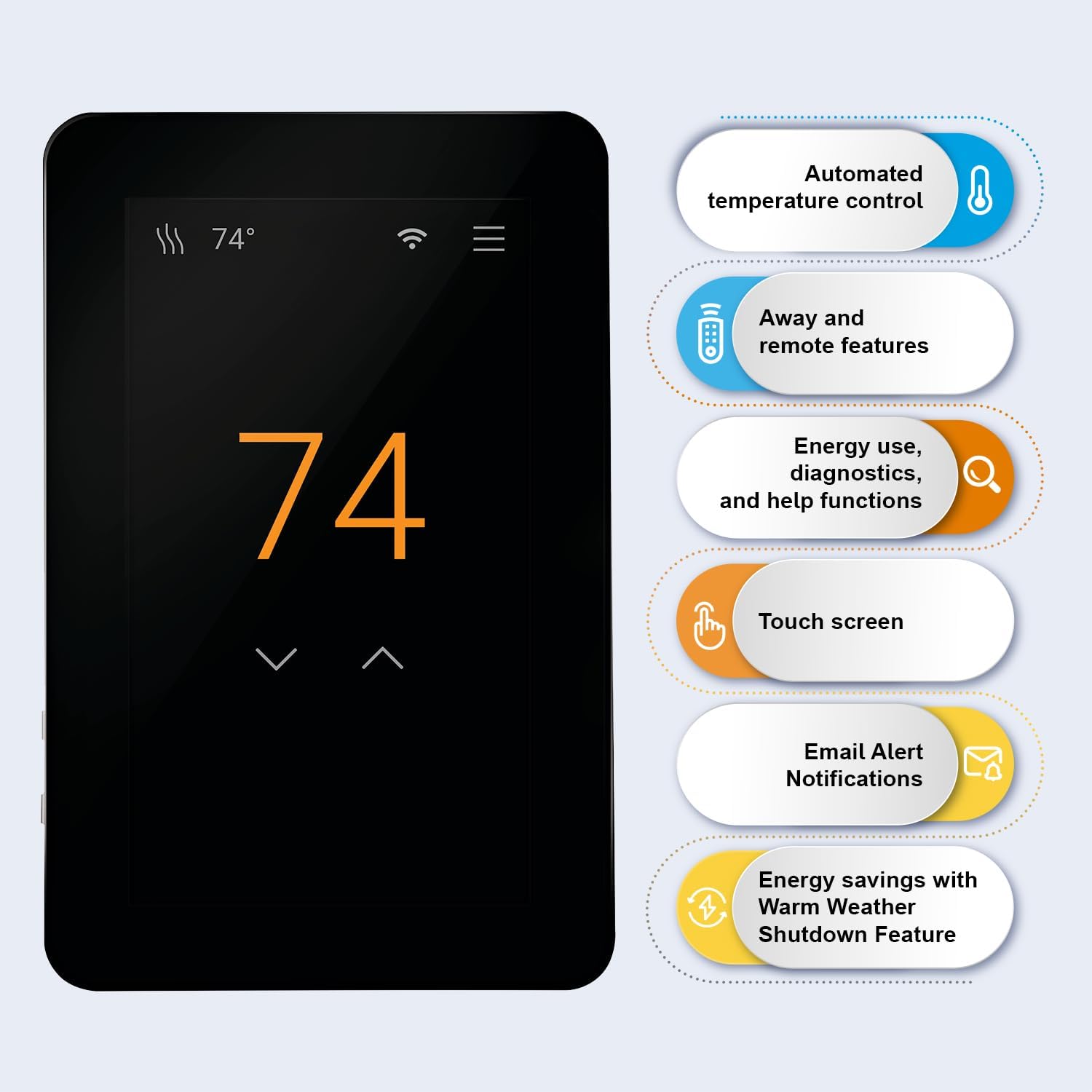
Interested in a smart thermostat that gives you solid control over your electric floor heating while making daily use simple and modern?

Quick summary of the SunTouch SunStat CommandPlus Touchscreen Programmable Smart Wi‑Fi Thermostat for Electric Floor Heating Systems, 4.3″ Screen, Floor and Air Sensing Control, Energy Monitoring, Remote Access
This thermostat aims to put full control of your electric radiant floor system in your hands with a large touchscreen and Wi‑Fi connectivity. You’ll get floor and air sensing, SmartStart preheat, energy monitoring, remote adjustments through the Watts Home app, and a sleek portrait display that looks good in living spaces.

SunTouch SunStat CommandPlus Touchscreen Programmable Smart Wi-Fi Thermostat for Electric Floor Heating Systems, 4.3
$207.61 In Stock
What’s in the box
You’ll receive the SunTouch SunStat CommandPlus thermostat unit, a floor sensor, a wall mount and mounting hardware, a wiring harness/connector, and a quick start guide. The packaging includes documentation for installation and setup, but you should plan to read the manual thoroughly and, if required by electrical code or comfort level, hire a licensed electrician.
Key features at a glance
The core features focus on intelligent preheating, dual-sensing control, programmability, and remote access. Below is a condensed list of features so you can quickly see what matters most.
- 4.3″ capacitive touchscreen (portrait orientation)
- SmartStart technology that predicts when to start heating
- Floor and air sensing modes, with external floor sensor included
- 7-day programmable schedule plus an Away mode
- Energy use monitoring and floor max temperature limits
- Remote access via Watts Home app (iOS and Android)
- Email alert notifications, warm weather shutdown, outdoor temperature/weather display options
Technical specifications table
This table breaks down the most useful technical details so you can compare or check compatibility quickly.
| Specification | Details |
|---|---|
| Display | 4.3″ capacitive touchscreen, portrait orientation |
| Control type | Floor sensing and air sensing (external sensor included) |
| Programmability | 7-day schedule, Away feature |
| Smart features | SmartStart automatic preheat, energy monitoring, email alerts |
| Connectivity | Wi‑Fi (works with Watts Home app for iOS & Android) |
| Power requirements | Line voltage configurations for electric floor heating systems (verify model specifics and local electrical codes) |
| Floor max settings | Configurable to protect different flooring types |
| Sensors included | External floor sensor included; internal air sensor built in |
| Additional displays | Outdoor temperature and weather display options |
| Alerts | Email notifications for issues or temperature thresholds |
| Screen orientation | Portrait (large, easy-to-read display) |
| Use cases | Residential and light commercial electric floor heating, snow melting systems (depending on system) |
| Manufacturer support | SunTouch/Watts — over 30 years in electric radiant heating |
Design and display
The SunStat CommandPlus has a slim, modern profile and a large portrait 4.3″ capacitive touchscreen that makes interaction feel intuitive. You’ll appreciate the readable fonts and clean interface when setting schedules or checking energy usage, and the unit’s minimal footprint keeps it from dominating the wall visually.

Build quality and materials
The thermostat feels solid and well-made, with tactile feedback on the screen and a professional finish that suits contemporary interiors. You won’t see unnecessary bulk or cheap plastics, and the mounting hardware and connectors are designed for stable long-term installation.
Installation and compatibility
Installation requires wiring into your electric floor heating system, and compatibility depends on the voltage and wiring of your specific system. You should verify that your system is a compatible electric floor heating setup and that local electrical work follows code; if you’re not comfortable with mains wiring, hire a licensed electrician.
- Required: connection to line voltage supply for electric floor heating
- Included: external floor sensor for floor temperature control
- Check: compatibility with your heating cable/mat or snow melting system and the system’s voltage
When you wire the unit, follow the SunTouch wiring diagram in the manual precisely; improper wiring can result in malfunction or safety issues. The thermostat supports both floor-only and floor-plus-air control strategies, so you can match it to your project needs.
Wiring and safety considerations
Because this is a line-voltage device used in-floor, safety and correct wiring are essential to avoid hazards. Make sure power is off during installation, use proper wire nuts and strain reliefs, and ensure the floor sensor is installed according to the flooring manufacturer’s guidelines to protect the flooring material.
Setup and SmartStart
SmartStart is one of the thermostat’s standout functions: it calculates how early the floor must start warming to reach your target temperature by the scheduled time. You’ll set target run times and temperatures, and SmartStart will adjust start times automatically to account for floor thermal properties and ambient conditions.
The initial setup through the touchscreen is straightforward, guiding you through Wi‑Fi connection and sensor calibration. You can fine-tune SmartStart behavior, and the thermostat will learn how long it needs to reach target temperatures for more consistent comfort.
Programming and scheduling
You’ll be able to create a 7-day programmable schedule with time blocks and temperature setpoints, tailoring weekdays and weekends as needed. The interface makes it easy to copy settings across days or adjust individual periods so you can match heating to your routine and reduce energy waste.
The Away mode is helpful when you’ll be out for an extended time and want to maintain a lower, protective floor temperature rather than full heating. Combined with the remote access features, you can switch to normal schedules before you return so your floor is warm when you get home.

Mobile app and remote access
When you’re away from home, the Watts Home app lets you check and change thermostat settings from your smartphone. You’ll get remote access for scheduling tweaks, temperature changes, and viewing energy usage, and the app also supports email alerts for events or thresholds you configure.
The app experience is generally smooth, with basic controls for schedule edits and manual overrides. If you rely on remote control frequently, verify that your Wi‑Fi network is stable and that the thermostat is positioned within a good signal range or near a strong household router.
Sensors and controls
The thermostat uses both a floor sensor (included) and an internal air sensor, allowing you to prioritize floor temperature for radiant comfort or air temperature if you’re using the thermostat to regulate ambient conditions. You’ll set the thermostat to use floor sensing, air sensing, or a combined control strategy to match your installation and comfort preferences.
Floor max temperature settings are especially useful to prevent damage to flooring materials like engineered wood or certain types of tile. You can configure limits so the thermostat won’t drive the floor higher than the safe value specified by the flooring manufacturer.
Energy monitoring and what it means for you
Energy use monitoring is built into the unit, giving you feedback on consumption so you can make informed adjustments. By checking daily or weekly usage data, you’ll better understand how schedule changes or setpoint tweaks affect energy bills and can optimize comfort vs. cost.
While the energy monitoring is useful, remember it estimates power usage based on runtime and configured settings rather than providing utility-grade metering. For precise billing purposes or load management, a dedicated energy meter may still be necessary in some installations.
Advanced features and helpful extras
You’ll find a number of convenience features like warm weather shutdown, outdoor temperature display options, and email alert notifications. Warm weather shutdown automatically suspends heating when outdoor conditions indicate it’s not needed, which helps reduce wasted energy and extends system life.
Email alerts can notify you of sensor failures, temperature excursions, or connectivity issues, giving you peace of mind when you’re not checking the app. The outdoor temperature and weather display options add context to the heating behavior, helping you understand why the thermostat might adjust preheat times.
Performance in real-world use
In daily use, the thermostat responds quickly to adjustments and follows schedules reliably; SmartStart tends to deliver comfortable floors at scheduled times. Wi‑Fi connectivity is generally stable, though performance will depend on your home network and router placement.
You’ll notice consistent temperature control when the floor sensor is correctly installed and configured, but floor response time still depends on flooring mass and insulation. Thicker floors or tiled installations retain heat longer and may require different SmartStart lead times than lighter floors.

App reliability and connectivity tips
The Watts Home app usually provides the remote control and notification features you’ll use most, but any smart thermostat is only as reliable as your Wi‑Fi. For best results, position your router centrally or use a mesh system in larger homes; if Wi‑Fi drops, local controls on the thermostat remain functional.
If you plan to use remote monitoring frequently, enable push or email alerts and test them during setup to ensure they’re working. Keep thermostat firmware and the app updated for the latest fixes and improved compatibility.
Pros and cons
You’ll get a well-rounded product with many thoughtful features, but it’s not perfect for every situation. Here’s a clear list so you can weigh strengths and trade-offs quickly.
Pros:
- Large, easy-to-read 4.3″ capacitive touchscreen with a modern portrait look.
- SmartStart predictive preheat saves time and improves comfort.
- Dual sensing (floor + air) for tailored control and floor protection.
- 7-day programming, Away mode, and remote access via the Watts Home app.
- Energy use monitoring and email alerts for system oversight.
- Floor max settings protect delicate flooring materials.
Cons:
- Requires correct line-voltage wiring; installation may be beyond DIY comfort for many people.
- Energy monitoring is informative but not a substitute for utility-grade metering.
- Wi‑Fi-dependent features require a stable network to function reliably.
- Some advanced features may take time to understand and configure properly.
Troubleshooting and common issues
If you encounter problems, most issues fall into predictable categories like wiring, sensor placement, Wi‑Fi connectivity, or software settings. You’ll usually fix these with methodical checks: confirm wiring per the manual, verify the floor sensor is installed correctly, and ensure the thermostat is on a stable Wi‑Fi network.
Common quick fixes:
- Wi‑Fi not connecting: verify SSID/password, check 2.4 GHz vs 5 GHz compatibility (many thermostats prefer 2.4 GHz), and move router closer or use a mesh node.
- Floor sensor reading off: ensure the sensor wire isn’t damaged, verify it’s located per manufacturer guidelines (usually in the thinset or groove near the floor), and check calibration in the settings.
- Thermostat not turning heat on: confirm line power at the device, check breaker/fuse, and inspect wiring terminals for secure connections.
If issues persist, customer support from SunTouch/Watts can help with wiring diagrams, firmware updates, or replacement parts. Keep your purchase receipt and model/serial number handy if you need warranty service.
Comparison with other smart thermostats
You’ll notice this thermostat differs from HVAC-focused smart thermostats (like Nest or Ecobee) because it’s purpose-built for electric radiant floor systems. While Nest and Ecobee offer advanced HVAC integrations and learning algorithms for forced-air systems, the SunTouch SunStat CommandPlus focuses on floor and air sensing, SmartStart preheat, and floor max protection—features specific to radiant installations.
Comparison table — sunstat vs common smart thermostats:
| Feature | SunTouch SunStat CommandPlus | Typical HVAC Smart Thermostat (e.g., Nest, Ecobee) |
|---|---|---|
| Primary application | Electric floor heating / radiant systems | Forced-air heating/cooling (furnaces, heat pumps, AC) |
| Floor sensor support | Yes (included) | Usually not (requires add-ons or not supported) |
| Smart preheat for floor | SmartStart (designed for floors) | Learning algorithms for air, not specifically for floor preheat |
| Energy monitoring | Built-in runtime-based monitoring | Advanced usage tracking for HVAC, sometimes more integrations |
| Wiring | Line-voltage for electric floors | Low-voltage (typical HVAC C-wire setups) |
| Remote app control | Watts Home app | Manufacturer apps, often broader smart home eco-system integration |
If your main system is electric floor heating, the SunStat CommandPlus will give you features tailored to that use case that general smart thermostats don’t provide.
Who is this thermostat best for?
You should consider this thermostat if you have electric radiant floor heating or a snow melting system and want precise, scheduled control with remote access. It’s ideal if you value protecting specific flooring types, want proactive preheat to match your schedule, and prefer a large touchscreen for local control.
If your house uses conventional forced-air heating or you need deep integrations with other smart home systems right away, you might evaluate a traditional smart thermostat—unless you specifically want to control an electric floor system, in which case the SunStat is a focused choice.
Installation tips and best practices
When installing, plan ahead and turn off power at the breaker for safety. Use the wiring diagram in the manual, secure terminal connections, and route the floor sensor where the flooring manufacturer recommends—usually embedded in thinset or a sensor tube near the heating cable.
More practical tips:
- Label wires during removal from an old thermostat for easier installation.
- Verify the thermostat’s model is compatible with the voltage and configuration of your system.
- Use a licensed electrician if you’re not comfortable working with line voltage.
- Test Wi‑Fi signal strength at the installation location; add a mesh node if needed.
- Program schedules after mounting and validating sensor readings to ensure accurate SmartStart behavior.
Programming examples you can try
You’ll set up schedules based on your routine; here are simple sample profiles to get you started:
- Weekday comfort: Warm floors from 5:30 AM to 8:00 AM and 5:00 PM to 10:30 PM, lower floor temperature during work hours.
- Weekend comfort: Longer warm periods mid-morning and evening for leisurely mornings and family time.
- Away mode: Lower floor setpoint by a defined number of degrees while you’re out, or set a specific floor minimum to protect plumbing and flooring.
Test each profile for a few days and adjust SmartStart lead times if the floor isn’t reaching comfort at the scheduled time.
Maintenance and firmware updates
You’ll want to keep the thermostat’s firmware and the Watts Home app updated to get the latest bug fixes and feature improvements. Periodically check sensor connections and keep the display clean; also review alert settings and email contact information to ensure you receive notifications promptly.
If a firmware update is available, apply it during a period when you can monitor the thermostat in case a restart is needed. Firmware updates can fix connectivity issues and improve SmartStart or energy calculation logic.
Security and privacy considerations
Because the thermostat connects to your home Wi‑Fi and sends alerts or telemetry to cloud services, ensure you’re following good security practices on your network. Use strong Wi‑Fi passwords, keep your router firmware updated, and enable two-factor authentication on the Watts Home account if offered.
You’ll want to read the app’s privacy policy to understand what data is collected and how it’s used, especially if you’re monitoring multiple properties or sensitive environments.
Common questions (FAQ)
You’ll likely ask: Can this thermostat work without Wi‑Fi? Yes — local controls and schedules still function without Wi‑Fi, but you’ll lose remote access and cloud alerts. How accurate is the floor sensor? Accuracy depends on correct installation; the included sensor is designed for floor temperature control when installed per instructions. Can you use the thermostat for snow melting? In many cases, yes — check the specific SunTouch model compatibility with snow melt controllers and wiring.
If you need support, the manufacturer documentation and customer service can clarify specifics for your project.
Pricing and value
You’ll find the thermostat priced in the mid-to-upper range for specialized floor heating controllers, reflecting its touchscreen, SmartStart features, and app connectivity. Consider the value in terms of potential energy savings from better scheduling, the comfort gains of timed preheat, and the protection it provides for flooring materials via floor max settings.
If professional installation is required, factor electrician costs into the total project budget.
Real-world user feedback summary
Users commonly praise the thermostat for its easy-to-read display, SmartStart effectiveness, and the convenience of remote control. Some users report occasional Wi‑Fi or setup hiccups, but these are often resolved through firmware updates or support interactions; proper wiring and sensor installation tend to eliminate most operational issues.
Reading product reviews and installation reports from others with similar flooring types can give you insights into SmartStart lead-time recommendations for your specific floor.
Final verdict
If you need a purpose-built, feature-rich thermostat for electric floor heating, the SunTouch SunStat CommandPlus gives you thoughtful controls, a modern interface, and useful smart features like SmartStart and energy monitoring. You’ll benefit from the included floor sensor, protective floor max settings, and remote control—provided you ensure correct installation and solid Wi‑Fi coverage.
If you value radiant-floor-specific functionality and want a straightforward touchscreen experience with remote access, this thermostat is a strong choice that balances convenience, protection for flooring, and smart control.

Disclosure: As an Amazon Associate, I earn from qualifying purchases.