
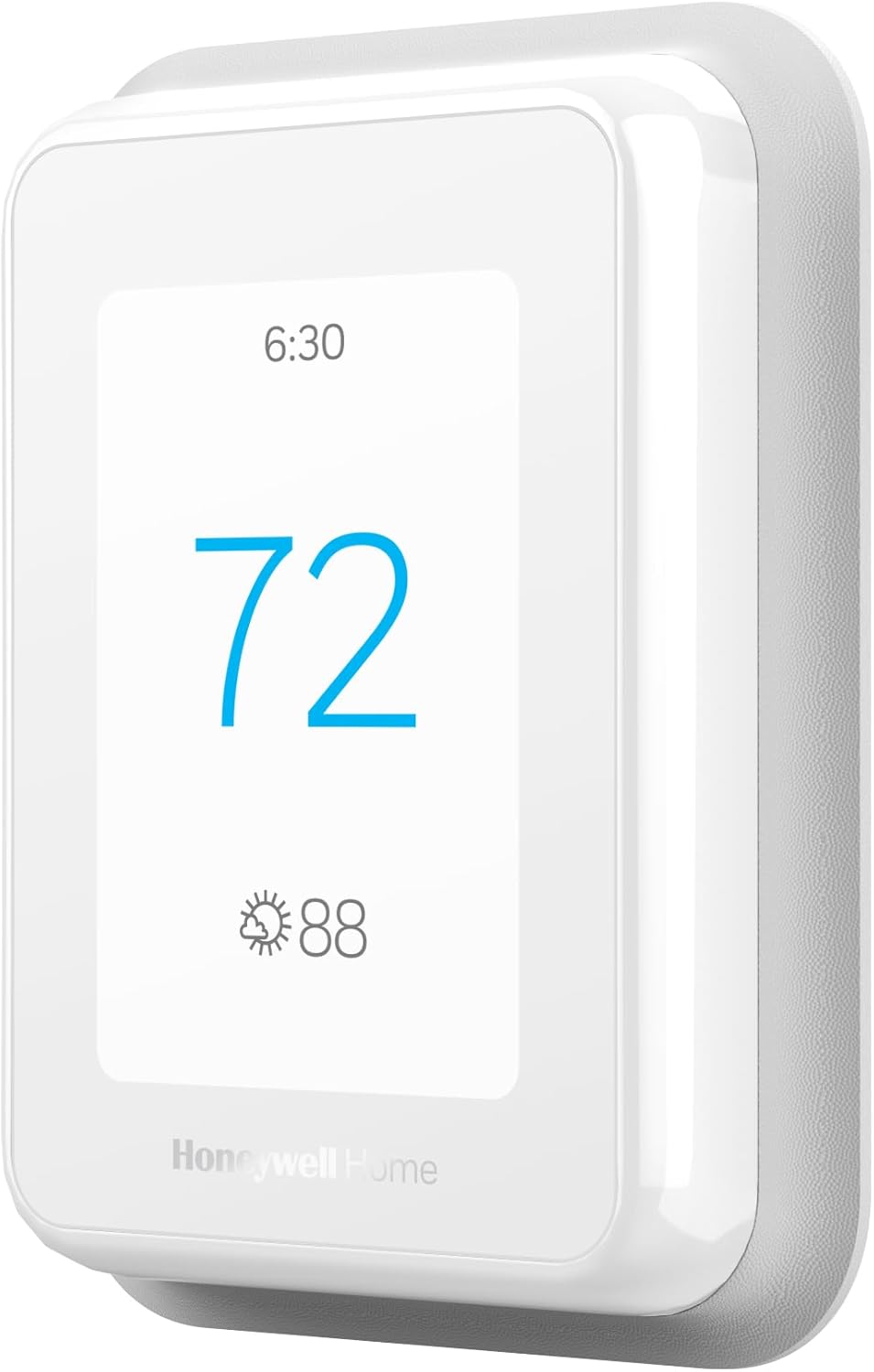
Looking for a smart thermostat that focuses comfort where you need it most and helps trim your energy bills?
Buy Honeywell Home T9 Smart Thermostat On Amazon
Product Overview
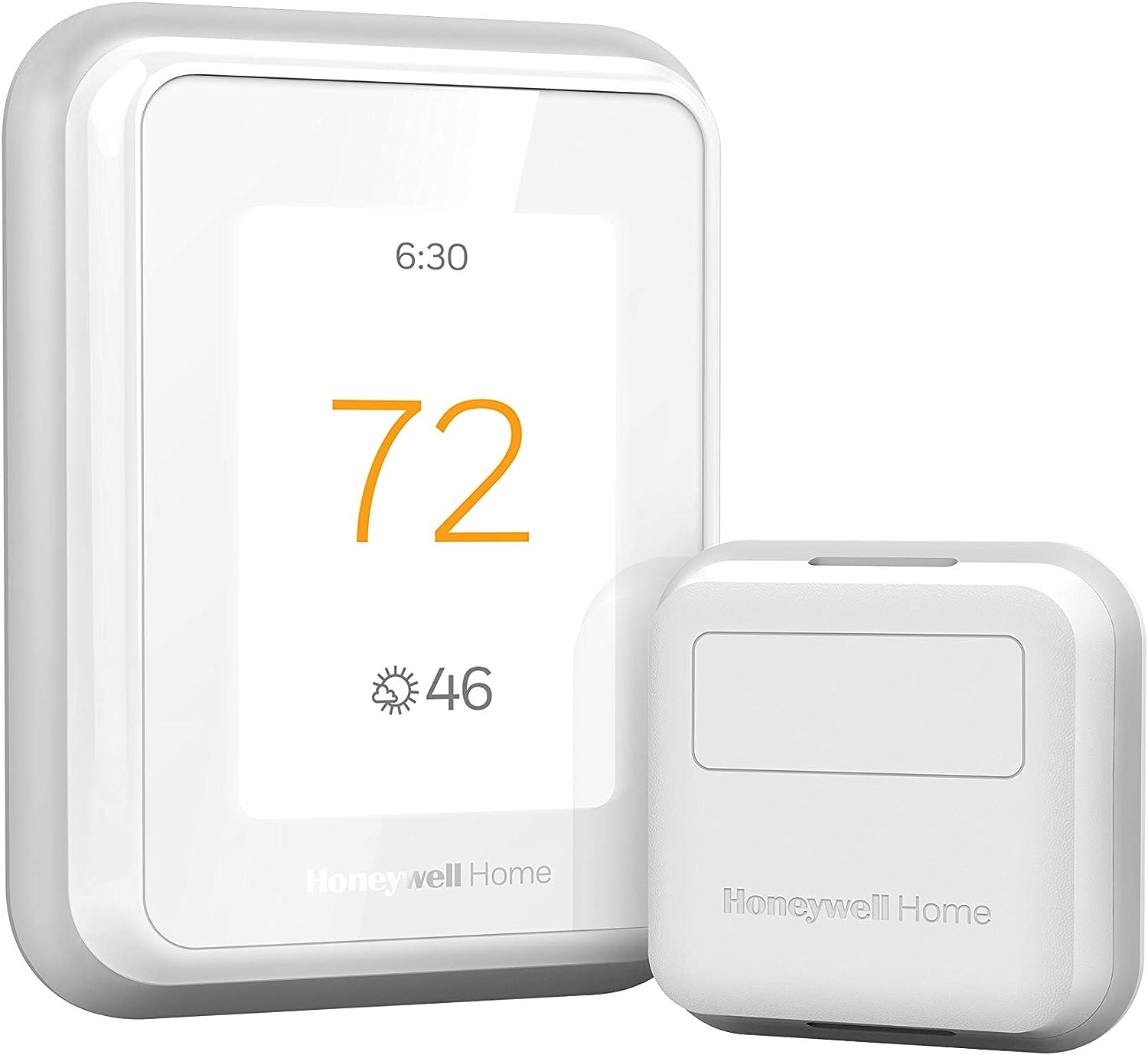
You’re looking at the Honeywell Home T9 WiFi Smart Thermostat with 1 Smart Room Sensor, Touchscreen Display, White, a smart thermostat designed to give you more precise comfort control by using room-level sensors. It aims to balance energy savings and convenience by combining mobile control, voice integration, and multi-room focus with automatic scheduling features.
Key Features
The T9 offers Auto Home/Away Scheduling, compatibility with major smart home ecosystems, and battery-powered Smart Room Sensors that detect occupancy to prioritize comfort. You’ll also find ENERGY STAR certification, a guided DIY install process, and a low-voltage power adapter included for homes lacking a C-wire.
What’s in the Box
When you open the package, you’ll have the T9 thermostat, one Smart Room Sensor, a touchscreen display, mounting hardware, and the included power adapter to help in homes without a C-wire. You’ll also get printed setup instructions and information on app setup so you can get started quickly.
Honeywell Home T9 WiFi Smart Thermostat with 1 Smart Room Sensor, Touchscreen Display, White
$199.99 In Stock
Design and Build
The T9 has a clean, modern white finish and a touchscreen that’s unobtrusive on a wall while still being easy to read from across a room. Its build feels solid enough for everyday use, and the physical footprint is compact so it won’t dominate your wall space.
Display and Controls
The touchscreen display is responsive and intuitive, with large icons and clear temperature readouts that make on-device adjustments simple. You’ll appreciate the touchscreen for quick local control, though most users end up using the app or voice commands for routine changes.
Physical Installation and C-Wire Adapter
Honeywell includes a low-voltage power adapter as an alternative to running a traditional C-wire, which simplifies installation in many older homes. If you already have a C-wire, the T9 supports direct wiring, but you should verify compatibility before purchasing to avoid surprises.
Purchase The Honeywell T9 Smart Thermostat
Smart Room Sensors
The included Smart Room Sensor lets you select a specific room to control temperature more accurately for the people in that room. These sensors communicate wirelessly with the thermostat and can detect occupancy and temperature, allowing the T9 to focus comfort where it matters.
Sensor Range and Placement Tips
Each Smart Room Sensor uses Honeywell Home technology with an advertised range of up to about 200 ft, but actual performance can vary depending on walls and construction. For best results, place sensors on interior walls, away from heat sources, direct sunlight, or drafts to ensure accurate readings.
Battery Life and Maintenance
The Smart Room Sensor runs on batteries and typically has a long service life under normal use; you’ll get months to a year depending on settings and polling frequency. Keep spare batteries on hand and check the app for low-battery alerts so sensors don’t drop out unexpectedly.
Installation Experience
The T9 is designed for DIY installation with step-by-step instructions both on-device and in the Resideo app, which most users find straightforward and user-friendly. You’ll want to gather basic tools and take a few minutes to read compatibility notes before starting.
DIY Guided Setup
The guided setup walks you through wiring identification, power adapter installation if needed, and connecting the thermostat to your Wi‑Fi network, which removes much of the guesswork. If you follow the prompts carefully, installation should take under an hour for most people who are comfortable with basic wiring.
Compatibility Checklist
Before you buy, you should confirm whether your HVAC system is compatible. The T9 works with forced air systems (gas, oil, electric), hot water and steam systems, and heat pumps with electric backup, but it does not support electric baseboard heating (120–240V), and a C-wire or the included adapter is required.
| Item | Details |
|---|---|
| Supported Systems | Forced air (gas/oil/electric), hot water, steam, heat pumps with electric backup |
| Not Supported | Electric baseboard heat (120–240V) |
| Power Requirement | C-wire required or use included low-voltage power adapter |
| Smart Sensors Included | 1 Smart Room Sensor (additional sensors compatible) |
| Sensor Range | Up to ~200 ft (varies by construction) |
| Connectivity | 2.4 GHz Wi‑Fi |
| Voice Platforms | Amazon Alexa, Google Assistant, Apple HomeKit |
| Certification | ENERGY STAR certified |
| Installation | DIY guided, power adapter included |

App and Voice Control
You can control the T9 using the Resideo app on your mobile device, which lets you change temperatures, manage schedules, and see which rooms are occupied if you add sensors. The app’s interface is designed to be clear and actionable, so you can make changes quickly from anywhere.
Resideo App Walkthrough
The app shows real-time temperature, setpoints, and sensor status, and it guides you through configurations like room prioritization and schedule setup. Notifications and energy reports are accessible within the app, helping you track usage and spot opportunities to save.
Voice Assistants and Integrations
If you prefer hands-free control, the T9 integrates with Amazon Alexa, Google Assistant, and Apple HomeKit, allowing you to adjust temperatures with simple voice commands. This flexibility makes it easy to slot the T9 into an existing smart home setup, and scenes or routines can be created using your preferred platform.
Performance and Comfort
In everyday use, the T9 will respond quickly to setpoint changes and the sensor-driven focus makes a noticeable difference in how balanced your home feels. You’ll typically feel fewer hot or cold spots when you place sensors where people spend time most often.
Temperature Accuracy and Response
The T9’s temperature sensing and HVAC control are accurate for residential use, and the thermostat cycles equipment in a manner comparable to other smart thermostats. If you pair and position sensors correctly, the thermostat will average readings intelligently or prioritize rooms based on your preferences.
Multi-Room Comfort and Sleep Benefits
You can set a sensor in your bedroom to prioritize nighttime comfort, which is especially helpful if the thermostat is in a less-used area that doesn’t reflect sleeping conditions. This can lead to a better night’s sleep because you’re controlling the actual room where you sleep rather than the whole-house average.

Energy Savings and Programs
With ENERGY STAR certification and smart scheduling capabilities, the T9 is aimed at reducing runaway HVAC usage without sacrificing comfort. The device’s ability to automate Home/Away behavior and participate in utility programs can compound savings over time.
Auto Home/Away and Scheduling
Auto Home/Away Scheduling uses geofencing and sensor occupancy to adapt heating and cooling to your actual presence, helping you avoid wasting energy on empty rooms. You can also set fixed schedules or let the system learn patterns so temperature changes happen automatically with minimal input.
Utility Rebates and Demand Response
You should check with your local energy provider about rebates that may apply; many utilities offer incentives for ENERGY STAR certified thermostats. The T9 is also compatible with Demand Response Programs, where you may be rewarded for allowing small, temporary temperature adjustments during peak demand events.
Troubleshooting and Support
If something doesn’t work right away, the Resideo app and on-device prompts usually point you to a fix, whether it’s a wiring issue, Wi‑Fi problem, or sensor pairing glitch. Honeywell’s documentation and online help resources are comprehensive and aimed at DIYers, but professional HVAC help is recommended if wiring seems nonstandard.
Common Issues and Fixes
Common hiccups include compatibility surprises (like unsupported heating-only oil furnaces without a C-wire), Wi‑Fi connectivity on 5 GHz-only networks, or weak sensor signals in homes with thick stone or metal walls. You’ll often resolve these by verifying system compatibility, switching the thermostat to a 2.4 GHz network, relocating sensors, or installing a repeater/extender if needed.
Warranty and Customer Service
Resideo/Honeywell typically includes a standard product warranty and offers online support resources, and you can contact customer service for troubleshooting beyond the app guides. If you register the product and check warranty details, you’ll know exactly what’s covered and for how long.
Pros and Cons
You’ll find the T9 strengths include multi-room control, sensor-based prioritization, and broad smart home compatibility, plus an included power adapter that eases installation in many homes. On the downside, it requires either a C-wire or the included adapter, won’t work with electric baseboard heat, and some users may prefer more sensors included out of the box.
Pros
You get improved comfort where you need it most using Smart Room Sensors, ENERGY STAR certification for savings, and integration with major voice assistants. Installation is user-friendly for most DIYers thanks to guided setup and a helpful power adapter option.
Cons
The thermostat doesn’t support 120–240V electric baseboard systems, and only one sensor is included in this package which may not be enough for whole-house multi-room management. Some homes may experience limited sensor range or Wi‑Fi issues depending on construction and network setup.
Comparison with Competitors
Compared with other smart thermostats like Ecobee and Nest, the Honeywell Home T9 emphasizes room sensors as a central feature and includes a low-voltage power adapter to handle C-wire gaps. While Ecobee often bundles more sensors and Nest focuses on learning algorithms and sleek integration, the T9 balances cost, sensor technology, and broad compatibility.
Who Should Buy It
You should consider the T9 if you live in a house with variable room temperatures, you want to control the climate in specific rooms (like bedrooms), and you value voice assistant compatibility. It’s also a good fit if you want a relatively affordable smart thermostat with sensor capabilities but don’t want to hire an electrician to add a C-wire.
Who Should Consider Alternatives
If your home uses electric baseboard heating, the T9 is not suitable and you should look at alternatives that support 120–240V systems. Also consider other models if you want more sensors included right away or a thermostat that emphasizes self-learning schedules over manual or sensor-based control.
Final Verdict
The Honeywell Home T9 WiFi Smart Thermostat with 1 Smart Room Sensor, Touchscreen Display, White, is a solid choice for people who want targeted comfort and solid energy-saving features without a steep learning curve. If you place sensors thoughtfully, confirm compatibility beforehand, and use the app or voice controls, you’ll likely notice meaningful comfort improvements and potential energy savings.
Frequently Asked Questions
Do you need a C-wire to install the T9?
You’ll need a C-wire or you can use the included low-voltage power adapter that acts as an alternative to a C-wire. Before buying, check your current thermostat wiring or use the compatibility checker in the product manual or the Resideo app.
How many Smart Room Sensors can you use with the T9?
You can pair multiple sensors with the T9 to cover several rooms and create a multi-room focus strategy. The exact number supported can depend on firmware and system configuration, so check the latest product documentation for limits.
How accurate are the temperature readings?
Temperature accuracy is comparable to other residential smart thermostats and is generally reliable for comfort control. Accuracy improves when sensors are placed away from direct heat, sunlight, and drafty areas.
Will the T9 work with my voice assistant?
Yes, the T9 supports Amazon Alexa, Google Assistant, and Apple HomeKit, enabling voice control and integration with routines. Make sure you enable the appropriate skill or integration in your assistant’s app and link your Resideo account.
Can this thermostat save you money?
Yes, through ENERGY STAR certification, Auto Home/Away Scheduling, and participation in utility Demand Response programs, you can save energy and potentially reduce bills. Your actual savings will depend on your usage patterns, local energy prices, and how aggressively you use the smart scheduling features.
What do you do if the Smart Room Sensor loses connection?
If a sensor loses connection, try moving it closer to the thermostat or into a location with fewer obstructions, and check the battery level in the app. If problems persist, re-pair the sensor using the Resideo app and consult support resources if needed.
Is professional installation required?
Most homeowners can install the T9 using the guided setup and included power adapter, but you should hire a professional if you’re uncomfortable working with thermostat wiring or if your HVAC system is nonstandard. Professional installation can prevent compatibility mistakes and ensure safe wiring.
Are there ongoing subscription fees?
No mandatory subscription is required to use the core thermostat features, app control, or sensor functions. Some advanced analytics or third-party smart home services may offer optional paid features, but basic smart thermostat operation is included.
Tips for Getting the Most from Your T9
Place at least one Smart Room Sensor in the room where you spend the most time, like the living room or bedroom, and set it as the prioritized sensor for comfort. Use the Resideo app to monitor energy reports and adjust schedules rather than relying solely on manual setpoint changes so the thermostat can learn and optimize.
Best Practices for Sensor Placement
Avoid placing sensors on exterior walls, near vents, or in direct sunlight; instead, put them on interior walls at chest height for the best representation of occupied comfort. If a room has uneven heating or cooling due to vents or windows, use a sensor to capture the true living-space temperature.
How to Maximize Energy Savings
Enable Auto Home/Away Scheduling and set reasonable temperature setbacks when you’re away or asleep to reduce runtime without sacrificing comfort. Check with your utility for rebates and enroll in Demand Response programs if available — they can offset purchase cost and offer ongoing incentives.
Additional Considerations
Remember to verify Wi‑Fi compatibility (2.4 GHz required) and to check whether your oil or gas furnace is heating-only — some heating-only systems may need a C-wire to function. If you have a complex HVAC setup or are unsure about wiring, gather photos of your existing thermostat wiring and consult the compatibility checker or a professional before buying.
Software and Firmware Updates
Keep your thermostat and sensors updated to the latest firmware through the Resideo app so you benefit from bug fixes, feature improvements, and stability enhancements. Updates may also expand integrations and improve sensor behavior over time.
Security and Privacy Notes
Use strong, unique passwords for your Resideo account and secure your Wi‑Fi network to protect access to your thermostat and data. Review privacy settings in the app and be mindful when integrating third-party skills or services.
If you want, I can help you check compatibility with your current wiring—just tell me which wires are connected to your existing thermostat, and I’ll point out whether you’ll need the power adapter or any further steps.
Get The Honeywell Home T9 On Amazon
Disclosure: As an Amazon Associate, I earn from qualifying purchases.