
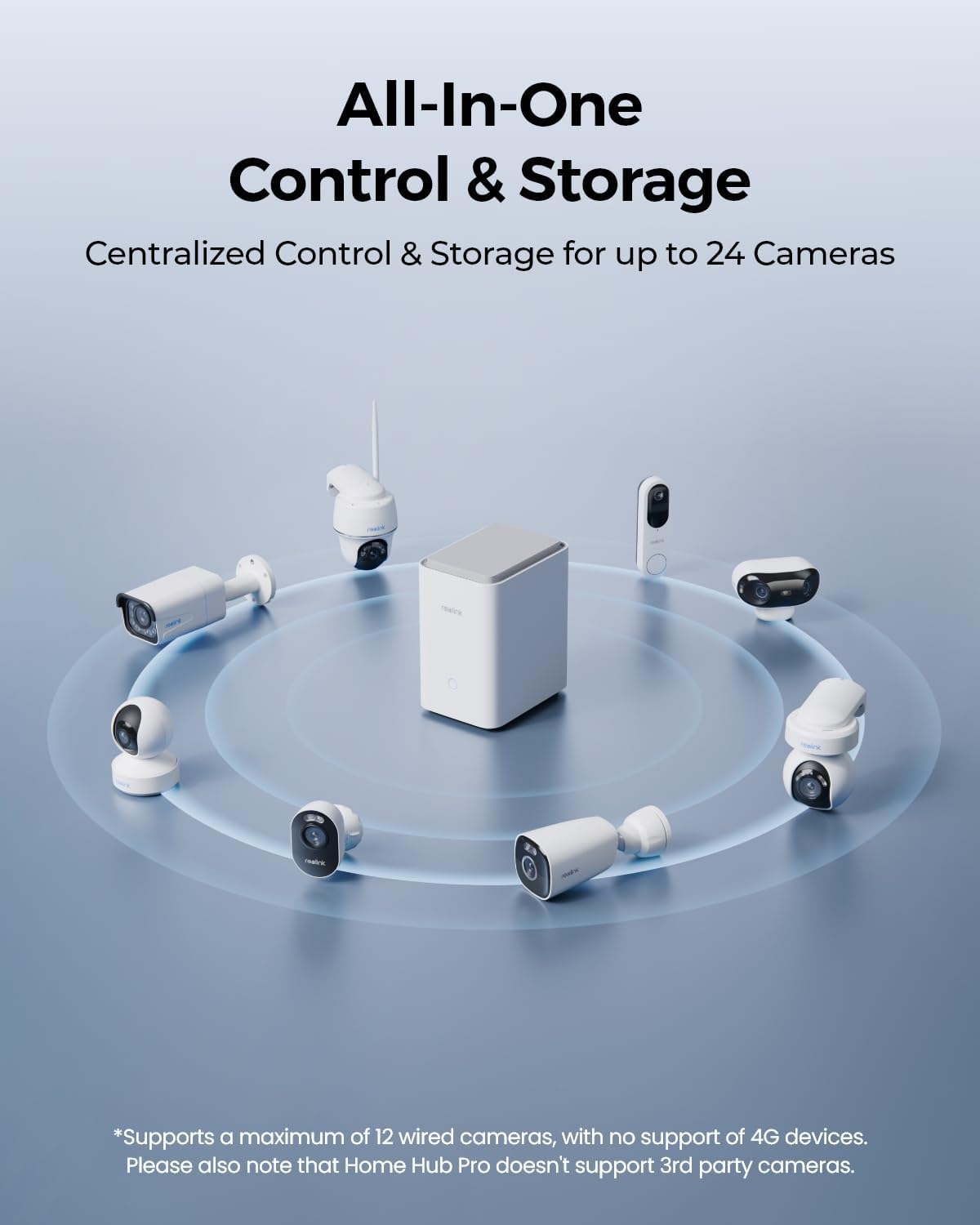
Looking for a centralized hub to manage a large Reolink camera setup?

Buy REOLINK Home Hub Pro On Amazon
First Impressions
You’ll notice the REOLINK Home Hub Pro, Centralized Control for up to 24 REOLINK Security Cameras, up to 16TB HDD Storage, 2TB HDD Included, AES-128 Encryption, 16MP Streaming, Wi-Fi 6, 120dB Siren. No Monthly Fees looks like a purpose-built, no-nonsense device designed to keep your cameras, recordings, and alerts in one place without relying on subscription services. The physical unit is compact enough to tuck into a home server shelf while feeling solid and functional as a central piece of security equipment.
Look and Feel
When you handle the hub you’ll find it has a sturdy, matte finish and a clean layout that doesn’t scream “consumer gadget,” which is a plus if you prefer equipment that blends with other network hardware. The buttons, LED indicators, and ports are logically arranged so you can quickly identify power, network, and storage connections without squinting at tiny labels.
Packaging & What’s Included
The box includes the hub with a pre-installed 2TB HDD, a power adapter, basic cables, and quick-start guides, which makes the initial setup smoother than ordering storage separately. You’ll appreciate that Reolink bundles a usable HDD so you can start recording immediately, but you’ll probably consider adding larger storage later if you run many high-resolution cameras.
REOLINK Home Hub Pro, Centralized Control for up to 24 REOLINK Security Cameras, up to 16TB HDD Storage, 2TB HDD Included, AES-128 Encryption, 16MP Streaming, Wi-Fi 6, 120dB Siren. No Monthly Fees
Quick Specs
This section breaks down the core specs in a format that lets you quickly scan what the hub supports and what limits to expect. Use this reference to match the unit to your camera count, storage needs, and network setup.
| Feature | What it Means for You |
|---|---|
| Max Cameras | Up to 24 Reolink devices managed from the hub, with up to 12 wired connections simultaneously. |
| Included Storage | 2TB HDD pre-installed so you can begin local recording immediately. |
| Expandable Storage | Supports up to 16TB HDD for larger retention needs and longer retention windows. |
| microSD Note | microSD cannot save video if an HDD is installed; plan storage accordingly. |
| Encryption | AES-128 encryption for stored data to protect privacy and offline access. |
| Streaming Resolution | Supports preview and playback up to your cameras’ highest resolutions, including 16MP. |
| Streaming Bandwidth | Multi-device streaming up to 8K aggregate for detailed playback and previews. |
| Wireless Tech | Wi-Fi 6 compatibility for reduced latency and improved throughput with compatible routers. |
| Siren | Built-in 120dB siren with 11 preloaded sounds and room for 5 custom sounds. |
| Compatibility | Manages wired, wireless, PoE, and Reolink doorbells; does not support 3rd party cameras or 4G devices. |
| Fees | No monthly fees required for local storage and alerts handled via the hub and app. |
Key Highlights
This hub emphasizes local control, privacy, and the ability to scale storage without recurring fees, which is ideal if you want to avoid cloud subscriptions. You’ll get centralized alarm management, AI detection summaries, and a loud siren ready to react to events immediately.
What’s Unique
A combination of AES-128 encryption, offline LAN storage, and a pre-installed 2TB drives the hub toward users who prioritize privacy and immediate local control. You’ll also find the inclusion of Wi-Fi 6 support and an integrated siren uncommon in many consumer-focused NVR-like devices.
Purchase The REOLINK Home Hub Pro
Design & Hardware
The hub’s chassis and port layout are geared toward practicality over glossy aesthetics, giving you confidence the hardware is built for continuous operation in a home or small business environment. You’ll notice ventilation and mounting points that make it suitable for stationary placement, not wall-mounted decorative display.
Build Quality
Materials and assembly are solid with no flimsy panels, so the hub stands up well to being powered on 24/7 as part of your security system. You’ll still want to place it in a cool, ventilated area to maximize the life of the drive and electronics.
Ports & Expansion
The rear panel gives you the expected ports for network, power, and camera connections, and it’s designed to accept a larger HDD up to 16TB when your storage needs grow. You’ll want to check the exact number of PoE ports and whether you need a separate PoE switch depending on how many wired cameras you plan to run.
Setup Process
Setting up the hub is straightforward if you’re comfortable connecting networked devices and following guided app instructions, and you’ll appreciate that Reolink’s app walks you through adding devices step-by-step. You’ll be recording in a short time with the bundled drive, though advanced tweaks like RAID or custom retention policies aren’t part of the consumer-focused interface.
Unboxing to Power-On
Out of the box you plug in power, connect the hub to your router or network switch, and let the pre-installed 2TB format and initialize, which usually takes just a few minutes. You’ll then move to the mobile app or web interface to finish pairing and adjust basic settings like time, recording modes, and notifications.
Adding Cameras
Adding Reolink cameras is mostly plug-and-play when they’re directly supported; wired PoE cams will pair once connected to the proper port while wireless models usually require a few app steps to link to the hub. You’ll see an onboarding experience that supports batch-adding multiple cameras, but remember the hub does not support non-Reolink models, so mixing brands isn’t possible.

Storage & Recording
If you’re planning to retain high-resolution footage for several days or weeks, the hub’s support for up to 16TB is a key advantage that lets you keep local archives without monthly storage fees. You’ll want to plan your retention based on camera count, resolution, and motion activity because high-resolution streams consume storage quickly.
Pre-installed 2TB & Expandability
The included 2TB gives you immediate recording capacity and should be sufficient for a few cameras recording triggered events, but you’ll almost certainly consider upgrading to a larger drive if you run many 16MP cameras or keep continuous recording. You’ll be able to swap in a larger HDD to boost retention, and the hub is designed to support that expansion for future-proofing your installation.
HDD vs microSD
If you insert an HDD, the microSD slot cannot save video simultaneously, so you’ll need to choose one storage method for recordings; this is important when planning redundancy or edge storage. You’ll likely prefer the HDD for centralized long-term retention and use the microSD only if you need short-term local backup on individual cameras without HDD installed.
Camera Support & Compatibility
This product is optimized for the Reolink ecosystem and supports wired, wireless, PoE, and doorbell cameras sold by Reolink, giving you a consistent feature set across compatible devices. You’ll want to make sure every camera you plan to connect is explicitly listed as supported in Reolink’s documentation because third-party devices are excluded.
Supported Reolink Cams & Limits
The hub supports up to 24 devices in total with hardware limits allowing up to 12 wired camera connections simultaneously, which accommodates a large multi-camera household or small business configuration. You’ll need to plan the mix of wired and wireless cameras carefully, especially if you rely on wired PoE connections for consistently high bandwidth and reliability.
No 3rd Party Cameras
It’s important to note the hub does not support third-party cameras or 4G devices, so if you have an existing non-Reolink camera collection you’ll either need to replace them with Reolink models or use a separate NVR solution. You’ll lose flexibility if you like to mix brands or plans that use ONVIF-compatible third-party cameras, which makes this hub most suitable for users committed to Reolink hardware.
Streaming & Performance
When you want crisp footage and responsive live view, the hub’s support for multi-device streaming at the highest camera resolutions ensures details are preserved during preview and playback. You’ll notice better clarity in playback of high-resolution events, which is vital if you rely on footage for identification or evidence.
Up to 16MP & 8K Multi-Device Streaming
The system supports preview and playback at your camera’s maximum resolution and can handle aggregated streams up to 8K, so you’ll get detailed footage across multiple cameras without forced downscaling. You’ll need sufficient network capacity and local display tools to fully appreciate this, as viewing many 16MP live streams simultaneously will demand both bandwidth and capable viewing devices.
Wi-Fi 6 and Latency
The hub is Wi-Fi 6 ready, meaning you’ll get improved throughput and lower latency if both your router and client devices also support Wi-Fi 6; this translates to smoother live viewing and more responsive controls. You’ll still get reliable performance over wired Ethernet, and for mission-critical cameras PoE or wired connections remain the recommended approach to minimize packet loss and latency spikes.
Security & Privacy
For privacy-conscious users, the hub’s AES-128 encryption for stored data and local-only recording options make it much harder for unauthorized parties to access footage, especially if you keep everything on a LAN. You’ll appreciate that records remain encrypted even if the drive is physically removed, adding a layer of protection against theft or tampering.
AES-128 Encryption
AES-128 encryption is applied to stored footage, which means that without the correct password or credentials the data on the drive is effectively inaccessible to outsiders. You’ll still want to use strong account passwords, keep firmware up to date, and place the hub on a segmented network for the best overall security posture.
Offline & Lost Device Protection
Because the hub supports LAN-only storage and offline recording, your system continues to capture events even if the internet connection drops, ensuring no gaps in local surveillance. You’ll be reassured that a stolen or lost device won’t expose footage because the hub’s encryption prevents access without credentials.
Alerts, Siren & AI Detection
The hub integrates AI motion detection events with a loud 120dB siren so you can take immediate action when a detection is confirmed, and the siren’s volume and variety of sounds make it an effective deterrent. You’ll find the system’s ability to customize alerts and sounds helpful when you want different responses for different cameras or zones.
120dB Siren & Custom Sounds
The built-in siren is a powerful deterrent that triggers on AI-detected motion events, and you can choose from 11 preloaded sounds or create up to 5 of your own to suit your situation. You’ll want to set sensible siren rules to avoid false alarms, because a false 120dB alert can be startling for neighbors or household members.
Reports & Playback Controls
You’ll receive daily, weekly, or monthly summaries of all camera detections, which helps you spot trends and tune sensitivity or notification preferences without manually scrolling through hours of footage. The hub’s playback interface lets you quickly locate events, scrub through timelines, and export clips, so reacting to incidents or sharing evidence is a straightforward process.
Mobile App Experience
The Reolink app is your primary interface for managing the hub, and it gives you access to live view, playback, alerts, and system settings from your phone or tablet. You’ll find the app is designed to be approachable for non-technical users while still offering advanced features for those who want finer control over alerts and storage.
Interface & Controls
The interface is designed to let you view multiple cameras at once, tap into full-resolution streams, and customize camera settings without needing a desktop console. You’ll appreciate that the app prioritizes quick access to live feeds and recent events, although some advanced configuration is still easier to perform on a larger screen.
Remote Viewing & Notifications
Remote viewing through the app allows you to monitor cameras while away from home and receive push notifications for important events based on AI detections. You’ll want to tweak notification filters so you only get alerts for the events you care about, otherwise frequent motion notifications can overwhelm your phone.
Use Cases & Suitability
This hub is best for users who prefer centralized local control over their video surveillance and want to stay within the Reolink ecosystem for features and compatibility. You’ll find it particularly valuable if you run a medium-to-large multi-camera setup and want to avoid recurring cloud costs while maintaining secure local archives.
For Homeowners
For homes with multiple indoor and outdoor cameras, the hub simplifies management and ensures recordings are stored locally and securely, which is ideal if you want to keep sensitive footage off the cloud. You’ll have to commit to Reolink cameras but in return you’ll gain a tightly integrated system with consistent app behavior and firmware updates.
For Small Businesses & Installers
Small businesses that need centralized alarm management, a loud audible deterrent, and decent retention without subscriptions will find this hub attractive, especially for retail, small offices, or rental properties. You’ll still consider a separate PoE switch or network planning for larger installs to ensure every wired camera gets sufficient bandwidth and power.
Pros, Cons & Final Advice
You get a feature-rich local hub with strong privacy features, solid streaming performance, and expandable storage, which makes it a compelling option when you’re committed to the Reolink ecosystem. You’ll want to weigh the trade-offs such as lack of third-party support against the benefits of integrated features and no monthly fees.
Pros Summary
You’ll benefit from AES-128 encryption, offline recording, a pre-installed 2TB HDD with up to 16TB expandability, Wi‑Fi 6 support, and a powerful 120dB siren that integrates with AI alerts. You’ll also appreciate no monthly fees for local storage and centralized alarm management via the Reolink app.
Cons & Final Recommendation
You’ll face limitations if you already own third-party cameras or need a system that supports 4G devices, as the hub restricts you to Reolink devices only and has specific microSD/HDD behavior. You should buy this hub if you’re building or standardizing on Reolink cameras, want secure local recording without subscription costs, and are prepared to scale storage as needed; otherwise, consider an NVR with broader camera compatibility.
Troubleshooting & Maintenance
You’ll want to periodically check HDD health, update firmware, and review recording schedules to avoid surprises like full storage or outdated software that could reduce protection. Regular checks and occasional rebooting after major updates will keep the system responsive.
Common Issues
Occasional app connectivity hiccups, missed firmware updates, or camera pairing issues are the most common problems and are usually resolved by ensuring network settings are stable and firmware is up to date. You’ll also need to ensure Wi-Fi signals are strong for wireless cameras or use wired connections for mission-critical placements.
Maintenance Tips
Set a retention policy that matches your storage capacity, archive footage you want to keep externally, and test the siren and alarm rules periodically so you know they function when needed. You’ll also perform occasional disk health checks and replace drives before they reach their expected end of life to avoid data loss.
Comparison with Alternatives
Compared to cloud-first security systems, this hub gives you local control and no recurring fees, but you trade off the ability to access vendor-agnostic cloud features and multi-brand flexibility. You’ll gain privacy and predictable costs but lose some convenience if you want a mixed-brand environment.
Compared to Cloud Solutions
Cloud services provide simplified remote access, redundant storage, and vendor-side backups but often come with monthly or yearly fees that add up over time. You’ll avoid those fees with the Reolink hub while retaining full ownership of your data, but you’ll need to handle backups and redundancy yourself to match cloud reliability.
Compared to DIY NVRs
A DIY NVR built from general-purpose hardware might offer greater flexibility and support for many camera brands, but it requires technical know-how to configure, secure, and maintain. You’ll find the REOLINK Home Hub Pro easier to set up and manage if you want a more plug-and-play, integrated solution that’s still powerful and private.
FAQs You Might Have
You’ll likely ask about camera limits, storage behavior, and reliance on the Reolink ecosystem, all of which are critical for planning your purchase and deployment. Below are concise answers to common questions so you can evaluate fit quickly.
Can I use non-Reolink cameras?
No, the hub does not support third-party cameras, so you’ll need Reolink devices to use the hub’s full feature set. You’ll have to replace or keep separate any existing cameras from different brands if you want centralized management with this hub.
What happens if the internet goes down?
Recording continues locally via the hub and LAN-supported storage, so you’ll still capture events even without internet access. You’ll only lose remote viewing and cloud notifications until the connection is restored, but footage remains safe on the encrypted HDD.
Final Thoughts
If you prioritize local control, privacy, and a no-monthly-fee architecture and you’re ready to commit to Reolink cameras, this hub delivers a convincing combination of storage expandability, encryption, and real-time alarm capabilities. You’ll appreciate the practical design, strong streaming resolution support, and the reassurance that your recordings remain under your control when compared to subscription-based offerings.
Final Recommendation
You should choose the REOLINK Home Hub Pro if you need centralized management for a growing Reolink camera system, want to avoid recurring cloud costs, and value offline, encrypted storage with a built-in deterrent siren. You’ll want to plan your camera mix and storage needs carefully because the hub’s strengths shine brightest when you build a system around Reolink hardware and prioritize local retention.
Get The REOLINK Home Hub Pro Now
Disclosure: As an Amazon Associate, I earn from qualifying purchases.