
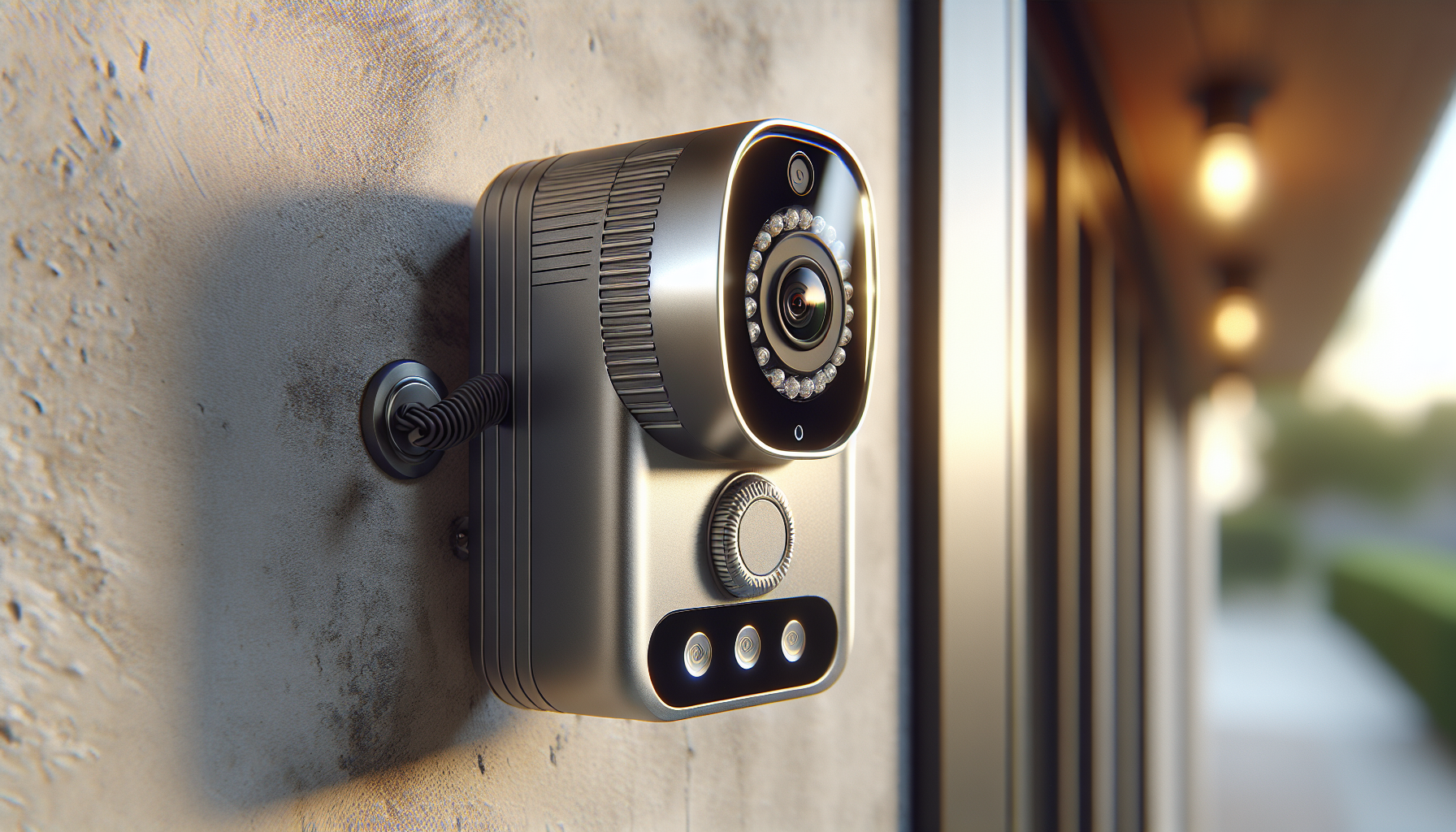
Are you trying to decide if the Wired Smart Video Apartments Intercom System,10 Inch Monitors with 1080P Doorbell Camera,3-in-1 Unlocking,TUYA WiFi Door Phone Kits, Ideal for Villas & Homes (1 doorbell + 3 Monitor) is the right security upgrade for your home?
Quick Summary
You get a wired video intercom kit with one outdoor 1080P doorbell camera and three 10-inch indoor touch monitors. The system combines a wired 4-core link between doorbell and monitors with Tuya Wi-Fi on the main monitor, so you can receive calls and view footage remotely on your smartphone.
Wired Smart Video Apartments Intercom System,10 Inch Monitors with 1080P Doorbell Camera,3-in-1 Unlocking,TUYA WiFi Door Phone Kits, Ideal for Villas & Homes (1 doorbell + 3 Monitor)
What’s Included
You’ll find everything needed for a basic wired installation and immediate testing in the box. The package includes a 3M extension cable to help with placement, plus five IC cards for keyless access and a 32GB Micro SD card to store recordings locally.
- 1 x 10-inch main monitor (plus 2 additional indoor monitors)
- 1 x 1080P outdoor doorbell camera (weatherproof)
- 3M extension cable (for monitor-doorbell connection)
- 5 x IC cards
- 32GB Micro SD card (preloaded/ready)
- Installation screws and mounting kit
- User manual with wiring instructions
Key Features Overview
This system mixes wired reliability and Wi-Fi convenience so you have both local stability and remote access. The main monitor joins your home Wi-Fi to push alerts and stream video to your phone via the Tuya app, while the doorbell-to-monitor connection relies on a robust 4-wire link for real-time response.
10-Inch Touch Monitor & 1080P Doorbell
You’ll appreciate the large 10-inch touchscreen for clear live view and easy, hands-free control inside your home. The doorbell supports 1080P resolution with a 160° wide-angle lens and night vision, so visitors and packages are visible at most angles and in low light.
Wiring and Range
The monitor and doorbell require a four-core connection, and you can extend that using RVV4, Cat5, or Cat6 cables. The system supports a maximum wire run between 100 and 200 meters depending on cable type and environment, giving you flexibility for villas and larger homes.
Motion Detection & Automatic Recording
When motion is detected or the doorbell is pressed, the system can record video clips or snapshots automatically. These events are saved to the included 32GB Micro SD card, and you can review them anytime on your monitor or through the Tuya app on your phone.
Three-in-One Unlocking
You can unlock your door in three ways: with an IC card, via the monitor, or remotely through the Tuya app on your smartphone. Five IC cards are included so you can share entry access with family or regular visitors without handing out a key.
Two-Way Audio & Multi-Device Alerts
Your monitors and linked phones will all ring when someone presses the doorbell, and you can speak to the visitor in real time. Monitors also forward calls and allow audio-only intercom between indoor units, so you can coordinate with people inside the house without running between rooms.
Compatibility & Build
The doorbell is weatherproof with a vandal-resistant exterior and works with any 12V electronic lock for door release. The outdoor unit’s infrared sensor supports night vision, and the hardware is designed to handle typical external mounting conditions.
Technical Specifications
You’ll find the most relevant specs summarized below for quick reference. This table pulls the main performance and connectivity details into one place so you can compare features at a glance.
| Feature | Details |
|---|---|
| Monitors | 3 × 10-inch touchscreens (main monitor Wi‑Fi enabled) |
| Doorbell Camera | 1080P resolution, 160° wide-angle, infrared night vision, weatherproof, vandal resistant |
| Connection Type | Wired 4-core (RVV4 / Cat5 / Cat6 supported) + Main monitor Wi‑Fi for remote access |
| Maximum Wired Range | 100–200 meters (depending on cable type and installation) |
| Unlock Methods | IC card, monitor control, Tuya mobile app (remote unlock) |
| Included Memory | 32GB Micro SD card (local storage for recordings) |
| Cards Included | 5 IC cards |
| Power | 12V compatibility for electronic locks (doorbell powered using the 4-wire connection) |
| App | Tuya Smart / Tuya-compatible mobile app for iOS and Android |
| Alerts | Motion detection, doorbell press, call forwarding to monitors and smartphones |
| Intercom | Two-way audio and indoor intercom (audio-only between monitors) |
Installation & Wiring Guide
Your wired installation will be straightforward if you follow the kit’s wiring requirements and plan the cable route in advance. The system needs a 4-wire connection between the outdoor bell and the monitors; the included 3M extension cable helps for short runs but longer distances should use RVV4, Cat5, or Cat6.
Preparing the Site
Before drilling any holes, you should map where each monitor and the doorbell will go, and plan the most direct cable run. Take into account wall thickness, door frames, and any existing conduits that can house the cable for a neat, secure installation.
Using the Right Cable
You can extend the 4-core connection up to 100–200 meters using RVV4, Cat5, or Cat6 depending on interference and signal strength in your environment. Cat5/Cat6 are recommended if you’re running cable near other electrical wiring or over longer distances because they usually provide better shielding and lower signal loss.
Basic Wiring Steps
You’ll connect four wires between the doorbell and the monitors: typically power, ground, video/data, and door release/control signals. The main monitor connects to your Wi‑Fi network for remote access and app integration. Make sure power is off while connecting wires and follow polarity conventions in the manual.
Mounting & Positioning Tips
Mount the doorbell at about chest height for the average adult so faces and packages are framed well within the 160° lens. Position indoor monitors where they’re easy to reach—near the main entrance and common areas—so you’ll answer calls quickly and control unlocking without leaving important rooms.
Setting Up the Tuya App & Wi‑Fi
Getting your phone connected to the system is essential for remote alerts and unlocking, and the Tuya app does most of the heavy lifting for pairing. You’ll register an account, add the main monitor as a device, and follow the in-app prompts to join your home Wi‑Fi.
Connecting the Main Monitor
The main monitor acts as the gateway to remote access, so connect it to your 2.4GHz Wi‑Fi network (many Tuya devices require 2.4GHz, not 5GHz). Open the Tuya app, add a new device, and follow step-by-step pairing instructions—this typically involves scanning a QR code or entering the monitor’s ID.
Phone Alerts and Remote Unlocking
After setup, you’ll receive notifications on your phone whenever the doorbell rings or motion is detected. You can view live video, speak with the visitor, and unlock remotely if you’ve connected your electric strike or magnetic lock to the system’s lock relay.
Troubleshooting App Connections
If the monitor doesn’t register on your phone, check Wi‑Fi signal strength near the monitor and confirm the SSID and password are entered correctly. Also confirm whether your router has device isolation turned on; that can block local device discovery and remote control via the app.
Daily Use & Interface
You’ll use the 10-inch touchscreen to view live feeds, answer calls, and manage settings for recording and motion detection. The interface should be intuitive for basic operations: tap to answer, swipe to access recent recordings, and use the unlock button when you want to let someone in.
Answering Calls
When a visitor presses the doorbell, all connected monitors and linked smartphones will ring. You can pick up on any monitor to see and speak with the visitor, and unlock the door through the monitor control or the app if you want to grant access.
Intercom and Call Forwarding
Internal call forwarding means if you’re at a different monitor, the call can be routed so you don’t miss it—especially useful in larger homes or multi-level villas. Intercom functionality between indoor units is audio-only, allowing quick voice communication without switching displays.
Recording, Storage & Accessing Footage
Recording is automatic on motion or when the bell is pressed, and footage saves to the included 32GB microSD card. You can playback the footage on any monitor or retrieve clips via the Tuya app on your smartphone, giving you easy access to past events.
Micro SD Card Usage
The system ships with a 32GB Micro SD card pre-installed for immediate recording; this should cover many days or weeks of motion-triggered clips depending on how often recording is activated. For longer retention, check the manual or product support for compatible larger capacity cards, or set the recording quality and schedule to optimize storage.
Event Notifications and Clips
Every motion-triggered recording or doorbell press can generate an alert on your phone so you can view the clip quickly. If you’re away, you’ll be able to decide whether to unlock remotely or have someone else attend to the visitor.
Security & Privacy Considerations
You should always secure the Tuya account, mobile app, and your home network to keep footage and the door release mechanism protected. Use strong, unique passwords, enable two-factor authentication if available, and keep the system firmware current to mitigate potential vulnerabilities.
Network Security Tips
Since the main monitor connects to your Wi‑Fi, it inherits any security strengths or weaknesses of your home network. Put IoT devices on a separate guest or VLAN network if your router supports it, disable WPS, and change any default device credentials immediately after installation.
Physical Security
For physical tampering protection, the doorbell is vandal-resistant and weatherproof, but you should still mount it securely and avoid placing it where it’s easily reachable for sabotage. Use metal screws and anchors, and consider a small protective cage if someone in your area is prone to vandalism.
Pros & Cons
You’ll want a balanced view before deciding, so here are the most notable advantages and potential tradeoffs of the system. This list helps you weigh whether the wired reliability plus app convenience matches your priorities.
Pros
- Reliable wired connection between doorbell and monitors reduces latency and wireless dropouts.
- Large 10-inch touchscreen makes viewing and control easy, especially for older users or anyone who prefers a bigger display.
- Tuya Wi‑Fi integration gives you remote viewing, alerts, and unlocking through your smartphone.
- Automatic recording to included 32GB microSD card saves motion events and doorbell presses.
- Three unlocking methods provide convenience and redundancy: IC card, monitor, and mobile app.
- Weatherproof, vandal-resistant outdoor camera with night vision and a wide 160° field of view.
Cons
- Requires running a physical 4-core cable between doorbell and monitor—installation is more involved than purely wireless options.
- Remote access depends on the main monitor’s Wi‑Fi connection and Tuya cloud/service availability.
- If you need longer retention than 32GB offers, you may need to upgrade storage or manage recordings more actively.
- Some advanced features or integrations may rely on the Tuya platform and its app updates.
Troubleshooting Common Issues
If you run into trouble, these are the most common issues and practical fixes you can try before calling support. Most problems are wiring, network, or settings related and can be solved with a few checks.
No Power to Monitor or Doorbell
If a unit won’t power on, first ensure power is connected and the wiring matches the manual’s polarity. Check the fuse or breaker if you’ve wired to a central power supply and verify connectors are tight and corrosion-free.
No Video or Poor Image Quality
If the image is fuzzy or missing, check the camera lens for dirt and clean it gently. Confirm the four-core cable is intact and not damaged, and test the connection with a shorter cable if possible to rule out long-run signal degradation.
Motion Detection False Alarms
If you’re getting too many motion alerts, reduce the sensitivity in settings or narrow the motion detection zone if the system allows. Ensure the camera isn’t pointed at a busy street or tree branches that move in wind, and adjust placement to minimize false positives.
App Notifications Not Arriving
If Tuya app alerts aren’t coming through, check that the main monitor is online and connected to your Wi‑Fi, and that the phone’s notification permissions are enabled for the app. Also verify your router isn’t blocking outbound connections the device needs to reach Tuya servers.
Remote Unlocking Fails
If remote unlocking doesn’t work, confirm the lock wiring is correctly connected to the monitor’s lock relay and that the lock itself is powered and compatible with 12V control. Also ensure the main monitor has active internet access at the time you attempt remote unlock.
Tips for Best Performance
A few simple practices can help you get the most reliable performance and longest useful life from the system. These tips cover wiring, Wi‑Fi, positioning, and maintenance.
- Use Cat5 or Cat6 for runs over 10–15 meters to lower interference and support longer distances.
- Keep the main monitor near a strong Wi‑Fi signal or use a Wi‑Fi extender if needed to maintain reliable cloud connectivity.
- Position the doorbell to minimize direct sunlight or reflective glare into the lens; slightly angling the unit can reduce washout.
- Regularly format or replace the microSD card after long use to avoid file corruption.
- Lock down network access: unique passwords, guest network for IoT devices, and router firmware updates.
Compatibility & Integration Notes
You’ll want to make sure the rest of your home setup will work with the system, especially if you have smart locks, existing wiring channels, or multi-dwelling configurations. The outdoor unit works with all 12V electronic locks and the main monitor is Tuya-enabled for app integration.
Integrating with Existing Locks
If you already have a 12V electronic strike or magnetic lock, you can wire it to the monitor’s lock relay to enable remote and monitor-based unlocking. Double-check wiring diagrams in the manual and test the lock function several times after installation.
Smart Home Ecosystems
Because the system uses the Tuya platform, it may integrate with other Tuya-compatible devices or third-party services that support Tuya’s API and voice assistants. Confirm the exact integrations supported by the seller or manufacturer if you plan to link the system into a larger home automation setup.
Who This Is Best For
This system is ideal for homeowners who want a reliable wired foundation with modern remote access features. It’s particularly suited to villas, multi-level houses, and properties where a long, stable connection and multiple indoor stations are necessary.
Families and Multi-Occupant Homes
With three indoor monitors and call forwarding, everyone in the house can be notified of visitors without needing to be in the same room. The included IC cards are convenient for family members and regular service providers.
Properties with Challenging Wi‑Fi
Because the doorbell-to-monitor link is wired, you’ll rely less on Wi‑Fi quality for primary operation, which is helpful in large homes or older buildings where wireless coverage is spotty. Remote features still need Wi‑Fi on the main monitor, but in-home operation remains dependable.
Maintenance and Long-Term Care
To keep your system functioning smoothly, occasional checks and seasonal maintenance are worthwhile. Regularly inspect external units for debris, test unlock functions, and back up critical footage if needed.
Firmware and App Updates
Keep the Tuya app and the monitor firmware up to date to benefit from security patches and new features. Check for updates in the monitor settings and in the app periodically, and follow manufacturer instructions for firmware upgrades.
SD Card Management
Periodically review the recordings on your Micro SD and consider archiving important clips to another storage device if you want to keep a longer history. Formatting the card annually or as recommended can prevent performance degradation.
Final Verdict
If you want a robust, wired intercom system with modern remote features, the Wired Smart Video Apartments Intercom System,10 Inch Monitors with 1080P Doorbell Camera,3-in-1 Unlocking,TUYA WiFi Door Phone Kits, Ideal for Villas & Homes (1 doorbell + 3 Monitor) is a compelling option. You get large indoor screens, reliable wired performance between doorbell and monitors, and the convenience of Tuya-based smartphone access and remote unlocking.
You should choose this system if you value a stable wired connection and multiple indoor monitors for a larger home, and if you’re comfortable doing or arranging a wired installation. If you prefer a purely wireless setup or require cloud storage guarantees beyond the included microSD card, verify those specific needs against the product specs and vendor support before purchasing.
Frequently Asked Questions
You’ll likely have questions during planning and after installation, so here are concise answers to the most common topics people ask about.
Does the system work without Wi‑Fi?
Yes—basic in-home monitoring, two-way audio, and unlocking via the monitors work over the wired connections between the doorbell and monitors. Remote viewing and mobile notifications require the main monitor to be connected to your Wi‑Fi and the Tuya app.
How far can I run the cables?
The manufacturer specifies a maximum supported wired range of about 100–200 meters depending on cable type and installation environment. Using Cat5 or Cat6 typically supports the longer end of that range with less interference.
Can I add more monitors or cameras?
The kit comes with three monitors and one doorbell camera. Adding additional devices may be possible depending on the system’s expansion support; check with the seller or manual for compatibility and maximum devices supported.
What if the SD card fills up?
The system likely uses loop recording or overwrites older files when storage fills, but you should check the settings on your monitor to confirm. You can also back up important recordings and replace the card with a larger one if the system supports higher capacities.
If you want help interpreting specific wiring diagrams, choosing cable types for a particular distance, or optimizing placement for the best coverage, tell me about the layout of your property and your main priorities and I’ll give tailored advice.
Disclosure: As an Amazon Associate, I earn from qualifying purchases.