
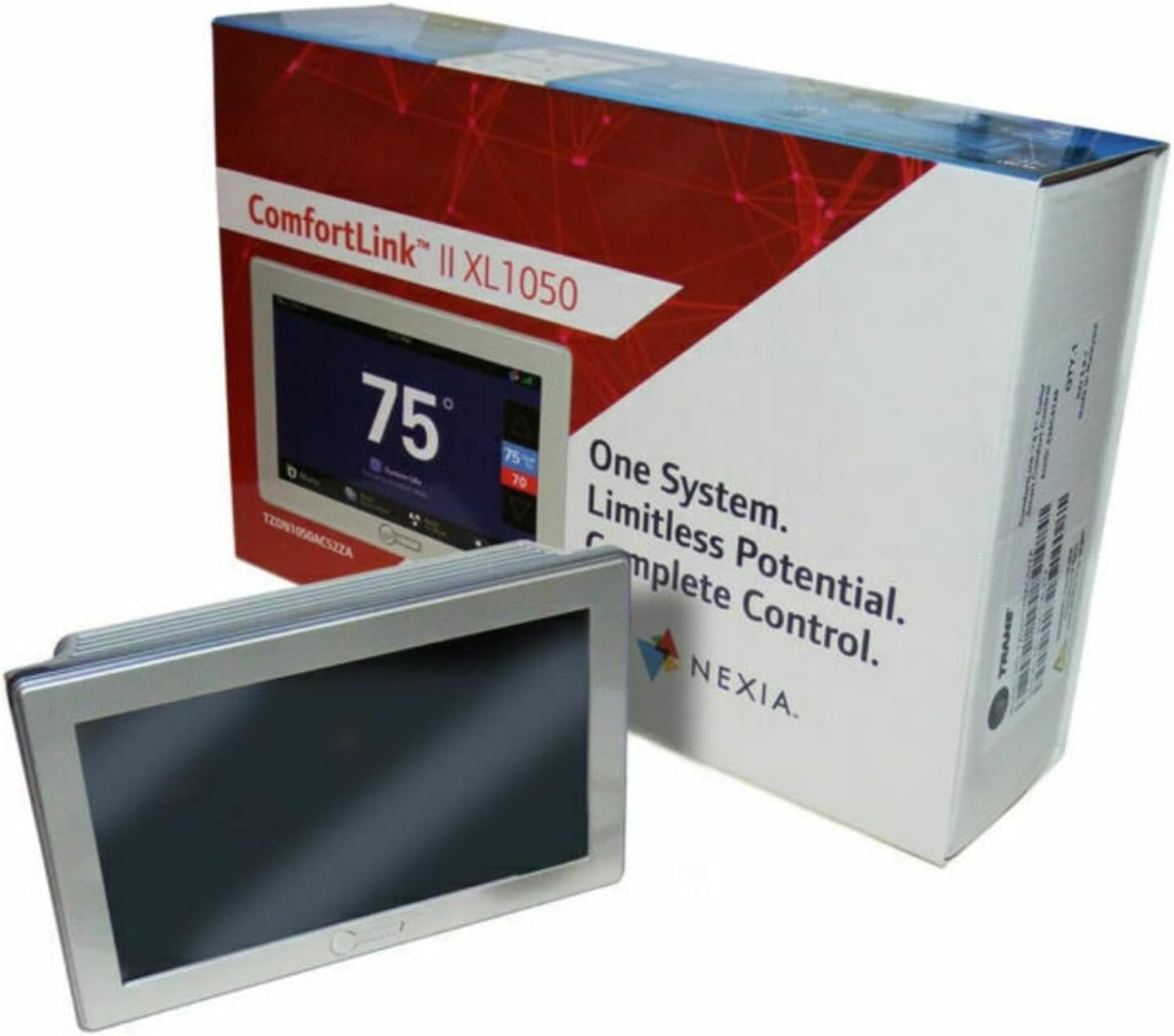
Have you been weighing whether the Trane XL1050 ComfortLink Wi-Fi Smart Thermostat – Model TZON1050AC52ZC Built-in Humidity Sensor with Zoning Control & 7″ high Definition Color Touchscreen Compatible with Variable Speed Systems is the right upgrade for your home?
Buy Trane XL1050 ComfortLink Wi-Fi Thermostat On Amazon
Overview
You’re looking at a feature-rich thermostat that aims to do more than set temperature — it’s designed to be a central comfort and automation hub. It pairs a large, high-definition touchscreen with advanced humidity control, zoning capabilities, and broad system compatibility so you can manage comfort and energy from your wall or remotely.
What it is
This model is Trane’s XL1050 ComfortLink II thermostat with an integrated Nexia bridge and humidity sensing, intended for ComfortLink communicating and variable speed systems. It’s a smart thermostat, automation hub, and zoning controller combined into a single device to streamline control of HVAC, humidity, and ventilation equipment.
Who it’s for
If you want a thermostat that can integrate with advanced Trane systems, control multiple zones, handle humidity, and act as part of a home automation setup, this is targeted to you. It’s especially useful if you have or plan to use ComfortLink II communicating equipment, variable speed systems, or need the advanced features of zoning and device control.
Trane XL1050 ComfortLink Wi-Fi Smart Thermostat – Model TZON1050AC52ZC Built-in Humidity Sensor with Zoning Control & 7
Key Specifications
Below is a quick breakdown of the most important specs so you can see how the XL1050 stacks up at a glance. This helps you compare features and confirm compatibility with your system before you commit.
| Specification | Details |
|---|---|
| Model Name | Trane XL1050 ComfortLink Wi-Fi Smart Thermostat – Model TZON1050AC52ZC |
| Screen | 7-inch high-definition full-color touchscreen |
| Humidity | Built-in humidity sensor; supports humidity control and monitoring |
| Compatibility | ComfortLink II communicating systems, variable speed systems, conventional 24V systems (with BAY24VRPAC52DB relay panel) |
| Schedules | 7-day programmable, up to 6 schedules per day, 365-day calendar |
| Connectivity | Wi‑Fi, Ethernet, Nexia built-in, optional Z‑Wave integration |
| App & Remote | Smartphone app, remote adjustment, Nexia cloud services |
| Voice Assistants | Works with Alexa and Google Assistant |
| Zoning | Built-in zoning control; controls up to 3 devices with relay panel |
| Maintenance | Filter and maintenance reminders, service alerts |
| Integration | Control4 compatible; integrates with >200 Z‑Wave devices |
| Extras | Digital photo frame mode, installation/setup wizards, lockout feature |
Installation and Setup
You’ll usually need professional hookup if your HVAC is a communicating ComfortLink II system or a variable speed Trane. The thermostat has wizards to guide you, but hands-on wiring and configuration often require a trained technician to ensure compatibility and performance.
Wiring and compatibility
You’ll want to check compatibility against Trane models listed for this unit — many Trane models are supported, including XV20i, XC95m, XV18, and more. If you have a conventional 24V HVAC setup, you’ll need the BAY24VRPAC52DB relay panel to enable appropriate control functions.
Using the relay panel for conventional systems
If your system is a standard 24V HVAC or heat pump, the relay panel lets the XL1050 manage features that normally require communicating equipment. With the relay panel attached, you can control up to three auxiliary devices like a whole-house humidifier, dehumidifier, or HRV/ERV, which keeps your installation flexible.
Physical installation tips
You’ll appreciate that the thermostat’s large touchscreen is centered on user experience, but make sure you install it away from direct sunlight and drafts so sensors read accurately. Take photos of existing wiring before disconnecting anything, and have your installer reference model compatibility lists to avoid surprises.
Design and Build Quality
You’ll notice the XL1050 is built to be visible and approachable in the living space, with a large screen and clean design. The build quality feels solid and professional, and the touchscreen gives it a modern, consumer-friendly look.
Touchscreen and UI
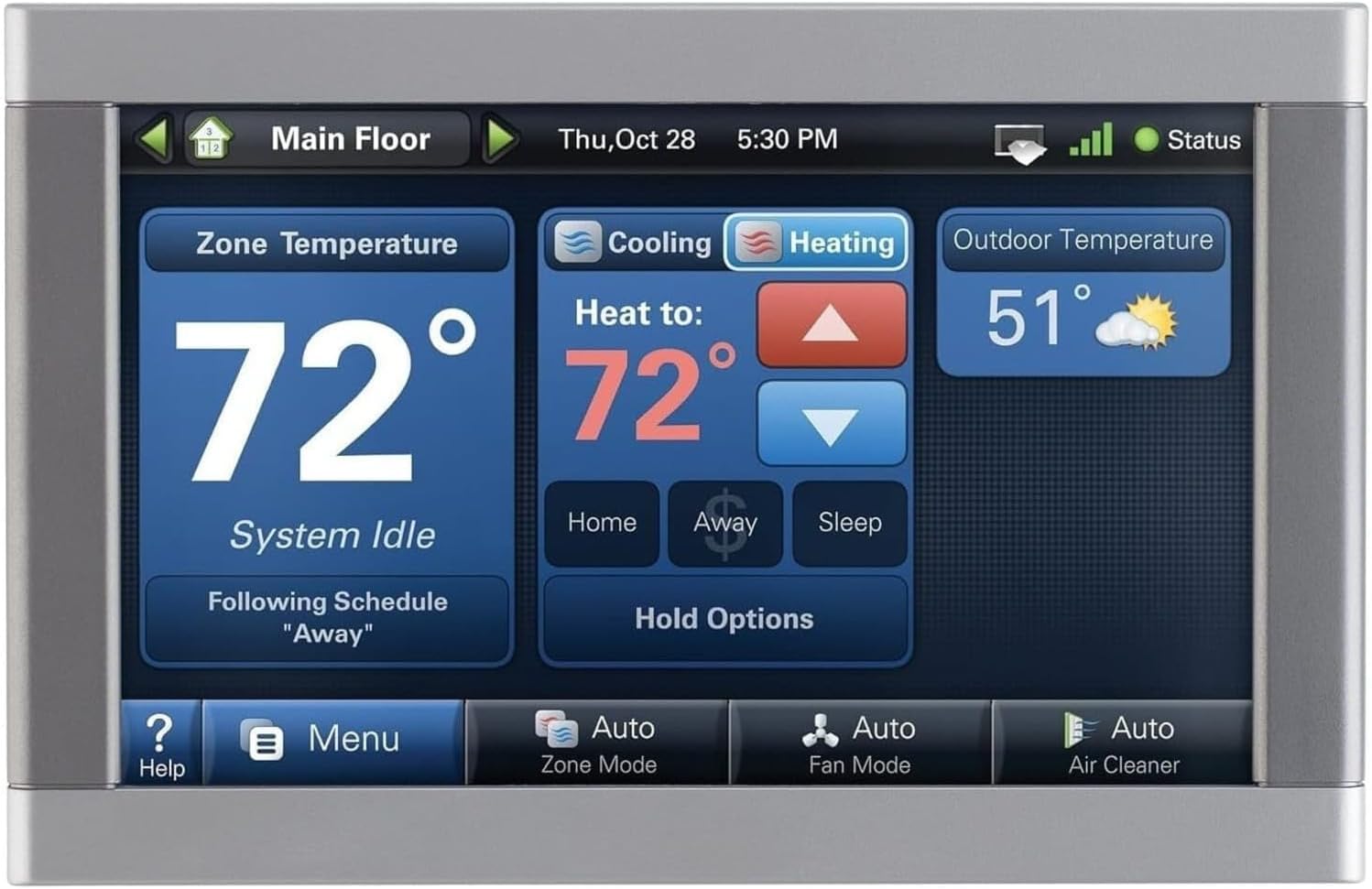
The 7-inch HD color touchscreen is responsive and easy to read from across a room, and the interface includes setup wizards that walk you through configuration. You can also use its digital photo frame mode when it’s idle, which personalizes the display and keeps it from becoming a plain black screen.
Build and form factor
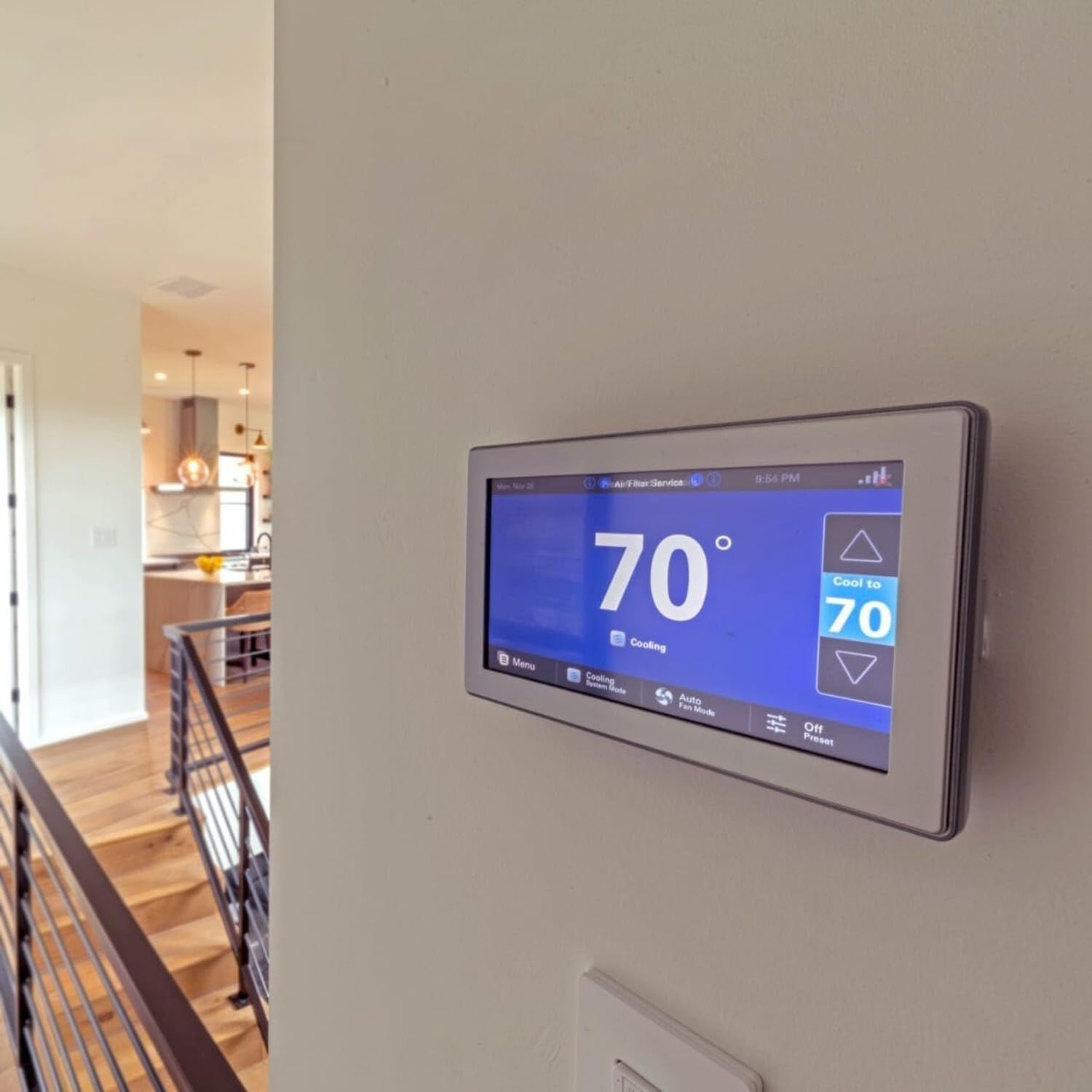
The device is relatively compact for a 7-inch display and mounts flush to the wall for a neat finish. The materials feel durable, and you’ll find the physical installation a tidy upgrade compared to traditional thermostats.
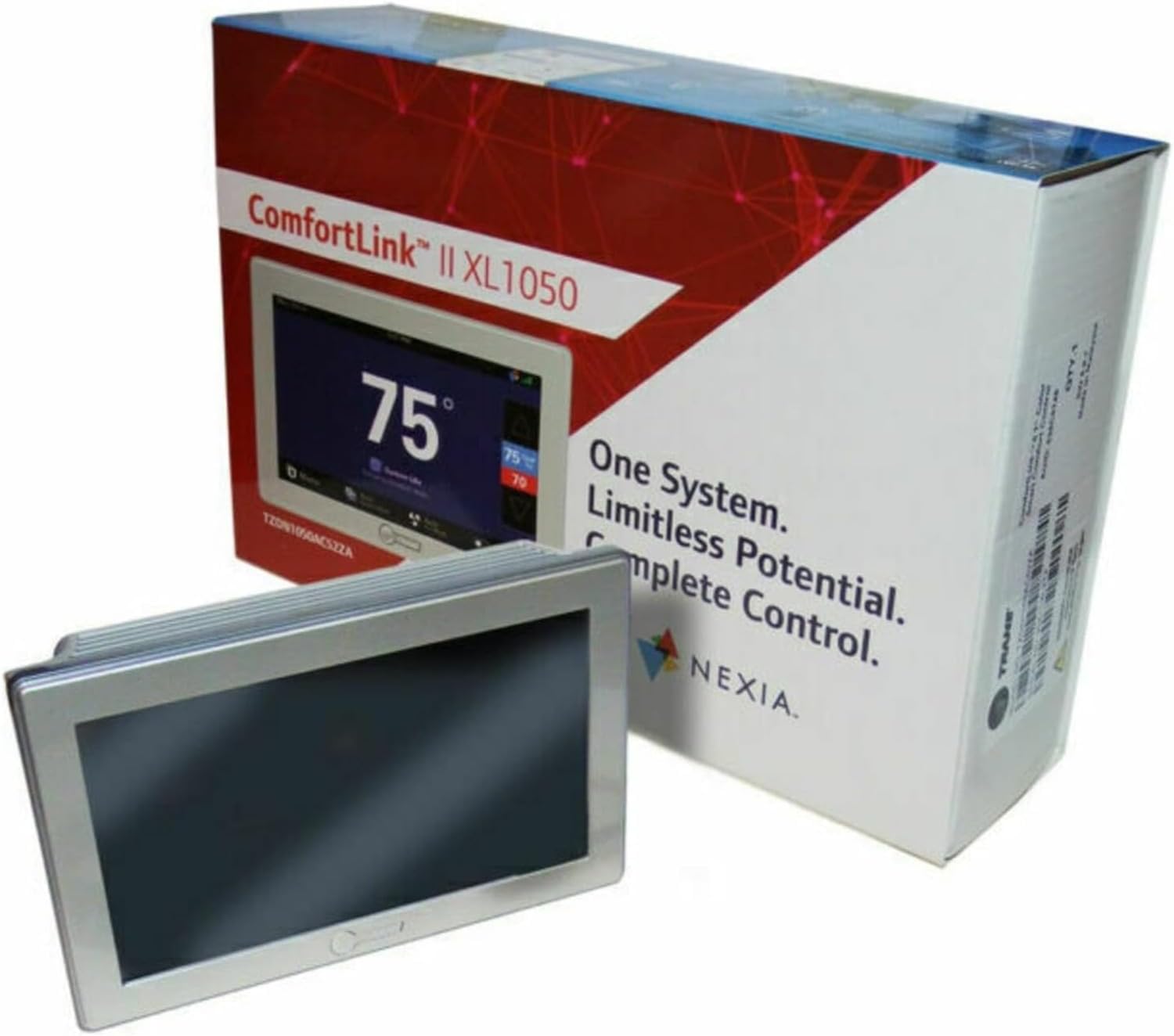
Purchase The Trane XL1050 (ComfortLink) On Amazon
Features and Functionality
You’ll get more than temperature control — the XL1050 emphasizes humidity management, zoning, automation integration, and advanced scheduling. Those features let you configure comfort not just by degrees but by room and by air quality.
ComfortLink II and variable speed compatibility
If you own ComfortLink II communicating or variable speed systems like XV20i or XC95m, the XL1050 unlocks advanced control options for performance and efficiency. This compatibility enables features such as optimized compressor staging and airflow management when paired with matching equipment.
Zoning Control and Nexia Bridge
This model functions as a zoning controller and includes a built-in Nexia bridge for remote access and home automation integration. That means you can manage multiple zones and integrate HVAC with Nexia-compatible devices without needing extra hubs if you already use Nexia services.
Built-in humidity sensor and humidity control
The integrated humidity sensor monitors indoor humidity and helps you maintain recommended levels to prevent discomfort and protect your home. The thermostat also supports control of dehumidifiers and whole-house humidifiers so you can balance temperature and humidity for total comfort.
Scheduling, calendars, and weather tracking
You can create 7-day schedules with up to six events per day and use the built-in 365-day calendar for seasonal adjustments. Weather tracking helps the thermostat make smarter decisions about setbacks and anticipatory adjustments to maintain comfort.
Connectivity: Wi‑Fi, Ethernet, app, voice assistants
You’ll be able to connect via Wi‑Fi or Ethernet and control the system through a smartphone app, tablet, or computer. The thermostat also works with voice assistants like Alexa and Google Assistant, which gives you convenient hands-free control in addition to manual touchscreen use.
Advanced integrations: Z‑Wave, Control4
Beyond Nexia, the XL1050 supports Z‑Wave networks and Control4, enabling integration with many home automation devices and systems. If you plan to build an automation ecosystem around HVAC, lighting, security, or energy management, this thermostat is designed to play well with those platforms.
Maintenance alerts and system monitoring
You’ll receive filter change reminders and maintenance alerts to help keep your system running efficiently and avoid performance issues. Those reminders are practical benefits if you want to be proactive about upkeep without tracking service dates manually.
App Experience and Remote Control
Your experience with the mobile app shapes how useful the smart functions feel, and with the XL1050 you get straightforward remote access and control. The Nexia-enabled platform is the main route for remote control, notifications, and integration with other home automation gear.
Mobile app functionality
Using the mobile app, you can create and modify schedules, override settings, and check humidity and temperature from anywhere. The app also supports remote alerts for maintenance and system performance so you’ll know if something needs attention.
Remote access and notifications
You’ll appreciate instant remote control for changes on the fly and push notifications if the thermostat detects problems or reminders. This feature is especially valuable if you manage multiple homes or want peace of mind when you’re away from the property.
Performance and Energy Savings
When paired correctly, the XL1050 can contribute to improved comfort and energy efficiency by optimizing equipment performance and timing. The degree to which you save energy depends on your HVAC system, usage patterns, and how you take advantage of the thermostat’s features.
Temperature control accuracy
With communicating and variable speed systems, the thermostat can finely tune comfort by aligning setpoints with system capabilities, which can reduce short cycling and overshoot. If you have a compatible Trane system, you’ll see tighter control and smoother temperature transitions compared to simpler thermostats.
Humidity and indoor comfort
Controlling humidity is a big win for indoor comfort, and the built-in sensor means you don’t need a separate device to monitor moisture levels. Maintaining proper humidity can make lower temperatures feel more comfortable and reduce the workload on cooling equipment during humid months.
Zoning and whole-house comfort
Zoning with the XL1050 helps you target comfort where it’s needed most and avoid wasting energy heating or cooling unoccupied areas. When you pair zoning with smart scheduling and the app, you’ll manage different preferences across family members and rooms without sacrificing efficiency.
Troubleshooting and Support
Even with a powerful thermostat, occasional issues arise and you’ll want to know where to look first. Many common problems are simple to resolve, while others will require a technician familiar with Trane systems and ComfortLink communication.
Common issues and fixes
If the thermostat loses connectivity, check your Wi‑Fi or Ethernet connection, verify account credentials, and reboot both the thermostat and the router. For sensor or wiring issues, re-check wire connections against the original wiring photos and consult the installation wizard or manual.
When to call a pro
Call a trained HVAC technician if your thermostat shows communication errors with your ComfortLink system or if equipment behaves erratically after installation. Professional troubleshooting prevents incorrect wiring, misconfigured equipment, or warranty voids.
Pros and Cons
You’ll want to weigh the strengths and limitations before choosing this thermostat. The table and bullet points below summarize the most important trade-offs so you can make a practical decision.
Pros
- Comprehensive integration for ComfortLink II and variable speed Trane systems.
- Built-in humidity sensor and support for humidifier/dehumidifier control.
- Large 7-inch high-definition touchscreen for easy local control.
- Nexia bridge built-in for remote management and automation.
- Z‑Wave and Control4 compatibility for advanced home automation.
- Maintenance reminders and system monitoring features.
- Supports conventional 24V systems with relay panel for broad compatibility.
Cons
- Best features are dependent on compatible Trane equipment; limited benefit with generic systems.
- Setup can be complex for DIY users, and professional installation may be required.
- Nexia services may carry subscription costs for advanced cloud features (verify current terms).
- Larger physical footprint may not suit all wall spaces or aesthetic preferences.
Comparison with Competitors
If you’re considering Nest, Ecobee, or other major smart thermostats, you’ll find differences depending on priorities like system compatibility, zoning, and automation integration. The XL1050 differentiates itself on Trane-specific communications and built-in automation hub features.
When you might prefer Trane XL1050
Choose the XL1050 if you already have or plan to buy compatible Trane ComfortLink II or variable speed equipment and you need seamless integration. You’ll also prefer it if humidity control, multi-device control, and Z‑Wave/Control4 integration are important.
When to choose an alternative
If you don’t have Trane equipment and want a more platform-agnostic option with built-in room sensors or energy reports, Ecobee (room sensors, robust HVAC-agnostic features) or Nest (learning schedules and intuitive UI) might be preferable. Those alternatives often have simpler DIY setups for typical 24V systems.
Detailed Compatibility Notes
You’ll want to verify your specific Trane model against the compatibility list before installing to avoid mismatches or limited functionality. The XL1050 supports a long list of Trane units and several non-Trane models when used with the relay panel.
Supported Trane models
The thermostat lists compatibility with models such as XV20i, XC95m, XV18, XC80, XC95, S9V2, and many TEM/TAM/TU/TD/TUD/TDD series units. If you’re unsure, check the model plate on your furnace or air handler and consult Trane documentation or your installer.
Conventional systems and relay panel
If your system is conventional 24V, the BAY24VRPAC52DB relay panel is required for full functionality like controlling multiple auxiliary devices. This panel expands the thermostat’s control beyond communicating systems and is essential for compatibility with older HVAC equipment.
User Interface and Daily Use
You’ll be interacting with the touchscreen often, so the layout and responsiveness matter in daily use. The XL1050 focuses on a clear, colorful UI and includes features like lockout to prevent accidental changes.
Daily interactions
Changing setpoints, switching modes, or checking humidity is straightforward on the large screen, and the app mirrors those functions for remote changes. The lockout feature is helpful if you want to prevent unauthorized adjustments in shared spaces like vacation homes or rental properties.
Personalization options
You can set schedules, enable the digital photo frame, and configure notification preferences to match your lifestyle. The thermostat’s calendar and multiple daily schedules let you fine-tune comfort for weekdays, weekends, or special events.
Security and Privacy
You’ll want to consider account security and data privacy when adding a connected device to your home network. Trane’s Nexia service and the thermostat’s connectivity options require network access and account credentials.
Account and network security
Make sure you create strong, unique passwords for your Nexia account and secure your Wi‑Fi network with WPA2/WPA3 to minimize unauthorized access. If multiple household members use the app, manage permissions and consider account sharing carefully.
Data and cloud considerations
Remote features rely on cloud services, so review Nexia’s privacy policy and terms to understand data handling and any subscription terms. If privacy is a priority, check whether local-only features meet your needs or if you need remote access tied to cloud services.
Troubleshooting Checklist
When you run into issues, you’ll want a quick checklist to isolate common problems before calling for service. The following steps often resolve the majority of user-facing issues.
- Verify power and wiring connections, and confirm the thermostat is successfully booting.
- Check your Wi‑Fi or Ethernet connection and make sure router settings don’t block the device.
- Reboot the thermostat and router to resolve transient network problems.
- Use the installation wizard to run compatibility checks and troubleshoot sensor readings.
- Confirm Nexia credentials and account status if remote features aren’t working.
- If HVAC equipment behaves oddly, disconnect auxiliary relays and consult a technician.
Tips for Getting the Most from Your Thermostat
You’ll want to take a few practical steps to maximize comfort and efficiency with the XL1050. These tips help you avoid common pitfalls and ensure your system performs optimally.
- Place the thermostat away from direct sunlight, kitchen heat sources, or drafts to prevent skewed sensor readings.
- Use the humidity controls proactively — set humidity targets for summer and winter to maintain comfort and protect furnishings.
- Program multiple schedules for different occupancy patterns to save energy without sacrificing comfort.
- Use the relay panel if your system is conventional to unlock dehumidifier/humidifier/ERV control.
- Integrate the thermostat into a broader automation system only after validating device compatibility and security.
- Keep firmware up to date to ensure the latest performance and security improvements.
Final Recommendation
If you own compatible Trane ComfortLink II or variable speed equipment and want a centralized smart thermostat that integrates zoning, humidity control, and home automation, the Trane XL1050 ComfortLink Wi‑Fi Smart Thermostat is a strong choice. You’ll get a large, responsive touchscreen, Nexia integration, Z‑Wave/Control4 compatibility, and meaningful control over humidity and multi-zone comfort.
You should strongly consider professional installation if your system uses communicating components or if you plan to use the relay panel for conventional systems, as correct wiring and configuration are key to getting the full benefit. If your priority is broad cross-brand compatibility with minimal installation complexity, you might compare this unit to other smart thermostats, but for Trane systems the XL1050 is tailored to deliver the most integrated experience.
If you need help checking compatibility with your specific equipment or want guidance on installation and the relay panel, you can collect your HVAC model numbers and wiring photos and consult a certified Trane dealer or HVAC technician to confirm fit and plan the setup.
Get The Trane XL1050 ComfortLink Thermostat — Amazon
Disclosure: As an Amazon Associate, I earn from qualifying purchases.