
Want a home security system that’s simple to set up and gives you real peace of mind?


Quick Summary of the SimpliSafe 12 Piece System
You’ll get a ready-to-use security kit built to protect doors, windows, and rooms, plus an indoor HD camera with a privacy shutter. The SimpliSafe 12 Piece Wireless Home Security System w/HD Camera – Optional 24/7 Professional Monitoring – No Contract – Compatible with Alexa and Google Assistant, White aims to be user-friendly while offering optional professional monitoring and smart home integration.
SimpliSafe 12 Piece Wireless Home Security System w/HD Camera - Optional 24/7 Professional Monitoring - No Contract - Compatible with Alexa and Google Assistant, White
What the SimpliSafe 12 Piece System Includes
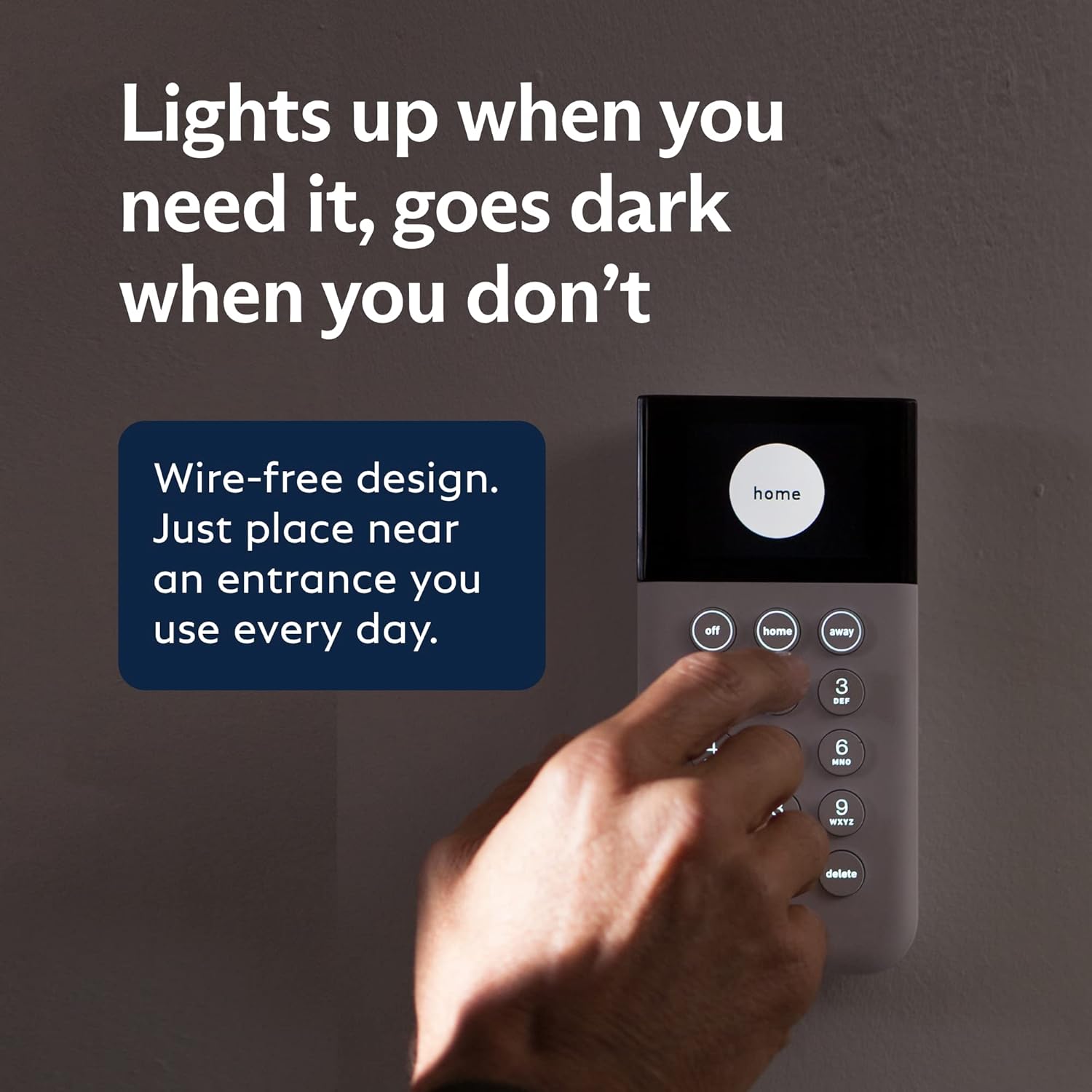
This package is designed so you can protect a typical apartment or medium-sized house without drilling or running wires. You get a mix of entry sensors, motion detectors, a panic button, a key fob, a Base Station with backup, and a SimpliCam Wired Indoor Security Camera.
Box contents and basic counts
You’ll see each item clearly labeled and ready to mount with adhesive strips or a small screw if you prefer added security. Everything is intended for straightforward placement and immediate activation through the SimpliSafe App.
| Component | Quantity | Purpose |
|---|---|---|
| Base Station | 1 | Central alarm hub with siren and cellular backup |
| SimpliCam Wired Indoor Camera | 1 | HD video, privacy shutter, wired power |
| Entry Sensors | 4 | Protect doors, windows, cabinets |
| Motion Sensors | 2 | Cover rooms up to 35 ft, pet friendly under 60 lbs |
| Key Fob | 1 | Arm/disarm remotely up to 30 ft |
| Panic Button | 1 | Immediate alarm and dispatch option |
| Mounting kits / adhesives | Multiple | No drilling required; optional screws included |
| Starter cables & power adapters | Multiple | For camera and Base Station power |
Setup and Installation
You should be able to get the system installed and running in a short time without professional help, unless you prefer pro installation. Simplicity is a core selling point — plug the Base Station and camera in, place sensors where they make sense, and follow the step-by-step guidance in the SimpliSafe App.
Unboxing and physical setup
When you unbox, test batteries and ensure the Base Station is placed centrally for best range and speaker audibility. The adhesive strips work well on painted walls and window frames, but using screws for high-traffic doors is a smart move if you’re after long-term durability.
Using the SimpliSafe App
You’ll link the Base Station to the app, add each sensor one by one, and name them (front door, living room motion, etc.) for clarity. The app guides you through sensor placement, wireless pairing, and offers test modes so you can confirm coverage before you rely on it.
Tips for placement
Place motion sensors in a corner at about 6–7 feet high to maximize coverage and minimize blind spots, and put entry sensors on windows and doors where forced entry is most likely. Avoid pointing motion sensors directly at heat sources or vents to reduce false triggers, and keep the camera at eye level or slightly above for natural vantage points.

Monitoring Options
You can choose to watch events yourself via push alerts and live view, or sign up for professional monitoring to get emergency dispatch when required. The system includes 1 free month of professional monitoring, and paid plans start under $1/day with no long-term contract.
Professional monitoring
If you enable professional monitoring, agents can receive alerts and escalate to emergency services on your behalf — potentially speeding up police response. With video verification enabled on the camera and the Fast Protect plan, agents can use eyewitness footage to reduce false dispatches and prioritize legitimate break-ins.
Self-monitoring
You can opt to self-monitor using the SimpliSafe App, receiving instant push notifications and viewing live HD video or event clips. Self-monitoring keeps monthly costs at zero but places responsibility on you to call authorities or react to events.
Costs and contract details
SimpliSafe advertises no-contract monitoring plans and transparent pricing, which is helpful if you want flexibility. Compare plans carefully: video verification and cellular backup features are tied to specific tiers, so choose a plan that matches how much hands-on control you want versus how much you want a monitoring center to handle.
SimpliCam Wired Indoor Security Camera
The included SimpliCam Wired Indoor Security Camera gives you continuous HD video with a physical privacy shutter for when you want to block the lens. It’s designed to integrate neatly with the SimpliSafe ecosystem and supports remote viewing through the app.
Video Quality and performance
You’ll get HD video that’s clear enough to identify people and events in most indoor lighting conditions, and the live feed is accessible on your phone, tablet, or computer. Video quality depends on good lighting and a stable network connection; the wired camera reduces interruptions caused by battery failure.
Privacy shutter and control
The built-in stainless steel privacy shutter gives you one-touch control to physically block the lens, so you can insist on privacy when you’re home. This hardware shutter addresses privacy concerns that purely software-based solutions sometimes raise, and you can still use the camera’s audio and motion alerts when the shutter is engaged.
Video verification and response time
When you enable video verification and pair it with the appropriate monitoring plan, monitoring agents can view camera footage to confirm a genuine intrusion. This often improves dispatch priority because verified events are more likely to receive immediate attention from emergency services.
Entry Sensors
Entry sensors are the most straightforward way to secure doors, windows, and cabinets, and they’re part of the core 12-piece array. They’re small, wireless, and designed for quick placement with adhesive or screws.
How entry sensors work
Each sensor is a two-part unit: one piece attaches to the door or window, and the other aligns on the frame; when the circuit opens, the Base Station gets an alert. You’ll get real-time notifications and can set Secret Alerts if you want notification without an audible alarm.
Secret Alerts and customization
Secret Alerts let you be quietly notified if a specific sensor trips — useful for sensitive areas like medicine cabinets or a child’s room. You can also configure instant alarm behavior for certain sensors and delayed entry for others, allowing a grace period for disarming when you come home.
Motion Sensors
Motion sensors provide room coverage and are tuned to reduce false alarms from pets under about 60 pounds. They’re particularly useful for covering open-plan areas where an entry sensor alone won’t give complete protection.
Coverage and pet immunity
Each motion sensor detects movement up to 35 feet with a roughly 90-degree field of view and includes pet immunity settings to avoid repeated false alarms from pets under the weight threshold. Proper placement will help you retain accuracy and avoid detection issues caused by furniture or heat sources.
Best practices for placement
Mount motion sensors in room corners about 6–7 feet up and angle them to cover main walkways rather than windows or heat vents. Keep sensors off direct sunlight and away from air conditioning outlets to avoid spurious triggers, and test detection patterns with a partner to refine placement.
Panic Button and Key Fob
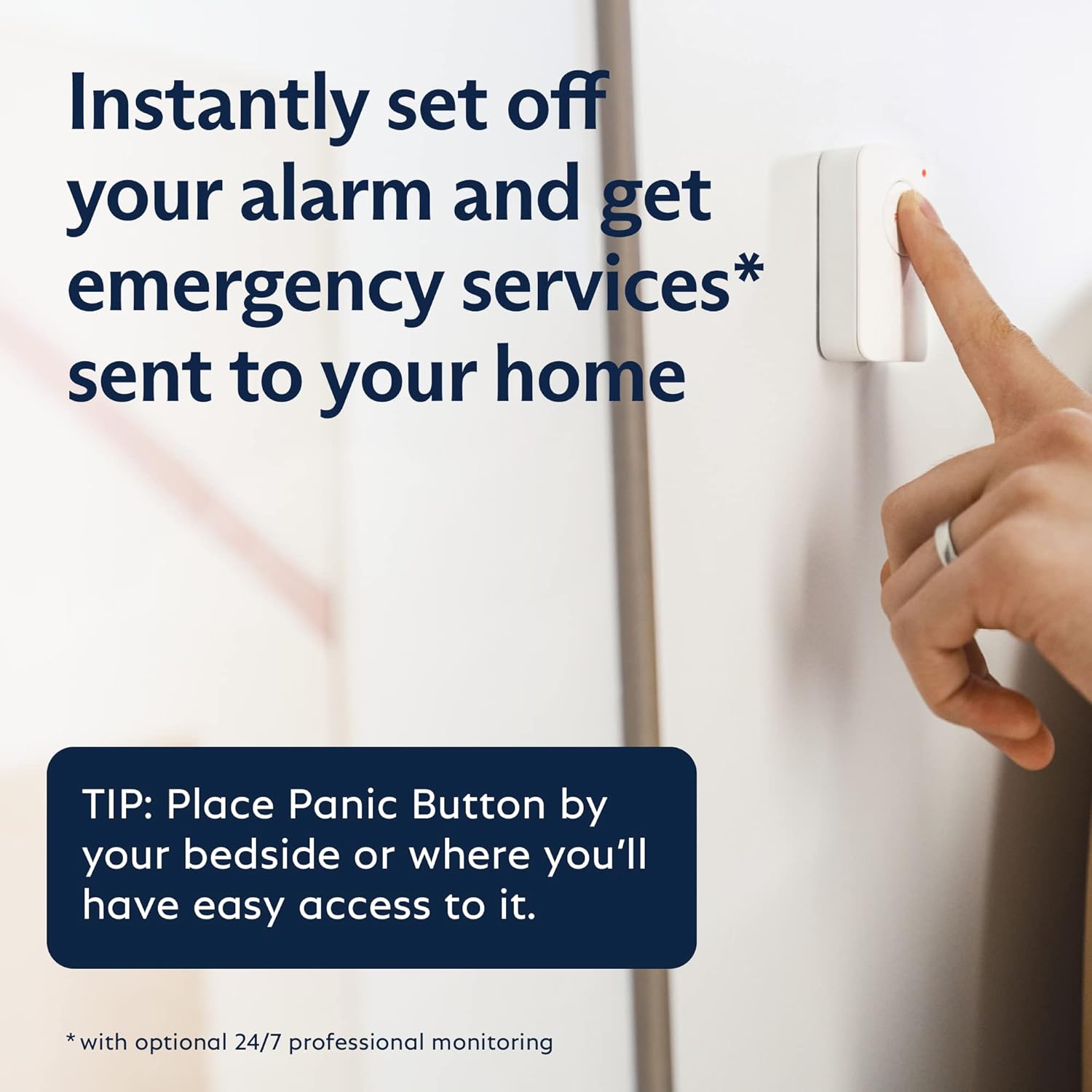
You’ll get both a Panic Button and a Key Fob for quick, one-touch actions when you need immediate assistance or easy arming/disarming. These compact accessories make it convenient to secure or call for help without having to pull out your phone.
Panic Button details
The Panic Button triggers the alarm and, if you’re on a monitoring plan, notifies the monitoring center to dispatch emergency responders; there’s also a silent option if you need discreet help. Keep one near the main entry, bedside, or another easily reachable location so you can signal for help instantly.
Key Fob operation
The Key Fob gives you one-touch arm/disarm functionality up to around 30 feet from the Base Station and usually has a built-in panic option as well. It’s ideal for quickly securing your home as you walk out the door or disarming the system as you come back without using the app.
Base Station, Battery and Connectivity
The Base Station serves as the central command, sounding the siren, communicating with sensors, and connecting to SimpliSafe’s monitoring servers via Wi‑Fi and cellular backup. It includes a battery backup that keeps the system active even during power outages.
Cellular backup and battery life
The Base Station battery lasts up to 24 hours in the event of a power loss, and cellular backup keeps monitoring active when your internet is down — but cellular backup requires an active monitoring plan. This redundancy protects you during common outage scenarios and helps ensure responders can still be notified.
Local alarm and siren
The Base Station has a loud siren designed to deter intruders and draw attention if the alarm triggers, with configurable volume and entry/exit delays. You can test the siren and hearing distance during setup so you know how audible it is throughout your home.

App, Control and Smart Home Integration
You’ll control most system functions via the SimpliSafe App, which provides arming modes, live video, event history, and push alerts. Integration with Alexa and Google Assistant allows you to use voice commands for basic functions, though voice control does not replace secure arming/disarming methods.
SimpliSafe App features
The app puts arming, disarming, camera live view, and event history at your fingertips, and you can create custom notifications to match your lifestyle. You’ll appreciate activity timelines, quick menu controls, and options to share limited access with family members or roommates.
Alexa and Google Assistant compatibility
If you use voice assistants, you can link SimpliSafe for convenience commands like arming/disarming or viewing a camera feed on a smart display. Keep in mind that voice commands can be less secure than PIN- or app-based actions, so balance convenience with security needs.
Performance and Reliability
The system is generally reliable for everyday household use, with wireless sensors that have proven stability and camera performance tied to network health. Your experience will vary based on home layout, Wi‑Fi strength, and environmental factors like insulation and interference.
Signal range and interference
Range between sensors and the Base Station is adequate for most homes, but thick walls or metal framing can reduce effective coverage and require strategic Base Station placement. If you have a large property or concrete walls, plan placement and consider range extenders or repositioning to maintain dependable connections.
False alarms and sensitivity
You’ll find that proper placement and pet-aware settings reduce false alarms substantially, although no system is immune to occasional trigger events. Regular testing and sensitivity tuning, plus educating family members on system routines, will reduce unnecessary alerts and improve confidence in the system.
Privacy and Security
SimpliSafe has built-in privacy features such as the camera’s physical shutter and the ability to manage who can access the system remotely. Your video storage and monitoring access depend on the subscription you choose, so review privacy settings carefully.
Data handling and legal considerations
You should read the privacy policy and terms to understand how video and event data are stored, who can access it, and how long it’s retained. If you live in a multi-tenant building or have privacy-sensitive roommates, confirm local rules about recording and disclosing footage to avoid legal issues.
Physical privacy controls
The SimpliCam’s stainless steel privacy shutter gives you direct control to block the lens, which is useful during private moments or when you don’t want continuous surveillance. You can also disable cloud upload or limit video storage via app settings, depending on your subscription level.
Who Should Buy This System?
If you want a no-fuss, wireless security solution that’s easy to install and scale, this SimpliSafe kit is a strong fit. It’s particularly appropriate for renters, small homeowners, and people who prefer optional professional monitoring without long-term commitments.
Ideal living situations
You’ll benefit most if you live in apartments, condos, or homes without the desire to hardwire a security system, or if you need quick install without permits or structural changes. If you want integrated home automation beyond basic voice commands, you may need to supplement with other smart devices.
When to consider other options
If you have a very large property, require 24/7 video recording on-site, or want advanced smart home automation (Z-Wave, Zigbee hubs), you might find dedicated pro-grade systems or custom installations better suited. Also consider professional wired systems if you need redundant power and a hardwired camera network.
Pros and Cons
You’ll appreciate how straightforward this kit is to set up, the clear app controls, and the option to add professional monitoring without a contract. However, some features are tied to subscription plans and the camera is wired, which limits placement flexibility compared to battery cameras.
Pros
- Easy, mostly tool-free installation for renters and homeowners alike.
- Optional no-contract professional monitoring with cellular backup.
- Physical camera privacy shutter and clear app controls.
- Pet-friendly motion sensors and customizable Secret Alerts.
Cons
- Some advanced features (video verification, cellular backup) require subscription tiers.
- Wired camera limits placement to locations near power outlets.
- May not be ideal for very large homes without additional hardware or range extenders.
- Occasional false alarms possible if sensors are poorly placed.
Setup Troubleshooting and Support
If you run into issues, the SimpliSafe App includes diagnostics and step-by-step troubleshooting prompts, and the company offers customer support if you need hands-on help. Being methodical during setup — testing sensors and adjusting placement — will solve most problems quickly.
Common issues and fixes
If a sensor won’t pair, ensure it has a fresh battery and that the Base Station is in pairing mode nearby; try restarting the app and moving the Base Station closer during setup. For camera connectivity problems, verify the wired power, network connectivity, and try rebooting your router or the Base Station.
When to contact support
You should contact SimpliSafe support if sensors intermittently drop offline after setup, if the Base Station battery won’t hold charge, or if monitoring alerts don’t reach the monitoring center as expected. Save error messages and timestamps, as they help support troubleshoot faster.
Maintenance and Care
You’ll need to swap sensor batteries occasionally, check firmware updates, and retest sensors periodically to keep everything functioning reliably. Regular maintenance prevents unexpected failures and keeps your system ready when you need it most.
Battery replacement and testing
Most SimpliSafe sensors use long-life batteries — expect to replace them every few years depending on activity — and the Base Station has a rechargeable backup battery. Test the system monthly and replace batteries when the app flags low power to avoid gaps in protection.
Firmware updates and security hygiene
Keep the SimpliSafe App and Base Station firmware updated to get the latest features and security patches, and use strong account passwords plus two-factor authentication when available. Avoid sharing your primary login, and remove access for former roommates or service people who no longer need it.
Comparison with Competitors
SimpliSafe compares favorably against many consumer DIY systems regarding ease of use and straightforward pricing. Some competitors offer additional smart home protocols or battery-powered cameras, so weigh the features that matter most to you.
Price and features
You’ll likely pay a competitive upfront price for the 12-piece kit, with monitoring costs that are flexible because there’s no long-term contract. If you want bundled video cloud storage, fast verification, or advanced smart home routines, confirm exactly what’s included in the plan you choose.
Monitoring flexibility
SimpliSafe’s no-contract approach makes it easy to switch between self-monitoring and professional monitoring without penalties, which is useful if your needs change. Other providers may require annual contracts or have different verification procedures, so check the tradeoffs before you commit.
Real-World Scenarios and Use Cases
You’ll find this system handy for protecting entry points when you’re away on vacation, for keeping an eye on kids or pets, and for getting alerts about unusual activity while you’re at work. The combination of entry sensors, motion detection, and a camera gives you layered protection that fits many everyday needs.
Example: Apartment setup
In an apartment, you can place entry sensors on the main door and balcony door, use motion sensors to cover the living room, and put the camera to monitor the main area or an entryway. Adhesive mounting avoids landlord permission issues and still gives you robust coverage.
Example: Small home setup
For a small home, spread the entry sensors across exterior doors and place motion sensors in hallways or large rooms; use the key fob for quick arming as you step out. Add a second camera later if you want to cover a backyard or garage entrance, noting that wired placement will influence where you can put it.
Final Recommendation
If you want a straightforward, flexible security system that’s easy to install, offers optional professional monitoring without long-term contracts, and includes a privacy-minded camera, the SimpliSafe 12 Piece Wireless Home Security System w/HD Camera is worth serious consideration. You’ll get solid everyday protection, clear app controls, and the freedom to choose between self-monitoring and professional monitoring as your needs evolve.

Disclosure: As an Amazon Associate, I earn from qualifying purchases.