
Looking for a smart light bulb that gives you color, control, and real reliability?

First impressions of the Philips Hue A19 LED Smart Light Bulb – White and Color Ambiance – 60W Indoor Light Bulb – Control with Hue App – Compatible with Alexa, Google Assistant and Apple Homekit – 6 Pack
When you hold the six-pack in your hands, you’ll immediately notice the familiar A19 shape and the solid build quality. The bulbs feel lightweight but sturdy, and they screw into standard fixtures without fuss, so you can start testing colors right away.
You’ll also notice the branding and packaging make it clear these bulbs are part of the Hue ecosystem — that matters because Hue is designed around a hub-based approach that impacts setup, features, and reliability.

Philips Hue A19 LED Smart Light Bulb - White and Color Ambiance - 60W Indoor Light Bulb - Control with Hue App - Compatible with Alexa, Google Assistant and Apple Homekit - 6 Pack
What’s in the box
You get six White and Color Ambiance 60W-equivalent A19 color-changing bulbs in a single pack. That’s enough bulbs to cover multiple rooms or replace all the main fixtures in a medium-size living space.
You won’t get a Hue Bridge with this pack, so if you want advanced automations and remote control from anywhere, you’ll need to add a Bridge separately. The box contents are straightforward: six bulbs and basic safety / warranty documentation.
Key features at a glance
Below is a quick table to help you compare the most important specs and what they mean for your daily use.
| Feature | What it is | Why it matters to you |
|---|---|---|
| Bulb type | A19 LED, 60W-equivalent | Fits standard fixtures and gives you the light output you expect from a 60W incandescent without the heat or energy use. |
| Color options | Warm-to-cool white + millions of colors | You can tune white light for daily tasks and choose colorful scenes for mood or events. |
| Connectivity | Zigbee to Hue Bridge; Bluetooth for basic control | With Bridge you get full automation and remote access; Bluetooth gives quick local control without a hub. |
| Compatibility | Hue app, Alexa, Google Assistant, Apple HomeKit, Matter | Works with most smart home systems so you can use voice assistants or HomeKit scenes. |
| Dimming | Integrated dimming via app/voice | No physical dimmer needed; you can smoothly dim or brighten to suit your routine. |
| Lifespan | Rated for many thousands of hours (LED) | Lower energy costs and less frequent replacement compared to incandescent bulbs. |
| Package | 6-pack | Good value if you want to outfit multiple rooms or replace many bulbs at once. |

Setup and installation
Setting up these bulbs is designed to be simple whether you want to use Bluetooth or the Hue Bridge. If you’re replacing incandescent bulbs, just screw them in and power them on — they’ll start ready for pairing.
If you use Bluetooth, you can control bulbs directly from the Hue Bluetooth app on your phone. That’s great for small setups or if you don’t want to buy a Bridge right away. If you want full control, automations, and remote access, adding a Hue Bridge is the recommended path.
Setting up with Bluetooth
If you want a quick setup, you can pair bulbs with the Hue Bluetooth app in minutes. Open the app, follow the on-screen prompts, and the app will scan and connect to any powered bulbs nearby. You’ll be able to change colors, dim, and create a few basic scenes from your phone while you’re in range.
This is perfect if you’re a casual user or you’re testing Hue before committing to a Bridge. Bluetooth control doesn’t require extra hardware and is simple to remove if you change your setup later.
Setting up with Hue Bridge
For the full Hue experience, get a Hue Bridge. The Bridge connects to your router via Ethernet and uses Zigbee to create a robust mesh network for bulbs. Once the Bridge is installed, add your bulbs through the Hue app and you’ll unlock automations, schedules, multi-room grouping, and remote control from anywhere.
Using the Bridge also reduces the load on your home Wi‑Fi because bulbs communicate with the Bridge using Zigbee. That means a stable, low-latency connection that’s ideal if you have many bulbs or want complex routines.
Hue App and user experience
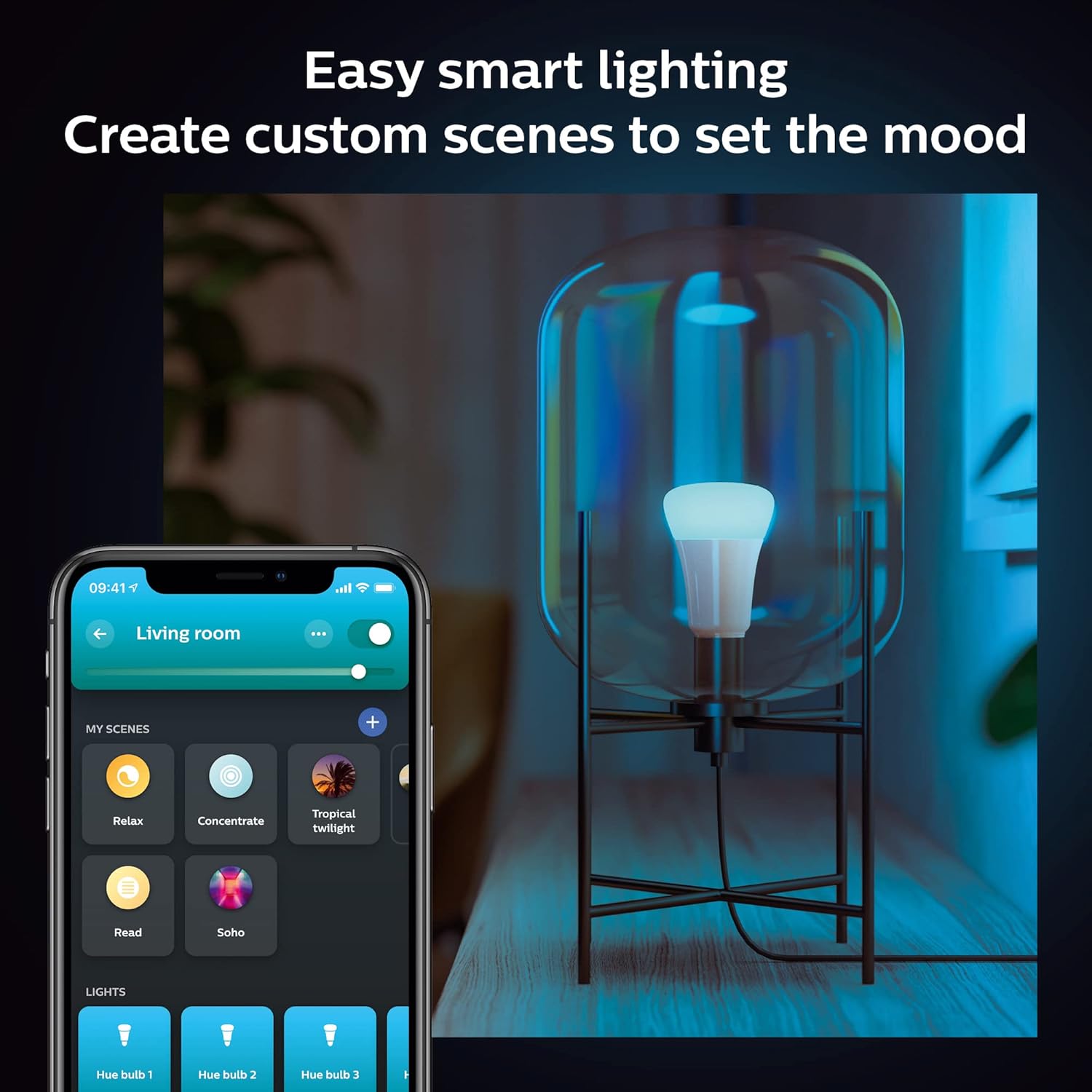
The Hue app is where you’ll manage everything. The app is polished and focused on lighting control, with separate sections for rooms, scenes, routines, and settings. You can create scenes using preset options or build your own color palettes and save them for later.
You’ll find that the app’s learning curve is shallow for basic control — turning bulbs on/off, adjusting brightness, and picking a color is straightforward. For power users, the routines and automation tools offer granular options such as sunrise/sunset triggers, motion sensor integration, and scheduling by time and day.
You can also create a 24-hour scene that mimics natural light progression to support your daily rhythm — warm light in the evening, cool and bright light for focused work during the day.
Voice control and smart home compatibility
If you use Alexa, Google Assistant, or Apple HomeKit, you can control your bulbs with voice commands once you’ve linked the Hue account and granted necessary permissions. That means you can say things like “set the living room lights to warm white” or “make the bedroom blue,” and the bulbs will respond.
Matter support expands compatibility further, making it easier to connect Hue lighting to other Matter-enabled devices in your smart home. Using the Bridge and Matter together gives you a stable, secure way to use multiple ecosystems without juggling separate apps.
You’ll appreciate being able to include Hue bulbs in broader routines — for example, when you tell your morning routine to start, the connected speaker can trigger lights and blinds together.

Performance: brightness, color accuracy, and responsiveness
Philips Hue A19 bulbs deliver consistent brightness and a wide color spectrum. The 60W-equivalent output is bright enough for most general lighting needs in living rooms, bedrooms, and kitchens without being overpowering. Color rendering is generally good, especially for the white range and saturated colors.
Responsiveness depends on whether you’re using Bluetooth, the Bridge, or a voice assistant. Locally controlled with Bluetooth, the body-to-phone latency is small and acceptable. With a Bridge, response is fast and reliable across multiple bulbs. Voice control adds an extra layer (cloud processing), so you might notice a short delay for some requests — usually a second or two.
If you use the bulbs with a large Hue setup and a good Bridge, you’ll get near-instant response times that feel integrated into your home. If you’re on Bluetooth-only in a crowded Wi‑Fi environment, control remains usable but more limited.
Scenes, routines, and real-world uses
These bulbs shine when used for scenes and routines. You can create a “focus” scene with cool white and high brightness for work, a “relax” scene with warm white for evenings, or colorful party scenes for gatherings. Saved scenes let you switch moods instantly.
Routines are useful for everyday habits. Set the lights to gently brighten in the morning to help wake you up, or have them gradually dim in the evening to cue relaxation. You can also tie in motion sensors and other Hue accessories for automatic behaviors like hallway lights that activate when you walk by.
You’ll also find seasonal or event use cases handy — set colorful lights for holidays, change accent lighting for movie nights, or program lights to flash for certain notifications.
Energy use and lifespan
LED technology means these bulbs use a fraction of the energy of traditional incandescent bulbs. Although Philips doesn’t disclose an exact wattage in the short product blurb, a 60W-equivalent LED typically uses roughly 8–10 watts. Over time, that reduces electricity costs and heat output.
LEDs also last thousands of hours longer than incandescents. Expect many years of regular use before any bulb fails, especially in normal indoor conditions. That longevity and energy efficiency help justify the upfront cost compared with disposable incandescent or cheaper LED options.

Design, size, and fit considerations
A19 form factor means these bulbs work with standard lamps, ceiling fixtures, and recessed cans designed for A19 bulbs. You don’t need special fixtures or adaptors in most cases. The bulb’s top is rounded and diffuses light evenly, which helps reduce hotspots and creates a uniform lighting effect.
If you have enclosed fixtures or glass shades, confirm the manufacturer’s guidance about using smart bulbs in enclosed spaces (some LEDs can run warmer when fully enclosed). In typical open fixtures and lamps, you’ll be fine.
Pricing and value
Buying a 6-pack gives you good value per bulb compared with single-bulb purchases. Philips Hue bulbs sit at a premium compared to generic color LED bulbs, but you’re buying into the Hue ecosystem: long-term software support, broad compatibility, reliable Zigbee mesh with a Bridge, and strong app features.
If you plan to outfit several rooms and use advanced automations, the Hue system’s value increases. If you just need a single color-changing bulb for casual use, a cheaper alternative might do the job but won’t match Hue for reliability, ecosystem, or third-party integrations.
Troubleshooting and common issues
You may encounter a few typical hiccups while using smart bulbs. Pairing issues are usually caused by distance, Bluetooth interference, or a bulb already paired to a Bridge. If a bulb won’t pair via Bluetooth, try power-cycling it and moving your phone closer.
If you use a Bridge and a bulb seems unresponsive, check the Zigbee mesh: bulbs can route signals through each other, so one unpowered bulb in the chain might affect communication. Rebooting the Bridge or re-adding the bulb often fixes the problem.
Firmware updates occasionally change behavior or add improvements; keep the Hue app updated and allow firmware updates to ensure the best performance and security.
Safety and privacy
Using a Hue Bridge creates a local control hub that reduces dependence on cloud services for local operations, which is better for privacy and reliability. Hue’s integration with your router is straightforward, and the Bridge helps keep bulb traffic off your main Wi‑Fi network.
You’ll want to secure your network and keep your Hue account credentials safe. Use the latest app updates and follow basic smart-home security practices to minimize risks.
Comparison: Philips Hue vs cheaper color LED bulbs
When you compare Philips Hue bulbs to cheaper color-changing LED bulbs, several differences stand out:
- Ecosystem: Hue offers a robust system with a Bridge, wide integrations, and long-term support.
- Reliability: Zigbee mesh + Bridge generally outperforms Wi‑Fi-only cheap bulbs in stability.
- Features: Hue has richer automation, better scene creation, and consistent firmware updates.
- Price: Hue is more expensive upfront but often delivers better long-term value if you use advanced features.
If you value reliability, voice integration, and broad compatibility, Hue is usually worth the price. If you just need occasional color for novelty, a cheaper bulb might be fine.
Quick comparison table
| Comparison area | Philips Hue A19 | Typical cheap color LED |
|---|---|---|
| Connection | Zigbee (Bridge) + Bluetooth | Wi‑Fi or proprietary app |
| Reliability | High (stable with Bridge) | Variable; affected by Wi‑Fi congestion |
| Integrations | Alexa, Google, HomeKit, Matter | Often Alexa/Google, rarely HomeKit or Matter |
| Automation | Advanced with Bridge | Basic scheduling only |
| Price | Premium | Budget-friendly |
Pros and cons
Pros:
- Wide color range and tunable white for many lighting needs.
- Reliable connectivity and low Wi‑Fi impact when paired with a Hue Bridge.
- Strong app, scenes, and routine capabilities.
- Compatibility with major voice assistants and Matter for smart-home integration.
- 6-pack gives good value if you plan to outfit multiple rooms.
Cons:
- Higher upfront cost compared with generic smart bulbs.
- Full feature set requires a Hue Bridge (extra purchase).
- Slight voice latency in some cloud-based voice command cases.
- Some users might find app complexity more than they need for simple control.
Who should buy the Philips Hue A19 6-pack
You should choose this pack if you:
- Want a consistent, high-quality smart lighting ecosystem that grows with your home.
- Plan to install multiple smart bulbs and need them to work reliably together.
- Use voice assistants or Apple HomeKit and want seamless integration.
- Care about advanced automations, scenes, and long-term product support.
Consider other options if you:
- Only need a single bulb for occasional color use.
- Are on a strict budget and don’t need advanced automations or HomeKit support.
- Want zero hub setup and prefer Wi‑Fi-only devices (though Hue supports Bluetooth for simpler setups).
Tips for getting the most out of your Hue bulbs
- Add a Hue Bridge if you want the best stability and remote access. The Bridge makes automations and large setups much smoother.
- Group bulbs into rooms and zones for easier control; it’s faster than addressing bulbs individually all the time.
- Use the 24-hour natural light scene to support your daily rhythm and reduce evening blue light exposure.
- Update firmware regularly to access new features and security fixes.
- Use motion sensors in hallways and bathrooms to create hands-off lighting that runs efficiently.
- Test voice commands and create short phrases you find intuitive; keep routines simple at first and expand as you learn what helps.
Frequently asked questions (short answers)
Q: Do these bulbs work without a Hue Bridge?
A: Yes. You can use Bluetooth for basic control, but a Bridge unlocks automations, remote control, and more reliable connectivity.
Q: How many colors are available?
A: The bulbs support millions of colors plus a wide warm-to-cool white range for precise tuning.
Q: Are they compatible with HomeKit and Alexa?
A: Yes. They’re compatible with Alexa, Google Assistant, and Apple HomeKit. Matter support further expands compatibility.
Q: Can you dim the bulbs without a smart switch?
A: Yes. Dimming is handled in the app or via voice. Avoid using traditional wall dimmer switches unless they’re specifically designed for smart bulbs, because those can cut power and cause unexpected behavior.
Q: Will these bulbs overload my Wi‑Fi?
A: Not if you use a Hue Bridge. The Bridge uses Zigbee for bulb communication, keeping bulb traffic off your Wi‑Fi. Bluetooth control is local and limited.
Troubleshooting quick checklist
- If a bulb won’t appear in the app: power-cycle the bulb (off/on), move your phone closer, or reset the bulb if needed.
- If colors look off: check for updates and recalibrate scenes; try toggling color temperature to see baseline white performance.
- If a bulb drops from the Bridge: check that nearby bulbs in the Zigbee mesh are powered; re-pair the bulb if necessary.
- If voice commands lag: try using the app directly to test local response, and check your internet connection or voice assistant cloud status.
Final verdict
If you want a smart lighting system that’s reliable, flexible, and future-proofed, the Philips Hue A19 LED Smart Light Bulb – White and Color Ambiance – 60W Indoor Light Bulb – Control with Hue App – Compatible with Alexa, Google Assistant and Apple Homekit – 6 Pack is a strong choice. You’ll get high-quality color and white light, excellent integration options, and the ability to scale with the Hue Bridge and Matter support.
You’ll pay more up front than with bargain-brand bulbs, but if you value longevity, robust automation, and cross-platform compatibility, you’ll likely find the investment worthwhile. The 6-pack gives you the chance to upgrade multiple rooms at once and experience how a coordinated lighting system can change the feel and functionality of your home.
If your goal is simple color accents in one room, you might consider less expensive alternatives. If you want a dependable smart home lighting backbone that works with voice assistants and smart home standards, these Hue bulbs deliver on that promise and will make your lighting feel smarter, smoother, and more enjoyable every day.

Disclosure: As an Amazon Associate, I earn from qualifying purchases.