
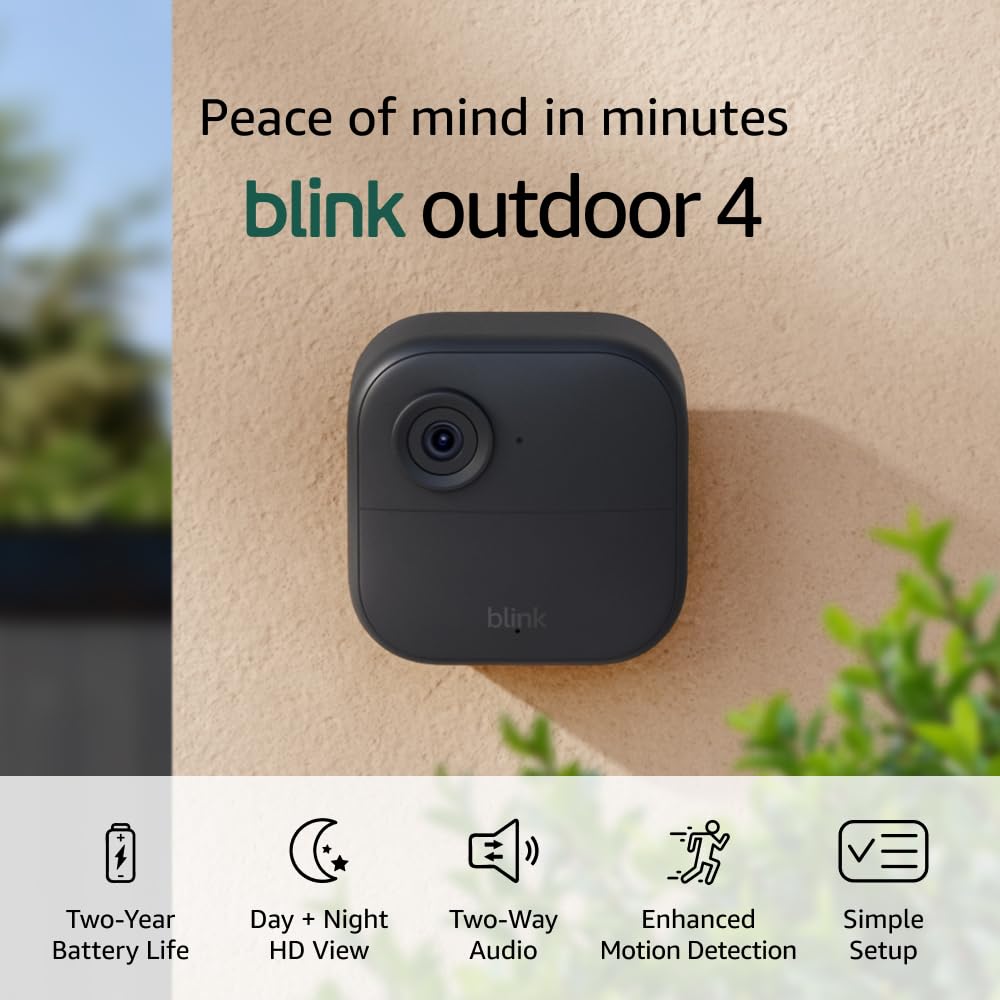
Want reliable indoor and outdoor security coverage without complicated wiring or constant fuss?

Buy Blink Outdoor 4 + Blink Mini On Amazon
Product overview
You’re looking at the Blink Outdoor 4 (4th Gen) + Blink Mini – Smart security camera, two-way talk, HD live view, motion detection, set up in minutes, Works with Alexa – 8 camera system + Mini (Black). This kit pairs eight Outdoor 4 cameras with a single Mini for indoor coverage and includes the Sync Module 2, so you can monitor most of your property from the Blink app. The system promises 1080p HD live view, infrared night vision, two-way audio, enhanced motion detection, and up to two years of battery life on the Outdoor 4 cameras when you use the included AA lithium batteries.
What this kit includes
You’ll get everything needed for a comprehensive perimeter and interior setup. The package contains eight Outdoor 4 cameras, one Blink Mini (black), one Sync Module 2 hub, sixteen AA lithium batteries (two per Outdoor 4), eight mounting kits, two USB cables, and two power adapters. This gives you hardware for broad coverage and the option to store video locally via the Sync Module 2 plus a separate USB drive or in the cloud with Blink’s subscription trial.
Who this is for
If you want low-maintenance, wire-free cameras that are easy to install and integrate with Alexa, this kit is aimed at you. It’s a practical choice whether you rent, own a home, or need monitoring for small business locations where simplicity and battery operation matter.
Blink Outdoor 4 (4th Gen) + Blink Mini – Smart security camera, two-way talk, HD live view, motion detection, set up in minutes, Works with Alexa – 8 camera system + Mini (Black)
$634.95 In Stock
Key specifications
You’ll appreciate having the core specs in one place to compare and plan placement. Below is a quick reference table that lays out the main technical details so you can match features to your needs.
| Feature | Details |
|---|---|
| Cameras included | 8 x Blink Outdoor 4 (4th Gen), 1 x Blink Mini (Black) |
| Resolution | 1080p HD (both Outdoor 4 and Mini) |
| Night vision | Infrared night vision (Outdoor 4 and Mini) |
| Audio | Two-way audio with built-in microphone and speaker |
| Motion detection | Enhanced motion detection with dual-zone; optional person detection with Blink Subscription Plan |
| Battery life (Outdoor 4) | Up to 2 years with included AA lithium batteries (actual life varies by usage and settings) |
| Power (Mini) | USB-powered (adapter included) |
| Hub | Sync Module 2 (included) |
| Local storage | Supported via Sync Module 2 + USB drive (USB drive sold separately) |
| Cloud storage | Blink Subscription Plan (optional, free 30-day trial) |
| Smart home | Works with Alexa for voice control and routines |
| Weather resistance | Weatherproof outdoor housing (IP-rated for outdoor use) |
| Mounting | Mounting kits included for Outdoor 4; Mini is indoor only |
Purchase Blink Outdoor 4 & Blink Mini
Setup and installation
You’ll be pleased with how quickly you can get the Blink system running. The app-guided setup for cameras and the Sync Module 2 is designed so that you can have live view and motion alerts within minutes of unboxing.
Sync Module 2 and connectivity
The Sync Module 2 acts as your local hub and manages connections between the cameras and the Blink cloud. You’ll plug it into power and connect it to your router via Wi‑Fi; the module then pairs with up to ten Blink cameras, helping reduce battery drain on the wireless devices. Make sure your Sync Module 2 has a strong connection to your router and sits centrally to the installed cameras to minimize dropouts.
Mounting and placement tips
Positioning matters for reliable motion alerts and clear footage. You’ll typically want Outdoor 4 cameras mounted 7–10 feet high aimed slightly downward for a wide field of view that still captures faces. Avoid pointing the camera directly at the sun or reflective surfaces, which can create glare and false triggers. For the Mini, choose a stable indoor outlet that gives you a good view of entryways and high-traffic areas; the Mini needs continuous power, so placement close to an outlet is essential.
Battery installation and replacement
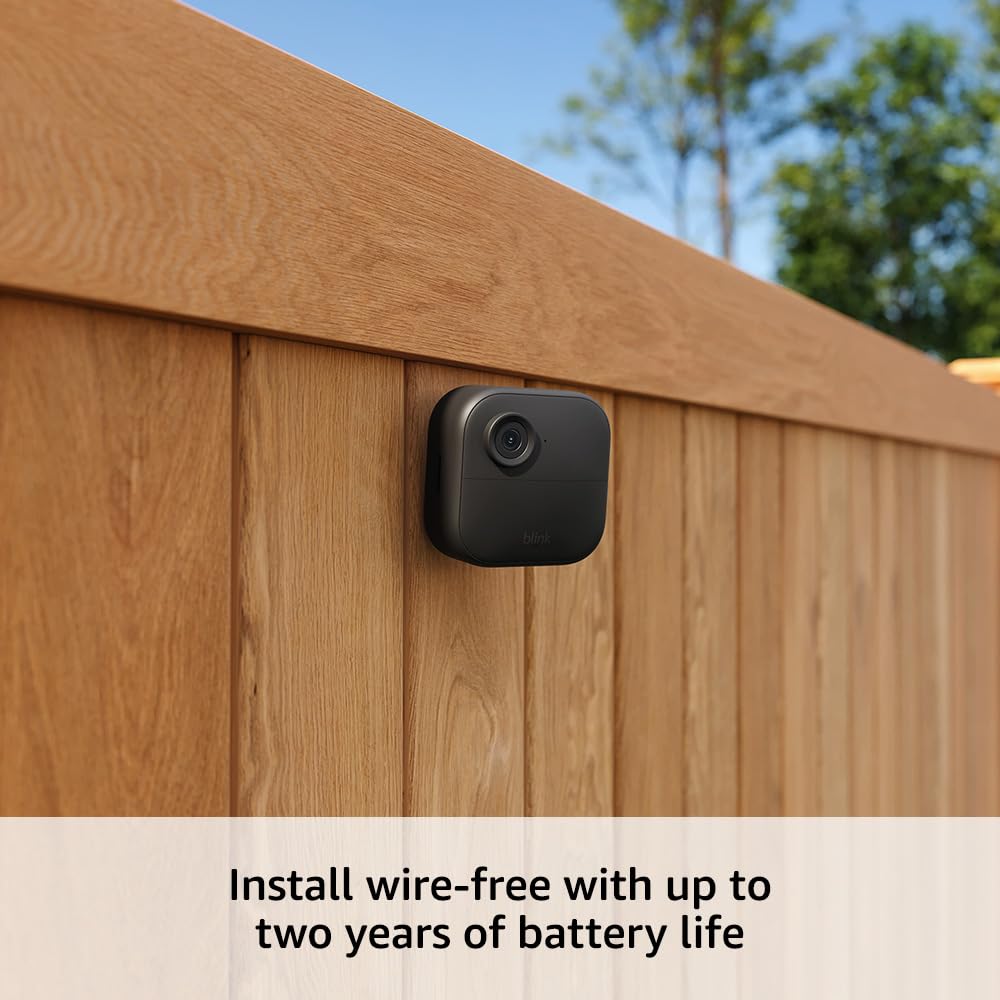
You’ll insert the two included AA lithium batteries per Outdoor 4 camera during setup; the batteries are simple to access through the battery compartment. When batteries run low, the Blink app alerts you, and replacement is straightforward—just swap in fresh AA lithium cells and reseat the compartment. You can also use third-party rechargeable AA batteries, though you may see different battery life than listed.
Performance
You’ll notice that Blink emphasizes long battery life and reliable detection rather than ultra-high resolution streaming for every scenario. That design choice helps conserve power while still delivering usable 1080p footage you can rely on for identification and event review.
Video quality and night vision
The 1080p HD video gives you clear live view and recorded clips suitable for identifying people and vehicles in many lighting conditions. Night vision uses infrared LEDs to maintain visibility in low light, producing monochrome video that still captures important details. Expect crisp daytime footage and satisfactory night performance for most residential uses, though distance and ambient light levels will affect clarity at longer ranges.
Motion detection and person detection
Enhanced motion detection on Outdoor 4 uses dual-zone detection to alert you faster and more reliably about moving subjects. If you opt into Blink’s Subscription Plan, person detection via embedded computer vision helps reduce false alarms by identifying human shapes specifically. Keep in mind person detection requires a subscription and won’t replace general motion clips unless enabled.
Two-way audio
You’ll be able to hear what’s happening and speak through your camera using the app’s two-way talk feature. Audio performance is clear enough for simple interactions—like telling delivery personnel where to leave a package or checking in with someone inside your home. Audio quality can be affected by wind and distance, so positioning the camera closer to typical audio sources helps.
Live view and alerts
You can open live view from the Blink app anytime, with reasonably fast stream startup times. Push notifications for motion events come to your phone quickly, and you can choose to receive only certain types of alerts (e.g., motion vs. person alerts) to reduce noise. Live view and event playback depend on your internet upload speed and the connection stability between cameras and the Sync Module 2.
App and software
You’ll use the Blink app as control center for setup, live view, event playback, and system settings. The app is available on iOS and Android and follows a straightforward layout with camera tiles, a timeline of events, and settings menus.
Blink app interface
Navigation is intuitive and geared toward quick access to camera feeds and recorded clips. You’ll see thumbnail previews of recent events and can tap to view live streams or saved clips; the app also shows battery status for each Outdoor 4 camera. If you have a lot of cameras, you can group them or name them immediately during setup to minimize confusion.
Settings and customization
You’ll be able to customize motion sensitivity, detection zones, and alert preferences for each camera. The app lets you adjust clip length, enable or disable person detection (if you’re subscribed), and configure schedules for when cameras are active. You’ll find settings for connecting to Alexa and managing local storage through the Sync Module 2 as well.
Firmware updates and security
Blink periodically releases firmware updates to add features or patch issues, and you’ll be prompted to update through the app. Keeping firmware current is important for camera stability and security. You should also use a strong password on your Amazon/Blink account and enable two-factor authentication if you want extra protection for your camera feeds.
Storage options and subscription
You’ll have choices for where to keep your footage: locally on a USB drive connected to the Sync Module 2 or in the cloud via Blink’s subscription. Each method has trade-offs around cost, convenience, and access.
Cloud storage and Blink Subscription Plan
The Blink Subscription Plan provides cloud-based storage of your motion-triggered clips and access to person detection features. You’ll get a free 30-day trial, after which a monthly or annual fee applies. Cloud storage is convenient because you can access clips from anywhere without managing local hardware.
Local storage with Sync Module 2
Using a compatible USB flash drive plugged into the Sync Module 2 gives you local storage for recorded clips without ongoing subscription costs. You’ll manage storage within the app and can download or export clips as needed. Local storage keeps your footage closer to home and avoids recurring fees, but you’ll lose the convenience of cloud redundancy if the Sync Module or USB drive fails.
Cost considerations
You’ll need to weigh one-time hardware costs (for extra USB drives, more batteries, and replacement cameras) against ongoing subscription fees for person detection and cloud retention. If you prefer no monthly fees, plan for local storage and maintain the Sync Module 2 and USB drive. If you want advanced CV features and cloud backup, factor the subscription into your budget.

Integration and smart home
You’ll find Blink integrates well with Alexa, and basic voice commands work smoothly for live view and arming/disarming your system. If you rely on other smart home ecosystems beyond Amazon, you’ll want to check compatibility and possible limitations.
Works with Alexa
You’ll be able to connect Blink to Alexa-enabled devices to request live view on Echo Show or Fire TV, arm/disarm the system, and receive notifications through Alexa routines. The hands-free approach is handy when your hands are full or when you want to broadcast camera video to smart displays. Voice control won’t replace the app for granular settings, but it’s convenient for quick checks.
Third-party integrations and limitations
You’ll notice Blink is primarily focused on Amazon’s ecosystem, and integrations with Google Assistant or Apple HomeKit are limited or non-native. If you rely on broader smart home platforms, Blink might feel restrictive—however, third-party bridge solutions and routines can sometimes fill gaps. Be aware that advanced integrations or third-party automations may require additional setup and could impact reliability.
Battery life and power management
You’ll likely buy these cameras for their promise of long battery life, and Blink’s conservative design helps achieve it. Still, actual life spans vary significantly with your usage patterns, motion activity, and live view frequency.
Real-world battery expectations
With moderate motion activity and normal use, many users report months to over a year of battery life, with Blink advertising up to two years under ideal, low-activity conditions. Heavy motion environments, frequent live view sessions, and high clip lengths will reduce battery life noticeably. Keep realistic expectations: if your camera faces a busy street or active yard, plan on replacing batteries more often.
Power saving tips
You’ll extend battery life by lowering motion sensitivity in high-traffic areas, reducing clip length, and avoiding frequent live view use. Placing cameras away from trees or bushes that trigger false positives and using person detection (if you subscribe) to filter out non-human motion can also reduce event recordings and save power. For constant, continuous monitoring needs, consider wired or USB-powered alternatives (like adding more Minis indoors where power is available).
Build quality and weather resistance
You’ll want your outdoor cameras to handle rain, sun, and temperature swings; Blink’s Outdoor 4 is designed for that. The build is compact and utilitarian, prioritizing weather protection and battery access.
Weatherproofing and durability
The Outdoor 4 features weather-resistant housing suitable for most residential climates; it’s built to withstand rain and moderate exposure. While it’s robust for general outdoor use, extreme environments (very high humidity, severe storms, salt-air coastal conditions) might require more frequent maintenance or protective installation. Regularly check seals and the mounting hardware, especially after storms.
Design and aesthetics
You’ll find the Outdoor 4 and Mini are unobtrusive, with a black finish that blends into many exteriors and interiors. The cameras are compact and designed to be mounted with minimal visual impact, which is helpful if you don’t want a prominent security presence. The Mini’s small footprint makes it easy to tuck into discrete indoor locations without drawing attention.
Privacy and security considerations
You’ll want to think through where footage goes and who can access it, especially if you have roommates, tenants, or employees. Blink provides account-based controls, and local storage gives you more direct ownership of your recorded footage.
Data privacy and encryption
Blink uses cloud storage with encryption for customer accounts, and your Amazon/Blink account login controls access to live and recorded feeds. You should use strong, unique passwords and enable multi-factor authentication where available to keep your feeds private. Remember that any cloud service involves some level of trust, so review Blink’s privacy policies if you have strong concerns.
Local control and offline behavior
If your internet goes down, the Sync Module 2 and cameras can still record to a local USB drive, though remote access and cloud backups won’t function until connectivity returns. You’ll still be able to view events stored locally once the system reconnects. Local storage gives you more control over footage but also means you’re responsible for securing that hardware physically.
Troubleshooting common issues
You’ll find most problems are related to positioning, Wi‑Fi strength, or app configuration, and they’re generally solvable with a bit of adjustment. Below are common problems you may encounter and practical fixes you can try on your own.
Connectivity problems
If cameras drop offline frequently, first check the Sync Module 2’s proximity to both the router and the cameras. You may need to move the Sync Module 2 closer to a cluster of cameras or add a Wi‑Fi extender to increase coverage. Rebooting the router, power-cycling the Sync Module 2, and checking for firmware updates can also resolve intermittent disconnects.
Motion false positives
False triggers often come from branches, shadows, insects, or headlights. You’ll reduce false positives by adjusting sensitivity, narrowing detection zones in the app, and choosing mounting angles that limit background movement in view. If false positives persist, consider lowering the clip length and using person detection to filter non-human activity.
Audio or video issues
If audio is muffled or the video is choppy, check the camera’s placement and network bandwidth. Ensure the Mini’s power adapter is securely connected and that the Outdoor 4’s battery contacts are clean and batteries are seated properly. If video artefacts continue, test live view from another device and check your internet upload speed; lower bandwidth can cause degraded live streaming quality.
Pros and cons
You’ll want a clear summary of strengths and trade-offs before making a decision. Below are the main benefits and limitations to weigh for this kit.
Pros:
- Easy, quick setup with app guidance and wireless Outdoor 4 cameras.
- Long battery life for Outdoor 4 (up to two years under ideal conditions).
- Comprehensive kit: eight Outdoor 4 cameras + one Mini + Sync Module 2.
- 1080p HD video, infrared night vision, and two-way audio for both outdoor and indoor coverage.
- Optional local storage with Sync Module 2 or cloud storage via subscription.
- Works with Alexa for voice control and smart display live view.
Cons:
- Person detection requires a paid Blink Subscription Plan.
- Limited direct integrations outside the Amazon ecosystem.
- Mini requires constant USB power, so indoor placement needs an outlet.
- Extreme high-traffic environments will reduce battery life substantially.
- Advanced users may find fewer customization options than some competing systems.
Comparison with alternatives
You’ll likely consider other brands if you want wired options, more smart home integrations, or different pricing models. Below are some comparisons to help you weigh Blink against common rivals.
Blink Outdoor 4 system vs other Blink offerings
Compared with earlier Blink Outdoor cameras, the 4th Gen improves battery life, motion detection, and overall processing performance. The bundle with a Mini is an efficient way to get both indoor and outdoor coverage from the same ecosystem. If you already have Blink devices, adding these cameras to the Sync Module 2 is typically seamless.
Blink vs rivals (Ring, Arlo, Wyze)
Ring and Arlo offer more feature-rich options, such as higher resolution, built-in cellular backup (in some models), and broader smart home integrations, but they tend to be pricier and may require wired power or more frequent battery changes. Wyze often undercuts the competition on price and adds robust features, but its outdoor offerings and battery life typically won’t match Blink’s advertised longevity. If you prioritize simplicity, long battery life, and tight Alexa integration, Blink is a strong pick. If you need advanced analytics, higher resolutions, or non-Amazon smart home compatibility, consider other brands.
Use cases and recommendations
You’ll find this kit works well for standard residential needs and light commercial scenarios where ease of use and battery operation are key. Below are some practical recommendations for common situations.
For renters and homeowners
If you rent, the wireless Outdoor 4 cameras are ideal because they avoid drilling through walls for power. You’ll be able to remove them and take them with you when you move, though you should check lease rules about mounting in common areas. For homeowners, the eight-camera set gives broad coverage for yards, driveways, and entrances, while the Mini covers indoor entryways or living areas.
For small businesses
If you run a small business with multiple entry points and limited IT support, the kit can provide quick coverage without complicated wiring. You’ll want to place the Sync Module 2 in a secure area and consider local storage for business-critical footage. Note that if you need advanced analytics or long-term retention without local management, you may need additional services or a different platform.
Accessories and upgrades
You’ll get the most out of your system with a few thoughtful accessories and optional upgrades. These can improve stability, storage, and convenience.
Recommended accessories
Consider a reliable USB flash drive with sufficient capacity for local storage if you prefer keeping footage on-site. Extra AA lithium batteries and weatherproof covers for extreme environments are good to have on hand. A few additional Mini cameras or Wi‑Fi extenders can improve indoor coverage and hub connectivity respectively.
Optional upgrades
If you want person detection and cloud retention, subscribe to the Blink Subscription Plan for CV features and longer cloud storage. For continuous power or extended indoor monitoring, add more Mini cameras or swap individual Outdoor 4 locations for wired alternatives if power is readily available. High-quality mounting plates and security screws can make cameras harder to tamper with.
Final verdict
You’ll find the Blink Outdoor 4 + Blink Mini kit offers a very attractive balance of simplicity, battery life, and essential features for most home and light commercial users. It’s especially compelling if you want easy setup, good battery performance, and Alexa integration without the need for complex wiring or professional installation.
Who should buy it
You should buy this kit if you want broad coverage for a property with minimal wiring, if you favor long battery life, and if you’re already invested in the Amazon ecosystem. It’s also a strong choice if you want local storage options and the flexibility to expand later.
Quick buying tips
You’ll get the best results by planning camera placement before mounting, buying a quality USB drive for local storage if you prefer no subscription, and keeping spare AA lithium batteries on hand. If you anticipate heavy motion activity or need advanced analytics, factor subscription costs or alternative systems into your decision.
If you want, I can help you plan camera placements for your property, estimate required battery replacements based on typical motion levels, or compare monthly subscription costs with local storage to find the most cost-effective setup for your needs.
Shop Blink Outdoor 4 And Blink Mini On Amazon
Disclosure: As an Amazon Associate, I earn from qualifying purchases.