
Are you looking for a simple way to monitor and control your garage door from anywhere without paying monthly fees?
Buy Chamberlain CIGCWC Smartphone Connectivity Kit On Amazon
Quick summary: What this kit does for you
You get remote control, status alerts, and wall-mounted convenience without changing your existing opener. The Chamberlain CIGCWC Smartphone Connectivity Kit for Chamberlain Garage Door Openers, Includes Internet Gateway and MyQ Multi-Function Wall Control brings internet connectivity and Smart Home compatibility to many older Chamberlain garage door openers.
What’s included and why it matters
You receive the MyQ wall control, an Internet Gateway, a power cord, an Ethernet cable, and instructions for downloading the MyQ app. These parts work together so you can control multiple doors and accessories through the free MyQ app without additional subscriptions.
Chamberlain CIGCWC Smartphone Connectivity Kit for Chamberlain Garage Door Openers, Includes Internet Gateway and MyQ Multi-Function Wall Control
Key specifications at a glance
This table breaks down the essential specs so you can quickly compare features.
| Feature | Detail |
|---|---|
| Product name | Chamberlain CIGCWC Smartphone Connectivity Kit for Chamberlain Garage Door Openers, Includes Internet Gateway and MyQ Multi-Function Wall Control |
| Compatible openers | Chamberlain Security+ openers manufactured 1998–present (not compatible with Security+ 2.0 openers) |
| Included devices | MyQ Wall Control, Internet Gateway, power cord, Ethernet cable |
| Connections | Ethernet to router; wireless MyQ communication to devices |
| MyQ app | Free; works with smartphone, tablet, connected devices |
| Multi-door support | Works with multiple openers and up to 16 MyQ accessories |
| Home automation | Compatible with HomeLink and Wink (no Wink hub required) |
| Monthly fees | None for basic control and alerts |
| Installation time | Minutes to an hour depending on wiring and router placement |
| Security | Security+ rolling code technology (except not compatible with Security+ 2.0 openers) |
| Typical uses | Remote open/close, status alerts, multi-door control, lamp control integration |
Compatibility — who can use this kit
You’ll want to confirm compatibility before buying because the MyQ Control Panel is specifically intended for Chamberlain Security+ garage door openers made between 1998 and present. If you have a Security+ 2.0 opener, this kit is not compatible, so you’ll need a different Chamberlain solution or a replacement opener.
Other device compatibility
The kit works with MyQ enabled accessories such as remote lamp controls and additional MyQ devices, and it also integrates with HomeLink and Wink systems. That means you can add smart lighting or use a car’s built-in HomeLink button without extra hubs in many cases.
What the MyQ Wall Control does for you
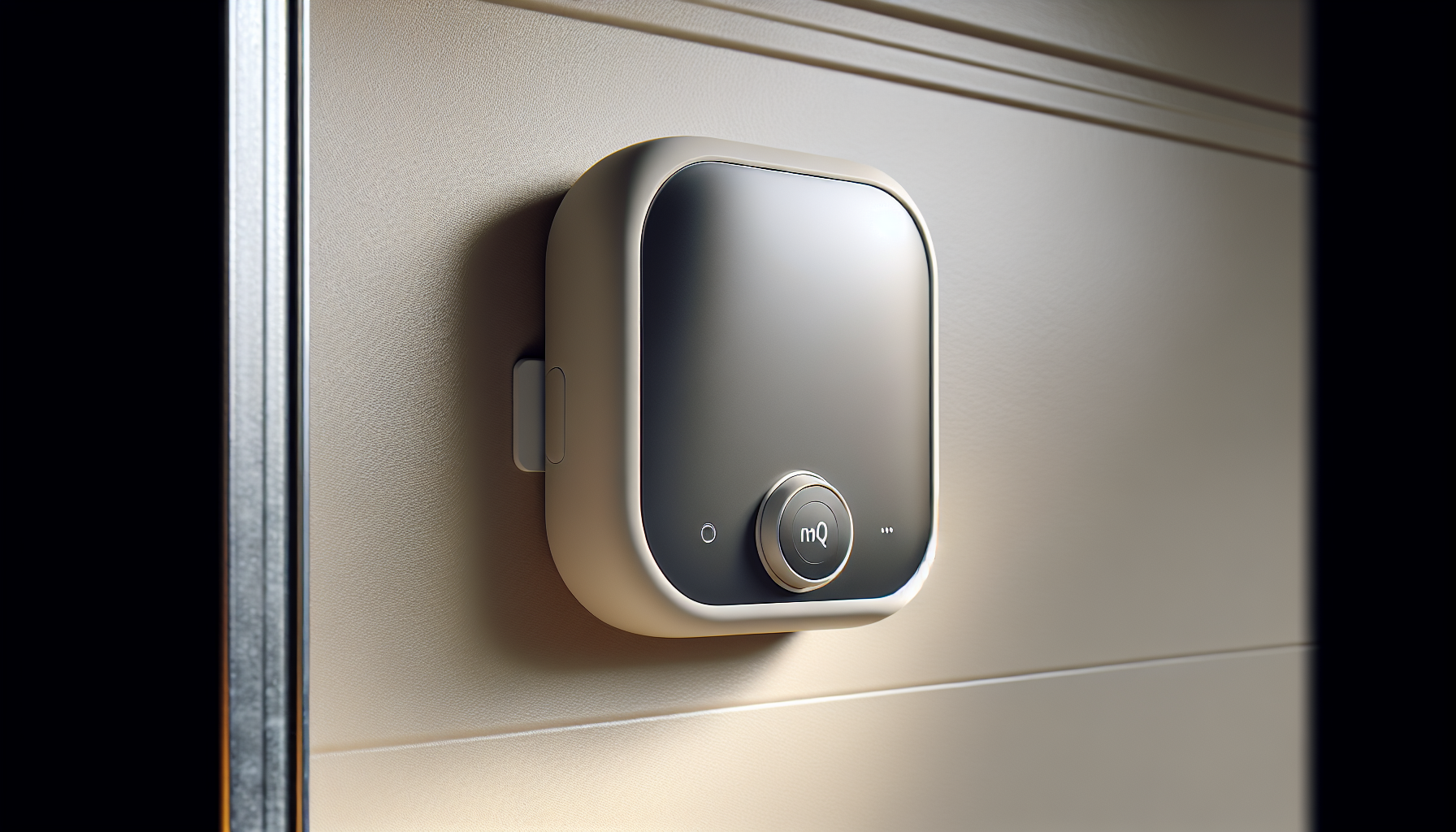
The MyQ wall control replaces or augments your existing wall button and adds local control features like light and lock modes. You’ll use it for daily manual control at the garage, and it also lets the MyQ system know the door’s status.
Why a physical wall control still matters
Even if you prefer using your phone, having a dependable wall control gives family members who aren’t comfortable with apps a familiar way to operate the door. It also provides an additional layer of local control if your network is down or your phone battery dies.
Internet Gateway: the bridge to your smartphone
The Internet Gateway connects to your router via Ethernet and communicates wirelessly with the MyQ wall control and other MyQ devices. Once it’s connected, you can open, close, and check the status of your garage door from anywhere using the MyQ app.
Network requirements and placement
You’ll need a spare Ethernet port on your router and a stable internet connection for remote access. Placing the gateway near your router is best; it communicates wirelessly so signal strength and placement can affect reliability.
The MyQ app experience
The free MyQ app is the central control point for the kit. You’ll use it to open/close doors, receive alerts if your door is left open, and manage multiple devices and users.
App features you should know
You can create schedules, set user permissions, and receive real-time notifications. The app also supports integration with other smart-home platforms, allowing you to extend automation to lights, thermostats, or your car’s HomeLink.
Installation process: step-by-step overview
You can generally expect a straightforward installation if you follow the instructions. The process involves wiring the MyQ wall control to your opener, connecting the Internet Gateway to your router, and pairing the devices in the MyQ app.
Typical installation time and tools
Most users can finish in 20–60 minutes with basic tools like a screwdriver and ladder. If you’re not comfortable working at height or with wiring, asking a pro or a handy friend to help can speed things up and reduce hassle.
Security and privacy considerations
The system uses Security+ rolling code technology for wireless safety with your Chamberlain devices, which prevents replay attacks. However, internet-connected devices always add some exposure, so you should secure your home network and use strong passwords.
Tips to keep your system secure
Use a strong, unique password for your MyQ account and enable any available two-factor authentication. Keep your router firmware updated, use a secure Wi‑Fi password, and avoid default credentials.
Performance in real use
You’ll find the performance reliable for day-to-day operations like checking door status and sending open/close commands. The response time is generally quick when your internet connection is solid, and local control via the wall unit remains instant.
What affects responsiveness
Network latency, router placement, and interference can slow remote commands, especially if your gateway’s Wi‑Fi signal is weak. Using Ethernet for the gateway mitigates many issues, but Wi‑Fi performance for other devices still matters.
Multi-door and accessory management
One gateway and wall control can manage multiple openers and up to 16 MyQ-enabled accessories, which is convenient if you have a two-car garage plus additional lamps or devices. You’ll be able to group devices, name each door, and set custom notifications per device.
Organizing devices in the app
Name each opener clearly (e.g., “Main Garage Door” vs. “Back Garage Door”) so you don’t accidentally open the wrong door. You can also set different notification preferences for each item to avoid notification overload.
Integrations with smart home systems
The kit plays well with HomeLink and Wink, which lets you integrate the garage into your existing automation routines. Many users take advantage of voice assistants, schedules, and Geofencing through linked platforms.
Voice assistant options and caveats
You can often control the door with voice assistants once MyQ is connected through supported platforms, but voice-enabled opening may require extra confirmation for safety. Check current compatibility notes in the MyQ app and your smart-home hub for the latest features.
Pros — what you’ll like
You’ll appreciate the no-monthly-fee design, straightforward install, and multi-device support. The ability to retrofit older openers with modern smartphone control is a great value for many homeowners.
More reasons to consider it
Reliability and Chamberlain’s long-standing reputation in garage openers make this kit a sensible upgrade. The app and integrations let you build routines, like turning on porch lights when you open the garage at night.
Cons — limitations to be aware of
This kit is not compatible with Security+ 2.0 openers, so compatibility checks are crucial before purchasing. Also, full functionality depends on a solid internet connection and proper router placement, which some homes might need to improve.
Potential pitfalls
If your garage is far from your router and your home’s Wi‑Fi is weak, you may see spotty remote performance. And if you prefer an all-in-one stand-alone hubless solution for multiple brands, this system is designed specifically for Chamberlain’s ecosystem.
Troubleshooting common issues
If the gateway won’t connect, check the Ethernet connection and router settings, and verify that your ISP is working. If the app won’t show the correct door status, re-sync the wall control with the gateway using the app instructions.
When to reset or call support
Try a reboot of the Internet Gateway and check the wall control wiring before resetting factory settings. If problems persist, Chamberlain customer support has product-specific guidance and can walk you through more advanced diagnostics.
Real-world use cases
If you arrive home late and want the driveway lit and the door open before you pull up, you can set a routine to accomplish that. If you have children or teens, you can get alerts when the garage opens so you know they’ve returned home.
Use cases for small businesses
If you run a small business from home with deliveries or equipment stored in the garage, you can monitor access remotely and provide temporary access when needed. Scheduling open/close times can also help maintain a predictable workflow.
Installation checklist for success
Before you start, make sure you have a stable internet connection, a spare Ethernet port, a ladder, a screwdriver, and your opener model information. Having the MyQ app downloaded and an account created ahead of time speeds up pairing.
Step-by-step highlights
- Turn off power to the opener if instructed for safety.
- Replace or install the MyQ wall control per instructions.
- Plug the Internet Gateway into your router with the Ethernet cable and power it up.
- Use the MyQ app to add devices and configure settings.
These steps usually get you up and running quickly if your opener is compatible.
Comparison with alternative solutions
Compared to replacing your opener with a built-in smart motor, this kit is a cheaper retrofit that keeps your current hardware. Compared to universal smart garage controllers, the Chamberlain kit tends to offer tighter integration for Chamberlain devices and simpler setup.
When to choose a different approach
If you have a non-Chamberlain opener or require advanced features like battery backup or ultra-quiet operation, replacing the opener may be a better long-term solution. If you need multi-brand compatibility in a complex smart-home environment, a universal controller might be preferable.
Pricing and value proposition
You’re paying for convenience, manufacturer compatibility, and avoiding monthly subscription fees for basic features. The price is typically modest compared to replacing an entire opener and includes the ease of pairing with Chamberlain’s ecosystem.
Ongoing costs to consider
There are no mandatory monthly fees for the basic MyQ functionality, but premium integrations or third-party services might charge for additional automations. Keep your router and smartphone data considerations in mind if you rely heavily on remote monitoring.
Maintenance tips to keep things running
Keep the firmware and app updated, verify the gateway’s Ethernet and power connections periodically, and confirm that your router is functioning properly. Clean contacts and check wall-control wiring if you notice intermittent issues.
Seasonal considerations
Cold weather can affect batteries in remotes and you should check components for rust or wear if your garage is exposed to humidity. If your Wi‑Fi signal weakens during storms or due to ISP issues, consider a mesh system or Wi‑Fi extender.
Frequently asked questions (FAQ)
You’ll likely have questions about compatibility, setup, and security; this section addresses the most common queries. If your question isn’t covered, Chamberlain’s support documentation and forums are useful resources.
Common question examples
- Can you use the kit with multiple garage doors? Yes, one gateway and wall control work with multiple openers and up to 16 accessories.
- Is there a monthly fee? No for standard control and notifications; premium features may vary.
- Does the gateway need its own power outlet? The gateway is powered and connects to the router with Ethernet; you’ll need an outlet nearby.
Final verdict — is it right for you?
If you have a compatible Chamberlain Security+ opener and want affordable, reliable smartphone control without subscription fees, this kit is an excellent option. You’ll get remote access, notifications, and the ability to integrate your garage into home automation routines with minimal fuss.
Who should buy and who should consider alternatives
Buy this if you want to upgrade an existing Chamberlain opener for smart control without replacing hardware. Consider alternatives if your opener is Security+ 2.0, you use non-Chamberlain equipment, or you want advanced hardware features bundled with a new opener.
Buying tips and next steps
Before purchasing, confirm your opener model and serial to ensure compatibility. Read recent user reviews for firmware updates or app changes, and plan for router placement to avoid connectivity headaches.
Set up expectations
Expect a relatively quick setup if you’re comfortable with basic wiring and router connections. If not, scheduling a professional installation can help you avoid frustration and ensure everything is secure.
Get The Chamberlain CIGCWC Smartphone Connectivity Kit — Amazon Link
Useful tips and hacks for daily use
Name your devices clearly in the app to avoid mistakes, and set personalized notifications for open/close events at times that matter to you. Use scheduling features to automate nightly closures or to turn lights on when you open the door after dark.
Advanced tips
If you have intermittent connectivity, position the Internet Gateway closer to the router and use Ethernet rather than Wi‑Fi where possible. For multi-car households, consider assigning unique names to each user in the app to track who opens which door.
Closing thoughts and next actions
You now have a clear picture of how the Chamberlain CIGCWC Smartphone Connectivity Kit for Chamberlain Garage Door Openers, Includes Internet Gateway and MyQ Multi-Function Wall Control can modernize your garage without replacing the opener. Check your opener compatibility, prepare your router, and plan a short installation window — you’ll likely be controlling your garage from your phone before the day is over.
Shop Chamberlain CIGCWC Smartphone Connectivity Kit
Disclosure: As an Amazon Associate, I earn from qualifying purchases.