
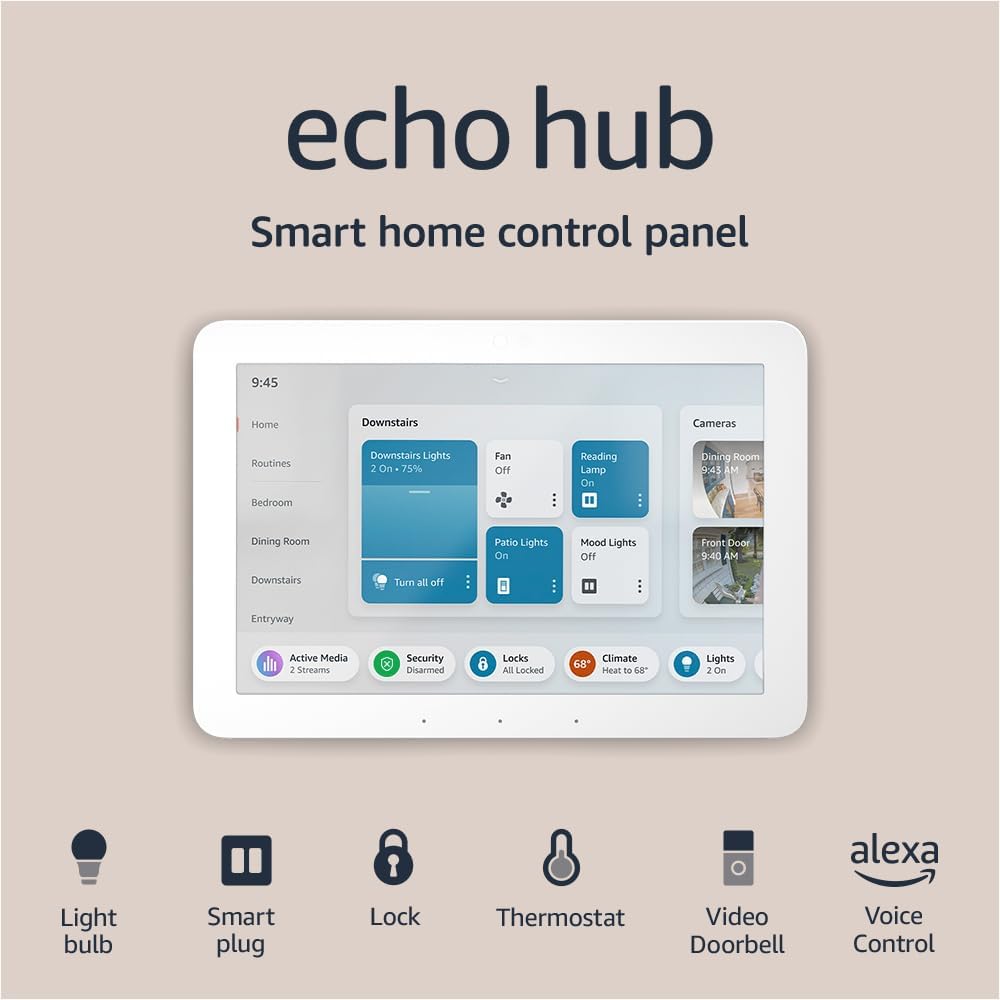
?Thinking about adding the Amazon Echo Hub, 8” smart home control panel with Alexa+ Early Access, Compatible with thousands of devices to your home control setup and wondering how it will fit into your life?


Overview
You’ll find the Echo Hub is designed to be a central control surface for your smart home, combining a touchscreen dashboard with Alexa voice control and a built-in smart home hub. It’s meant to simplify day-to-day control: ask Alexa, tap the display, manage devices, view camera feeds, and launch routines from a single surface.
Amazon Echo Hub, 8” smart home control panel with Alexa+ Early Access, Compatible with thousands of devices
Quick specifications
This table breaks down the core specs and helps you quickly understand what the Echo Hub offers and how it compares to other devices on your shelf.
| Feature | Details |
|---|---|
| Product name | Amazon Echo Hub, 8” smart home control panel with Alexa+ Early Access, Compatible with thousands of devices |
| Display | 8-inch touch display (color, capacitive) |
| Voice assistant | Alexa with Alexa+ Early Access features |
| Built-in hub protocols | Zigbee, Thread, Matter, Sidewalk, Wi‑Fi, Bluetooth |
| Device compatibility | Works with thousands of Alexa-compatible devices (locks, thermostats, lights, cameras, plugs) |
| Security features | Arm/disarm compatible security systems; view camera feeds; mic off hardware button |
| Mounting options | Wall mount; table-top stand compatible (sold separately) |
| Power options | Standard power cable; supports power-over-ethernet adapters (sold separately) |
| Materials & sustainability | 27% recycled materials; packaging 97% wood fiber-based materials |
| Privacy controls | Multiple privacy layers including mic off button |
| Audio | Connect external speakers; play music, podcasts, audiobooks via connected speaker |
| Included extras | Alexa app integration, customizable dashboard and widgets |
What’s in the box
You’ll receive the Echo Hub main unit plus a power cable and quick-start guides; mounting hardware and optional stands are typically sold separately. If you plan to hide wiring or use Power-over-Ethernet, you’ll want to budget for the necessary accessories that Amazon lists as sold separately.
Design and build quality
The Echo Hub has a compact, refined look made to sit on a wall or countertop without drawing too much attention. You’ll notice it uses recycled materials for part of the chassis, and the overall construction feels sturdy and well finished for an in-wall or on-table control panel.
Display and touch experience
The 8-inch screen gives you a good balance of readability and compactness, letting you glance at controls without taking up wall real estate. The touchscreen is responsive and clear enough for swiping through widgets, tapping camera feeds, and launching routines; you’ll appreciate the tactile responsiveness for quick daily actions.

Audio and speaker options
The Echo Hub is designed to be a control surface rather than a primary speaker, so its onboard speaker is fine for voice responses but not meant for hi-fi listening. You can connect your preferred speaker to the Echo Hub to play music, audiobooks, and podcasts in any room, so you don’t lose audio quality when you want to stream media.
Setup and installation
You’ll find setup straightforward if you’re familiar with Alexa devices: plug in, connect to Wi‑Fi, sign in with your Amazon account, and allow it to discover home devices. The Echo Hub can be wall mounted anywhere you have an outlet; the setup flow in the Alexa app walks you through adding devices, enabling Zigbee/Thread/ Matter setups, and customizing your dashboard.
Wall mounting and power options
If you want a seamless wall-mounted look, you can use in-wall cable pass-throughs or a power-over-ethernet adapter (both sold separately) to hide cables. You can also use a table-top stand (sold separately) if you prefer portable placement; either way, you’ll want to plan cable management to keep things tidy.
Network and connectivity
The Echo Hub supports Wi‑Fi and Bluetooth for networked devices and integrates local protocols like Zigbee, Thread, Matter, and Sidewalk for many smart home gadgets. This multi-protocol approach reduces the need for extra hubs and gives you flexibility when adding locks, sensors, thermostats, or newer Matter-compatible devices.
Smart home integration
You’ll be able to control lights, switches, locks, thermostats, cameras, and more either by voice or with touch on the Hub’s dashboard. The Echo Hub’s role is to centralize commands: instead of opening multiple apps, you can manage most of your home from one screen and through Alexa’s voice recognition.
Supported protocols and what they mean for you
Because it supports Zigbee, Thread, Matter, Sidewalk, Wi‑Fi, and Bluetooth, the Echo Hub gives you broad compatibility with both legacy and new smart devices. You’ll benefit from Thread and Matter support if you’re buying newer devices designed to work across ecosystems, and Zigbee compatibility preserves support for many existing devices.
Device compatibility and ecosystem flexibility
The Echo Hub works with thousands of Alexa-compatible devices, so you’ll likely find your smart locks, thermostats, and lights listed as supported. If you have an existing Echo ecosystem, the Hub will slot in harmoniously and let you build more complex automations and routines without purchasing device-specific hubs.
Alexa+ Early Access features
You’ll get access to Alexa+ Early Access features that Amazon rolls out to eligible devices, giving you early previews of new control features and automations. These features can include enhanced routines, new dashboard widgets, or improved voice-driven home control capabilities that Amazon refines over time.
Voice control and local processing
The Echo Hub processes many commands through Alexa, and some interactions can benefit from local processing to reduce latency. You’ll notice that everyday voice commands and routine triggers typically respond quickly, and local hub capabilities for Zigbee or Thread devices can mean more reliable control if your cloud connection is intermittent.
Dashboard and user interface
You can customize the dashboard with widgets for lights, scenes, thermostats, security, and cameras so the actions you use most are front and center. The UI focuses on simplicity: large, tappable controls make it easy to adjust devices quickly, and you can design home screens around rooms or common activities.
Widgets, customization, and routines
The Hub’s widgets let you pin devices and routines to the home screen, giving you on-demand access without scrolling through lists. You’ll be able to start routines with a single tap, check camera feeds in real time, and toggle devices without opening the Alexa app, making daily actions faster and more intuitive.
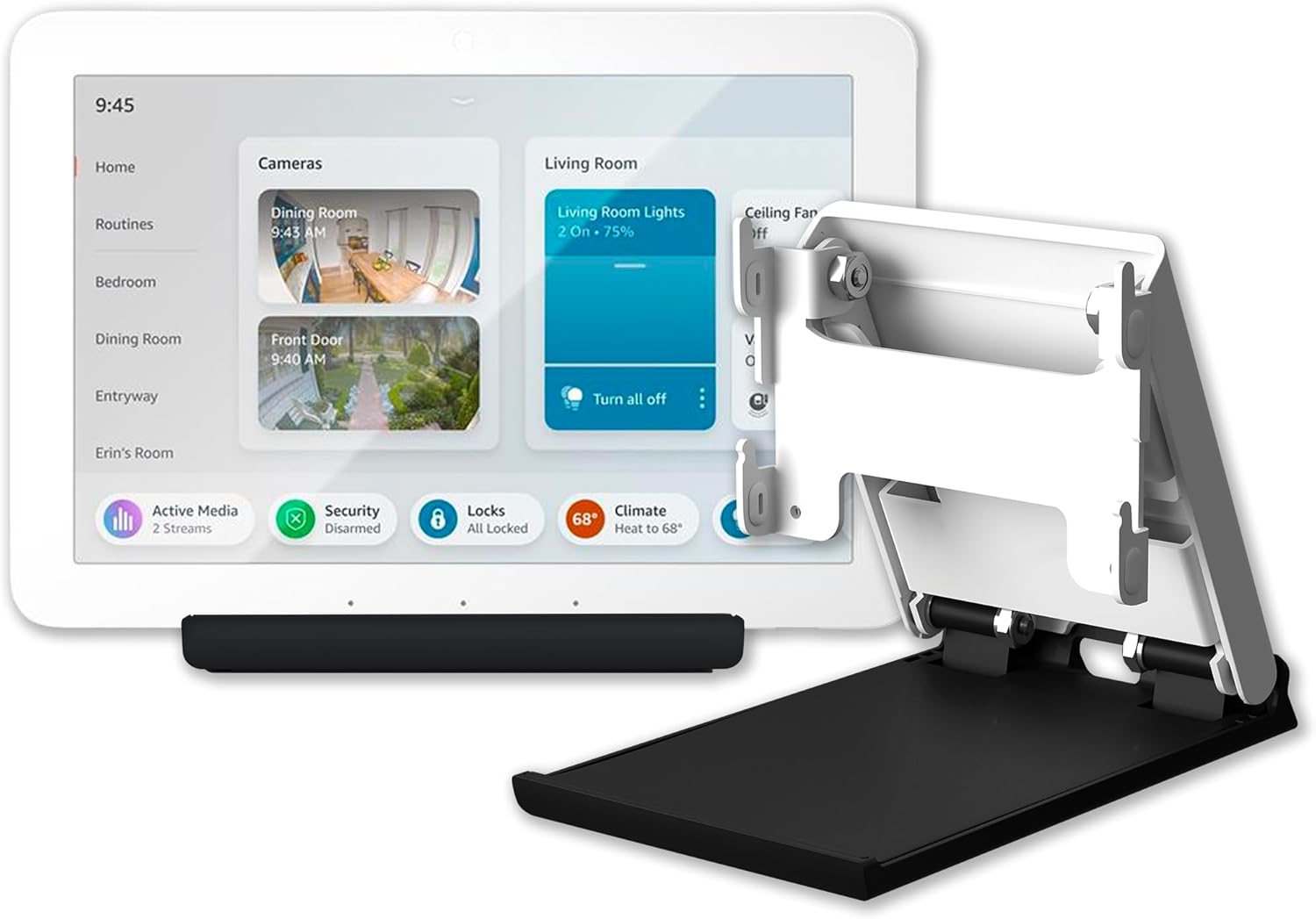
Camera feeds and security system control
If you have compatible cameras and security systems, the Echo Hub lets you view live feeds, check clips, and arm or disarm systems from the display. You’ll be able to use the Alexa app alongside connected cameras, locks, alarms, and sensors to monitor activity when you’re away and interact with visitors via two-way audio if your camera supports it.
Home security at your fingertips
Controlling a compatible security system is straightforward: arm, disarm, and receive alerts directly through the Hub or your Alexa-enabled devices. You’ll appreciate the convenience, but you should verify compatibility with your existing security provider to ensure the Hub can fully manage alarms and sensors.
Privacy and data handling
Amazon emphasizes privacy controls on the Echo Hub, including a mic off hardware button and multiple software privacy layers you can configure. You’ll also have settings to manage voice recordings, device history, and how Alexa interacts with other services.
What Amazon says about your data
Amazon states it doesn’t sell your personal information to others and provides granular privacy options so you can limit what’s stored or processed in the cloud. You’ll still want to review privacy settings in the Alexa app and consider whether you’re comfortable with voice logging and camera access based on your household’s preferences.
Performance and day-to-day use
In daily operation, you’ll find the Echo Hub responds quickly to taps and voice commands, and it will often act as a faster path to device control than opening multiple apps. The local hub protocols help with responsiveness for connected devices because many commands can be routed through local networks rather than always relying on cloud services.
Latency and responsiveness
Most interactions are snappy: tapping a light widget or asking Alexa to run a routine will usually result in near-instant action. When cloud-based services or skill integrations are necessary, you may notice the typical network-dependent delays that occur with any internet-connected device.
Reliability and uptime
Because the Hub supports local protocols like Zigbee and Thread, you’ll often see more reliable control of compatible devices even if the internet momentarily drops. You should still plan for router stability and consider the Hub’s placement to ensure it has a strong Wi‑Fi signal and good proximity to Thread or Zigbee devices.
Multi-room audio and media playback
You can connect an external speaker to the Echo Hub and use it as a media source for music, audiobooks, and podcasts across rooms. You’ll manage playback with voice or touch; multi-room setups using other Echo devices are supported, giving you flexibility for whole-home audio.
Using your own speakers
If you prefer higher audio quality, you can pair the Hub with your own speakers to handle streaming and playback. You’ll get the convenience of voice control and the Hub’s dashboard while preserving your preferred audio system’s fidelity.
Software updates and future-proofing
Amazon releases device updates and feature improvements through the Alexa platform, so the Echo Hub will receive incremental enhancements over time. You’ll want to keep automatic updates enabled to ensure you get the latest security patches and feature rollouts, including additional Alexa+ capabilities that Amazon might introduce.

Compatibility with Matter and the future of smart homes
The Echo Hub’s Matter support helps you invest in a control panel that’s likely to work with a broader range of devices as the standard matures. You’ll find that buying Matter-certified devices makes it simpler to move between ecosystems without losing core functionality thanks to cross-vendor compatibility.
Installation tips and placement ideas
Place the Echo Hub where you naturally go to handle daily home tasks, like near an entrance, in the kitchen, or next to a home office. You’ll want it mounted at eye level for quick glances at camera feeds and easy tapping of widgets; if you mount it by an entry door, it becomes a great spot to check locks, cams, and routines as you leave or arrive.
Hiding cables and achieving a clean install
If you want a clean look, plan for in-wall cable pass-throughs or use a PoE (Power-over-Ethernet) adapter to avoid visible power cables — both are sold separately. You’ll need to ensure any in-wall modifications meet your local electrical codes and, if unsure, consult a professional installer.
Setup pitfalls and troubleshooting
Most setup flows are straightforward, but you might run into common issues like device discovery problems, network conflicts, or account linking for third-party skills. You’ll find troubleshooting steps in the Alexa app and Amazon’s support resources, and many issues resolve by updating firmware, restarting the Hub, or reauthorizing device integrations.
How the Echo Hub compares to an Echo Show 8
Both devices have an 8-inch display and Alexa voice control, but the Echo Hub is geared more toward fixed control and local hub functionality. You’ll find the Show line focuses on media and video calling capabilities, while the Hub focuses on being an integrated smart home control surface with broader local protocol support.
When you might choose the Echo Hub over an Echo Show
If you want a dedicated wall-mounted control panel to manage many smart devices and you value local hub protocols like Thread and Zigbee, the Echo Hub is a strong choice. You’ll choose the Echo Hub when centralized control and device integration matter more than video calling or a built-in entertainment speaker.
Pros and cons
Below are the main advantages and trade-offs you’ll want to weigh when deciding whether the Echo Hub fits your home.
Pros:
- Centralized control panel for many devices, reducing app-switching.
- Supports multiple smart home protocols (Zigbee, Thread, Matter).
- Customizable dashboard and widgets for quick access.
- Alexa+ Early Access for new features and ongoing improvements.
- Wall-mountable, with options to hide cabling for a clean installation.
- Privacy controls and a mic off hardware button.
- Built with recycled materials and eco-conscious packaging.
Cons:
- Wall mount and PoE adapters often require separate purchases.
- Onboard speaker is limited — you’ll want external speakers for better audio.
- Some features depend on third-party device compatibility and may require additional setup.
- If you prefer a portable or media-first device, an Echo Show might be a better fit.
Real-world use cases and scenarios
You’ll find the Hub is useful in entryways to check locks and cameras before leaving, in kitchens to run morning routines and timers, and in living rooms to control lighting and media. Families can use it to centralize shared smart home controls so everyone can interact with the same dashboard rather than relying on individual phones.
Routines and daily automation
You can create routines that trigger multiple devices: for example, a “Goodnight” routine could lock doors, turn off lights, adjust temperature, and arm the security system from a single tap. You’ll appreciate how the Hub surfaces those routines so they’re easier to run from one place without needing to navigate complicated lists.
Who should consider buying the Echo Hub
If you’ve invested in a variety of smart devices and want a single surface to manage them, the Echo Hub is a very handy addition. You’ll especially benefit if you appreciate wall-mounted control panels, use Thread/Matter devices, or want a centralized dashboard for family members to access.
Who might want to pass
If you primarily want a device optimized for high-quality audio, video calling, or a portable smart display that you move between rooms frequently, you may prefer other Echo Show models. You’ll also want to skip the Hub if you have a very small number of smart devices and prefer phone-based control.
Price and value assessment
The Echo Hub’s pricing should reflect its role as a fixed control surface and multi-protocol hub; you’ll need to weigh the convenience and integration benefits against the cost, especially if you’ll also buy mounting accessories or PoE. If you value a central control point and plan to expand your smart home, the Hub often represents good value compared to purchasing separate protocol bridges or panels.
Setup checklist for a smooth first day
You’ll want to do a few things before or during setup to reduce friction: ensure you have your Amazon account details ready, place the Hub close to your Wi‑Fi router initially, gather passwords or auth tokens for third-party services, and plan mounting location and cable routing. These small prep steps can shave minutes off setup and make device discovery and pairing smoother.
Maintenance and long-term considerations
Keep automatic updates enabled and periodically review your dashboard configuration as you add or remove devices. You’ll also want to check compatibility with new purchases — Matter certification and Thread support help future-proof investments, but you should verify that specific devices are fully supported.
Frequently asked questions
Can the Echo Hub manage my existing Zigbee devices?
Yes, the Echo Hub’s built-in Zigbee hub can manage compatible Zigbee devices, which reduces the need for a separate Zigbee bridge. You’ll still need to ensure device-specific compatibility if a manufacturer implements proprietary features.
Does the Echo Hub support video calls?
The Echo Hub is focused on home control and doesn’t emphasize video calling the way the Echo Show line does; it’s more oriented toward camera feeds and security checks. You’ll still be able to view live camera streams and interact with two-way audio where supported.
Is setup difficult for non-technical users?
Most non-technical users find setup manageable thanks to the Alexa app’s guided flow and on-screen prompts, but you’ll want to be comfortable with basic Wi‑Fi and account sign-in procedures. For wall mounting with in-wall pass-through or PoE, consider hiring a professional electrician if you’re unsure about DIY electrical work.
How does the Hub handle privacy for cameras and microphones?
The Hub includes a hardware mic off button and software privacy settings to manage voice recordings and camera access. You’ll want to review the Alexa app’s privacy settings to control stored voice recordings and camera footage policies.
Will it work without internet?
Basic local control for devices connected via Thread or Zigbee may still operate when your internet is down, but many Alexa features and cloud-based skills will be unavailable. You’ll get more resilience with local protocol-connected devices, but not full offline Alexa functionality.
Final verdict
You’ll find the Amazon Echo Hub, 8” smart home control panel with Alexa+ Early Access, Compatible with thousands of devices is a well-considered smart home control surface that fits best in homes with multiple devices and a desire for a centralized, wall-mounted interface. If you want to simplify control, reduce app clutter, and future-proof with Matter and Thread support, the Hub is a compelling choice — just remember to budget for any mounting or power accessories you’ll need.

Disclosure: As an Amazon Associate, I earn from qualifying purchases.