
?Want a single WiFi system that can replace patchy signal, slow streaming, and multiple range extenders?
Buy ASUS ZenWiFi AX XT8 2-Pack On Amazon
Quick look at the ASUS ZenWiFi AX Whole-Home Tri-Band Mesh WiFi 6 System (XT8) – 2 Pack
You’re looking at a tri-band Wi-Fi 6 mesh system designed to blanket larger homes with a single, unified network. The 2-pack version of the ASUS ZenWiFi AX (XT8) claims coverage up to 5,500 sq.ft or 6+ rooms and a combined theoretical wireless speed of 6.6Gbps.
What this product promises for your home
The XT8 promises to banish WiFi dead zones with unique antenna placement and tri-band mesh architecture, while offering next-gen Wi-Fi 6 features like OFDMA and MU‑MIMO for better multi-device performance. You also get lifetime network security powered by Trend Micro and parental controls, plus a 2.5G port for faster wired backhaul or high-speed wired devices.
ASUS ZenWiFi AX Whole-Home Tri-Band Mesh WiFi 6 System (XT8) - 2 Pack, Coverage up to 5,500 sq.ft or 6+Rooms, 6.6Gbps, WiFi, 3 SSIDs, Life-time Network Security and Parental Controls, 2.5G Port
$254.64
Key specifications table
You’ll find the major specs summarized below so you can quickly reference what this system includes and what to expect.
| Feature | Details |
|---|---|
| Model | ASUS ZenWiFi AX Whole-Home Tri-Band Mesh WiFi 6 System (XT8) – 2 Pack |
| Coverage | Up to 5,500 sq.ft or 6+ rooms (manufacturer estimate) |
| Total Wireless Speed | 6600 Mbps (6.6Gbps) theoretical combined tri-band |
| Wi-Fi Standard | Wi-Fi 6 (802.11ax) |
| Bands | Tri-band (2.4 GHz + two 5 GHz bands) |
| Wi-Fi Features | OFDMA, MU-MIMO, WPA3, AiProtection (Trend Micro) |
| SSIDs | Up to 3 SSIDs supported |
| Ports | Includes 2.5G port ( WAN/LAN ), multiple Gigabit Ethernet ports |
| Security | Lifetime network security (Trend Micro) |
| Parental Controls | Yes (lifetime) |
| Setup & Management | ASUS Router App; 3-step setup |
| Power / Connector | Connector Type: USB; AC Input: 110–240V (50–60Hz); DC Output 19V max 1.75A; DC Output 12V max 3A |
| Units in Pack | 2 Pack |
| Ideal For | Large homes, multi-device households, gamers, streamers |
Design and hardware
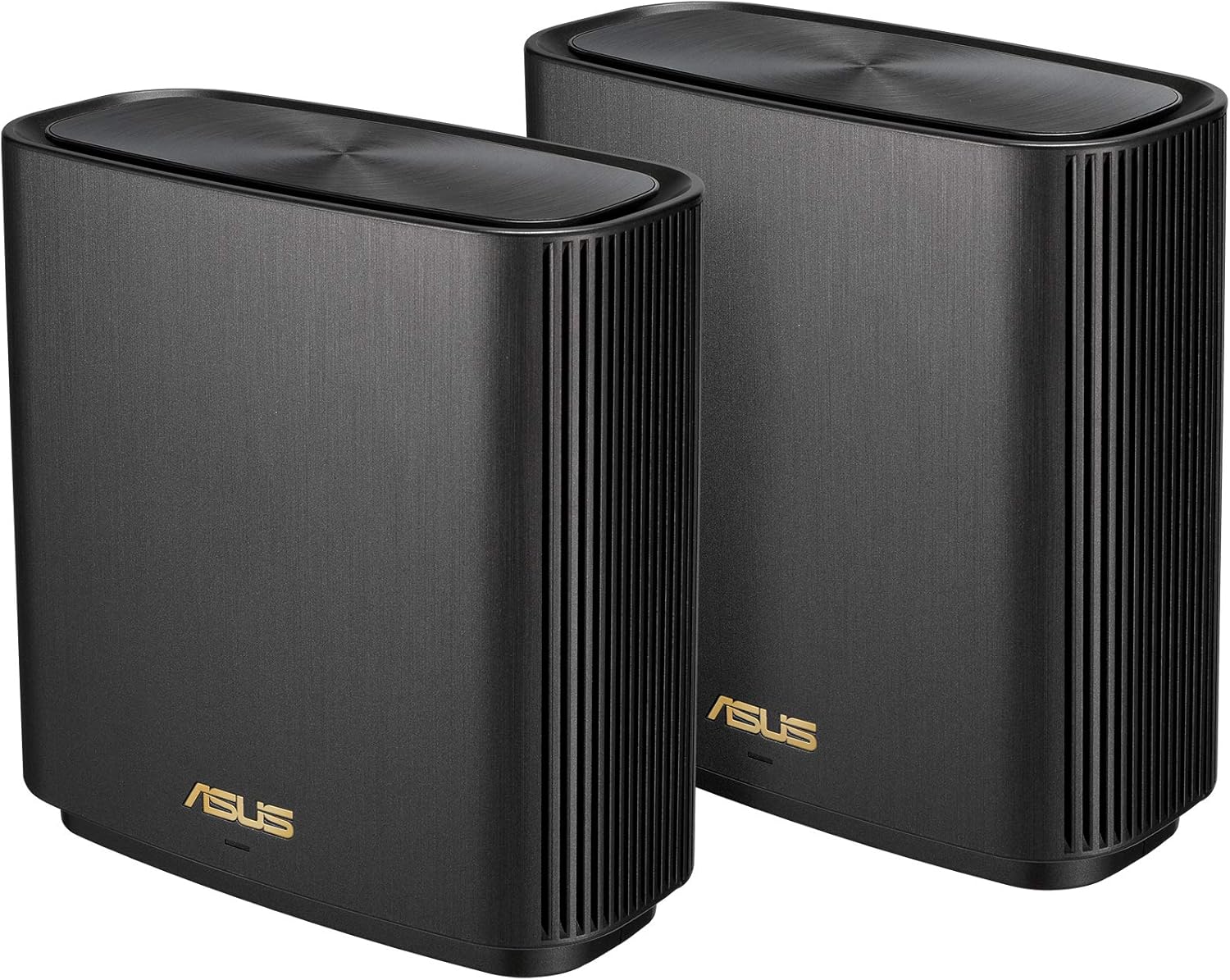
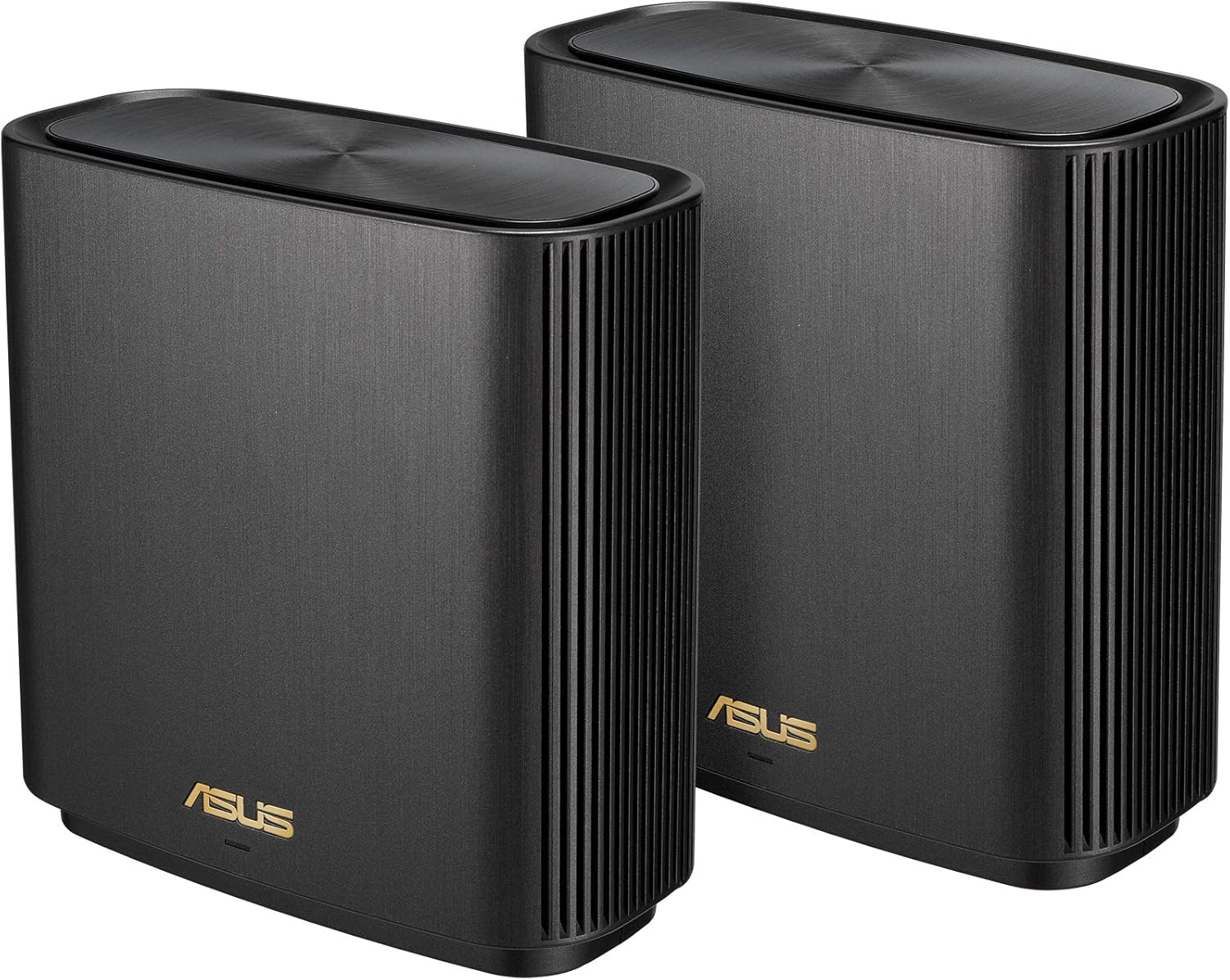
You’ll notice the XT8 units have a clean, boxy design with vents and subtle status LEDs that fit easily into most living spaces. The units are larger than compact consumer routers because ASUS places emphasis on internal antenna placement and cooling.
Physical layout and build quality
The XT8 uses a vertical, tower-like enclosure with a stable footprint; it doesn’t look obtrusive and it’s stable enough to sit on shelves or consoles. Ports and LEDs are logically placed so you won’t be fishing behind furniture whenever you need to adjust a cable or check status.
Ports and wired connectivity
Each unit provides Gigabit Ethernet ports and at least one 2.5G port, which you can use for WAN or high-speed LAN devices and for wired backhaul if you prefer. That 2.5G port is useful if you have internet service or NAS devices capable of multi-gig speeds and want to avoid bottlenecks on wired transfers.
Purchase The ASUS ZenWiFi AX XT8 2-Pack
Setup and management
You’ll be able to get the system running quickly with the ASUS Router app and a three-step setup process. ASUS keeps setup friendly for less technical users while still letting you tweak advanced settings if you want.
ASUS Router app and initial setup
The app walks you through physically placing nodes, connecting a primary node to your modem, and completing the initial configuration. You can complete the setup within minutes, and the app gives visual prompts for placement and connection health.
Ongoing management and features
After setup, you’ll manage firmware updates, guest networks, parental controls, and device prioritization through the app or web UI. ASUS frequently updates firmware and features, and the system supports automatic updates so you won’t have to manually check for security patches.
Performance and throughput
You’ll get Wi‑Fi 6 efficiencies like OFDMA and MU‑MIMO to improve throughput when many devices are active. The combined 6.6Gbps is a theoretical maximum that reflects all three bands together; real-world numbers will be lower and depend on conditions and client device capabilities.
Real-world speed expectations
Expect excellent throughput for modern Wi‑Fi 6 devices near a node; 4K streaming, video calls, and cloud backups should work smoothly when a node is nearby. For devices farther from a node, speeds will drop as with any wireless system, but the mesh design aims to maintain stable connection quality across rooms.
Multi-device handling and latency
If you have many connected devices, the XT8 will manage traffic better than older routers thanks to OFDMA and MU‑MIMO, which reduce congestion and improve parallel transmissions. Gamers and users on latency-sensitive applications will find noticeable improvement in network stability compared with older hardware, though peak latency still depends on ISP and network load.
Coverage and placement guidance
The 2-pack claims up to 5,500 sq.ft of coverage, but your mileage depends on floor plan, wall materials, and placement. You’ll want at least one node on each major floor or in a central position for best results.
How to place the nodes for best coverage
Place the primary node near your modem/router connection point, and position the second node roughly halfway between the primary and the area where signal degrades. Keep nodes away from heavy electronics, reinforced concrete walls, and metal cabinets to avoid signal interference.
Using wired backhaul for optimum results
If running Ethernet between nodes is an option for you, wired backhaul will greatly stabilize and maximize throughput across the mesh. The XT8 supports wired backhaul and can prioritize the 2.5G port for high-speed wired traffic between nodes or to a NAS.

Security and parental controls
You’ll get lifetime network security powered by Trend Micro that provides intrusion prevention, malicious site blocking, and vulnerability detection for connected devices. Parental controls let you manage screen time, filter content categories, and create usage schedules for specific devices or users.
AiProtection and Trend Micro
AiProtection includes a suite of security services that run on the router: malicious site blocking, infected device detection, and automatic prevention of known vulnerabilities. Because the security features are lifetime and built-in, you don’t need to purchase an ongoing subscription for basic protection, which simplifies long-term device safety.
Parental control features and customization
You can set content filters, time limits, and scheduled connectivity for individual devices so you can manage screen time across your household without complicated rules. Parental controls are easy to assign through the ASUS Router app and can be customized per user or device group.
Software features and firmware
You’ll find a rich software feature set with options that go beyond basic router functionality, including QoS, VPN support, and network profiling. ASUS keeps adding features and security fixes via firmware updates, which you can apply manually or automatically.
Advanced features you’ll actually use
Adaptive QoS lets you prioritize gaming consoles or video conferencing devices, while VPN server and client modes let you secure remote connections or route all traffic through a VPN service. Guest networks, separate SSIDs, and device grouping make it easy to segment traffic for privacy and performance.
Firmware updates and ongoing improvements
ASUS regularly releases firmware updates that add security patches and sometimes new utilities. You’ll appreciate the convenience of automated firmware checks plus the ability to manually update from the web UI when you want immediate control.
Who is this system best for?
If you live in a large home with many devices — streaming 4K TV, multiple laptops, smart home gear, and gaming consoles — you’ll benefit from the XT8’s mesh coverage and Wi‑Fi 6 efficiencies. It’s a good fit whether you need whole-home coverage, want a single SSID across the house, or have multi-gig internet and devices that can use a faster wired port.
Small families and multi-device households
You can comfortably support numerous devices with fewer drops in performance compared with older Wi-Fi systems. Parents will appreciate the parental control tools and lifetime security for protecting kids’ devices.
Power users and homes with multi-gig needs
If you have 2.5G-capable NAS, internet, or gaming devices, the XT8’s 2.5G port helps you take advantage of faster wired speeds. Use wired backhaul to maximize node-to-node performance and reduce wireless overhead in dense device environments.

Practical testing and usage scenarios
You’ll want to know how this system handles real-life conditions: streaming, gaming, remote work, and simultaneous backups. Below are typical scenarios and how the system holds up.
Streaming and media
The XT8 handles multiple 4K streams concurrently if those streams are served by devices close to nodes or over wired connections. You’ll rarely see buffering for a single 4K stream; multiple simultaneous streams may need node placement optimization for best quality.
Online gaming and low-latency applications
For gaming, the XT8 reduces jitter and latency compared to older routers, especially when you assign QoS priority to your gaming device. For competitive online gaming, wired connections or the closest node will offer the most consistent performance.
Home office and video conferencing
If you work from home and need stable video calls, the XT8 is well suited to prioritize video traffic so your calls remain clear. Pairing the router with a wired connection for your primary workstation gives the best reliability.
Installation tips and troubleshooting
You’ll get a smoother setup if you plan node placement before powering up. If you run into common issues, a few simple checks will often put things right quickly.
Best practices for setup
Start by positioning nodes at head-height on a shelf, avoid placing them behind TVs or in cabinets, and leave at least several feet between nodes and large metal objects. Run an initial speed test at the primary node, then move the secondary node and test signal strength in problem areas to find the best spot.
Common issues and fixes
If a node shows weak backhaul, try moving it slightly closer to the main node or enable wired backhaul if possible. If devices aren’t switching to the nearest node automatically, disabling band steering temporarily or rebooting client devices will often help them reconnect to the optimal band.
Compatibility and client device considerations
You’ll benefit most when you have Wi‑Fi 6 capable devices; legacy devices will still work but won’t gain the full efficiencies of OFDMA or MU‑MIMO. The XT8 is backward compatible with older Wi‑Fi standards for broad device support.
Older devices vs. Wi‑Fi 6 devices
Older Wi‑Fi devices connect correctly to the XT8 but may reduce overall performance in crowded environments; enabling features like Airtime Fairness can mitigate this. If you have many older devices, planning for staggered upgrades will get you closer to the system’s full potential.
Smart home devices and IoT
You can create separate SSIDs for smart home devices to isolate them from your main network and reduce security risks. The system’s security features help detect and block unusual traffic patterns from compromised IoT devices.
Power, connectors, and what’s in the box
You’ll get power adapters that match the XT8’s needs and a USB connector type indicator per product details; confirm your region’s plug type and power compatibility. The flexibility in DC outputs suggests differing power needs between models or included adaptors.
Power specifications you should know
The product lists AC input 110–240V (50–60Hz) and DC output options: 19V max 1.75A and 12V max 3A, along with a connector type listed as USB. Make sure the included power supplies match your outlet type, and verify which DC output the unit uses during setup.
In the box and physical accessories
You’ll typically find both XT8 units, power adapters, Ethernet cable(s), quick start guide, and warranty information in the box. Keep the guide handy while placing nodes and during initial setup so you can consult recommended placements and port usage.
Comparison with competitors
You’ll want to compare the XT8 to other mesh Wi‑Fi 6 systems in terms of coverage, features, and pricing. The XT8’s combination of 2.5G port, built-in security, and tri-band architecture makes it competitive for larger homes.
How it stands out
The lifetime Trend Micro security and the 2.5G port are standout features, plus ASUS’s advanced firmware features and regular updates. The tri-band design with a dedicated inter-node 5GHz band on some configurations gives it an edge in busy households.
Where others may be preferable
If cost is your primary concern and you don’t need multi-gig capabilities, some cheaper mesh systems may offer adequate coverage for smaller homes. For super-high-end enterprise-level setups, a dedicated access point solution with managed controllers might be preferable.
Pros and cons
You’ll get a balanced view here so you can weigh the system’s strengths and trade-offs against your needs.
| Pros | Cons |
|---|---|
| Strong whole-home coverage (manufacturer claims up to 5,500 sq.ft) | Real-world coverage depends on house layout and materials |
| Wi‑Fi 6 with OFDMA and MU‑MIMO for better multi-device performance | Combined 6.6Gbps is theoretical; real speeds are lower |
| Lifetime Trend Micro-powered security and parental controls | Some advanced features may require a learning curve |
| 2.5G port for multi-gig wired devices or WAN | Larger physical footprint than compact routers |
| Easy 3-step setup with ASUS Router app | Power connector info and adapters may require verification in some regions |
Pricing and value
You’ll need to weigh the XT8’s features against its price point; it’s positioned as a premium home mesh system. If you value lifetime security, multi-gig support, and simplified whole-home coverage, the XT8 stands as good value relative to similar Wi‑Fi 6 mesh systems.
Long-term costs and subscriptions
Since the system includes lifetime network security, you’ll avoid recurring subscription fees for basic router-level protection, which reduces long-term costs. You may still invest in higher-tier cloud services or advanced parental control solutions depending on your household needs.
Frequently asked questions (FAQ)
You’ll likely have some specific questions about compatibility, placement, and maintenance — here are concise answers to common queries.
Can the XT8 replace my modem-router combo?
Yes, but you’ll still need your ISP modem; connect the primary XT8 node to your modem and put the modem in bridge mode if necessary to avoid double NAT. If you want the XT8 to handle all routing, set the modem to bridge mode or configure the XT8 in router mode according to ASUS instructions.
Do you need one unit per floor?
Not necessarily, but for large multi-floor homes, placing a node on each floor will give the most consistent signal. Coverage depends on layout and construction materials, so test placement and adjust as needed.
Is the 2.5G port useful if your ISP is slower?
Yes — even if your internet plan is slower, the 2.5G port helps for fast LAN transfers, such as moving large files to a local NAS or using a high-speed switch for local devices.
Will I need to pay for Trend Micro services?
No — the product states lifetime network security powered by Trend Micro is included, so you don’t need an extra subscription for the basic protection features bundled with the router.
Troubleshooting basics you should try first
You’ll solve most common issues quickly by checking a few settings and placements. Start with the basics before moving on to more advanced troubleshooting.
Quick fixes for connectivity problems
Reboot the router and nodes, verify firmware is up to date, and check that the primary node is properly connected to your modem. If devices are not switching nodes automatically, reboot the client devices and try relocating nodes for better signal balance.
When to contact support
If firmware updates fail repeatedly, ports behave unusually, or you suspect a hardware fault, reach out to ASUS support for warranty and advanced diagnostics. Keep serial numbers and purchase information handy to speed up support.
Final thoughts and recommendation
You’ll find the ASUS ZenWiFi AX (XT8) 2-pack an excellent choice if you want robust whole-home Wi‑Fi, modern Wi‑Fi 6 efficiencies, built-in lifetime security, and a multi-gig port for future-proofed wired connections. Its friendly app-driven setup, solid parental controls, and the ability to scale coverage make it a strong contender for medium to large homes with many devices.
Bottom line
If you want reliable performance across multiple rooms, easier network management, and a degree of future-proofing with Wi‑Fi 6 and a 2.5G port, the ASUS ZenWiFi AX XT8 is worth serious consideration. Its combination of features and lifetime security makes it a practical investment for most households that need stable, high-performance Wi‑Fi.
Get The ASUS ZenWiFi AX XT8 (2-Pack) Now
Disclosure: As an Amazon Associate, I earn from qualifying purchases.