
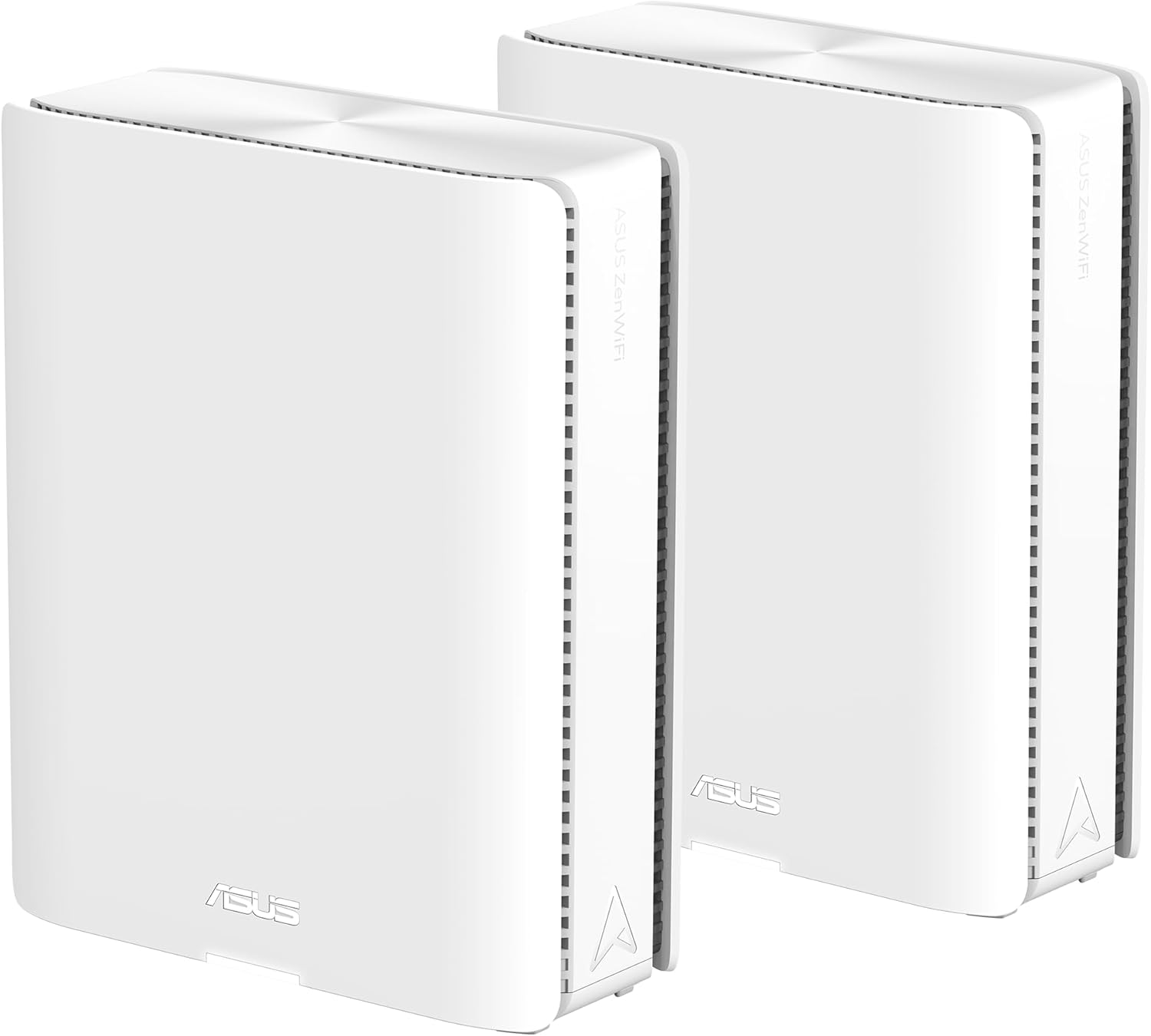
Looking for a future-proof mesh router that can handle dozens of devices, heavy streaming, and a sprawling smart home?
Buy ASUS ZenWiFi BQ16 Pro On Amazon
Quick summary
This ASUS ZenWiFi BQ16 Pro Quad-Band WiFi 7 Mesh Router (2 Pack) gives you a high-end mesh system built around WiFi 7, solid wired options, and a feature set aimed at smart homes and power users. You get strong coverage for up to about 8,000 sq.ft. in a 2-pack, 2x 10G ports per node, subscription-free security, and ASUS’s AiMesh for extendable mesh setups.

ASUS ZenWiFi BQ16 Pro Quad-Band WiFi 7 Mesh Router (2 Pack), up to 8000 sqft, 2X 10G Ports Each, Smart Home Master with Multi-SSID, VPN & Parental Controls, Subscription-Free Security, AiMesh
$899.99 In Stock
Key specifications
Below you’ll find the headline specs condensed so you can instantly see whether this system matches your needs. These figures highlight the hardware strengths and the theoretical wireless ceiling; real-world numbers will depend on your environment and internet plan.
| Category | Specification |
|---|---|
| Product | ASUS ZenWiFi BQ16 Pro Quad-Band WiFi 7 Mesh Router (2 Pack) |
| Wireless Standard | WiFi 7 (IEEE 802.11be) |
| Maximum Theoretical Speed | Up to 30,000 Mbps (combined, quad-band with MLO) |
| Coverage | Up to 8,000 sq.ft. (2-pack, variable by environment) |
| Antennas / Modules | 12 internal antennas + 16 high-power front-end modules |
| LAN / WAN Ports | 2 x 10G (per unit) + multiple Gigabit ports (varies by model) |
| Mesh Backhaul | AiMesh with AI-powered backhaul optimizations |
| Special Features | Smart Home Master (up to 3 SSIDs), Multi-SSID, VPN, Parental Controls |
| Security | Subscription-free security features (ASUS-provided) |
| Extra Connectivity | USB port for 4G/5G tethering; versatile WAN configuration |
| Ideal For | Smart homes, multi-device households, high-speed broadband plans |
What you get in the box
When you unbox the 2-pack, you’ll find two identical router units plus the usual cables and paperwork to get started quickly. ASUS typically includes power adapters, an Ethernet cable, and a quick start guide so you can set up the primary node and add the second node using AiMesh.
Purchase ASUS ZenWiFi BQ16 Pro — Amazon Link
Design and hardware
The ZenWiFi BQ16 Pro follows ASUS’s recent design language with a compact footprint and internalized antennas for a cleaner look. The units are designed to be placed on shelves or desks and rely on internal antenna arrays and thermal design to maintain stable performance.
Physical layout and build quality
You’ll notice a solid plastic chassis with well-placed ports along the rear and status LEDs up front for quick visibility. The construction feels sturdy enough for everyday use and the ventilation layout is intended to keep heat moving away from key components.
Antennas and RF front-end
With twelve internal antennas and sixteen high-power front-end modules, the BQ16 Pro is set up to distribute signal consistently in multiple directions. Those modules help maintain strong uplink and downlink performance even when multiple devices talk simultaneously.
Ports and external connectivity
Each unit includes 2 x 10G ports, which give you true multi-gig wired capacity without relying on link aggregation for top-tier wired performance. You’ll also find a USB port that you can use for 4G/5G mobile tethering, storage, or other supported peripherals.
Performance and real-world speeds
ASUS advertises a theoretical maximum of up to 30,000 Mbps using quad-band MLO and 4096-QAM, but real-world performance is always lower due to interference, device limitations, and ISP constraints. Expect excellent local network throughput, especially for wired devices and modern WiFi 7 clients that can take advantage of MLO and wider channels.
Wired performance
When you connect devices to the 10G ports, you’ll see very high throughput suitable for local NAS access, media servers, and uplink to multi-gig modems or switches. That wired capacity means you won’t be easily bottlenecked inside your LAN when moving large files or streaming high-bitrate media.
Wireless performance
Wireless throughput will vary by client and distance, but WiFi 7 and the high-power front-end modules should deliver more consistent high speeds across multiple devices compared with older standards. If you have devices supporting WiFi 7 MLO and 4096-QAM, you’ll notice a meaningful jump in throughput and lower latency for heavy tasks.
Gaming and streaming
You’ll get a low-latency home network for both online gaming and high-bitrate streaming thanks to robust QoS and substantial backhaul capacity. If you set wired connections for consoles and PCs, the game and streaming experience will be especially stable.
Coverage and mesh behavior
ASUS designed this 2-pack to cover a large home footprint while maintaining easy expandability with AiMesh. With two nodes you can typically expect up to 8,000 sq.ft. of coverage in an ideal environment, though walls, floors, and interference will change the real number.
AiMesh and backhaul optimization
AiMesh uses ASUS’s management and routing to build robust backhaul links between nodes; on the BQ16 Pro, AI-assisted algorithms prioritize and optimize backhaul to maximize throughput and stability. If you add compatible ASUS routers later, the mesh will scale and the system will try to find the best path for traffic without manual intervention.
Placement and topology tips
Place one node near your ISP modem/gateway and the second node roughly halfway to the area you want covered, avoiding thick concrete walls and sources of RF interference. You can use wired backhaul (Ethernet) for the best performance, or let AiMesh handle wireless backhaul with automatic optimization.

Setup and user experience
ASUS aims for a balance between consumer-friendly setup and advanced configuration for power users, so you can get the basics working quickly and then tweak settings to your liking. The setup process supports mobile and web-based configuration and includes helpful defaults for secure operation.
Mobile app and web UI
You can use the ASUS Router mobile app to walk through initial setup, apply firmware updates, and manage users and devices. The web UI provides in-depth controls for QoS, port forwarding, VLANs, and other advanced networking tasks you might need to fine-tune performance.
Smart Home Master and Multi-SSID setup
Smart Home Master lets you create up to three SSIDs specifically geared toward IoT segregation, making it easier to keep smart home devices on their own network for security. You’ll appreciate the simplified onboarding for many common smart devices, and having separate SSIDs for guest devices, IoT, and your main devices helps you maintain a secure, organized network.
Security, parental controls, and VPNs
Security is a major focus on this platform: you get subscription-free protections and familiar ASUS security features to guard devices and block threats. Parental control and VPN support are built-in, letting you shape access and privacy without paying for additional cloud services.
Subscription-free security
ASUS includes security features that don’t require a recurring subscription, giving you protections such as intrusion detection, malicious site blocking, and device-level filtering. Those tools help keep your network safe without recurring costs, but you should still keep firmware updated to ensure the latest protections.
Parental controls and profiles
Parental controls let you set schedules, web filters, and usage limits per device or per user profile, which is helpful when controlling screen time and content for kids. The interface is straightforward, letting you see device histories and apply blanket rules quickly.
VPN features and client options
You can run VPN servers and clients directly on the router so that devices on your home network can access remote resources or secure the connection when you travel. Instant VPN connections and multiple VPN protocol support make it easy to adopt the level of privacy or remote access you need.
Ports, WAN options, and tethering
The physical connectivity options on the BQ16 Pro are unusually flexible, which is a big plus if you rely on wired devices or need redundancy for your internet connection. Those WAN and USB options give you a lot of tactical choices for uptime and performance.
10G ports and use cases
Individual nodes include 2 x 10G ports, letting you connect to multi-gig ISPs, fast NAS devices, or a 10G switch without losing speed in the LAN. If you run a home media server, edit large files over the network, or require heavy throughput for local backups, you’ll immediately benefit from direct 10G connections.
USB tethering and cellular fallback
The USB port supports 4G LTE and 5G mobile tethering, so you can create an always-on fallback or temporary uplink using a compatible modem or phone. That capability is useful for locations with flaky cable or fiber service, or when you need temporary internet access while troubleshooting your main connection.
Power efficiency and heat dissipation
ASUS paid attention to thermal design to ensure consistent performance under load, using venting and internal layout to dissipate heat from the powerful RF modules. You’ll want to position the units in open areas with airflow to maintain long-term reliability, especially if they’ll be handling continuous high throughput.
Who should buy it
If your home supports multi-gig wired connections, you have many smart devices, or you want a mesh that scales with future ASUS routers, this system is a strong candidate. You’ll especially appreciate the BQ16 Pro if you want subscription-free security, advanced parental controls, and real multi-gig wired capacity out of the box.
- Power users with multi-gig internet plans and local NAS
- Large homes that need a high-capacity mesh setup
- Smart home enthusiasts who want segmented SSIDs and simplified onboarding
- Families who want built-in parental controls and device management
Comparisons and alternatives
It helps to see how this model stacks up against both older WiFi 6 systems and competing WiFi 7 products so you can judge value and future-proofing. If you’re upgrading from a WiFi 6 router, the differences in throughput, latency, and device capacity will be noticeable on modern clients.
Versus top WiFi 6 mesh systems
Compared with high-end WiFi 6 mesh kits, the BQ16 Pro should offer higher peak throughput and better capacity when you have WiFi 7 clients. If most of your devices still use WiFi 5 or 6, you’ll see improvements primarily in mesh backhaul and more robust handling of crowded networks rather than dramatic single-device speed increases.
Versus other WiFi 7 options
Against competing WiFi 7 routers, ASUS brings the advantage of AiMesh ecosystem compatibility and mature firmware features like Smart Home Master and subscription-free security. Other vendors might offer slightly different hardware or easier cloud management, so weigh the ecosystem, firmware maturity, and long-term support when choosing.
Pros and cons
A concise list of the main strengths and trade-offs helps you decide quickly whether this router fits your priorities. Consider both the hardware capabilities and the ecosystem advantages when you weigh value.
Pros:
- True WiFi 7 performance with MLO and 4096-QAM for modern clients.
- 2 x 10G ports per unit give genuine multi-gig wired capacity.
- AiMesh allows easy expansion with compatible ASUS routers.
- Smart Home Master and Multi-SSID simplify IoT setup and segmentation.
- Subscription-free security reduces ongoing costs.
- Robust parental controls and VPN support built-in.
Cons:
- Real-world speeds depend heavily on client capability and environment.
- Premium hardware comes with a premium price tag compared with simpler mesh kits.
- Requires attention to placement and backhaul choice for best coverage.
- Some advanced features may be overwhelming for basic users.
Troubleshooting and optimization tips
You’ll get the best performance if you tune placement, firmware, and client behavior to the system’s strengths. These practical tips will help you avoid common pitfalls and maintain consistent performance.
- Keep firmware up to date to benefit from performance improvements and security patches. ASUS periodically releases updates that refine AiMesh and wireless stability.
- Use wired backhaul (Ethernet) for the best mesh performance when feasible, especially for heavy streaming or gaming nodes. If wired backhaul isn’t possible, let AiMesh optimize the wireless backhaul and place nodes closer to each other.
- Segment IoT devices to a dedicated SSID to reduce broadcast traffic on your primary SSID and improve security. Use the Smart Home Master SSIDs to separate insecure devices from important computers and phones.
- Enable QoS for gaming or streaming devices if multiple users compete for bandwidth; set priorities based on your household needs. Also consider using wired connections for consoles and game PCs.
- If you notice overheating or thermal throttling, improve airflow around the units and avoid enclosing them in closed cabinets. Elevated, open placement reduces thermal buildup.
- For VPN performance, test different protocols (WireGuard where supported) and use router-level VPN sparingly for devices that need it continuously; otherwise run a client on specific devices to minimize throughput impact.
Firmware, updates, and support
ASUS has a history of regular firmware updates and a supportive user community for troubleshooting and advanced setups. You’ll want to check ASUS’s support site for release notes and consider registering your device for firmware notifications.
Firmware considerations
ASUS firmware typically exposes both beginner-friendly options and advanced settings for experienced administrators, so you can start with defaults and then tune QoS, traffic shaping, and more. Take care when applying beta firmware; prefer stable releases for your primary home network.
Support and community
ASUS’s community forums and knowledge base offer tutorials, common fixes, and user experiences that can solve many setup challenges. If you need direct help, ASUS support channels are available for warranty and technical assistance.
Real-world use cases
Understanding how this router performs in practical scenarios helps you see how it might fit into your life. From multi-floor homes with heavy streaming to creative professionals working with large media files, the BQ16 Pro addresses many common needs.
- Media-heavy households: If multiple people stream 4K/8K content simultaneously, this mesh can keep streams smooth with robust backhaul and 10G wired options.
- Home offices: You’ll appreciate the reliable wired LAN and secure VPN options for remote work and heavy file transfers.
- Smart homes: Smart Home Master and Multi-SSID let you isolate IoT devices and simplify device onboarding, making smart home management much less painful.
- Content creators and NAS users: Local file transfers and backups benefit from multi-gig wired throughput and strong LAN performance.
Pricing and value
This unit is positioned as a premium mesh product, and its price usually reflects that. If you want a future-proof system with multi-gig wired and WiFi 7 wireless, you’re paying for capability and expandability rather than the cheapest possible coverage.
- If your ISP delivers multi-gig service or you plan to run high-speed local networks, the 10G ports and WiFi 7 investment can be justified.
- If your usage is limited to basic browsing and streaming for a few devices, a less expensive WiFi 6 mesh might be a better value.
Final verdict
The ASUS ZenWiFi BQ16 Pro Quad-Band WiFi 7 Mesh Router (2 Pack) is a compelling choice if you want a high-capacity, feature-rich mesh that’s ready for modern and future devices. You’ll benefit from strong wired options, advanced mesh management with AiMesh, Smart Home Master for IoT segregation, and subscription-free security — all of which make it a solid investment for demanding homes.
If you want help deciding whether this is the right router for your exact home layout, internet plan, or device list, tell me your number of floors, typical device count, and your internet speed and I’ll help tailor the recommendation.
Get The ASUS ZenWiFi BQ16 Pro Now
Disclosure: As an Amazon Associate, I earn from qualifying purchases.