
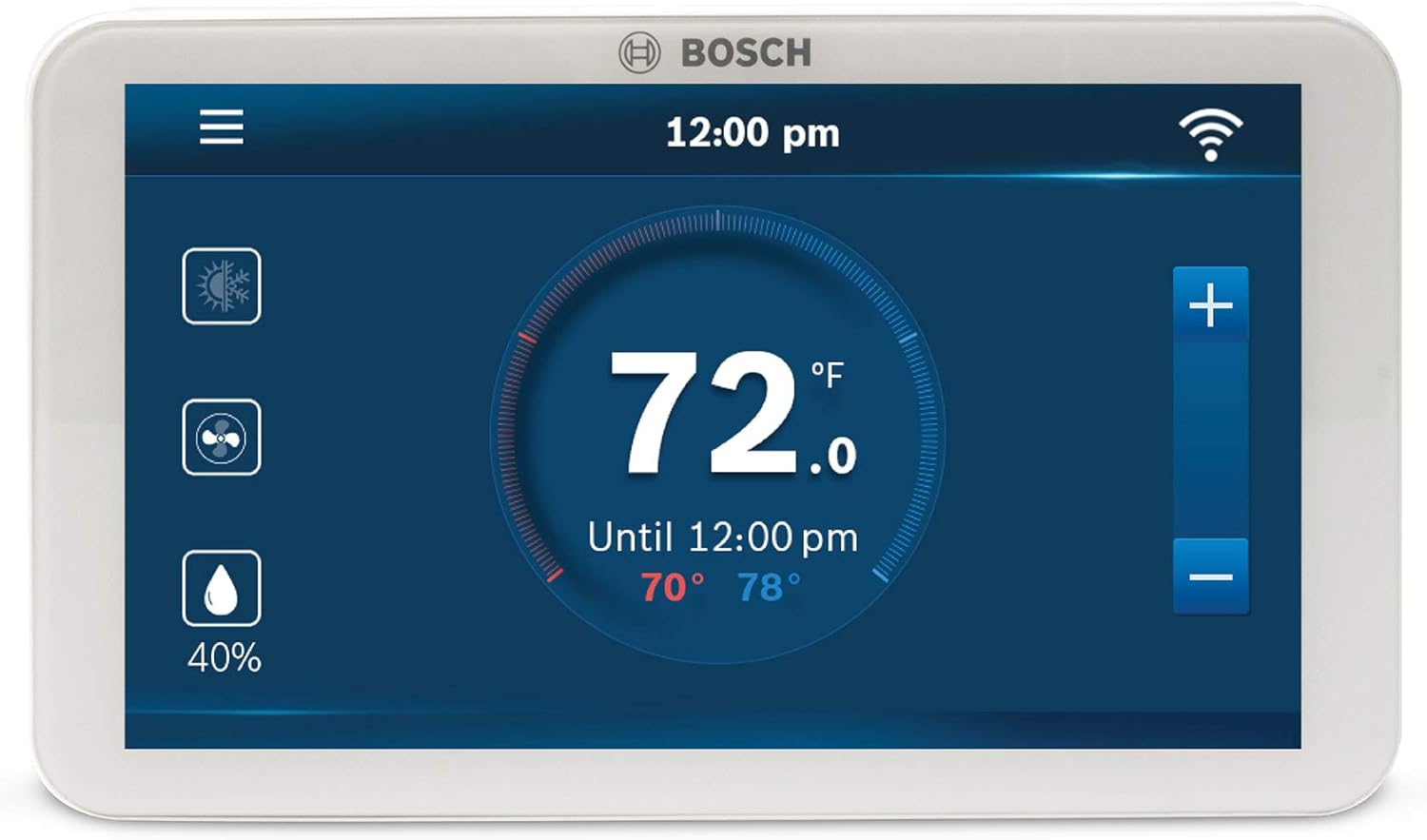
Are you ready to replace your old thermostat with a Wi‑Fi model that works with Alexa, has a touchscreen, and promises energy savings?
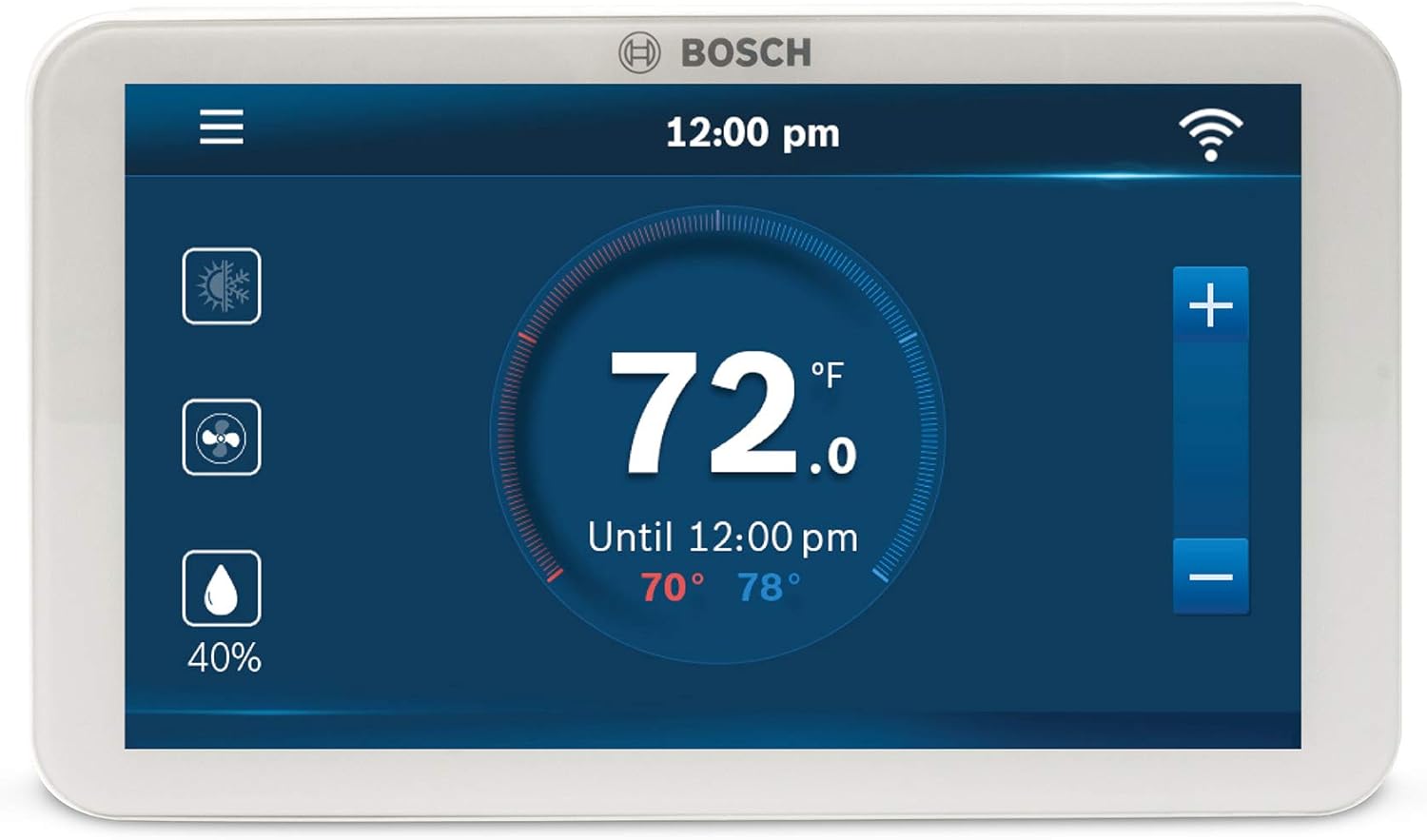
Buy Bosch Connected Control BCC110 Thermostat On Amazon
Product overview
You’re looking at the Bosch Connected Control BCC110 Smart Phone Wi-Fi Thermostat – Compatible with Alexa – Touch Screen, White. This thermostat is an internet-connected programmable device that connects to your Wi‑Fi and lets you control temperature and settings from your smartphone or tablet while remaining fully functional without Wi‑Fi if needed. It aims to combine modern design, broad compatibility, and advanced HVAC control features for residential and light commercial use.
What this product promises
You’ll get a full-color 5-inch touchscreen for scheduling and control, compatibility with a wide range of HVAC systems including heat pumps and conventional systems, and voice control through Alexa and Google Home. Additionally, Bosch has added commercial updates like external humidifier control, hot gas reheat, and dual fuel support, broadening the types of systems this thermostat can manage.
Bosch Connected Control BCC110 Smart Phone Wi-Fi Thermostat - Compatible with Alexa - Touch Screen, White
$189 In Stock
Key specifications at a glance
You want the quick facts first, and this section lists the essentials so you can decide whether to read further. These highlights include display size, compatibility, and the important C-wire requirement that affects installation.
| Feature | Details |
|---|---|
| Product name | Bosch Connected Control BCC110 Smart Phone Wi-Fi Thermostat – Compatible with Alexa – Touch Screen, White |
| Display | Full-color 5-inch touchscreen |
| Connectivity | Wi‑Fi, smartphone/tablet control, Alexa and Google Home compatible |
| System compatibility | Heat pump (4 Heat, 2 Cool), Conventional (2 Heat, 2 Cool), most 24 VAC HVAC equipment |
| Humidifier support | Any 1-wire internally powered humidifier or dehumidifier; controls for evaporation and steam types (commercial updates) |
| Additional HVAC features | Hot gas reheat, cool to dehumidify, Dual Fuel system compatible |
| Power requirements | C-wire required (common wire) |
| Operation without Wi‑Fi | Fully functional without Wi‑Fi (local control) |
| Color | White |
| Mounting | Wall-mounted; replaces most standard thermostats |
Design and display
You’ll notice the thermostat’s modern, minimal look right away. The 5-inch full-color touchscreen gives the interface a clean, smartphone-like feel that’s easy to read from a distance.
You can customize the display brightness and set up schedules visually, so you won’t be fumbling through tiny buttons or tiny screens. The white housing is conservative and fits most home decors, while the touch controls make on-device adjustments quick and intuitive.
Physical build and materials
You’ll find the unit feels solid and well-made, with a smooth glass-like front and a plastic bezel that blends into the wall. Bosch built this device for everyday use, so the finish resists fingerprints reasonably well compared to cheaper models.
You should still avoid abrasive cleaners; a soft microfiber cloth is sufficient for cleaning the screen and bezel.
Installation and setup
You’ll want to check whether your HVAC system has a C-wire before buying, because the BCC110 requires a C-wire for power. If your system only has two wires, you’ll either need to add a C-wire, use a third-party power adapter, or consider a different thermostat that supports battery-only operation.
Installation itself follows the standard thermostat replacement process: power down the HVAC, remove the old thermostat, label wires, mount the BCC110 base, attach wires to the clearly labeled terminals, and reattach the display. The on-screen setup wizard then helps you connect to Wi‑Fi and configure basic settings.
Wiring and C-wire specifics
You need a dedicated C (common) wire for continuous 24 VAC power; systems with three or more wires typically have a C-wire. If your wall has only two wires, you can add a C-wire via your furnace control board or use an aftermarket power kit designed to provide the necessary common.
You should consult your HVAC manual or a professional installer if you’re unsure, because wiring mistakes can damage the thermostat or your HVAC system.
Purchase The Bosch BCC110 Thermostat
Compatibility and system support
You’ll appreciate the wide compatibility range: conventional systems with up to 2 heat and 2 cool stages, and heat pump systems with up to 4 heat and 2 cool stages. The thermostat also supports most 24 VAC HVAC equipment on the market, which covers the majority of residential systems.
The BCC110’s recent commercial updates expand support to both evaporation and steam-type external humidifier accessories and add hot gas reheat and cool-to-dehumidify capabilities, which are important for more advanced HVAC setups and commercial environments.
Heat pump and conventional systems
If you have a multi-stage heat pump, this thermostat supports configurations up to 4 heating stages and 2 cooling stages, which covers complex systems. For conventional systems, the 2H/2C support is sufficient for most homes that have dual-stage systems.
You’ll want to verify wiring diagrams for multi-stage systems, because correct terminal connections are critical for stage sequencing and efficient operation.
Smart features and app
You’ll control the thermostat from your smartphone or tablet using the Bosch app, which lets you adjust temperature, change schedules, and monitor settings remotely. The device operates fully locally if Wi‑Fi is unavailable, so you won’t lose basic HVAC control during an internet outage.
Scheduling is straightforward, and the interface is designed to let you set time- and temperature-based programs that match your routine. The app also keeps the thermostat firmware updated when internet connectivity is present, which enables the commercial features and system updates Bosch releases.
Scheduling and automation
You can create multiple daily schedules for weekdays, weekends, or personalized routines, and the touchscreen makes on-device schedule edits easy. The thermostat supports typical energy-saving modes like set-back scheduling and temporary hold.
If you’re looking to make advanced automation, Bosch integrates basic energy-saving features but doesn’t push aggressive machine-learning algorithms like some competing brands; you’ll still need to fine-tune schedules to your lifestyle for best savings.
Voice assistant integration
You’ll use voice control through Alexa and Google Home for common commands such as setting temperature or switching modes. Integration lets you include the thermostat in voice-driven scenes and routines, like “Goodnight” routines that set temperature and other smart devices together.
Setup for voice control is done through the respective Alexa or Google Home apps by linking your Bosch account, and once linked, you’ll be able to control the thermostat hands-free.
What voice control can and can’t do
Voice commands handle basic functions—change target temperature, switch between heat/cool/auto, and set fan on/off if supported in your setup. For deeper configuration like wiring setup or firmware updates, you’ll still need to use the app or on-device menu.
You’ll also want to be mindful of voice privacy; voice platforms store some command history depending on your settings in the Alexa/Google ecosystem.
Energy savings and scheduling
You’ll save energy when you set sensible temperature setbacks and create schedules that reflect when the house is empty or sleeping. Bosch emphasizes energy savings, and the thermostat’s programmable features make it straightforward to automatically reduce heating or cooling when you don’t need it.
Results will vary based on your home’s insulation, HVAC efficiency, and local climate, but a reasonable program can shave several percentage points off your annual heating/cooling costs.
Practical scheduling tips
Set a daytime setback when no one is home and a nighttime setback that keeps you comfortable while reducing HVAC runtime. Use temporary holds for guests or events to avoid messing up your saved schedules.
You’ll also want to combine thermostat programming with other energy strategies—adjusting fans, sealing leaks, and insulating—to maximize savings.

Advanced HVAC controls and updates
You’ll gain access to features typically reserved for more advanced thermostats or commercial controllers. Hot gas reheat, cool-to-dehumidify, and updated humidifier controls allow this thermostat to manage humidity and advanced dehumidification strategies more effectively.
Dual Fuel compatibility lets the thermostat manage systems that use both gas and electric heating, switching intelligently between sources based on outdoor temperature thresholds you can configure in some setups.
Commercial-grade features
If you run a small business or need advanced humidity control, these commercial updates are valuable because they let you integrate external evaporation or steam humidifiers and set up more tailored humidity control strategies. Hot gas reheat, in particular, is useful for dehumidifying without overcooling.
You’ll need to ensure your equipment supports these features and confirm wiring and control signals are compatible before expecting flawless operation.
C-wire and power requirements
You absolutely need a C-wire (common wire) to power the BCC110; two-wire systems aren’t supported. The C-wire supplies constant 24 VAC power to the thermostat and is a common requirement for touch-screen smart thermostats.
If your wall doesn’t have a C-wire, you can request an HVAC technician to add one from the furnace control board, or you can use a third-party power extender kit to add power without running a new wire. Be cautious with DIY wiring changes unless you’re comfortable with low-voltage HVAC wiring.
Options if you don’t have a C-wire
You can: 1) run a new C wire from your furnace control board, 2) use an adapter kit like a power extender sold by some manufacturers, or 3) use the HVAC manufacturer’s recommended accessory that supplies a common connection. Each method has pros and cons for complexity, reliability, and cost.
You’ll likely prefer having a properly wired C-wire for long-term reliability and fewer connection issues.
Performance and reliability
You’ll find the thermostat responsive when making changes on the touchscreen or via the app, with reliable Wi‑Fi connectivity if your home network is stable. Firmware updates delivered over the internet have improved compatibility and added features since launch.
Long-term reliability will depend on your installation quality and HVAC system health; a professional install reduces the chance of wiring errors or compatibility problems.
Connectivity and app reliability
The thermostat uses standard 2.4 GHz Wi‑Fi networks for connection; ensure your router and signal strength are sufficient at the thermostat location. If your Wi‑Fi drops, local control remains available, but remote app control and voice commands will be unavailable until the connection is restored.
You’ll want to keep your app and thermostat firmware updated for security and added features.
User interface and touchscreen
You’ll enjoy the full-color display and responsive touchscreen for everyday adjustments, and the visual scheduling screens are intuitive for most users. The interface avoids clutter so you can quickly see the current temperature, setpoint, and system mode at a glance.
Touch sensitivity and screen resolution give a smooth experience comparable to mid-range smart thermostats, and you’ll appreciate the clear icons and menus for setting up schedules and options.
Customization and preferences
You can adjust brightness, schedule names, and display units (Fahrenheit/Celsius) in the settings menu. While there’s some personalization, Bosch focuses on clarity and function rather than deep aesthetic customization.
You’ll miss some of the more advanced learning features present in some competitor models, but most people will find the controls more than adequate.

Mobile app experience
You’ll control the thermostat through the Bosch app, which is designed to be straightforward and purposeful. Remote temperature control, schedules, and firmware management are handled in the app with clear menus and prompts.
Some users find feature placement slightly different than other thermostat apps, so expect a short learning curve, but overall the app offers the necessary functions without unnecessary bloat.
Notifications and alerts
You can receive alerts for connectivity and sometimes for HVAC status if configured, which helps you respond to issues quickly. Alerts depend on your app permissions and the type of event—set them up to make sure you’re informed when you need to be.
You’ll also be able to manage multiple thermostats in one account if you’re installing units in different zones or properties.
Troubleshooting and tips
You’ll want to keep a few troubleshooting steps in mind: verify the C-wire connection, check Wi‑Fi signal strength, confirm wiring terminals match your system type, and update firmware if features behave unexpectedly. Many issues boil down to wiring errors or weak Wi‑Fi signals.
If you hit a snag, document wire colors and terminals before disconnecting anything, and don’t hesitate to contact Bosch support or a licensed HVAC professional for complex wiring or compatibility questions.
Common issues and quick fixes
- Thermostat won’t power on: Check for a proper C-wire connection and ensure your furnace switch is on and the breaker is not tripped.
- Wi‑Fi won’t connect: Confirm you’re using a 2.4 GHz SSID, correct password, and that network isolation/guest settings aren’t blocking the device.
- Improper system behavior: Double-check wiring against the installation manual and ensure system type (heat pump vs conventional) is set correctly in the thermostat menu.
You’ll find that careful wiring and following manufacturer instructions reduce most common problems.
Pros and cons
You’ll want a balanced view before committing, so here are strengths and trade-offs to consider when deciding.
Pros
- Full-color 5-inch touchscreen with easy scheduling. You’ll enjoy an intuitive on-device experience and clear visuals.
- Broad HVAC compatibility, including heat pumps, conventional systems, humidifiers, and advanced features like hot gas reheat. You’ll be able to integrate this thermostat with many system types.
- Alexa and Google Home compatibility for voice control. You’ll be able to use hands-free commands and integrate the thermostat into routines.
- Remote control via smartphone app and local operation without Wi‑Fi. You’ll keep control even when your internet is down.
Cons
- C-wire required, so older two-wire systems need wiring work or an adapter. You’ll pay extra or hire an installer if you don’t have a C-wire.
- App experience and smart learning aren’t as advanced as some competitors that emphasize AI-driven energy savings. You’ll handle more manual scheduling.
- Occasional setup complexity for multi-stage or commercial-grade HVAC features. You’ll likely need a pro if you have a complex system.
Who this thermostat is best for
You’re a good fit for this thermostat if you have a 24 VAC HVAC system with a C‑wire and want a modern touchscreen thermostat that integrates with Alexa and Google Home. It’s also a solid choice if you have a heat pump, external humidifier/dehumidifier, or a Dual Fuel setup and want advanced control features.
If you live in a simple two-wire system or want an aggressively learning thermostat that manages schedules automatically, you might prefer alternatives tailored to those needs.
Who should consider a different option
You should consider a different thermostat if you lack a C‑wire and don’t want to run one, or if you want deep AI-driven features that learn your habits without manual schedule setup. Additionally, if you need battery-only operation or ultra-simple installation, look at models that specifically advertise those capabilities.
Comparison to other smart thermostats
You’ll compare the BCC110 to popular thermostats like Nest and Ecobee. Bosch offers a similarly modern interface and good compatibility, while Nest emphasizes automated learning and Ecobee focuses on smart sensors and multi-zone optimization.
- Compared to Nest: Bosch offers broader traditional HVAC feature support (humidifiers, hot gas reheat) and requires a C-wire; Nest leans more into learning algorithms and brand ecosystem.
- Compared to Ecobee: Ecobee integrates room sensors for occupancy-based control and has strong HVAC compatibility; Bosch competes on commercial features and touchscreen size.
Practical takeaways for comparison
If you want a balance of modern UI, advanced HVAC control, and voice integration, Bosch is a strong option. If you prioritize automatic learning and self-optimizing schedules, consider Nest. If you want room sensors and multi-zone optimization, look at Ecobee.
You’ll pick based on which features matter most—manual control and HVAC compatibility (Bosch), learning and simplicity (Nest), or sensor-driven zoning (Ecobee).
Sample schedule suggestions
You’ll get better energy savings if you adopt predictable temperature setpoints during different parts of the day. Here are sample schedules you can copy and adjust to fit your household.
- Weekday schedule: Morning (6:00–8:00) comfort temperature, Day (8:00–17:00) setback by 3–5°F, Evening (17:00–22:00) comfort temperature, Night (22:00–6:00) slight setback.
- Weekend schedule: More time at comfort temperature with a smaller setback during outings; use temporary holds for guests.
- Vacation mode: Set a broader setback and enable minimal frost protection if away for extended periods.
You’ll tweak the exact temperatures to your comfort preferences and to local climate considerations.
Installation cost and professional help
You’ll likely save time and avoid mistakes by using a professional if your wiring is uncertain, especially with multi-stage or heat pump systems. Typical installation costs vary by region but expect $75–$200 for a standard thermostat swap; complex systems cost more.
If you’re handy and have clear wiring with a C-wire, you can do the installation yourself following Bosch’s instructions. Just be cautious and turn off power before handling wires.
How to prepare for installation
Turn off HVAC power at the breaker, take a clear photo of your current wiring, label each wire, and make sure you have a stable 2.4 GHz Wi‑Fi network name and password on hand. Keep the Bosch installation manual and support contact info nearby for reference.
You’ll also check whether your HVAC system uses specific proprietary connectors or has unusual wiring that might require a pro.
Security and privacy considerations
You’ll connect the thermostat to your Wi‑Fi and Bosch account, which introduces potential privacy and security concerns. Use strong, unique passwords for your Bosch account and home Wi‑Fi, and keep firmware and app updates current to receive security patches.
If you link voice assistant services, review those platforms’ privacy settings and voice data retention policies to control how voice interactions are stored.
Best practices
Enable two-factor authentication if available, update passwords periodically, and avoid using public or unsecured Wi‑Fi for initial setup. You’ll also consider network separation—for instance, placing IoT devices on a guest network to isolate them from sensitive home devices.
Frequently asked questions (FAQs)
You’ll likely have common questions—this section addresses the ones most people ask before buying.
- Do I need a C-wire? Yes, a C-wire is required to power the thermostat.
- Will it work without Wi‑Fi? Yes, it functions locally without Wi‑Fi but loses remote app control and voice commands.
- Is it compatible with my heat pump? Likely—supports up to 4 heat/2 cool configurations for heat pumps; confirm specific wiring.
- Can it control my humidifier? Yes, it supports any 1-wire internally powered humidifier or dehumidifier and now supports both evaporation and steam types with commercial updates.
- Does it support dual fuel systems? Yes, it’s compatible with Dual Fuel systems and can manage switching between gas and electric heating in supported setups.
You’ll always check Bosch’s compatibility documentation or contact support if you’re in doubt about a specific piece of equipment.
Final verdict
You’ll find the Bosch Connected Control BCC110 Smart Phone Wi-Fi Thermostat – Compatible with Alexa – Touch Screen, White to be a robust, well-designed smart thermostat that combines a large touchscreen, broad HVAC compatibility, and useful advanced features. Its requirement for a C-wire is the primary limitation for older homes, but if your system supports it, you’ll gain powerful control over temperature, humidity, and complex HVAC setups.
If you want a balance of commercial-grade HVAC features and consumer smart-home integration with Alexa and Google Home, this thermostat is a strong contender. You’ll get reliable local operation, a helpful smartphone app, and a modern interface that makes everyday temperature control simple.
Next steps before buying
Check for a C-wire, verify your HVAC system type and wiring, and decide whether you’ll install it yourself or hire a professional. If you need advanced humidifier or dehumidifier controls, confirm compatibility with your specific external accessories.
You’ll be better prepared and more confident in your purchase if you confirm these points in advance.
Get The Bosch Connected Control BCC110 Now
Disclosure: As an Amazon Associate, I earn from qualifying purchases.