
Are you ready to make your home smarter, healthier, and more energy-efficient with a single device?

Buy Ecobee Smart Thermostat With Air Quality Monitor On Amazon
Quick Verdict
You’ll find the ecobee Smart Thermostat Premium with Siri and Alexa and Built in Air Quality Monitor and Smart Sensor with SmartSensor for Doors and Windows 2-Pack, White delivers a strong balance of comfort, convenience, and home health monitoring. It combines voice control, precise room sensing, and air quality alerts to help you control temperature and stay informed about indoor air conditions.
ecobee Smart Thermostat Premium with Siri and Alexa and Built in Air Quality Monitor and Smart Sensor with SmartSensor for Doors and Windows 2-Pack, White
$279.99 In Stock
Key Features at a Glance
Here you’ll see the main selling points organized so you can quickly understand what this product offers. Each feature is designed to improve comfort, reduce energy use, or keep you informed about your home environment.
| Feature | What it means for you |
|---|---|
| ENERGY STAR certified | Helps you save up to 26% per year on heating and cooling costs compared to a constant 72°F hold. |
| Built-in air quality monitor | Alerts you to poor air quality, offers tips, and reminds you to change your furnace filter. |
| SmartSensor (included) | $50 value; helps reduce hot/cold spots by adjusting temperature in the rooms that matter most. |
| Voice control | Works with Siri and Alexa for hands-free control and convenience. |
| SmartSensor for Doors and Windows 2-Pack | Monitors entry, exit, and motion for security and automation (requires ecobee Smart Security subscription for alerts). |
| Compatibility | Works with most HVAC systems; check compatibility for heat pumps, multistage systems, and C-wire requirements. |
| App and integrations | Control from the ecobee app, integrates with Apple HomeKit, Amazon Alexa, Google Assistant in certain features. |
Smart Thermostat and Voice Assistants
The ecobee Smart Thermostat Premium is built to be an intelligent home hub for climate control. You’ll get voice control through both Siri and Alexa, letting you adjust temperature and ask about home comfort without touching the thermostat.
You can use voice commands through the thermostat itself or via your existing smart home ecosystem. This flexibility means you can choose whether you prefer to speak directly to the thermostat, use a phone, or use another voice device in your home.
Siri and Apple HomeKit Integration
If you’re invested in Apple’s ecosystem, you’ll appreciate Siri compatibility and HomeKit integration. You’ll be able to include the thermostat in your automations and control it from your iPhone, iPad, or Apple Watch.
This works well if you like grouping devices into scenes, scheduling climate control around your day, or checking and adjusting your home temperature remotely.
Alexa Built-In and Alexa Compatibility
The thermostat includes Alexa functionality so you can use voice commands directly through the device for basic requests and temperature changes. If you already have Alexa-enabled devices, the ecobee will fit into your existing routines and skills.
Using Alexa on the thermostat also lets you play music, hear updates, or ask general questions without needing a separate speaker.
Built-in Air Quality Monitor
The built-in air quality monitor gives you immediate feedback about conditions inside your home. You’ll receive alerts if poor air quality is detected and practical tips on how to improve ventilation and reduce pollutants.
This feature also remembers to prompt you when it’s time to change the furnace filter, which helps keep HVAC efficiency high and maintains cleaner air.
What the Air Quality Monitor Measures
The ecobee monitors indoor air quality indicators and presents them in the app so you can track trends over time. You’ll be able to see if indoor air is generally good or if there are recurring issues at certain times of day.
Knowing what’s happening with your air helps you take specific actions such as increasing ventilation, adjusting humidification, or reducing sources of indoor pollution.
Alerts and Actionable Tips
When air quality drops, you’ll get clear alerts and advice on how to improve it. The thermostat offers guidance like opening windows, enabling ventilation, or running an air purifier, making it simple to respond quickly.
You’ll appreciate the reminders to change filters, which removes guesswork and helps maintain both air quality and system efficiency.
Purchase The Ecobee Smart Thermostat (with Air Quality Monitor) On Amazon
SmartSensor for Rooms
The included SmartSensor adjusts temperatures based on the rooms that matter most to you. You’ll use them to minimize hot or cold spots and create a more even temperature throughout your living space.
Putting sensors in bedrooms, living areas, or home offices ensures the thermostat knows where people actually are and what temperatures those areas need.
How Sensors Improve Comfort
The sensors communicate with the thermostat so your HVAC runs based on occupancy and room temperature rather than just the thermostat’s location. You’ll feel more comfortable, particularly in homes where a single thermostat location isn’t representative.
This targeted sensing helps reduce energy waste by avoiding unnecessary heating or cooling in empty rooms while prioritizing comfort where people are.
Placement and Best Practices
You’ll want to place sensors on interior walls, away from direct sunlight or vents, and at about head height for best readings. Each home is different, so experiment with placement to find the best coverage.
If you live in a multi-story home, use sensors on each floor to balance temperature. In rooms that feel consistently hot or cold, position a sensor there to correct those zones.
SmartSensor for Doors and Windows 2-Pack
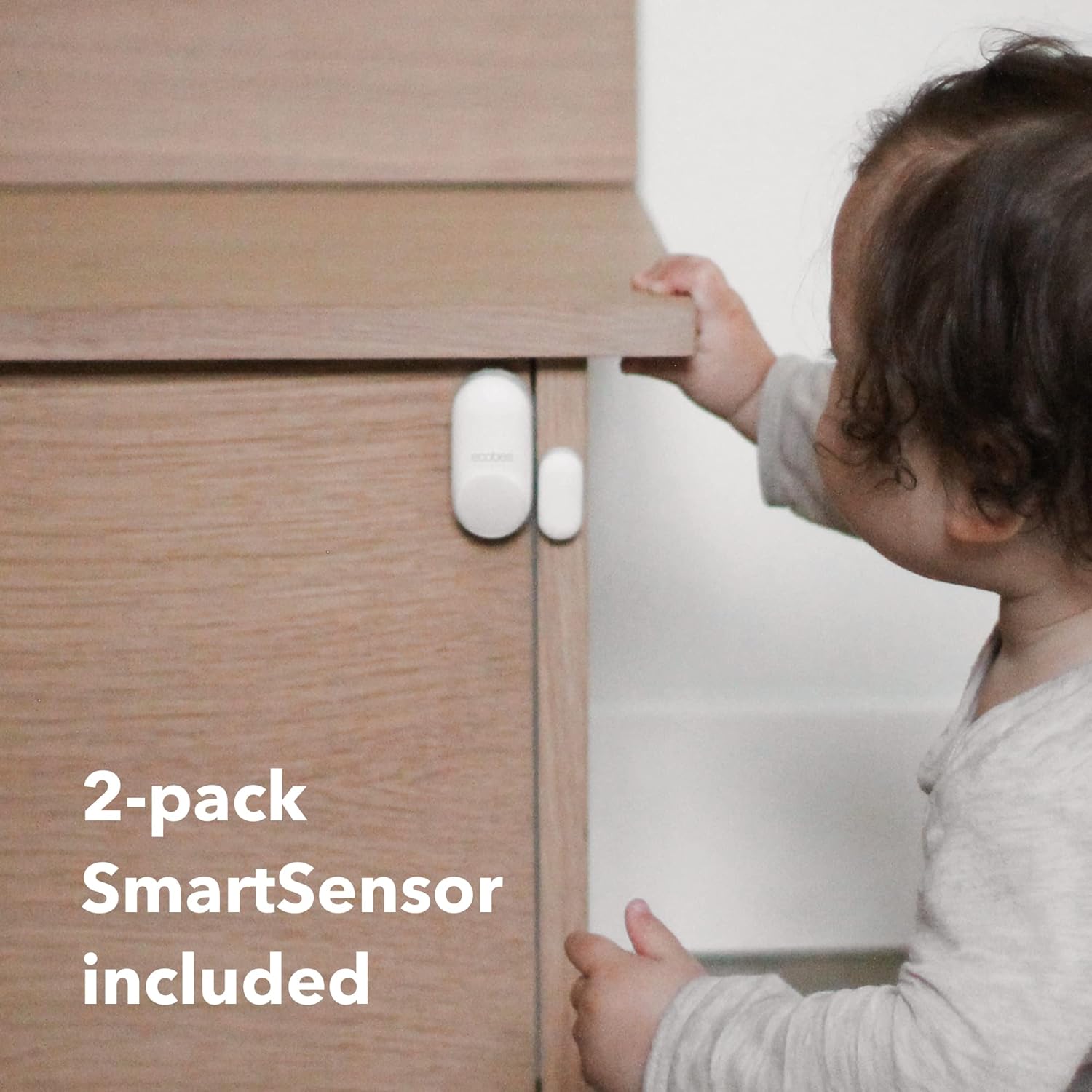
The included SmartSensor for Doors and Windows 2-Pack lets you monitor entry, exit, and motion at doors and windows. You’ll gain an extra layer of home awareness and automation options.
These sensors are small and easy to install, and they can be linked to automations like turning HVAC down when a window is open or alerting you if a door is opened unexpectedly.
Security and Automation Uses
If you opt for ecobee Smart Security, you’ll get customizable alerts when entry, exit, or motion is detected. You’ll be able to add this data to your automations, such as triggering lights or changing thermostat modes when you leave.
Even without a subscription, the sensors can be used for simple automations in the ecobee app, helping you save energy and keep an eye on doors and windows.
Installation and Placement
Mount the sensors on door or window frames with the included adhesive or screws. Keep them aligned so they register open/close correctly, and place motion sensors in areas with clear lines of sight for best results.
Because these are wireless, you’ll appreciate the flexibility to reposition them if you need to refine coverage.
Energy Savings and Certification
This ecobee model is ENERGY STAR certified and claims you can save up to 26% per year on heating and cooling compared to holding your thermostat at 72°F. You’ll likely see real savings if you use scheduling, occupancy features, and the included sensors.
These savings are achieved by reducing unnecessary runtime and focusing climate control where and when you need it.
How Savings Are Calculated
Savings estimates typically compare optimized use with a constant temperature hold; your actual results will depend on your system, local climate, insulation, and habits. You’ll maximize savings by setting sensible schedules and letting the sensors manage unoccupied rooms.
If you live in a region with extreme seasonal temperature swings, the percentage may vary, but the thermostat’s algorithms aim to balance comfort and efficiency.
ENERGY STAR Benefits
ENERGY STAR certification means the device meets government-backed efficiency benchmarks. You’ll be using technology that’s been validated for performance and energy savings, which can also make you eligible for local rebates or incentives.
Check your utility’s offerings because some utilities provide rebates for smart thermostats, which can reduce your upfront cost.
Compatibility and Installation
Before you buy, you’ll want to verify compatibility with your HVAC system. The ecobee generally supports most standard systems, but you’ll need to confirm details like whether a C-wire is required for power or if your system is multistage.
Installation is straightforward for most DIYers but you can also choose professional installation if you prefer.
Supported HVAC Systems
The ecobee works with many systems including single-stage and multistage heating and cooling, heat pumps, and some dual-fuel setups. You’ll need to confirm compatibility with systems like 120V/240V electric baseboard heat or certain proprietary equipment.
Use ecobee’s online compatibility checker or the app to verify your system before purchasing.
Installation Steps and Time
Installation generally involves mounting the thermostat, connecting wires, and pairing sensors through the app. You’ll usually finish in 30–60 minutes if you’re comfortable with wiring and have a C-wire or power extender kit.
If you don’t have a C-wire, ecobee offers alternatives like a power extender kit or advises professional wiring, which ensures stable power and optimal performance.

App and Ecosystem
The ecobee app is the main control hub for remote settings, schedules, sensor management, and notifications. You’ll use it to set up automations, view air quality trends, and get energy reports.
The app also integrates with broader smart home platforms to incorporate your thermostat into scenes and routines.
Mobile App Features
You’ll be able to adjust temperature, view sensor readings, receive air quality alerts, and get reminders about filters through the app. The interface is user-friendly, letting you change schedules and manage devices with a few taps.
Notifications help you stay on top of issues like extreme temperatures, filter changes, or door/window alerts if you subscribe to services that enable them.
Ecosystem Integrations
Besides Siri and Alexa, ecobee plays nicely with many smart home platforms, so you’ll add the thermostat to your automations, routines, and scenes. This is helpful if you want your thermostat to respond to motion sensors, security systems, or other connected devices.
Integration enhances convenience by letting you create multi-device responses with a single trigger (for example, setting “away” mode when your security system arms).
Security and Privacy
When you add a connected thermostat and door/window sensors, you’ll want to know how ecobee handles data and device security. ecobee uses encryption and standard security practices to protect your device and data.
You’ll want to review privacy settings and the terms for voice assistants, since voice data and integrations may have different handling rules.
Data Handling and Encryption
ecobee states that device communications are encrypted and that they follow industry practices to secure user accounts. You’ll want to enable two-factor authentication on your ecobee account to further protect access.
Review the privacy policy to understand how your usage data may be used and whether you’re comfortable with anonymized analytics or diagnostic data being collected.
Microphone and Voice Privacy
If you use voice features, your thermostat may listen for wake words like “Alexa” or Siri commands routed through HomeKit. You’ll have controls to mute or disable voice features if privacy is a concern, and you’ll know exactly which interface you’re using for voice control.
If you prefer minimal cloud processing, you can rely more on HomeKit or local automations where available.
Design and Display
The ecobee Smart Thermostat Premium has a modern, clean look in white that fits contemporary interiors. The touchscreen display is crisp, and the device is designed to be readable from across a room.
You’ll find the interface intuitive, with clear icons and responsive touch control.
Physical Design and Finish
Its white finish and rounded edges make it unobtrusive and blend with most wall colors and decor. The screen size is large enough to present data (like temperature and air quality) at a glance.
If you care about aesthetics, this model tends to be more attractive than older, boxier thermostats and fits well in visible areas of your home.
Display Readability and Interaction
You’ll easily read temperature, humidity, and AQI data on the display. The touchscreen is responsive, and the menus are straightforward, making daily adjustments simple.
For those who prefer voice or app control, the display still offers useful at-a-glance information without being a necessity for every interaction.
Setup and First-Time Use
Setting up your ecobee is mostly app-driven and guided step-by-step. You’ll connect it to Wi-Fi, pair sensors, and configure basic preferences during the initial setup.
The app walks you through connection to HVAC wires and power, and offers troubleshooting tips if the system detects an issue.
Pairing Sensors and Configuring Rooms
You’ll place SmartSensors in the rooms you care about and name them in the app for accurate reporting. The thermostat uses sensor data to balance comfort automatically based on occupancy and your prioritized rooms.
Labeling sensors by room helps you create precise schedules and preferences for each area of your home.
Scheduling and Preferences
The app will prompt you to set schedules or let ecobee learn your patterns. You can choose manual schedules or opt for adaptive settings that adjust to occupancy and external conditions.
Take a little time in the first week to tweak schedules; this helps the system learn and optimize energy use without sacrificing comfort.
Daily Use and Automation
Once set up, the ecobee can largely run on its own while you interact through voice, the app, or the touchscreen. You’ll enjoy automations like “away” modes, occupancy-based adjustments, and air quality-triggered actions.
Routines and smart home integrations let you tailor how the thermostat interacts with lights, security, and other devices.
Occupancy and Presence Detection
The SmartSensor network detects when rooms are occupied and can prioritize those rooms. You’ll see your system reduce runtime when no one is home and direct comfort to rooms with people present.
Geofencing via the app can also trigger away/home modes based on your phone’s location.
Automations and Routines
Set rules like turning down HVAC when a window sensor is open or creating a “goodnight” routine that sets temps and checks sensors. These automations reduce manual adjustments and can save energy.
If you have other smart devices, you can combine actions into single routines that set multiple devices at once.
Maintenance and Tips
To keep everything running well, you’ll perform basic maintenance like changing HVAC filters, keeping sensors dust-free, and updating firmware when prompted. The thermostat will help with filter reminders and maintenance notifications.
Regular checks ensure sensors stay aligned and that door/window contacts remain functional.
Filter Reminders and Seasonal Prep
Follow the reminders the thermostat provides for filter replacement and seasonal HVAC checks. Replacing filters on schedule improves air quality and efficiency, and the thermostat’s guidance makes this easier.
Before extreme seasons, test your HVAC system and review savings settings to make sure you’re maximizing performance without sacrificing comfort.
Sensor Care and Placement Rechecks
If a sensor appears to give inconsistent readings, wipe it gently and confirm placement away from direct airflow or sunlight. You’ll sometimes need to reposition sensors to reflect actual living patterns.
Periodic checks ensure adhesive mounts remain secure and batteries in small sensors are functional.
Performance and Accuracy
You’ll notice more consistent temperatures across your home due to sensor-based optimization. The thermostat’s algorithms prioritize occupied rooms and reduce wasted run time.
Air quality readings provide a good indication of indoor conditions, though for advanced pollutant detection you may still want dedicated air quality equipment.
Temperature Regulation
ecobee’s combination of main thermostat and room sensors helps keep rooms at comfortable setpoints with fewer hot/cold spots. You’ll feel the difference in multi-level homes or larger spaces where a single thermostat can’t represent the whole house.
Fine-tuning schedules and sensor priorities will further improve performance.
Air Quality Monitoring Limitations
While the built-in monitor is useful for identifying poor air quality trends, it’s not a substitute for specialized monitoring equipment for things like VOCs, carbon monoxide (CO), or radon. You’ll use it as an early-warning and general guidance tool rather than a professional-grade monitor.
For CO or life-safety gases, always rely on certified detectors and follow local safety guidelines.
Pros and Cons
You’ll want an honest assessment to decide if this is right for your home. Below is a balanced look at what you’ll gain and where you might see limitations.
Pros
You’ll enjoy improved comfort via room sensors, convenient voice control with Siri and Alexa, and helpful air quality monitoring. ENERGY STAR certification and the potential to save up to 26% on heating and cooling make it a financially sensible upgrade.
The included SmartSensor and SmartSensor for Doors and Windows add immediate value and expand what your thermostat can do right out of the box.
Cons
You may need to check HVAC compatibility and possibly arrange for wiring work if you don’t have a C-wire. Some advanced security alerts require a subscription for full functionality, so consider ongoing costs if you want door/window alerting and motion detection notifications.
Air quality monitoring is useful but not a professional replacement for specialized sensors when you need precise pollutant detection.
Comparison with Competitors
If you’re weighing options, compare the ecobee’s sensors and built-in air quality monitor against other smart thermostats. You’ll find differences in ecosystem compatibility, voice assistant options, and included accessory value.
Ecobee stands out for room sensors and AQ monitoring, while competitors may offer slightly different integrations or design preferences.
ecobee vs. Other Smart Thermostats
Compared to some competitors, ecobee emphasizes multi-room comfort with included sensors and stronger Apple HomeKit support. You’ll find many other thermostats focus on design or lower price but may lack the same sensor ecosystem or air quality features.
If your priorities include room-by-room comfort and air quality awareness, ecobee is a strong contender.
Value of Included Sensors
The included SmartSensor ($50 value) and the SmartSensor for Doors and Windows 2-Pack bring immediate functionality without extra purchases. You’ll appreciate this if you want to get more out of your thermostat from day one.
Some competitors require more accessory purchases to reach similar functionality, which can increase total cost.
Subscription and Cost Considerations
ecobee offers optional subscription services for advanced security and alerts, which you should review to know what features are free and what require a subscription. The thermostat itself includes many core features without ongoing fees.
If you want real-time security alerts for doors/windows and motion with richer history or professional monitoring, you’ll need the ecobee Smart Security subscription.
What Costs Are Ongoing?
Basic thermostat operation, sensor use for comfort, and air quality monitoring are included without a subscription. Optional security features and premium services are subscription-based and should be factored into your budget.
You’ll also have potential savings from reduced energy bills and possible local rebates that offset initial purchase cost.
Is a Subscription Worth It?
If you want integrated security notifications and advanced monitoring of entry/exit events, the subscription may be valuable. You’ll need to decide whether convenience and enriched alerts justify the recurring fee based on your security preferences.
For many users, the core thermostat features provide the primary value without subscribing.
Troubleshooting Common Issues
If you run into problems, most issues are solvable through the app, a quick hardware check, or ecobee support. You’ll find common fixes for Wi-Fi issues, sensor pairing, or heating/cooling control problems in the app help and online resources.
A few issues may require professional HVAC help, especially if wiring or compatibility is involved.
Wi-Fi and Connectivity Fixes
If you experience connectivity problems, restart your router and the thermostat or re-enter Wi-Fi credentials as needed. Ensure your Wi-Fi network is stable and the thermostat is in range of your router.
Remember that a new router or changes in network settings can require re-pairing devices.
Sensor and HVAC Troubleshooting
If a sensor isn’t reporting, check its battery and placement. For HVAC control issues, verify wiring and that the system matches ecobee’s supported configurations. If you’re unsure, ecobee support or a local technician can help diagnose complex problems.
Don’t attempt high-voltage work yourself; safety and professional guidance are important for certain HVAC systems.
Who This Is Best For
You should consider the ecobee Smart Thermostat Premium if you want improved room comfort, reliable voice control, and basic indoor air quality tracking. It’s a good fit for tech-savvy homeowners, families, and people who value a healthier indoor environment.
If you have a simple home and don’t care about sensors or air quality, a basic smart thermostat might suffice, but if you want tailored comfort and health awareness, ecobee is ideal.
Ideal Households
This product suits multi-level homes, families concerned about air quality, and anyone who wants to integrate climate control into smart home automations. You’ll especially benefit if you already use Apple HomeKit or Alexa and want richer integrations.
It’s also a good choice for households with varying occupancy patterns—like home offices or bedrooms that need different temperatures at different times.
When to Consider Alternatives
If you require professional-grade air quality monitoring or have a very specialized HVAC system, you might look at alternatives or addons. Also, if you prefer a purely local solution without cloud connectivity, check whether HomeKit alone meets your privacy preferences.
For apartments without personal control over HVAC, a smart thermostat may offer limited benefits.
Final Thoughts
The ecobee Smart Thermostat Premium with Siri and Alexa and Built in Air Quality Monitor and Smart Sensor with SmartSensor for Doors and Windows 2-Pack, White packs powerful comfort, health, and convenience features into one device. You’ll appreciate the combination of voice assistants, room sensors, and air quality monitoring for a more comfortable, efficient, and informed home environment.
If you want to reduce hot and cold spots, get better control through voice and app integrations, and stay on top of indoor air quality with actionable alerts, this ecobee model is worth strong consideration.
Get The Ecobee Smart Thermostat With Air Quality Monitor — Amazon
Disclosure: As an Amazon Associate, I earn from qualifying purchases.