
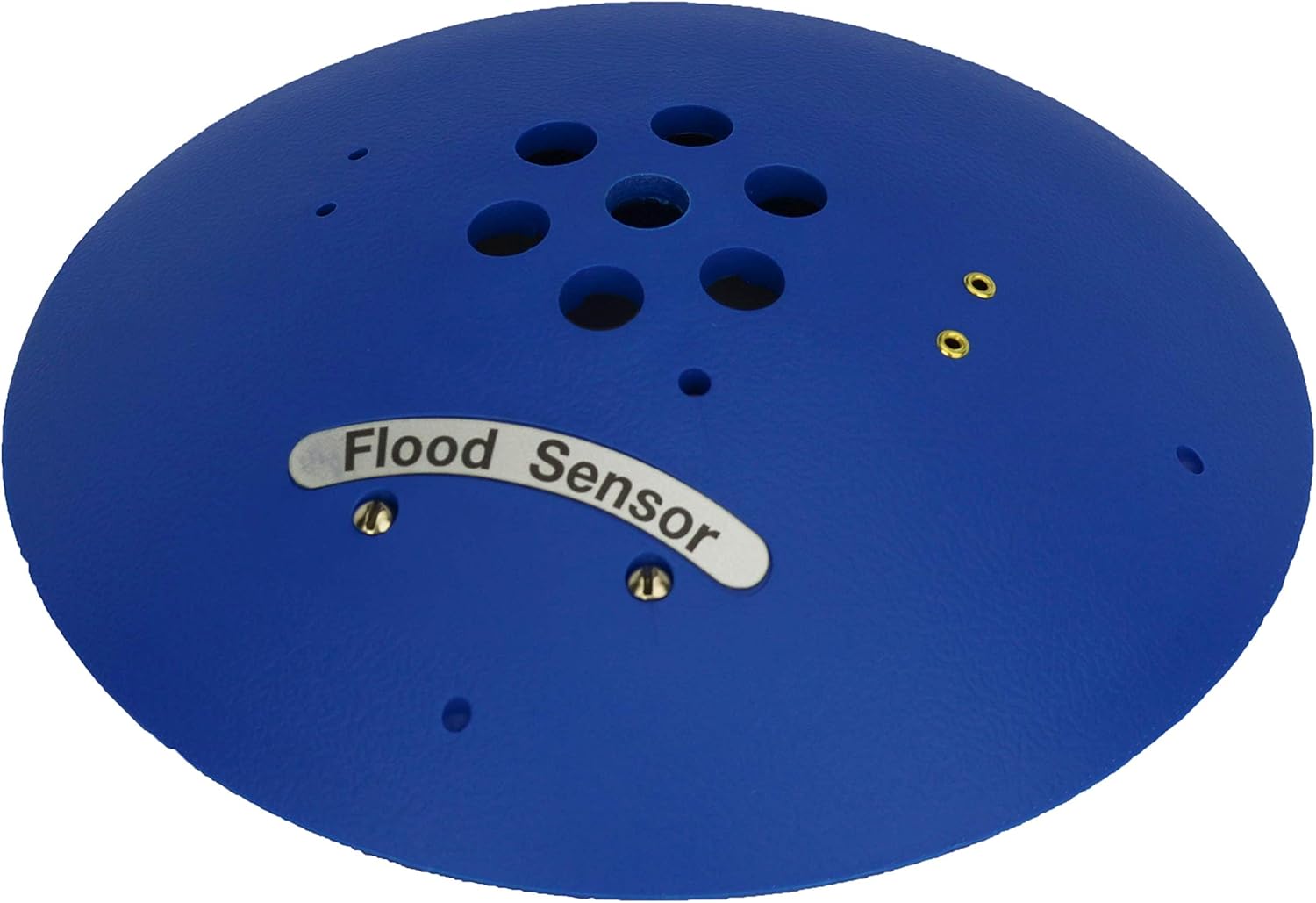
Are you confident that a small leak won’t turn into a costly disaster before you even know it?

Buy The Flood Sensor (Spot) On Amazon
First Impressions of the Flood Sensor (Spot) for Real-Time Recognition of Leaks
You’ll immediately notice how straightforward the Flood Sensor (Spot) is to get working with your Room Alert environment monitors. The product is designed for simple “Plug & Play” setup so you can have reliable leak detection active within minutes rather than hours.
What the Flood Sensor (Spot) Does
The Flood Sensor (Spot) gives you real-time recognition of water or flood at a primary location, so you don’t have to guess whether moisture is present. You’ll get alerts right away through your Room Alert system when the sensor detects water, which lets you act before damage spreads.
Real-time Recognition and Alerts
When water touches the sensor probes, the Flood Sensor (Spot) closes a circuit and immediately tells your Room Alert monitor that water is present. You’ll receive whatever notification pathway you’ve configured in Room Alert — email, SMS, SNMP, or third-party integrations — so you can respond quickly.
Intended Use and Ideal Environments
This sensor is ideal for server rooms, network closets, basements, mechanical rooms, kitchens, and anywhere water pooling could cause equipment damage. You’ll appreciate its low profile and the fact that it’s purpose-built for pinpointing the primary location of a leak.
Compatibility and Connectivity
You need the Flood Sensor (Spot) to be compatible with the rest of your monitoring system, and this sensor is explicitly designed to work with a broad list of Room Alert monitors and hubs. You’ll find it works with many Room Alert models and both WiSH and WiSPR hubs, making it flexible for different network setups.
Supported Room Alert Models
You can use this sensor with Room Alert monitors including 32S, 32E, 32W, 26W, 26WO, 24E, 12S, 12E, 11E, 7E, 4E, 3S, 3E & 3W. You’ll also find compatibility with the WiSH and WiSPR hubs, so wired and wireless hub-based deployments are supported.
Power and Wiring Requirements
The Flood Sensor (Spot) draws power from the Room Alert monitor itself, removing the need for separate batteries or AC power at the sensor location. You’ll use the included 25-foot 2-wire cable for connection, and you can extend that cable up to a maximum of 900 feet using compatible wiring standards.
What’s in the Box and Physical Specs
You’ll get the Flood Sensor (Spot) with its 25′ 2-wire cable included, ready to plug into a supported Room Alert monitor. The sensor is compact and unobtrusive, designed to sit on a floor or near a potential leak source without getting in the way of daily operations.
Cable and Extension Details
The included 25′ 2-wire cable gives you immediate placement flexibility, and you can extend that cable up to 900′ if you need to position the sensor far from the monitor. You’ll want to use proper gauge and wiring to maintain signal integrity when extending to longer distances.
Table: Quick Reference Specification Breakdown
This table gives you a consolidated look at the Flood Sensor (Spot)’s key specs so you can quickly assess fit for your environment.
| Feature | Details |
|---|---|
| Product Name | Flood Sensor (Spot) for Real-Time Recognition of Leaks |
| Primary Function | Real-time water/flood recognition at primary location |
| Setup | Easy “Plug & Play” with Room Alert monitors |
| Power Supply | Powered by the Room Alert monitor |
| Included Cable | 25′ 2-wire cable |
| Maximum Cable Extension | Up to 900′ (with appropriate wiring) |
| Compatible Devices | Room Alert 32S, 32E, 32W, 26W, 26WO, 24E, 12S, 12E, 11E, 7E, 4E, 3S, 3E, 3W; WiSH & WiSPR hubs |
| Alerts | Integrates with Room Alert alerting system (email, SMS, SNMP, integrations) |
| Placement | Floors, under equipment, near drains, HVAC pans, basements, kitchens |
| Typical Use Cases | Server rooms, networking closets, basements, mechanical rooms, under sinks |
Purchase Flood Sensor (Spot) — Amazon
Installation and Setup Experience
You’ll appreciate that installation is intentionally simple and doesn’t require specialized tools or deep technical knowledge. The “Plug & Play” nature means you just connect the sensor to a supported Room Alert monitor or hub and configure alert thresholds in Room Alert’s software.
Step-by-Step Setup Overview
First, you’ll physically place the sensor where you want to monitor for moisture, then connect the 2-wire cable to the monitor or hub input designated for contact or leak sensors. Finally, you’ll configure the sensor input in your Room Alert interface so notifications are issued when water is detected.
Practical Considerations During Setup
You’ll want to test the sensor after installation to verify the Room Alert monitor receives the signal and that alerts are sent to the correct recipients. You’ll also check cable routing to avoid tripping hazards and ensure the sensor is placed where water will reach it first, not behind obstructions.
Performance in Real-World Use
The Flood Sensor (Spot) is designed to recognize water quickly and reliably at the primary location, giving you timely alerts to address leaks. You’ll notice it isn’t trying to measure humidity or provide generalized moisture mapping — it’s focused on pinpoint leak detection.
Sensitivity and Response
The sensor detects conductive contact with water through its probes, meaning even a small amount of conductive fluid at the probes triggers the alert. You’ll get nearly instantaneous recognition, so your response window is lengthened to prevent catastrophic equipment damage.
Reliability and False Positives
You’ll find that false positives are uncommon when the sensor is installed properly because it relies on direct water contact for activation. However, you’ll want to consider environmental factors like condensation or temporary wet cleaning that could briefly trigger the sensor, and set up your notifications accordingly.
Placement Tips and Best Practices
Correct placement of the Flood Sensor (Spot) is essential so you’ll catch leaks early. You should place the sensor where water will naturally pool or where the leak will appear first, such as under a drip pan, at the base of a water line, or along a floor near potential leak sources.
Specific Location Examples
For server rooms, you’ll place the sensor along the floor beneath any raised floor tiles or near air conditioner drain lines. For basements, you’ll position it near sump pumps, water heaters, or low corners where water might enter. You’ll always place it where a leak would show up first, not tucked out of sight.
Mounting and Securing the Sensor
You can leave the Flood Sensor (Spot) free on the floor or secure it with non-invasive adhesives or mounting hardware if needed to keep it from moving. You’ll make sure the cable is routed safely, avoiding high-traffic paths to prevent damage or accidental disconnection.
Integration with Room Alert Monitoring Software
When you plug this sensor into a Room Alert monitor, you’ll configure alerts and thresholds within the Room Alert web interface or software platform. You’ll be able to define who gets alerted, how alerts are sent, and escalation procedures so your team reacts quickly.
Alerting Options and Notification Flows
Room Alert supports email, SMS, SNMP traps, webhooks, and integration with third-party systems, so you’ll have multiple channels to receive leak alerts. You’ll set up primary contacts and escalation lists to ensure that if someone doesn’t respond, the next person is notified automatically.
Using the Sensor Alongside Other Environmental Data
You’ll often use this sensor alongside temperature, humidity, and power monitoring to get a full picture of environmental threats. When used together, you’ll see trends and correlations that help you prevent future leaks or address causes such as failing HVAC systems.
Maintenance and Longevity
You’ll find the Flood Sensor (Spot) requires minimal maintenance beyond occasional testing to confirm operation and ensuring the cable and probe remain clean. The lack of onboard batteries reduces maintenance chores and makes long-term monitoring simpler.
Cleaning and Testing Routine
You’ll test the sensor periodically by applying a small amount of water to the probes to confirm it registers and triggers alerts in Room Alert. You’ll also keep the probes free of debris and corrosion so detection remains consistent over time.
Expected Lifespan and Durability
Because the sensor contains few moving parts and is powered by the monitor, you’ll get a long useful life as long as it’s not physically damaged or exposed to conditions beyond its design. You’ll expect typical commercial-grade sensor longevity measured in years with proper care.
Troubleshooting Common Issues
If the sensor isn’t triggering alerts, you’ll go through a few simple checks to diagnose the problem. You’ll verify wiring connections, test the sensor probes with water, and confirm the Room Alert monitor’s sensor input is enabled and configured correctly.
Connectivity Problems
When the monitor doesn’t see the sensor, you’ll first inspect the 2-wire cable for damage and check the connection at both ends. You’ll also confirm that any cable extension was done with proper wiring gauge and that the total length doesn’t introduce signal issues.
False or Intermittent Alerts
If you receive intermittent or false alarms, you’ll look for environmental causes like condensation, cleaning operations, or movement of the sensor. You’ll also ensure the probe contacts aren’t bridged by conductive residues or salt deposits that could mimic water contact.
Pros and Cons
You’ll want a clear sense of advantages and limitations before purchasing, and this sensor offers many benefits along with some constraints depending on your needs.
Pros
- You’ll enjoy simple Plug & Play setup with Room Alert hardware.
- You’ll get immediate, real-time detection of water at the sensor location.
- You’ll benefit from compatibility across many Room Alert models and hubs.
- You’ll appreciate that the monitor powers the sensor, eliminating the need for extra power sources.
- You’ll have flexibility with a 25′ included cable and extendability up to 900′.
Cons
- You’ll need a compatible Room Alert monitor or hub; the sensor doesn’t operate standalone.
- You’ll rely on direct contact detection, so it won’t warn you of increased humidity or remote leaks away from the probe location.
- You’ll have to plan cable routing if you need to extend to the sensor location, which can introduce installation complexity.
Comparison with Other Leak Detection Options
You’ll find different leak detection technologies on the market, including rope sensors, spot sensors, and wireless multi-point systems. The Flood Sensor (Spot) is a focused spot sensor that’s ideal when you need precise leak location detection rather than broad-area detection.
Spot Sensor vs. Rope Sensor
A rope sensor helps you detect leaks across a larger area because it senses wherever moisture contacts its length, while the Flood Sensor (Spot) gives you a precise point of detection. If you need a specific location monitored, you’ll prefer the Spot; if you need perimeter monitoring around a rack or long drain, you’ll consider rope sensors.
Wired vs. Wireless Solutions
Wired sensors like the Flood Sensor (Spot) offer reliable, low-latency detection with no battery maintenance, which you’ll value for mission-critical equipment. Wireless options reduce cabling but can introduce battery upkeep and potential signal reliability concerns in RF-challenging environments.
Where the Flood Sensor (Spot) Shines
You’ll find the Flood Sensor (Spot) particularly valuable under equipment, on raised floors near cable entries, beneath air handlers, and next to water heaters or condensate pans. It shines in places where a single, defined detection point can prevent a small issue from becoming a major incident.
Use Cases by Industry
In IT and data centers, you’ll protect servers and network gear by placing the sensor near potential water intrusion points. In facilities management and mechanical rooms, you’ll place it near boilers, chillers, and pump rooms. In commercial kitchens and retail backrooms, you’ll monitor around dishwashers, sinks, and grease traps.
Cost Considerations and ROI
You’ll weigh the sensor’s cost against the potential cost of water damage to equipment, downtime, and data loss, and in many cases you’ll find the return on investment is clear. Preventing a single serious incident can cover multiple sensors’ purchase and installation costs, especially in high-value environments.
Long-Term Savings
You’ll save on cleanup, replacement, and lost productivity when you catch leaks early, and you’ll also reduce the risk of corrosion and progressive damage to critical infrastructure. You’ll often find that a well-placed spot sensor is a small fraction of the potential remediation costs in the event of a flood.
Purchasing and Deployment Advice
When you buy the Flood Sensor (Spot), you’ll plan where to place each unit, how many you need, and whether you’ll use wired extensions to reach hard-to-access spots. You’ll ensure you have a compatible Room Alert monitor or hub before purchasing.
Planning Sensor Count and Placement
You’ll map areas where water is likely to appear and choose sensor locations accordingly, prioritizing points that protect the most critical assets. You’ll consider grouping sensors with other environment monitors to simplify management and alert routing.
Working with Installers and IT Staff
You’ll coordinate with facilities and IT teams to ensure cable runs, power access, and alerting procedures meet your operational requirements. You’ll also document sensor placements and test schedules so that ongoing maintenance is clear to on-site staff.
Security and Data Considerations
You’ll ensure your Room Alert system is secured so that sensor alerts aren’t spoofed or lost, and you’ll follow best practices for network security on devices and hubs. You’ll also track alerts and logs to support incident analysis and continuous improvement.
Network Best Practices
You’ll place Room Alert monitors and hubs on secure network segments with proper access control and firmware updates to minimize vulnerabilities. You’ll enforce password policies and limit access to the monitoring platform to authorized personnel.
Audit Trails and Record Keeping
You’ll maintain logs of triggers and responses so you can analyze patterns and improve preventive measures. You’ll use those records in post-incident reviews to reduce recurrence and show compliance with internal policies.
Frequently Asked Questions (FAQ)
You’ll likely have specific questions about the Flood Sensor (Spot), and this FAQ answers common practical concerns so you’ll be confident in purchase and deployment.
Can the sensor detect non-conductive liquids?
No, the Flood Sensor (Spot) relies on conductivity between its probes, so you’ll find it detects conductive liquids like tap water and many common contaminated fluids. You’ll need specialized sensors for non-conductive fluid detection.
How do I extend the cable and what are the limits?
You can extend the included 25′ 2-wire cable up to 900′ using proper gauge wire and connections. You’ll ensure that the extension maintains signal quality and that connections are secure and weather-protected if run externally.
Will the sensor work with other brands of monitors?
The Flood Sensor (Spot) is specifically designed for Room Alert monitors and hubs; you’ll get guaranteed compatibility with the listed Room Alert models and WiSH/WiSPR hubs. You’ll need to verify compatibility or use appropriate interface hardware if you attempt integration with non-Room Alert systems.
What happens during power loss at the Room Alert monitor?
If the Room Alert monitor loses power, the sensor won’t be able to notify you until power is restored or you have an alternate alert method. You’ll consider redundant power options for critical installations, such as UPS systems, to maintain monitoring continuity.
Final Recommendations
If you’re using Room Alert monitors and need a dependable, low-maintenance sensor to detect water at a specific location, you’ll find the Flood Sensor (Spot) to be an excellent choice. You’ll get fast, reliable recognition of water, easy setup, and broad compatibility with Room Alert ecosystems.
Purchase Considerations
You’ll buy this sensor if you value prompt and precise leak detection with minimal upkeep and if you already use or plan to use Room Alert monitoring equipment. You’ll ensure good placement planning and periodic testing for long-term effectiveness.
Ongoing Use and Best Practices
You’ll integrate this sensor into your monitoring and response plans so that alerts translate into quick actions and minimized damage. You’ll test regularly, keep cables and probes clean, and ensure Room Alert notifications are configured correctly for the right responders.
Summary of Key Points
You’ll appreciate the Flood Sensor (Spot) for its simple Plug & Play setup, real-time water recognition, and compatibility with many Room Alert models and hubs. You’ll find it effective for focused leak detection in critical areas and cost-effective in preventing water-related downtime and damage.
Closing Thought
You’ll gain peace of mind knowing that small leaks won’t silently become major problems, provided you position the Flood Sensor (Spot) where it matters and pair it with a robust Room Alert notification plan. You’ll be ready to react quickly if water is detected, saving time, money, and potential downtime.
Get Flood Sensor (Spot) Now On Amazon
Disclosure: As an Amazon Associate, I earn from qualifying purchases.