
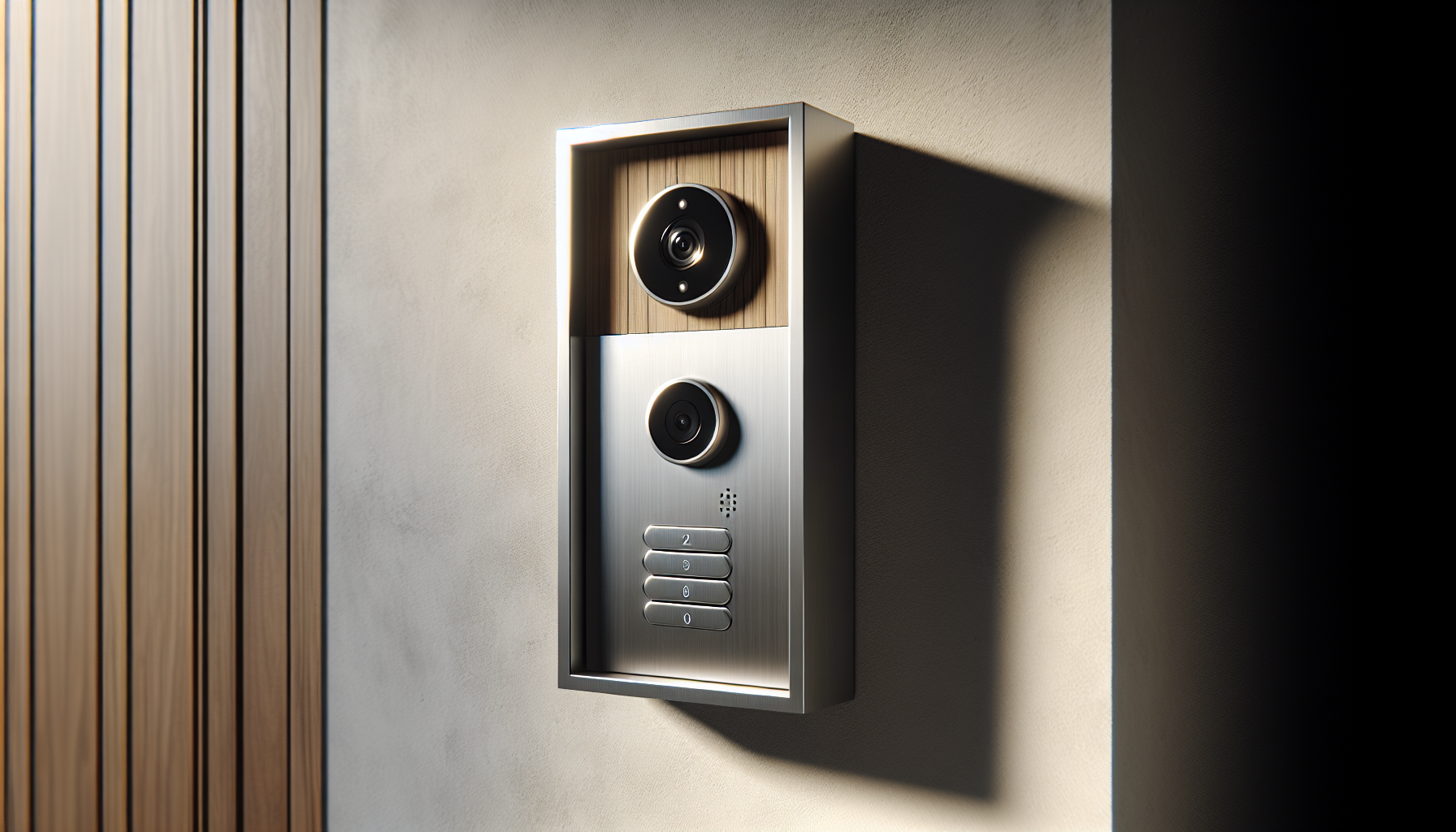
Looking for a reliable smart doorbell system that gives you remote access, keypad control, and a solid indoor monitor?
Buy GBF Smart Video Door Phone & Doorbell Kit On Amazon
First impressions
When you unbox the GBF Smart Video Door Phone & Doorbell Intercom System Kit,1080P HD, Smart Keypad, One 7″ Touch Monitor (One 3rd gen IP Door Station PL963PMBL-POE and one Upgraded IP Indoor Monitor MR930), you’ll immediately notice the solid build and professional look. The brushed aluminum faceplate and all-metal back box feel premium, and the 7″ touch monitor looks modern on an entryway table or wall mount.
Get The GBF Smart Video Doorbell Kit
GBF Smart Video Door Phone & Doorbell Intercom System Kit,1080P HD, Smart Keypad, One 7
What’s included and packaging
You’ll find the outdoor station (PL963PMBL-POE), the indoor monitor (MR930), a 12V DC adapter, mounting hardware, and basic cabling in the box. The components are well protected, and the manual gives a good starting point for installation. If you plan to run Ethernet, PoE gear or a wired bridge, make sure you have those extra accessories handy.
Product snapshot (quick specs)
This table breaks down the main specs so you can see what you’re getting at a glance.
| Feature | Specification |
|---|---|
| Model | PL963PMBL-POE (Outdoor), MR930 (Indoor Monitor) |
| Camera | 1080P HD, ONVIF dual-stream |
| Field of View | 160° wide angle |
| Night Illumination | IR/LED illumination for low light |
| Monitor | 7″ touch screen (upgraded MR930) |
| Power | 12VDC 1A adapter included; supports PoE |
| Connectivity | PoE, Wired Ethernet, WiFi (recommended wired or WiFi bridge) |
| Relays | 2 SPDT relays (Lock1 operable via monitor; both via app) |
| Keypad | Smart keypad with PINs (temporary/permanent) |
| App | iOS & Android, push notifications, event timeline |
| Motion Detection | Configurable area, sensitivity, schedule |
| Event Log | 1 week in App/Monitor timeline, video clips |
| Weatherproof | IP65 rated |
| Warranty | 1-year manufacturer’s warranty |
| Subscription | No subscription fees for basic features |
Key features overview
You’ll appreciate that this system combines video, intercom, keypad access, and smart notifications in one package. It’s targeted at homeowners and small offices that want local control without mandatory cloud subscriptions. The integration between the door station, mobile app, and indoor monitor is the system’s core strength.
Video and audio quality
The 1080P HD camera delivers clear images during the day, and the 160° wide angle gives you a good view of visitors without a fisheye distortion. Audio is two-way and sufficiently loud for front-door conversations; background noise is managed reasonably well. Low-light performance is helped by illumination LEDs, so you’ll still get recognizable facial details in dim conditions. Keep in mind that 1080P streaming requires decent upload speed on the network feeding the PL963PMBL-POE.
Motion detection and notifications
You can configure motion detection from the App, choosing sensitivity, active times, and defining the area of interest. This means you can exclude busy sidewalks or streets and focus detection on your gate or porch. Push notifications arrive on your iOS or Android device and you can view live video directly. The system stores a one-week event log in the App and on the monitor that shows timeline events and video clips for ring-ins, keypad unlocks, app unlocks, and motion triggers.
Smart keypad and access control
The Smart Keypad is a major convenience if you allow regular visitors, cleaners, or delivery staff to enter. You’ll program PIN codes through your phone: create permanent codes for family members, temporary codes for guests, and single-use codes for one-off access. You can also schedule automatic gate opening during specific days or hours through the app. This gives you granular control without handing out physical keys.
Installation and setup
You’ll want to plan mounting and power first. If you run an Ethernet cable and use PoE, installation is more reliable and you avoid additional power lines. The included 12V adapter is handy for temporary setups or where PoE isn’t available. Setup typically follows these steps:
- Mount the outdoor station and run wiring (power or Ethernet).
- Power up the devices and install the GBF app on your phone.
- Add the door station in the app via QR code or device discovery.
- Pair the indoor MR930 monitor as instructed.
- Configure motion zones, keypad PINs, and relays for locks.
- Test unlocking, monitoring, and push notifications.
Expect the app connection and basic setup to take minutes if your network is ready; wired setups are faster and more consistent than random WiFi connections.
Network requirements and recommendations
Because the outdoor camera streams 1080P video, your upload speed at the location should be decent to avoid lag and dropped frames. For smooth live view and notifications, aim for at least 3–5 Mbps upload dedicated to the door station, though higher is better if multiple streams will be used simultaneously. The product explicitly recommends a hardwired Ethernet connection or a WiFi bridge for robust performance — don’t rely on weak or spotty WiFi.
If you want remote access from anywhere, ensure your router and network provide stable outbound connections. Using PoE via a reliable switch or injector simplifies power and networking. If you control your home network, consider putting the door station on a separate VLAN for security.
Power options: PoE vs 12V adapter vs WiFi bridge
You get flexible power choices, and each has pros and cons:
- PoE (recommended): Simple single-cable solution for power and data, reliable, and ideal for higher-quality video streaming. Use a PoE injector or switch.
- 12V DC adapter (included): Useful for locations without PoE. Easy to set up but requires an extra power outlet.
- WiFi bridge: Useful when running Ethernet is impossible. Works if you have a strong, dedicated WiFi link; otherwise it’s less reliable.
PoE is the best option if you can run cable; it reduces points of failure and avoids WiFi interference issues.
Indoor monitor (MR930) experience
The 7″ MR930 indoor monitor is easy to read and responsive to touch. You’ll use it for local answering, unlocking (Lock1), viewing recorded events, and changing some device settings. The always-on blue backlight makes nighttime use easy, and the onboard timeline gives quick access to recent activity. Note that only Lock1 is directly operable from the monitor; for controlling a second relay you’ll use the app.
App experience (iOS/Android)
The GBF app is the control center for the system. It pushes alerts, shows live video, allows two-way talk, and stores a one-week event log with video clips. You’ll configure motion detection, keypad codes, and lock schedules through the app. Multiple clients can connect to a single doorbell, and multiple doorbells can be managed together, which makes the app versatile for households or small multi-property setups. In practice the experience is smooth when the network and device firmware are current.
Security and privacy considerations
You’ll want to change any default passwords and keep firmware updated to guard against vulnerabilities. The system supports ONVIF, which lets you integrate with local NVRs and avoid relying solely on cloud storage. Because the App keeps a week of events, consider using local recording or your own NAS/NVR for longer retention. Secure your WiFi with a strong WPA2/WPA3 password and, if possible, segregate the door station on its own network segment.
Integration and compatibility
With ONVIF dual-stream support, you can integrate the PL963PMBL-POE with many third-party NVRs and existing security systems. This lets you centralize video storage and take advantage of more advanced recording features. It also integrates seamlessly with the GBF MR930 monitor and supports multiple app clients. If you have existing chimes, the normally-open dry-contact relay activates on bell press so you can retain traditional audio alerts as well.
Relays, locks, and physical door control
The outdoor station includes two SPDT relays that you can wire to door strikes or gate operators. From your mobile app you can trigger both relays; from the indoor MR930 monitor you can only trigger Lock1. You can also use an optional push-to-exit button for local egress. Wiring is straightforward, but make sure your lock power requirements match the relay and power supplies you use. If you connect electric strikes, verify voltage compatibility and ensure fail-safe/fail-secure behavior matches your security needs.
Durability and weatherproofing
You’ll get a robust product: premium brushed aluminum faceplate and an all-metal back box with an IP65 rating. That means it’s built to hold up to heavy rain and standard outdoor conditions. The keypad has an always-on blue backlight to make it usable at night, and the faceplate resists wear. For coastal or very harsh environments, consider additional corrosion protection just in case.
Practical use cases
You can use this kit in a variety of situations:
- Residential entry with keypad codes for family and regular visitors.
- Small office or boutique storefront with remote unlocking for delivery staff.
- Gated properties where scheduled open times for cleaners or deliveries make life easier.
- Integrating with a local NVR for continuous recording without cloud fees.
The flexibility of PIN schedules and relay control means you can design access workflows around your daily needs.
Troubleshooting and tips
If you run into problems, try these steps:
- Prefer PoE or wired Ethernet for stability; if using WiFi, use a dedicated bridge with strong signal.
- Verify firmware on both the door station and monitor; update if needed.
- Reboot the devices and router if the app won’t connect.
- Check upload speed at the door location; low upload can cause choppy video.
- If motion alerts are too noisy, tighten the detection zone and lower sensitivity.
- When integrating with an NVR, confirm ONVIF credentials and stream settings (main stream for recording, sub-stream for remote mobile viewing to reduce bandwidth).
These practical fixes usually resolve common issues fast.
Setup checklist (step-by-step)
Follow this concise checklist to avoid common pitfalls:
- Choose PoE or 12V power and gather any PoE injector or switch.
- Mount and secure the door station at the correct height and angle.
- Run Ethernet cable or set up a high-quality WiFi bridge.
- Power on the door station and indoor MR930 monitor.
- Install the GBF app and register your account on iOS/Android.
- Add the outdoor unit through the app (QR code or discovery).
- Pair the MR930 monitor following the app instructions.
- Configure motion detection zones, schedules, and sensitivity.
- Create and test keypad PINs and timed access codes.
- Wire and test lock relays and optional exit button.
- Test remote access, push notifications, and recorded events.
If you follow these steps, your system should be fully operational and secure.
Performance in everyday conditions
In daily use you’ll find the system very practical: visitors ring, you get a push-notification, and you can answer from the MR930 or your phone whether you’re in the living room or traveling. Motion alerts are useful for package detection and security monitoring, though like any camera-based motion system it works best when you configure zones to avoid false alarms. Video quality is sharp for face recognition, and two-way audio keeps conversations clear for most environments.
Pros and cons
You’ll want to weigh the strengths and limitations before buying.
Pros:
- 1080P ONVIF camera with wide 160° view.
- Smart keypad with robust PIN management and scheduling.
- PoE support for simple wiring and reliability.
- No subscription required for basic features.
- Dual relays for flexible lock/gate control.
- Solid build quality and IP65 rating.
Cons:
- One-week event log retention in the app by default; longer storage requires integration with NVR or external storage.
- WiFi-only setups can be less reliable; hardwired recommended.
- Only one lock is controllable directly from the indoor monitor.
- Performance depends on good upload speed for 1080P streaming.
Comparison with competitors
Compared to consumer-focused brands that push cloud subscriptions, this GBF kit emphasizes local control and ONVIF compatibility. If you want a system that integrates with existing NVRs and avoids recurring cloud fees for basic operation, you’ll appreciate GBF’s approach. The inclusion of a dedicated indoor monitor sets it apart from purely app-only doorbells. If you prefer entirely wireless battery-powered options, GBF isn’t that category — it’s more of a semi-professional, wired-capable solution.
Who this is best for
This system is well-suited if you:
- Want keypad access control combined with a video door station.
- Need a wired/PoE option for reliable connection.
- Prefer local recording options and ONVIF compatibility.
- Want a physical indoor monitor in addition to mobile access.
- Manage a small office, rental property, or a home where scheduled access matters.
If you live in an apartment without easy wiring or want a battery doorbell, this might be more than you need.
Maintenance and firmware updates
You should check for firmware updates periodically through the app or GBF support. Keep the camera lens clean for best image quality and inspect mounting to ensure weather seals remain intact. If you integrate with an NVR, make sure your recording device’s firmware and storage health are also maintained. These simple steps will keep the system healthy and secure.
Privacy considerations
You’re in control of where video is stored: use local NVRs to maintain data within your own network, or rely on the app’s short-term logs if convenience is more important. Disable any unnecessary remote services you don’t use, and keep account credentials strong. If you have visitors or tenants, make them aware of video recording practices to stay compliant with local privacy rules.
Integration with existing chimes and systems
If you have a traditional indoor chime, the PL963PMBL-POE provides a normally-open dry-contact relay that activates when someone presses the bell. This makes it easy to keep your existing chime while upgrading to video and keypad access. For more complex integrations like third-party alarm systems, ONVIF support and relay outputs give you possibilities, but check compatibility with your alarm panel first.
Troubleshooting common scenarios
- No push notifications: confirm app permissions, background app refresh, and that the device has internet access.
- Choppy video or lag: check upload speed at the door, switch to wired PoE, and reduce mobile stream quality.
- Keypad not unlocking: verify relay wiring, power to the lock, and that the keypad PIN was entered correctly.
- Multiple clients not connecting: ensure each client has the right device credentials and check simultaneous connection limits in the manual.
If basic troubleshooting doesn’t resolve the issue, reach out to GBF support for firmware or device-specific help.
Warranty and support
The system includes a 1-year manufacturer’s warranty. You’ll want to register your product and keep proof of purchase in case you need support. For extended peace of mind, set a reminder to check firmware and perform periodic tests during the warranty period so any manufacturing issues surface early.
Final verdict
If you want a flexible, network-capable video door phone with keypad access and a dedicated indoor monitor, the GBF Smart Video Door Phone & Doorbell Intercom System Kit,1080P HD, Smart Keypad, One 7″ Touch Monitor (One 3rd gen IP Door Station PL963PMBL-POE and one Upgraded IP Indoor Monitor MR930) delivers strong value. You’ll get robust hardware, versatile power and networking options, and features that suit homeowners and small businesses who want local control without mandatory subscription fees. Make sure you plan for PoE or a good WiFi bridge and adequate upload bandwidth to get the most reliable performance.
If you want, I can walk you through a personalized network checklist for your home to help determine whether PoE, wired Ethernet, or a WiFi bridge will work best for your installation. Which option are you considering?
Shop GBF Smart Video Door Phone On Amazon
Disclosure: As an Amazon Associate, I earn from qualifying purchases.