
Are you ready to see whether the Google Nest Learning Thermostat (4th gen) + Nest Temperature Sensor (2nd gen) – Silver is the right upgrade for your home comfort and energy bills?

Product overview
You’re looking at Nest’s smartest thermostat yet, designed to learn your behavior and help you save energy while keeping your home comfortable. The package includes the Learning Thermostat (4th gen) in a silver finish and a Nest Temperature Sensor (2nd gen) so you can manage temperatures room-by-room.
What’s in the box
You’ll find the Google Nest Learning Thermostat (4th gen), the Nest Temperature Sensor (2nd gen), a baseplate and wall screws, a trim plate, and basic installation instructions. The kit also includes stickers and labels for wiring, and you’ll use the Google Home app for setup and ongoing control.
Physical design and display
You’ll notice a more modern, refined design with a 60% larger display than previous models for easier reading from across the room. The Dynamic Farsight feature lights up to show priority information like the current temperature, time, or weather when you approach, and the ring and display automatically adjust brightness for better readability.

Google Nest Learning Thermostat (4th gen) + Nest Temperature Sensor (2nd gen) - Silver
$271.99 Only 17 left in stock - order soon.
Key features and how they affect your daily life
You should understand how each core feature translates into daily convenience and potential savings so you can evaluate whether this thermostat fits your routine. Below are the major capabilities and what they mean for you.
Learning and scheduling behavior
The thermostat learns your heating and cooling preferences by observing how you adjust temperatures over time, and it creates a schedule so you don’t have to program it manually. You’ll still be prompted to approve schedule changes, which gives you control while letting Nest suggest energy-saving adjustments.
Dynamic Farsight and the larger display
You can glance from across the room and see the temperature, time, or weather thanks to the larger screen and Dynamic Farsight. This is helpful when you want quick information without walking over to the thermostat or pulling out your phone.
Adaptive Eco and natural heating/cooling
Adaptive Eco helps your thermostat choose energy-saving temperatures when you’re away by taking outdoor temperature into account, and the newer natural heating and cooling feature learns how outdoor conditions such as sunlight affect your indoor temperature. That means Nest can pause your HVAC at strategic times to avoid unnecessary heating or cooling, potentially cutting costs.
Nest Temperature Sensor support
You can place the included Nest Temperature Sensor in a room that tends to run hot or cold and tell the thermostat to use that sensor’s reading at certain times. This gives you better control over hot and cold spots, so the bedrooms, home office, or living room stay comfortable when it counts.
Compatibility and installation flexibility
The thermostat works with most 24V systems — gas, electric, oil, forced air, heat pump, and radiant — and in most homes you won’t need a C wire for installation. You should check the Nest Compatibility Checker before buying so you know your system is supported and whether a C wire is required for your specific setup.
Google Home app and voice control
You’ll control the thermostat from the Google Home app wherever you are and can also use voice commands with Google Assistant, Alexa, or Siri. Remote control means you can change temperatures, check energy history, and accept schedule changes from your phone.
Matter compatibility and smart home integration
Matter compatibility makes it simpler to integrate the thermostat into a broader smart home ecosystem, and it plays well with devices that support the standard. If you’re building a smart home that uses multiple vendors, Matter helps reduce friction when adding Nest to your setup.
Notifications and permission-based schedule changes
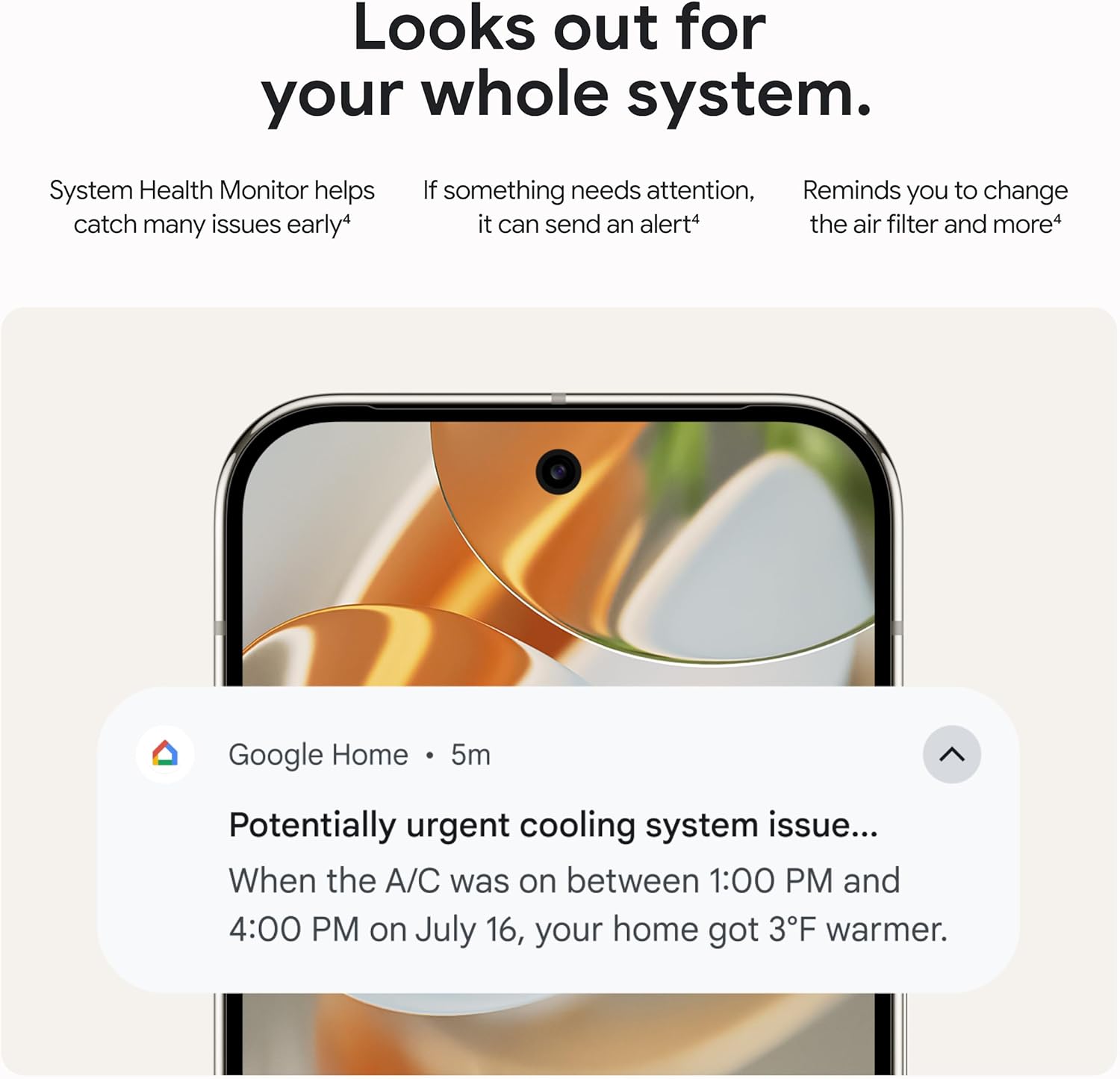
Nest asks for permission before making schedule changes and sends notifications to the Google Home app so you can see what it proposes and accept with a tap. That means you don’t lose control as the thermostat optimizes and suggests changes aimed at saving energy.
Installation and setup
You’ll find installation straightforward if you’re comfortable with a bit of DIY, and Google provides clear instructions and the app walks you through setup step by step. If you prefer, a professional installer can complete the setup, especially if your wiring is nonstandard.
Wiring and C-wire considerations
In most homes the thermostat does not require a C wire, but some systems or older wiring may need one for reliable power. Before you start, use the Nest Compatibility Checker or check your furnace wiring to see whether a C wire is required for your setup.
How to install the thermostat yourself
You’ll remove your old thermostat, label wires, attach the Nest base, connect wires to the labeled connectors, and mount the thermostat display on the base. The Google Home app will walk you through the wiring and configuration steps, so you can confirm each connection and complete calibration.
Setting up the Nest Temperature Sensor
You’ll put the sensor in the room you want the thermostat to consider and pair it through the Google Home app. After pairing, you’ll choose which sensor to use and when it should set the target temperature (for example, assign the sensor to bedrooms during sleep hours).
Using the Google Home app for setup and ongoing control
You’ll use the app for initial setup, linking the thermostat to your Wi-Fi network and account, and for managing schedules and settings. The app also lets you check energy history, receive notifications, and accept suggested schedule changes.

Performance and energy savings
You should expect the thermostat to learn and adapt over a few weeks, and Google cites average savings of about 12% on heating and 15% on cooling. Real-world savings depend on your climate, HVAC system efficiency, and thermostat usage patterns, but users commonly report noticeable reductions in energy usage.
How learning improves comfort and savings
The more you adjust your thermostat and use the system, the better Nest gets at predicting your comfortable temperatures and when to change them. By automating routine temperature adjustments and pausing heating or cooling when outside conditions make it less necessary, the thermostat reduces runtime without compromising comfort.
Adaptive Eco and outside temperature awareness
Adaptive Eco uses outdoor temperature data to pick an energy-saving setpoint while you’re away, and it can bring the home back to a comfortable temperature within about an hour of return. This is useful if your home quickly warms up in sunlight or if certain weather patterns affect indoor temperatures significantly.
Measuring savings and energy history
You can review energy history in the Google Home app to track runtime, heat/cool cycles, and changes the thermostat recommends. Looking at history helps you understand whether Nest’s learning is actually cutting your energy usage and identify unusual behavior from your HVAC system.
Table: Quick specs, compatibility, and savings at a glance
You can use this table to quickly compare key points and decide whether the product meets your needs. It summarizes the most relevant information for quick decision-making.
| Feature | Details |
|---|---|
| Product | Google Nest Learning Thermostat (4th gen) + Nest Temperature Sensor (2nd gen) – Silver |
| Display | 60% larger display, Dynamic Farsight, auto-brightness |
| Compatibility | Most 24V systems: gas, electric, oil, forced air, heat pump, radiant |
| C-wire | Not required for most homes; check Nest Compatibility Checker |
| App Control | Google Home app (remote control) |
| Voice Control | Works with Google Assistant, Alexa, Siri |
| Smart Home Standard | Matter compatible |
| Included Sensor | Nest Temperature Sensor (2nd gen) — room-specific temperature control |
| Average Savings | ~12% heating, ~15% cooling (actual savings vary) |
| Adaptive features | Adaptive Eco, natural heating and cooling (learns outdoor influence) |
| Installation | DIY-friendly with step-by-step app guidance or professional install option |
Design and hardware details
You’ll appreciate the premium look and tactile feel of the thermostat, with a slick metal ring and crisp display that fits modern décor. The physical controls (the ring) remain intuitive — you can rotate and press like previous Nest models but with clearer visual feedback.
Materials and finish
The silver finish is designed to be neutral and complement most interiors so it won’t clash with your wall colors or furniture. The display glass and metal ring are built to feel substantial yet refined, not cheap.
Display clarity and responsiveness
The larger display and Dynamic Farsight ensure that information is readable at a distance, and the touchscreen/rotating ring input is responsive so you won’t be frustrated when making quick setpoint changes. You can also choose how the display presents info (clock, weather, temperature) for a personalized experience.

Sensors and managing hot/cold spots
The included Nest Temperature Sensor helps you avoid the all-too-common problem of one room being too hot or cold compared to the rest of the house. By assigning the sensor to specific time blocks or rooms, you tell the thermostat which reading to prioritize when you care most.
How to use multiple sensors
If you buy additional sensors, you can set the thermostat to use different sensors at different times of day, for example bedrooms at night and living areas during the day. This flexibility allows you to customize comfort for different routines without constantly adjusting the thermostat manually.
Sensor range and placement tips
You’ll want to place the sensor at typical height and location in the room — away from windows, vents, and direct sunlight — for the most accurate representation of the room’s temperature. Keep sensors within wireless range of the thermostat and Wi-Fi to ensure reliable communication.
App experience and voice control
You’ll likely use the Google Home app as your primary control method since it centralizes schedules, energy history, and notifications. Voice control offers quick adjustments, and you can use your preferred assistant for hands-free temperature changes.
Managing schedules and accepting changes
You’ll receive notifications when Nest proposes schedule changes and can accept or reject them in the app with a tap, which keeps you in control while taking advantage of the thermostat’s learning. The app also lets you manually edit the schedule if you prefer hands-on control.
Third-party voice assistant support
If you already use Alexa or Siri in your home, the thermostat’s compatibility with multiple voice assistants makes it easy to integrate without switching ecosystems. You’ll be able to issue simple commands like “set the living room to 72 degrees” and have the thermostat respond accordingly.
Matter support and smart home integration
You’ll find Matter compatibility useful if you plan to grow a smart home with devices from different manufacturers. Matter reduces friction when you add, control, and automate devices by using a common language between ecosystems.
Benefits of Matter compatibility
Because the thermostat is Matter compatible, you’ll see improved interoperability as more devices adopt the standard, and you’ll be able to use consistent automations across platforms. This is valuable if you want to trigger HVAC responses from sensors, routines, or other smart devices.
What to expect with integrations
You’ll be able to tie Nest into larger automation scenarios, like adjusting the thermostat when you lock the front door or when certain occupancy triggers happen. Expect smoother workflows as Matter adoption increases among accessories and hubs.

Real-world testing: comfort, responsiveness, and reliability
You should expect the thermostat to behave consistently after the initial learning period, with responsive adjustments to manual changes and reliable app connectivity. Users consistently report a polished experience, though exact performance depends on Wi-Fi stability and HVAC system condition.
Response to manual overrides
When you manually change the temperature, Nest respects that choice and adapts future recommendations accordingly. If you override the schedule occasionally, the thermostat learns and updates the automatic schedule to better match your behavior.
Reliability and firmware updates
Google regularly pushes firmware updates that can add features or improve stability, so you’ll want to keep the device connected and up to date. Firmware updates and cloud services are part of the modern smart thermostat experience and help maintain compatibility with new smart home standards.
Pros and cons
You’ll want a balanced view before buying, so consider both the strengths and areas that could be better for your needs.
Pros
- You’ll get a premium-looking thermostat with a large, easy-to-read display and Dynamic Farsight.
- The learning algorithms and Adaptive Eco help cut energy use while maintaining comfort.
- The included temperature sensor gives you room-by-room control and reduces hot/cold spot complaints.
- Matter compatibility and voice assistant support help integrate the thermostat into your broader smart home.
- Most 24V systems are supported, and many homes won’t need a C wire.
Cons
- Actual savings vary by home and habits, so your mileage may differ from quoted averages.
- If your system needs a C wire or you have unusual wiring, you may need a professional install.
- Dependence on cloud services and app-based controls means you’ll need reliable Wi-Fi for the best experience.
- The upfront cost is higher than basic programmable thermostats, though many users consider the long-term savings and convenience worth it.
Who should buy this thermostat
You should consider this thermostat if you want a smart, stylish device that actively learns and can save energy without constant input from you. It’s especially well-suited for those who already use or plan to use a smart home ecosystem with voice assistants and want Matter compatibility for future-proofing.
Who might want to wait or choose something else
If you want the cheapest possible thermostat without smart features, a basic programmable or non-learning smart thermostat might be a better fit. Also consider waiting if your home’s wiring or HVAC compatibility is uncertain until you’ve confirmed support with the compatibility checker or an HVAC professional.
Placement, configuration, and usage tips
You’ll get the best results by placing the thermostat in a central, representative location and by using the sensor to manage rooms that don’t reflect the main thermostat’s readings. Below are practical tips to make the most of the device.
Best thermostat placement
You’ll want the thermostat away from drafts, direct sunlight, and heat sources like radiators or ovens so it measures a temperature that reflects typical room conditions. Mount it at a comfortable eye level and avoid hallways that don’t represent main living spaces.
Using the additional sensor effectively
You should place the temperature sensor in the room where you spend most of your time during a target period (e.g., bedrooms at night). Assign time blocks in the app so the thermostat uses the sensor readings at the right times.
Scheduling and vacation modes
You’ll likely save more by allowing Nest to learn your schedule, but you can also set short-term changes for vacations or unusual routines via the app. Using Vacation mode or schedule overrides helps Nest distinguish between temporary changes and long-term habits.
Troubleshooting common issues
You’ll run into occasional issues with any connected device, but many common Nest problems have straightforward fixes you can try before calling support. Here are typical issues and simple steps to resolve them.
Wi-Fi or connectivity problems
If the thermostat drops off the network, try restarting your router or moving the router closer if possible. You can also try re-adding the thermostat in the Google Home app or checking for firmware updates.
Inaccurate temperature readings
If a room feels different than the thermostat indicates, make sure the thermostat isn’t near a draft or direct sunlight; adjust placement or add a sensor in the affected room. Calibrating via the app or checking sensor batteries (if applicable) can help.
HVAC not responding
If your HVAC doesn’t respond to thermostat commands, confirm wiring connections and compatibility, and power-cycle both the thermostat and the HVAC system. If problems persist, contact an HVAC technician to check system components and wiring.
Frequently asked questions (FAQs)
You’ll likely have questions before you buy; these are answers to common concerns you might have about the Nest Learning Thermostat (4th gen) and the included sensor.
Will this work with my HVAC system?
It will work with most 24V systems including gas, electric, oil, forced air, heat pump, and radiant. You should use the Nest Compatibility Checker to confirm specifics and whether a C wire is needed.
Do I need a professional to install it?
You can install it yourself using the Google Home app guidance if you’re comfortable with basic wiring. If your wiring looks unfamiliar or your HVAC system is older, consider a professional to avoid potential issues.
How much will I save on energy bills?
Google estimates average savings of about 12% on heating and 15% on cooling, but actual savings depend on your climate, system efficiency, and behavior. Reviewing energy history in the app will give you a clearer idea over time.
Can I use multiple temperature sensors?
Yes, you can use additional Nest Temperature Sensors to manage comfort in different rooms and select which sensor controls the thermostat at different times of day. This lets you prioritize bedrooms during sleep hours or living spaces during active hours.
Is it necessary to keep it connected to the internet?
You’ll get the most functionality — remote control, learning, notifications, and firmware updates — when it’s connected. Local control still works for basic temperature adjustments, but many advanced features require connectivity.
Comparison with other smart thermostats
You should weigh the Nest Learning Thermostat against alternatives based on design, learning features, compatibility, and price. Compared with simpler Wi-Fi thermostats, Nest’s learning algorithm, included sensor support, and larger display set it apart.
How it stacks up on learning capability
The Nest’s learning algorithm is one of the market leaders for automated scheduling and adaptive energy-saving adjustments. If you want a thermostat that reduces manual programming by learning your routine, Nest is a strong choice.
Price vs. features trade-off
You’ll pay more upfront than for basic smart thermostats, but you gain more automation, better design, and sensor support that can boost long-term comfort and savings. Consider how much you value convenience, aesthetics, and potential energy savings when evaluating the cost.
Final verdict
You’ll find the Google Nest Learning Thermostat (4th gen) + Nest Temperature Sensor (2nd gen) – Silver to be a compelling mix of style, smarts, and energy-saving features. If you want a thermostat that learns, offers room-level control with sensors, integrates with a modern smart home, and provides clear feedback through a larger display, this is a strong option to consider.
Note: Some features and savings are described by Google with specific legal disclaimers. Check Google’s product page and the Nest Compatibility Checker for precise legal details, compatibility confirmations, and any regional variations before you buy.

Disclosure: As an Amazon Associate, I earn from qualifying purchases.