
? Could the Honeywell Home X8S Smart Thermostat with Room Sensor, Video Doorbell Compatibility, IAQ Control, and Customizable Touchscreen Display, Black be the smart upgrade your home needs?

Quick Verdict
You’ll find the X8S combines a solid mix of modern smart thermostat features with some unique extras like doorbell camera viewing on the thermostat screen. It’s a strong option if you want integrated comfort control, basic indoor air quality management, and convenient video intercom capability right from a central wall unit.

Honeywell Home X8S Smart Thermostat with Room Sensor, Video Doorbell Compatibility, IAQ Control, and Customizable Touchscreen Display, Black
What this product is and who it’s for
This is a smart thermostat designed to replace your traditional wall thermostat and add remote control, occupancy sensing, and limited IAQ (indoor air quality) management. If you want smartphone control, a physical touchscreen in your home, and the ability to see a Ring or First Alert VX1 doorbell feed on the thermostat itself, this device was built with you in mind.
Design & Display
You’ll notice the X8S is visually modern and intended to look like a natural part of contemporary interiors. The black finish and 5-inch touchscreen aim to balance visibility with a low-profile aesthetic so it doesn’t dominate a room.
Customizable 5” Touchscreen
The display is one of the thermostat’s standout features, giving you a color-rich 5-inch touchscreen that you can personalize. You can change colors and styles to better match your décor, and the interface is designed for simple, glanceable information like current temperature, setpoint, and doorbell camera feed when active.
Physical Build and Finish
The thermostat has a clean rectangular face with touch controls and a matte black finish that resists fingerprints better than glossy models. It’s lightweight and feels sturdy on the wall; the construction gives the impression of a premium smart-home gadget without being bulky.

Installation & Compatibility
You’ll want to confirm compatibility with your HVAC system and whether you have—or can easily get—a C-wire before you begin. The X8S supports a wide range of common systems but does not work with electric baseboard heat, so check your setup first.
System Compatibility Details
The X8S supports up to 3 heat/2 cool heat pump systems with electric backup, or 2 heat/2 cool conventional systems, plus hot water heat and forced air heating (gas, oil, electric). If your home uses electric baseboard heat (120–240V), this thermostat is not compatible.
C-Wire & Setup Requirements
A C-wire is required for the thermostat to function reliably; if you don’t already have one, the package includes a voucher for a free Honeywell Home C-Wire Adapter by mail. You’ll also need a 2.4 or 5.0 GHz Wi‑Fi network (802.11ax/ac/a/b/g/n compatible) to connect the device to the app and cloud services.
Features & Performance
The X8S bundles temperature control with occupancy sensing, room sensing via an included wireless sensor, and IAQ features like humidity and ventilation control. Its performance is generally responsive, and the room sensor helps the thermostat know where to focus comfort efforts.
Room Sensor & Advanced Occupancy Detection
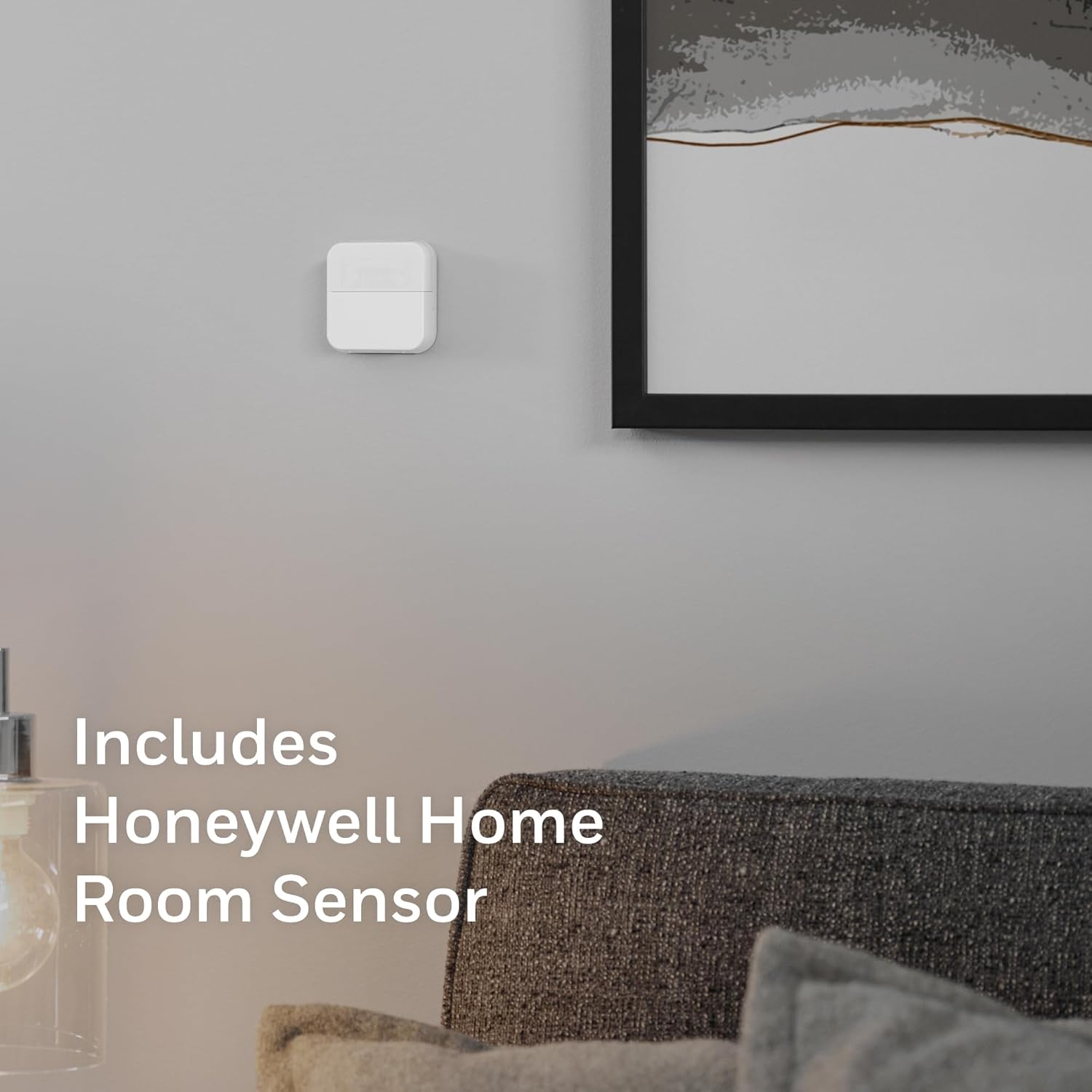
The included wireless Room Sensor lets you prioritize different rooms at different times—living areas by day, bedrooms at night—and has up to a 200-foot range. You’ll be able to place the sensor freestanding or adhere it to a wall, giving flexible placement that can significantly improve temperature balance in multi-zone or oddly-shaped homes.
Precision Comfort Controls
The thermostat uses occupancy/presence detection to adjust settings automatically to save energy when you’re away and maximize comfort when someone is home. You’ll notice fewer manual adjustments since the system learns patterns and responds to actual presence rather than just the scheduled time.
Air Quality & IAQ Control
Beyond temperature, the X8S gives you tools to manage humidity and ventilation so indoor air stays fresher. Keep in mind that full IAQ control may require additional HVAC accessories or equipment to enable ventilation and air handling functions.
Doorbell Camera View & Intercom
A notable feature is the ability to see and speak to visitors using compatible streaming doorbells (First Alert VX1 and Ring models). You can use the thermostat as an intercom device and visually confirm deliveries or guests without needing to run to your phone or a separate smart display.
Smart Home Integration & App
You’ll get remote control through the First Alert app, Matter certification for interoperability, and support for popular voice platforms so the X8S fits in many smart home ecosystems. The integration options make it easy to pair the thermostat with voice assistants and other Home/Smart devices.
Matter, Alexa, Google Assistant, and Apple Home
The thermostat’s Matter certification helps it work with a broad range of smart home setups in a standardized way, and it’s compatible with Amazon Alexa, Google Assistant, and Apple Home. You’ll be able to use voice commands, automations, and cross-device control more reliably as your smart home grows.
First Alert App Experience
The First Alert app lets you change setpoints remotely, see doorbell camera feeds, and monitor occupancy and IAQ metrics from anywhere. The app is generally straightforward, though some advanced features may require a brief learning curve to set up exactly how you want them.
Control Options & Accessibility
You’ll appreciate the range of control choices—local touchscreen, mobile app, voice, and sensor-driven automation—so you can interact with your thermostat in the way that suits you best. This flexibility makes it suitable for people who prefer manual control as well as those who want more automated comfort.
Local Touchscreen Control
The touchscreen is responsive and intuitive, giving you direct control when you’re near the thermostat. If you’re adjusting a setting quickly at home, this local control will feel faster than pulling out your phone.
Remote & Voice Control
Remote control through the app coupled with voice control via Alexa, Google, or Apple Home means you can adjust temperature from anywhere or hands-free. You can combine voice or app control with occupancy detection so settings change automatically when you leave or return.
Energy Savings & Programs
Because the X8S is ENERGY STAR certified, it’s designed to save energy when compared to basic manual thermostats. If you participate in utility energy programs or rebates, this thermostat often qualifies and can make rebate participation simpler.
How Energy Savings Work
The thermostat reduces energy use by automatically lowering heating or cooling when it detects no one is home, using sensor data and smart scheduling. You’ll benefit from both potentially lower monthly bills and eligibility for energy program incentives.
Rebate and Program Participation
The ENERGY STAR certification and smart energy features make the X8S a likely candidate for utility rebate programs, which can reduce your upfront cost. Check your local utility’s requirements, since certain programs require specific models, installation documentation, or enrollment steps.
Installation Experience
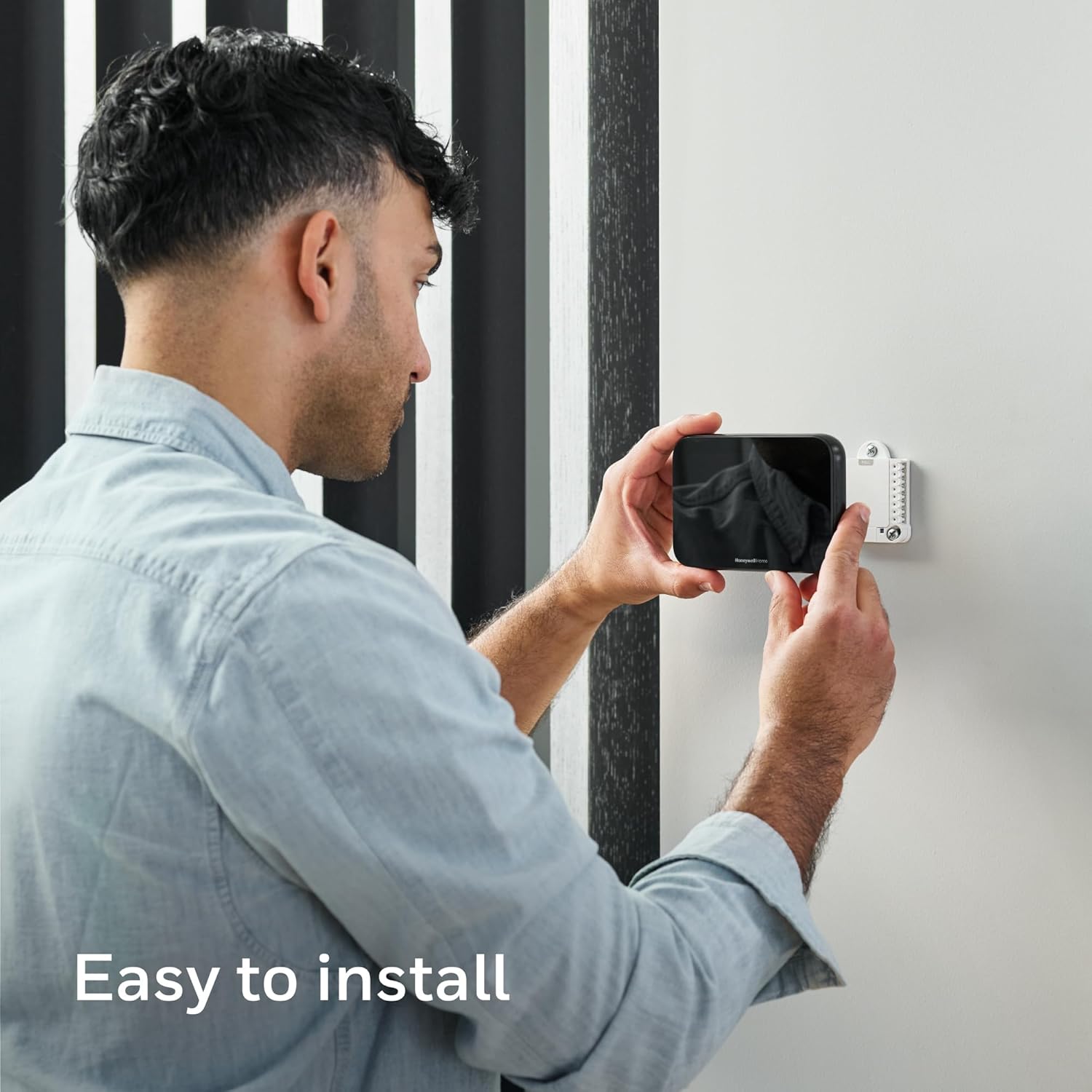
Your installation experience will depend primarily on your HVAC system and whether you already have a C-wire. Honeywell Home aims to make the process approachable, and the included adapter voucher helps if you don’t have a C-wire.
Step-by-Step and Tools Needed
Basic installation usually involves removing your old thermostat, mounting the X8S backplate, connecting labeled wires, and following on-screen setup prompts. You’ll need a screwdriver, possibly a drill, and some patience if your system requires extra components or adapters.
Professional vs DIY Installation
If you’re comfortable working with low-voltage HVAC wiring, you can install the X8S yourself; otherwise, hiring a pro is a reasonable option. Professional installation ensures compatibility, correct wiring, and might be required to participate in certain utility rebate programs.

Real-World Performance & Reliability
In everyday use, the X8S reliably keeps temperatures stable and responds quickly to changes made via the app or touchscreen. The added room sensor improves perceived comfort in rooms that previously felt too warm or cold.
Sensor Range and Placement Tips
With a claimed range of up to 200 feet, the wireless sensor works well in most homes, but walls and interference can reduce range. Place sensors away from direct sunlight, vents, or sources of heat to get accurate localized readings.
Software Updates and Longevity
You’ll receive firmware updates via Wi‑Fi, which bring feature improvements and occasional bug fixes. Honeywell’s software support history suggests reasonable longevity for smart devices, but like any connected product, periodic updates are part of long-term reliability.
Security & Privacy Considerations
Because the thermostat can display doorbell video and integrate with other smart home services, you’ll want to understand the security features and privacy settings. The device supports secure Wi‑Fi connections, and you can manage permissions through the app.
Doorbell Video Handling
When you link a compatible Ring or First Alert VX1 doorbell, video streams to the thermostat for local viewing and to your app for remote viewing. You should review privacy and camera-sharing settings so footage is only accessible to accounts you authorize.
Data & Cloud Services
The thermostat uses cloud services for remote access and interoperability, which provides convenience but means your usage data may be stored off-device. If you’re cautious about cloud data, check the First Alert privacy policy and available settings for limiting shared telemetry.
Pros & Cons
You’ll get a concise look at the strengths and trade-offs before you decide, making it easier to compare this thermostat against alternatives.
| Category | Pros | Cons |
|---|---|---|
| Display & Design | Large 5” customizable touchscreen; attractive black finish | Screen may be brighter than you prefer at night (adjustable) |
| Comfort & Sensors | Included room sensor with long range; occupancy detection improves comfort | Full IAQ control may require additional HVAC accessories |
| Integration | Matter certified; supports Alexa, Google, Apple Home | Not compatible with electric baseboard heating systems |
| Doorbell Compatibility | Stream and intercom compatible with Ring & First Alert VX1 | Only compatible with select streaming doorbell models |
| Installation | C-wire adapter voucher included if you lack a C-wire | Professional install may be needed for complex systems |
| Energy Savings | ENERGY STAR certified; supports energy programs | Savings depend on usage patterns and home insulation |
Daily Use Scenarios
You’ll see the thermostat shine in several everyday scenarios, like waking up in a comfortable bedroom, coming home to a well-conditioned living area, and checking who’s at the door without reaching for your phone. These conveniences add up to less friction in your day.
Morning Routine
Set the thermostat to prioritize bedroom comfort overnight and shift to living areas as you start your day. You’ll appreciate the room sensor switching focus so that bedrooms stay cozy while you sleep and living spaces warm up before you’re fully downstairs.
Returning Home
When the thermostat detects you’re returning, it will restore your preferred comfort settings so your home feels inviting as you arrive. If a delivery appears, you can check the doorbell camera on the thermostat and speak to the person without interrupting whatever you’re doing.
Troubleshooting & Common Issues
Most issues relate to connectivity, wiring, or incompatible HVAC systems, and they usually have straightforward fixes or clear workarounds. You’ll want to have basic troubleshooting steps ready: check Wi‑Fi, verify wiring, and ensure firmware is current.
Connectivity Problems
If the thermostat can’t connect to Wi‑Fi, double-check network frequency (2.4 vs 5.0 GHz), password accuracy, and router settings such as firewall rules. If your router has guest networks or strict isolation settings, temporarily adjust them during setup.
Sensor or Doorbell Pairing Issues
If the room sensor or doorbell won’t pair, try bringing the device closer during initial pairing, then relocate it after a successful connection. Power-cycling the thermostat, the sensor, or the doorbell can also resolve transient pairing problems.
Tips & Tricks to Get the Most from Your X8S
You’ll get better results by spending a little time customizing schedules, placing sensors thoughtfully, and integrating voice or smart home routines. Small setup choices can significantly improve comfort and savings.
Sensor Placement Best Practices
Place the included Room Sensor at typical head height, away from direct sunlight, vents, and doors that frequently open. Consider placing multiple sensors in larger homes (if supported) to balance comfort across zones.
Use Automations & Routines
Create automations in the First Alert app or your smart home platform so the thermostat reacts to events—like changing settings when the door locks or when motion sensors detect no one home. You’ll get more convenience and energy savings with small, targeted automations.
Comparison to Competitors
Compared with other mid- to high-end smart thermostats, the X8S stands out for its doorbell camera integration and customizable touchscreen. If you mainly want remote control and learning schedules without video, some competitors may offer simpler models at lower prices.
Where X8S Excels
You’ll appreciate the video intercom feature and room sensor flexibility if those are priorities, plus Matter support for future-proofing. The combination of IAQ controls, occupancy sensing, and doorbell compatibility is relatively rare in a single thermostat.
Where Others May Lead
Some competitors offer more mature learning algorithms or broader third-party accessory ecosystems for advanced IAQ control (built-in air quality sensors, multiple accessory integrations). If you strictly need advanced IAQ monitoring (VOC sensors, built-in PM2.5), you might need extra equipment.
Final Recommendation
If you want a modern, versatile smart thermostat that adds the unique convenience of doorbell video and an included room sensor, the Honeywell Home X8S is a compelling choice. You’ll gain solid energy-saving features, flexible control options, and a highly visible touchscreen that makes interacting with climate control simple and pleasant.
Who should buy it
You should buy the X8S if you value a touchscreen smart thermostat with video doorbell compatibility, need better zoned comfort with a room sensor, and want Matter-certified interoperability. It’s particularly appealing if you already use Ring or First Alert doorbells and want a central in-home display.
Who might look elsewhere
If your home uses electric baseboard heating, or if you require the most advanced built-in IAQ monitoring (without additional accessories), consider alternatives that meet those specific needs. Also, if you prefer a thermostat that “learns” schedules with minimal input, check models with more established learning algorithms.
Frequently Asked Questions (FAQs)
You’ll find quick answers to common questions to help decide if the X8S fits your home and how to handle common setup scenarios.
Does the thermostat work with my existing smart home?
Yes, the X8S is Matter certified and works with Amazon Alexa, Google Assistant, and Apple Home, making it broadly compatible with modern smart home setups. You’ll want to check the specific integrations and permissions in the First Alert app.
Can I view my Ring doorbell on the thermostat?
Yes, the thermostat supports Ring streaming doorbells and the First Alert VX1 for live video and two-way intercom. Remember that doorbells themselves are not included with the thermostat.
What if I don’t have a C-wire?
A C-wire is required, but the package includes a voucher for a Honeywell Home C-Wire Adapter if your system lacks one. You’ll have a free option to obtain that adapter and avoid more invasive rewiring.
Will it work with my HVAC system?
The X8S supports many common systems—multi-stage heat pumps and conventional systems, hot water, and forced air—but it does not support electric baseboard (120–240V) heat. Confirm compatibility with your installer or by checking your system type before purchase.
Closing Notes & Next Steps
You’ll get a feature-rich thermostat that balances smart home capabilities with practical comfort and IAQ management in one device. If the feature set matches your priorities, check compatibility with your heating system and Wi‑Fi setup, then plan whether you’ll install it yourself or hire a pro.
If you want, I can help you compare the Honeywell Home X8S to a specific competitor or walk through the questions to confirm compatibility with your HVAC system right now.

Disclosure: As an Amazon Associate, I earn from qualifying purchases.