
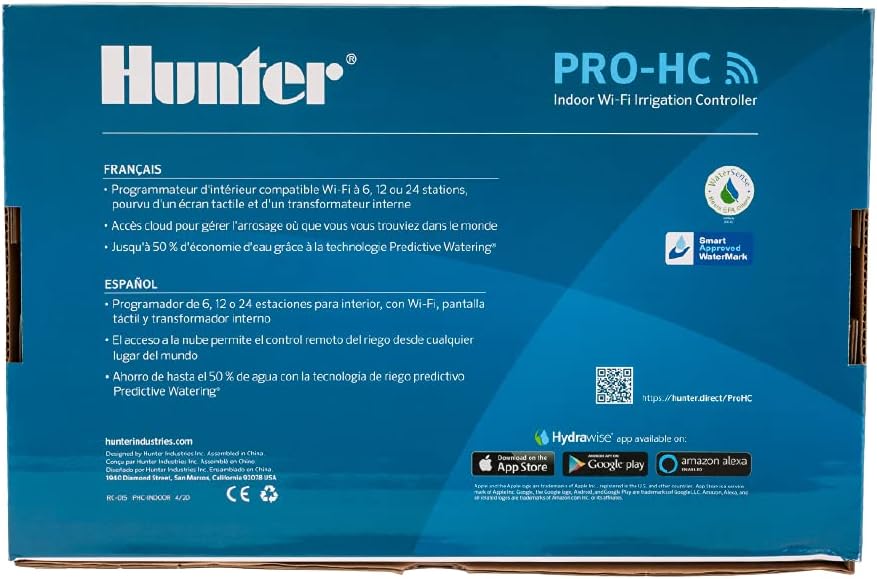
Thinking about upgrading your irrigation setup with the Hunter Company Hydrawise Pro-HC 12-Station Indoor Wi-Fi Irrigation Controller (PHC-1200i)?
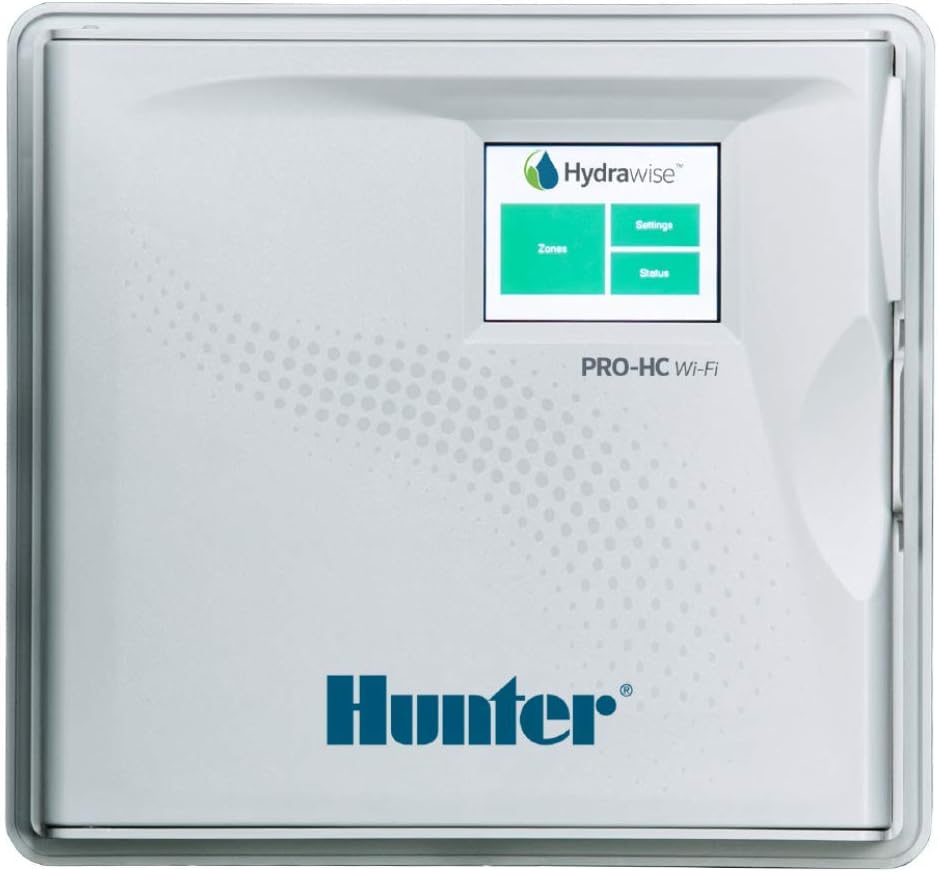
Buy Hunter Hydrawise Pro-HC PHC-1200i On Amazon
Product overview
You’ll find the Hunter Company Hydrawise Pro-HC 12-Station Indoor Wi-Fi Irrigation Controller (PHC-1200i) is built for those who want a capable, connected controller without the complexity of commercial controllers. It gives you Wi‑Fi connectivity to the Hydrawise cloud platform, a bright full‑color touchscreen, and both basic and advanced programming modes to suit simple yards or more customized landscapes.
You get a balance of local control at the panel and remote management via the Hydrawise service. That combination makes the PHC-1200i useful whether you’re maintaining a medium-sized residential landscape, a small commercial property, or an irrigation contractor managing multiple jobs.
Hunter Company Hydrawise Pro-HC 12-Station Indoor Wi-Fi Irrigation Controller (PHC-1200i)
Quick specification table
This table breaks down the essential technical details so you can scan the core specs quickly. You’ll see the number of stations, display type, sensor inputs, and other items that matter during selection and installation.
| Specification | Detail |
|---|---|
| Product name | Hunter Company Hydrawise Pro-HC 12-Station Indoor Wi‑Fi Irrigation Controller (PHC-1200i) |
| Number of stations | 12 |
| Wi‑Fi | Built-in, quick connection to Hydrawise irrigation management software |
| Programming modes | Standard (6 programs, 6 starts each) & Advanced (station-based programming, up to 6 total start times) |
| Sensor inputs | 2 (compatible with Clik sensors and HC Flow Meter) |
| Outputs | 1 P/MV output for pump start relay / master valve |
| Display | 2.75″ full‑color touchscreen |
| Fault detection | Built-in milliamp sensor for wire fault detection and alerts |
| Mounting | Indoor use (wall mount) |
| Typical use | Residential and small commercial applications |
| Model number | PHC-1200i |
What’s included and what to expect in the box
You’ll typically receive the controller housing, the front panel with the touchscreen, internal terminal strip, mounting hardware or bracket, and quick-start documentation. Power transformer or wiring components might vary depending on retailer and package.
Expect to supply wire, remote sensors, and any pump start relays or master valves if you don’t already have them. If you plan to use a flow meter or HC Flow Meter, confirm the compatibility and wiring requirements before installation.
Purchase Hunter Hydrawise Pro-HC PHC-1200i (Amazon)
Key features and what they mean for you
This controller packs features that are useful in real situations. You get remote management via Hydrawise, a clear touchscreen for local programming, sensor integration for rain or soil detection, and a milliamp sensor that helps detect wiring problems. Those features translate to easier troubleshooting, less guesswork, and potentially lower water usage.
The P/MV output gives you a pump start or master valve option that’s essential when a booster pump or dedicated master valve controls your system pressure. That flexibility is handy if your site requires a pump or needs a secure master control.
Wi‑Fi and Hydrawise connectivity
You’ll connect the PHC-1200i to your Wi‑Fi network and link it to the Hydrawise service, which provides cloud-based control and weather-adjusted irrigation. Once connected, you can modify schedules, monitor station run times, and receive alerts from anywhere using a web browser or mobile app.
Hydrawise also supports zone-specific control, weather forecasting adjustments, and contractor-level management, so you can manage multiple properties or hand the account to a professional if you prefer.
Full‑color touchscreen display
The 2.75″ touchscreen makes local programming and diagnostics smoother than older dial-based controllers. You’ll navigate menus more easily, read status updates at a glance, and make quick changes without a laptop or phone.
The touchscreen also helps when you’re troubleshooting wiring or reading station status — it’s simply faster and cleaner than mechanical interfaces.
Standard vs Advanced programming
You’ll choose between two programming styles depending on how detailed you want schedules to be. Standard programming gives you 6 independent programs and 6 start times per program — great if you group similar zones together. Advanced programming lets you set station‑based schedules and up to 6 total start times across stations, which is useful when each station has unique runtimes or frequency needs.
This flexibility means you can build simple schedules for lawns and separate, more detailed ones for drip zones, all within the same controller.
Sensor inputs and flow monitoring
The controller supports two sensor inputs for Clik sensors and the HC Flow Meter. You’ll connect rain, freeze, or soil moisture sensors to prevent needless watering. The HC Flow Meter integration enables basic flow monitoring and alerts if flow changes indicate leaks or pipe breaks.
Pairing sensors with the milliamp wire fault detection improves reliability — you’ll receive alerts for both sensor trips and wiring anomalies.
Built‑in milliamp sensor for wire fault detection
You’ll appreciate the built-in milliamp sensor if your property is older or wiring runs are long. It monitors the current down the field wiring and can identify shorts, opens, or ground faults. That helps reduce troubleshooting time and can prevent stations from running unexpectedly.
The milliamp sensor is particularly useful for contractors or homeowners with complex or aging wiring systems.
Installation and setup (what you should know)
Installing the PHC-1200i is straightforward if you’re comfortable with basic electrical wiring and mounting steps. The unit is designed for indoor mounting only, so you’ll need a dry, accessible location like a garage or utility room. You’ll hardwire the transformer and station wires into the terminal block and mount the controller securely.
Make sure you turn off power before wiring. Label your wires clearly and follow the diagram inside the front panel. If you’re replacing an older Hunter controller, the mechanical fit is often compatible, which can simplify the swap.
Wiring tips
You’ll run common and station wires from valves to the terminal strip. Use appropriate gauge wire (usually 18/5 or 18/8 multi-conductor depending on distance and number of zones) and avoid splicing in places that may corrode. Keep low-voltage irrigation wiring separate from high-voltage lines.
Measure distance between valves and controller — long runs may need heavier gauge to avoid voltage drop. If you’re unsure, consult a licensed electrician or irrigation pro.
Power and transformer guidance
You’ll typically use a 24 VAC transformer that powers the controller and solenoids. Confirm the transformer’s VA capacity suits the total valve draw (simultaneous valve operation plus pump relays). The controller usually handles standard irrigation transformers, but check ratings if you have many solenoids or specialty valves.
If you have a pump start relay, wire the P/MV output as labeled and follow the pump manufacturer’s instructions. That relay will switch the pump or master valve when stations run.
Mounting considerations
Since the PHC-1200i is indoor‑rated, choose a protected area free from direct sunlight and weather. Ensure the mounting wall is solid and wiring access points are convenient. Leave some clearance above and below the controller so you can open the front panel and run wires comfortably.
Don’t mount the controller near heat sources or where freezing temperatures might affect nearby wiring.
Programming the controller
You’ll find programming intuitive whether you use the touchscreen or the Hydrawise app. Start by entering your time zone and station names, then configure program frequencies and run times. You can use either standard program grouping or set station-based advanced schedules.
Hydrawise’s weather adjustment feature can override scheduled watering based on local forecast and soil/climate data, which helps conserve water and prevents overwatering.
Standard programming mode
If you want simplicity, standard mode lets you create up to six programs with up to six start times each. You’ll assign groups of stations to each program, which is handy for typical lawn/landscape divisions. It’s quick to set up and efficient when many zones share similar watering needs.
This mode is best if you’re comfortable grouping zones like all turf together and drip zones separately.
Advanced programming mode
Advanced mode gives you station-based control where each station can have its own schedule and up to six start times total. You’ll use this when different zones have unique plant types, varying slope or sun exposure, or different irrigation methods like micro-sprays versus drip.
You’ll appreciate the precise control when you need to manage several different plant types or microclimates across your property.

Hydrawise app and cloud features
Once linked, the Hydrawise dashboard is where you’ll manage schedules remotely, receive alerts, and view water-saving reports. You’ll add your controller to the app, name your stations, and set up weather‑based adjustments.
Hydrawise’s interface is contractor-friendly if you want a pro to manage your account, and it provides notifications for wiring faults, flow alerts, and offline status so you can respond quickly.
Weather-based scheduling and water savings
Hydrawise uses weather forecasts, evapotranspiration (ET) data, and historical patterns to reduce watering when rain is predicted or when conditions don’t demand watering. You’ll see an estimate of water savings over time, and you can tailor exclusions for certain zones that need manual control.
This feature is ideal if you want to be environmentally responsible without manually checking forecast updates.
Alerts and notifications
You’ll receive push, email, or in-app alerts for conditions like high flow, offline status, or a sensor being triggered. Those alerts let you fix leaks or wiring issues sooner, limiting water waste and preventing damage.
You can set notification thresholds so you’re not flooded with trivial messages, keeping only the alerts that help you act.
Flow meter and sensor integration
The HC Flow Meter and Clik sensors (rain, freeze, and soil) integrate smoothly with the PHC-1200i. You’ll connect the HC Flow Meter to monitor total flow and detect spikes that suggest a broken irrigation line or stuck valve. Clik sensors can pause irrigation for rain events or low temperatures.
Using both provides a layered approach: sensors stop watering during immediate conditions, while flow monitoring catches mechanical issues.
How flow alerts help you
Flow alerts tell you when flow is higher or lower than expected based on configured thresholds. If a pipe breaks or a valve fails open, you’ll get a high-flow alert so you can shut the system down remotely or dispatch a technician. That rapid detection reduces water loss and landscape damage.
You’ll configure thresholds and logging intervals in Hydrawise for meaningful, actionable alerts.
Diagnostics and fault detection
The built-in milliamp sensor monitors field wiring in real time, offering you quick identification of shorts and opens. You’ll use this feature to track the health of your wiring and address faults before they become bigger problems.
Diagnostics also include station status readouts and runtime logs you can review in Hydrawise to confirm your system is operating as expected.
Common wiring issues and how you’ll spot them
If you have intermittent station failures, open circuits, or unexpected valve behavior, the controller will show abnormal milliamp readings or error notifications. You’ll use the display and app logs to trace the issue back to a specific wire or valve.
For complex or recurring issues, capturing logs and sharing them with a contractor can speed repairs.

Performance and reliability in real conditions
In typical residential and small commercial installations, you’ll find the PHC-1200i dependable. The Wi‑Fi connection is stable within normal ranges, and the Hydrawise features actually reduce overwatering when configured properly. The touchscreen and local programming also minimize the need for a laptop or manual adjustments.
Reliability depends on proper installation: secure wiring, adequate transformer sizing, and good Wi‑Fi signal where the controller is mounted.
What affects performance most
You’ll notice performance is most impacted by Wi‑Fi signal strength, wiring integrity, and correct sensor placement. Long wire runs without proper gauge can cause station malfunctions, and a weak Wi‑Fi signal may lead to delayed remote responses.
Addressing these three areas during installation will prevent most operational problems.
Pros and cons — a realistic look
You’ll want a clear summary of strengths and weaknesses to decide if this controller fits your needs. Below are the main positives and potential limitations to consider.
Pros
- You get robust Wi‑Fi and Hydrawise integration for remote scheduling and alerts.
- The full‑color touchscreen simplifies local programming and diagnostics.
- Two sensor inputs and HC Flow Meter compatibility let you prevent wasted water and detect leaks.
- Built-in milliamp wire fault detection reduces troubleshooting time.
- P/MV output supports pump start relay or master valve activation for flexible system needs.
- Suitable for contractors and homeowners who want remote management and weather-based control.
Cons
- Indoor mounting limits your options if you prefer outdoor enclosures without additional weatherproofing.
- The controller is best for small to medium systems; larger commercial sites may need more stations or industrial features.
- Full functionality depends on a stable Wi‑Fi connection and accurate Hydrawise account setup.
- Some advanced features may require a paid Hydrawise subscription for contractor-level functionalities.
Real-world use cases and who should buy it
If you manage a typical residential property with up to 12 zones, you’ll find this controller well matched to your needs. It’s also a good fit for small commercial properties, HOA landscapes, and rental properties where remote access is valuable.
Irrigation professionals will appreciate the diagnostics and contractor features for managing client systems remotely, while homeowners will value time savings and water efficiency.
Ideal property types
You’ll see the best results on single-family homes, townhomes with common areas, small office parks, and landscape maintenance clients with 12 zones or fewer. If you manage multiple controllers, Hydrawise’s account features let you operate them all from one dashboard.
Comparison with similar controllers
Compared to older non-Wi‑Fi Hunter controllers, the PHC-1200i adds remote control, weather adjustments, and modern diagnostics. Compared to basic smart controllers from other brands, Hydrawise tends to provide more contractor-friendly features and clearer diagnostics.
If you need more than 12 stations or outdoor-rated enclosures by default, you might look at larger Hunter Pro-HC variants or professional-grade controllers with advanced hardware.
When to choose a different model
You’ll want a different controller if you require:
- More than 12 stations on a single panel.
- An outdoor-rated enclosure as a standard feature.
- Advanced commercial features like multiple pump starts, more sensor inputs, or professional data logging at higher resolution.
Maintenance and long-term care
You’ll perform minimal routine maintenance: verify wiring connections, check the transformer and output relays, and keep sensors clean and calibrated. Periodically inspect valve boxes and the flow meter to ensure no debris or roots affect operation.
Keep firmware updated through Hydrawise when updates are available to maintain compatibility and security.
Seasonal checklist
- Spring: Test valves, run each station, inspect for leaks, and verify sensor function.
- Summer: Monitor flow alerts and adjust schedules based on plant response.
- Fall: Reduce watering frequency and inspect wiring before colder weather.
- Winter: If you’re in freezing climates, ensure controllers and valves are protected; the indoor-only rating means the unit should already be safe from freezing.
Troubleshooting common issues
If a station won’t run, check the milliamp sensor readings, verify the station wire connection, and confirm the valve’s functional status manually. For Wi‑Fi issues, verify SSID and password, check router placement, and ensure the controller is within range.
If you get false high-flow alerts, inspect for multiple valves stuck open or debris in sprinkler heads. Calibration or threshold adjustments may be needed to prevent nuisance alerts.
When to call a professional
You’ll involve a pro if you face persistent wiring faults, pump start problems, or if the flow patterns indicate complex leak scenarios. A licensed irrigation contractor can test valve solenoids, measure flow rates accurately, and validate electrical loads.
Best practices and tips to get the most out of the controller
- Name each station clearly in Hydrawise so you can identify problems quickly.
- Use the advanced station-based programming for zones with unique needs.
- Combine rain and flow sensors for layered protection against waste and damage.
- Keep firmware updated and periodically export logs if you need historical troubleshooting data.
- If Wi‑Fi is weak at the controller’s location, consider a Wi‑Fi extender or relocating the router to improve connectivity.
Frequently asked questions (short answers)
Q: Can you control the PHC-1200i without Wi‑Fi?
A: Yes, local programming via the touchscreen works without Wi‑Fi, but remote features and cloud-based weather adjustments require internet connectivity.
Q: Is this controller suitable for drip irrigation?
A: Yes. Station-based runtimes and advanced scheduling options work very well for drip systems and micro-irrigation when you program proper runtimes.
Q: Do you need a paid Hydrawise subscription?
A: Basic Hydrawise features are available free, but some contractor or advanced features may require a paid plan depending on the level of monitoring and management you want.
Q: Can the PHC-1200i handle a booster pump?
A: Yes, the P/MV output supports pump start relays, but ensure your pump’s control wiring and relay meet electrical codes and manufacturer recommendations.
Q: How does the milliamp sensor help you?
A: It reads current on the field wiring and identifies shorts, opens, and ground faults to speed up troubleshooting and prevent unexpected behavior.
Final recommendation
If you want a modern, reliable indoor controller with strong remote capabilities, useful diagnostics, and flexible programming for up to 12 stations, the Hunter Company Hydrawise Pro-HC 12-Station Indoor Wi‑Fi Irrigation Controller (PHC-1200i) is a strong choice. You’ll gain significant convenience and water-saving potential with Hydrawise integration and sensor support.
Choose this unit if you value remote management, clear diagnostics, and weather-based control in a mid-sized residential or small commercial setting. If you need outdoor mounting, more than 12 stations, or industrial-grade features, compare larger Hunter models or contractor-grade systems to ensure full coverage for your site.
If you want, I can walk you through a step-by-step wiring checklist, help draft a Hydrawise setup plan for your yard, or compare the PHC-1200i with a specific alternative model you’re considering. Which would you prefer?
Shop Hunter Hydrawise Pro-HC PHC-1200i – Amazon
Disclosure: As an Amazon Associate, I earn from qualifying purchases.