
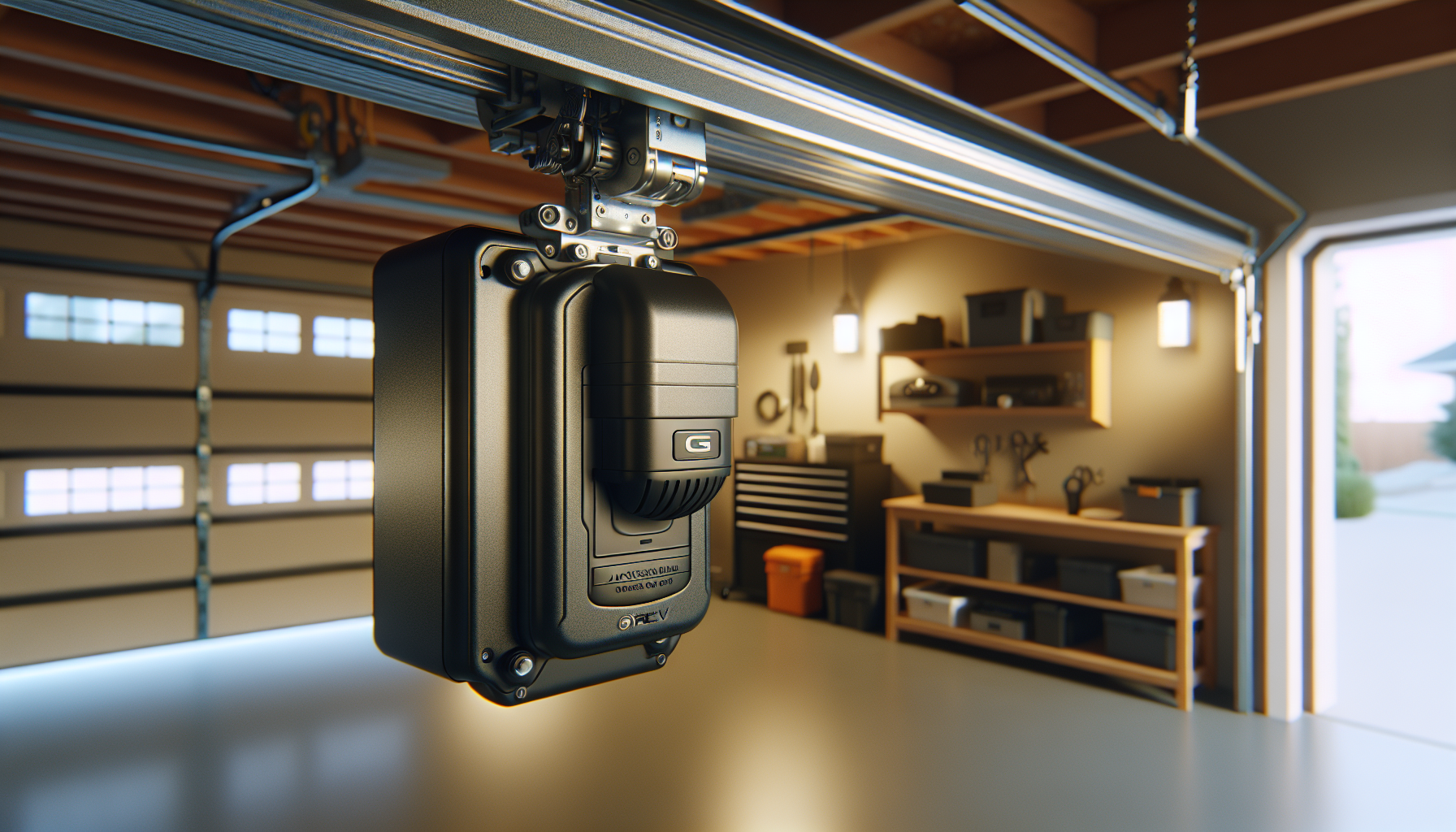
?Are you thinking about upgrading your garage opener with the Liftmaster 8500W Jackshaft Garage Opener MyQ enabled wifi and battery installed for a sleeker look and smarter control?
Buy LiftMaster 8500W Jackshaft Garage Opener On Amazon
Overview of the Liftmaster 8500W Jackshaft Garage Opener MyQ enabled wifi and battery installed
You’re looking at a premium jackshaft-style opener that mounts beside the garage door on the torsion bar, freeing ceiling space and giving your garage a cleaner appearance. This model comes MyQ-enabled for remote smartphone control, includes battery backup to operate during power outages, and arrives with two 893MAX remotes and a power deadbolt lock already installed.
What makes the 8500W different from standard openers
You get a different installation and user experience because the motor mounts at the torsion tube rather than above the door. That placement reduces noise transmitted through the ceiling and is especially helpful if you have a living space above the garage. The unit is optimized for specific torsion systems, so you’ll need to confirm compatibility before you buy.
Key included items and accessories
You receive two 893MAX remotes (total), the jackshaft opener with pre-installed battery backup and a power deadbolt lock. You won’t need to add a separate battery or remote immediately, and the deadbolt enhances security by mechanically locking the door when closed. These additions are convenient and reduce the number of purchases you have to make after installation.
Quick specification table
You’ll find the primary specs and limitations laid out here so you can quickly compare them to your door and garage configuration.
| Feature | Details |
|---|---|
| Product Name | Liftmaster 8500W Jackshaft Garage Opener MyQ enabled wifi and battery installed |
| Remotes Included | 2 x 893MAX remotes (total) |
| Connectivity | MyQ enabled, WiFi |
| Battery Backup | Installed (supports operation during power outage) |
| Security | Power Deadbolt Lock installed |
| Compatible Door Types | Sectional doors with front mount torsion bar system |
| Not Compatible With | Roll up doors, low headroom track, Wayne Dalton TorqueMaster |
| Mounting Style | Jackshaft (mounts beside torsion bar) |
| Ideal For | Homes with ceiling obstructions or living spaces above garage |
You can use this table as a quick checklist to ensure the opener suits your garage setup and security preferences.
Performance and power
You’ll notice this jackshaft opener delivers smooth, consistent performance for sectional doors when the torsion system and door balance are correct. The motor is designed to operate heavy doors reliably and, combined with the power deadbolt, it gives you a robust security posture.
Noise and vibration characteristics
You’ll appreciate the generally low noise profile because the opener doesn’t send the drive force through ceiling-mounted rails. Vibration is reduced at the ceiling, which is helpful if you have rooms above the garage. That said, the quality of your door’s balance and hardware will still influence noise.
Efficiency and cycling
You can expect consistent cycles typical of LiftMaster units, and the MyQ connectivity allows you to monitor and schedule activity to reduce unnecessary cycling. Proper maintenance will keep cycles smooth and minimize strain on the drive components.
Compatibility and limitations
You must confirm that your door has a front mount torsion bar system before purchasing this opener. That requirement is essential because the jackshaft motor needs to mount directly on that torsion tube.
Doors and systems that won’t work
You should not attempt to use this unit with roll up doors, low headroom tracks, or Wayne Dalton TorqueMaster systems. Those door types either lack the required torsion configuration or have design features that prevent safe jackshaft mounting.
When this opener is an excellent fit
You should consider this opener if you have a sectional door with a front mount torsion bar system and you want to free ceiling space or reduce ceiling-borne noise. It’s also a strong choice if you value integrated battery backup and modern smart-home connectivity.
Installation requirements and considerations
You’ll want to check a few garage specifics before ordering: torsion bar condition and location, wall space beside the door to accommodate the motor, and whether your opener can be wired into your home network for MyQ functions.
Structural needs and space
You must have sufficient sidewall clearance where the torsion tube and the jackshaft motor will sit. The opener requires a stable mounting surface near the torsion assembly and a clear path for the emergency release cable and manual operation.
Electrical and network setup
You’ll need a nearby electrical outlet to power the opener and, ideally, a reliable 2.4 GHz WiFi signal for MyQ connectivity. If your garage WiFi is weak, you might have to install a WiFi extender or run an Ethernet-to-WiFi bridge to ensure stable remote control.
Installation: what to expect
You’ll find that a professional installation is often recommended because the opener mounts to the torsion tube and interacts with spring tension and door balance. If you’re experienced with garage hardware and comfortable working around torsion springs, you can install it yourself, but you should proceed with caution.
Steps summarized
You’ll go through several major steps: remove or prepare existing opener components (if replacing), mount the jackshaft motor to the torsion tube, attach the motor coupler, connect the drive, install the power deadbolt linkage, wire safety reverse sensors, connect the battery backup, and program the remotes and MyQ.
Time and skill estimate
You should plan a multi-hour job if you’re experienced, but plan longer if you’re unfamiliar with torsion systems. Hiring a certified installer can save time and reduce safety risks associated with spring tension and incorrect mounting.
Setting up MyQ and WiFi
You’ll enjoy the convenience of opening and closing the door from your phone, getting activity alerts, and integrating the opener with other smart-home platforms supported by MyQ.
Connecting to your network
You should make sure your garage has a solid 2.4 GHz WiFi signal, as many garage opener systems require that frequency. Use the MyQ app to follow the step-by-step pairing instructions; the app will guide you through putting the opener into setup mode and connecting it to your network.
MyQ features you’ll use
You’ll be able to check door status, receive alerts when the door opens or closes, and schedule actions. MyQ also offers integrations with some home automation platforms and services, so you can tie door control into routines or voice assistants where supported.
Remote controls and user interface
You’ll get two 893MAX remotes included, which are pre-programmed or easy to program into the opener. Those remotes provide standard range and reliability for daily use, and you can also add Keyless Entry or smartphone controls to expand access options.
893MAX remote details
You’ll find the 893MAX is a common LiftMaster remote that uses secure rolling code technology to help prevent code grabbing. It’s compact, reliable, and offers multi-door control if you have other LiftMaster units.
Adding more remotes and keypads
You’ll be able to add additional 893MAX remotes or wired/wireless keypads for guest access. The MyQ system can also grant temporary access via app features, depending on app updates and integration options.
Security features and the power deadbolt
You’ll get an integrated power deadbolt lock that automatically secures the door when it closes, offering an additional layer of protection against forced entry.
How the power deadbolt works
You’ll notice the deadbolt physically blocks the door from being forced open, and it engages automatically when you close the door via the opener. That mechanical lock is a beneficial complement to electronic features and gives you added peace of mind.
Battery backup and outage protection
You’ll retain the ability to open and close the door during power outages because the installed battery backup supplies energy for several cycles. This feature is crucial if you need to leave or enter during a blackout, and it also ensures MyQ alerts and access won’t be your only security fallback.
Safety features and sensors
You’ll need to maintain proper safety sensors and reversal mechanisms that are standard in modern openers to comply with safety regulations.
Photo-eye sensors and auto-reverse
You’ll rely on upward-facing photo-eye sensors at the bottom of the door tracks to detect obstructions and trigger automatic reversal. The opener’s force and travel limits must be correctly set to ensure the door reverses if it encounters an obstacle.
Manual release and emergency operation
You’ll have access to a manual release cord for operating the door by hand if needed, and the installation will include an emergency procedure for when you need to operate the door without power.
Maintenance tips you should follow
You’ll extend the life of the opener and the door by performing routine maintenance on both the door hardware and the opener itself.
Regular checks and lubrication
You’ll want to inspect rollers, hinges, and tracks for wear and add lubricant only where manufacturer guidelines recommend. Avoid over-lubrication of moving parts and keep sensors clean and aligned.
Battery maintenance
You’ll check the battery backup periodically and replace the battery according to the manufacturer’s recommended schedule. Batteries degrade over time, and keeping a fresh battery ensures reliable operation during outages.
Troubleshooting common issues
You’ll encounter occasional issues, and many can be resolved with simple checks before calling a technician.
If the opener won’t connect to WiFi
You’ll want to verify you’re using the correct 2.4 GHz network and that signal strength is sufficient. Rebooting your router and moving it closer or adding an extender often solves connectivity problems.
If the door won’t operate or reverses unexpectedly
You’ll need to check sensor alignment, ensure the door is balanced, and examine travel/force settings. Misaligned sensors, worn tracks, or improper spring tension can cause operational failures.
Remote issues
You’ll replace battery cells in remotes if they fail to work, reprogram remotes if interference occurs, and ensure remotes are within normal operating range.
Pros and cons
You’ll want to weigh advantages and limitations to decide if this opener matches your needs.
Pros
- You’ll gain ceiling-space freedom and reduced ceiling-borne noise because the motor mounts beside the door.
- You’ll have MyQ WiFi control and two 893MAX remotes included out of the box.
- You’ll enjoy a built-in battery backup for operation during power outages.
- You’ll benefit from a power deadbolt lock for added security.
Cons
- You’ll need a front mount torsion bar system; it won’t work with roll up or TorqueMaster doors.
- You may need a professional installer if you’re not familiar with torsion spring systems.
- You might need to improve garage WiFi to fully take advantage of MyQ features.
How this opener compares to other types
You’ll see meaningful differences between jackshaft models like this and more common ceiling-mounted chain or belt drives.
Jackshaft vs belt/chain
You’ll get more ceiling clearance and often quieter overall performance with a jackshaft, but installation is more specialized. Belt and chain drives are more common and easier to install in many garages, but they can transmit more vibration and occupy overhead space.
TorqueMaster and roll-up incompatibility
You’ll need to avoid this model if your door uses Wayne Dalton TorqueMaster or is a roll up door because the mechanical designs differ; those systems don’t provide the torsion tube mounting point required by the 8500W.
Cost considerations and value
You’ll pay a premium for a jackshaft opener with battery backup and built-in MyQ compared to basic chain drives. However, the ceiling space savings, security features, and smart-home integration offer long-term value if those benefits match your priorities.
Long-term benefits you should consider
You’ll benefit from potential noise reduction, improved garage usability, and the convenience of remote monitoring. The battery backup reduces the risk of being trapped during an outage, and the deadbolt adds concrete security advantages.
Who should buy the Liftmaster 8500W
You should consider this opener if you value ceiling space, have a sectional door with a front mount torsion bar, want MyQ smart features, and want battery-redundant operation. It’s particularly useful if you have living areas above the garage or overhead obstructions like HVAC systems.
Who should avoid it
You should not buy it if your door is a roll up design, uses a TorqueMaster system, or your garage lacks a front mount torsion bar. Also, if you have very weak WiFi and cannot improve it, you may find some smart features less reliable.
Real-world installation notes
You’ll often find that installers perform an initial door balance check and spring inspection before installing a jackshaft. That step is crucial because improper spring tension can damage the opener or create unsafe conditions.
Common adjustments performed during install
You’ll expect the installer to adjust limit switches, set the force, align sensors, and program the remotes and MyQ. They may also run tests for reversal and check the deadbolt engagement to ensure consistent operation.
Troubleshooting checklist you can follow
You’ll be able to run through these checks yourself for many common issues.
- Check power at the outlet and battery status for failure-to-power issues.
- Confirm sensor alignment and clean any dirt or spider webs obstructing the photo-eyes.
- Verify door balance by disengaging the opener and manually lifting the door halfway; it should stay in place.
- Reboot your router and ensure the opener is within WiFi range if MyQ connectivity fails.
- Replace remote battery if range is poor or the remotes don’t respond.
- Inspect the deadbolt linkage for proper engagement if the door won’t lock/unlock.
You’ll find these steps help you resolve many problems without immediate professional help.
Safety reminders you must follow
You’ll need to treat torsion springs and mounting hardware with respect; incorrect adjustments can be dangerous. If you’re uncertain about any step that involves spring tension, call a professional.
Why professional installation is often recommended
You’ll avoid potential injury and ensure the opener is mounted and adjusted correctly when you hire a certified technician. Professionals also provide warranty-backed work, which can be valuable if issues arise later.
Frequently asked questions you might have
You’ll likely have practical questions when assessing the 8500W; here are concise answers to common concerns.
Q: Will this opener work if my garage has low headroom?
A: No, this model is not compatible with low headroom track systems. You must have a front mount torsion bar.
Q: Can it be used with Wayne Dalton TorqueMaster?
A: No, the 8500W is not compatible with TorqueMaster systems.
Q: How many remotes come with the unit?
A: Two 893MAX remotes are included in the package.
Q: Does the battery backup allow multiple cycles during a power outage?
A: Yes, it’s designed to support several cycles so you can exit or enter during an outage, though the exact number depends on battery condition and door weight.
Q: Is MyQ compatible with voice assistants?
A: MyQ supports integration with certain platforms and voice services where indicated; check current MyQ compatibility listings for the latest integrations.
You’ll find these answers helpful when deciding whether to proceed.
Purchase LiftMaster 8500W (MyQ-enabled, Battery Backup) On Amazon
Practical tips for buying and installing
You’ll want to verify door compatibility and plan for WiFi availability before purchase. Also, decide whether you’ll hire a pro or take on the installation yourself.
Pre-purchase checklist you should use
- Confirm your door type is sectional with a front mount torsion tube.
- Measure available sidewall space for the jackshaft motor.
- Check WiFi coverage in the garage and plan an extender if necessary.
- Decide whether you’ll use professional installation and get quotes if needed.
- Ensure you understand the deadbolt and battery backup benefits and maintenance.
You’ll save time and avoid returns by using this checklist before ordering.
Final verdict and recommendation
You’ll find the Liftmaster 8500W Jackshaft Garage Opener MyQ enabled wifi and battery installed to be a strong option if your garage meets the torsion bar requirement and you want a high-quality opener with smart features and battery redundancy. It’s particularly well-suited to homes with ceiling constraints or living spaces above the garage, and the included remotes and deadbolt make it an appealing all-in-one package.
Final considerations before you buy
You’ll want to double-check door compatibility, evaluate whether you need professional installation, and make sure your WiFi can support the MyQ features. If those boxes are checked, this opener can be a durable, secure, and convenient upgrade that improves garage functionality and integrates with your smart-home ecosystem.
If you’d like, you can tell me about your garage door type and any current opener you have, and I’ll help you confirm whether this model fits your setup or recommend alternatives that suit your requirements.
Check Current Price For LiftMaster 8500W On Amazon
Disclosure: As an Amazon Associate, I earn from qualifying purchases.