
Are you thinking about upgrading your access control to a two-door smart keyless system that you can manage from your phone?

Buy MENGQI-CONTROL IP 2-Door Access Control Kit On Amazon
Product Overview
You’re looking at the MENGQI-CONTROL IP Based 2 Doors Access Control Kit North American Strike Lock Keypad Reader Smart Keyless Lock System 110V Power Supply Box Phone APP Remote Open Door. This kit bundles an ANSI strike lock designed for North American-style doors with a keypad reader, power supply box, management software, and phone app support so you can control two doors locally or remotely. You’ll get both hardware and software elements intended to function together as a complete entry control solution.
What this kit is designed to do
This product gives you centralized control for two doors with card and PIN entry, local pushbutton exit, and app-based remote opening. The system stores tens of thousands of users and records, and it’s meant to be used in offices, small businesses, or residential multi-tenant situations where controlled access is required.
MENGQI-CONTROL IP Based 2 Doors Access Control Kit North American Strike Lock Keypad Reader Smart Keyless Lock System 110V Power Supply Box Phone APP Remote Open Door
Key Features
You should be able to see the core benefits quickly so you can decide if the kit matches your needs. The following highlights cover what stands out and what to watch for.
Main capabilities
You’ll get access control for two doors, support for up to 20,000 users, and storage for up to 100,000 event records. The system supports EM-ID proximity cards, PIN codes, a desktop USB reader for registering cards, and a phone app for remote unlocking.
Security and fail mode options
The strike lock is ANSI-style and provides 1000kg (approx. 2200 lb) holding force. By default it’s set to fail-secure (it stays locked if power is lost), but you can adjust it to fail-safe if your application requires the door to unlock on power loss. You’ll want to confirm which fail mode best suits your safety requirements before installation.
What’s in the Box
You’ll want to verify the package contents against your order before installation. The kit aims to include everything necessary for a standard two-door installation, but you may need additional hardware depending on your door frames or building wiring.
Typical included components
You’ll typically receive:
- Two ANSI strike locks (for North American frames)
- Keypad readers (number may vary by package)
- 110V power supply box
- Control panel (main controller)
- Desktop USB reader for registering cards
- Wiring harnesses, mounting screws, and basic installation accessories
- User manual, wiring diagram, and video guide link
What you might need to buy separately
You may need to buy tools for cutting the door frame (if there’s no existing hole), additional wiring for longer runs, or different strikes if your door hardware isn’t compatible with the ANSI strike. Also, this is not compatible with push bar (panic bar) doors, so you’ll need a knob or mechanical handle setup.
Technical Specifications
You’ll want the specs summarized so you can check compatibility with your doors and site. The table below breaks down the main technical details.
| Specification | Details |
|---|---|
| Product Name | MENGQI-CONTROL IP Based 2 Doors Access Control Kit North American Strike Lock Keypad Reader Smart Keyless Lock System 110V Power Supply Box Phone APP Remote Open Door |
| Lock Type | ANSI strike lock (installed in door frame) |
| Lock Length | 4.84 in (measure and confirm fit) |
| Holding Force | 1000 kg (approx. 2200 lb) |
| Fail Mode | Default: Fail Secure (locked on power loss). Switchable to Fail Safe |
| Controlled Doors | 2 doors |
| User Capacity | 20,000 users |
| Event Record Capacity | Up to 100,000 records |
| Card Type | EM-ID proximity card |
| Response Speed | < 0.2 seconds |
| Proximity Range | 5–10 cm |
| Communication | TCP/IP (network) |
| Software Support | Management software (Access & SQL Server) |
| OS Support | Windows 7/8/10/11 (32 & 64 bit) |
| Standalone Mode | Yes — runs standalone after programming |
| App Support | iPhone & Android |
| Additional | Desktop USB card reader for enrollment |
Notes on the specs
You should measure your door frame carefully to ensure the 4.84-inch lock length will fit without additional modifications. If you don’t already have a mortise or cavity for an in-frame strike, the frame will need cutting. Also confirm that EM-ID card technology is acceptable for your security needs, since it’s a common but basic proximity standard.
Purchase The MENGQI-CONTROL IP 2-Door Access Control Kit
Installation Guide
You’ll find the kit DIY-friendly if you’re comfortable with basic carpentry and wiring, but it still requires precision and some electrical knowledge. Follow the instructions carefully and consider using a professional for cutting frames or making mains power connections.
Preparing your door frame
Make sure you check the size and location before starting. The strike locks sit inside the frame and require a mortise; if you don’t have an existing cavity you will need to cut the door frame to the correct dimensions.
- You’ll want to measure the 4.84-inch lock length against the frame thickness.
- Confirm lock alignment with the latch or deadbolt; misalignment can cause failures to latch.
Mounting the strike and reader
Mount the strike securely and wire the reader to the control panel according to the supplied wiring diagram. Use the included screws and brackets; any misalignment or loose mounting will reduce reliability and cause premature failure.
- Keep wiring tidy and protected from weather or tampering.
- Use the provided wire diagrams and the video guide to check connections.
Wiring and power
The kit uses a 110V power supply box to feed the controller and locks. If you aren’t comfortable wiring mains voltage, hire an electrician.
- The power supply should be mounted in a non-public, dry space.
- Watch polarity and ground connections for DC outputs to prevent damage to the control board.
- If your locks draw significant current, confirm the power supply capacity and use appropriate gauge wiring.
Cut frame considerations and safety
You must cut the door frame if there is no existing hole for the strike. This is a non-trivial task and requires accurate templates and the right tools.
- Incorrect cuts can weaken the frame; consider reinforcing with a strike plate or metal framers’ reinforcement if needed.
- Always ensure the door still meets fire and egress regulations after modification.
Network and Software Setup
You’ll be able to run this system on a local network using TCP/IP for centralized control and for the app to reach the controller. Setup is straightforward if you’re familiar with basic networking.
Controller network configuration
Assign a static IP or use DHCP with reserved lease for stable communication. The controller communicates over TCP/IP so it should be on the same network as the software PC during initial setup.
- Use the management software to set IP, gateway, and mask if required.
- Test ping connectivity from your PC to ensure the controller is reachable.
Management software and database
The kit supports management software that interfaces with Access or SQL Server databases. You’ll use the software to register users, assign access rights, set schedules, and download logs.
- If you choose SQL Server, you’ll get better scalability and multi-user access to the database.
- The software supports Windows 7 through Windows 11 on both 32- and 64-bit OS versions.
Standalone operation after programming
You can program everything and let the controller operate standalone without being permanently connected to a PC. That means after enrollment and setup, the system enforces access rules even if the network is down.
- You’ll still want periodic log downloads for audits if you don’t keep the controller connected.
- Scheduled tasks (auto open/close) run from the controller after they’re programmed.
Using the System Daily
You’ll use cards or PINs for entry, push buttons or the mechanical knob for exit, and the phone app for remote access when needed. The system is designed to be practical for everyday business operations.
Entry and exit methods
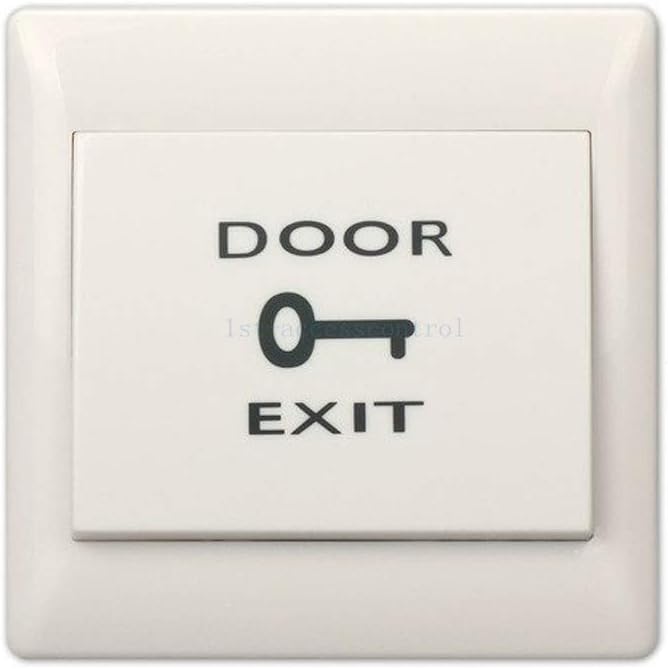
Users can enter by swiping an EM-ID card or entering a PIN code at the keypad. Exiting is handled by a local push button or by using the mechanical handle/knob to open from inside.
- The quick response time (<0.2s) means minimal queuing at doors.
- You’ll likely combine cards and PINs for two-factor convenience in sensitive areas.
Managing user rights and schedules
The software lets you configure who can enter which door at what times. You’ll be able to create access groups, set timeframes for doors, and apply holiday schedules.
- This is especially useful if you need different access levels for staff, contractors, and visitors.
- Use the auto open/close scheduling to control business hours automatically.
Remote opening with the phone app
You can open doors remotely via the phone app supported on iOS and Android. This is handy for letting in guests while you’re away from the desk.
- Ensure secure app credentials and multi-factor authentication where possible to prevent unauthorized remote opening.
- Test the app’s functionality and network latency during setup to understand how quickly remote commands execute.
Software and Management Features
You’ll get tools to manage large numbers of users and records, plus reporting and auditing features for compliance or accountability. The software is touted to be “powerful and professional” and includes extended control functions.
User capacity and record handling
The system supports up to 20,000 users and stores up to 100,000 records. That capacity is usually sufficient for small to medium-sized installations.
- You’ll be able to pull logs, generate reports, and manage users in bulk with CSV imports using the desktop USB reader.
- Periodic database backups are recommended to avoid data loss.
Interface and ease of use
The kit includes a desktop USB reader so you can quickly read card numbers into the software for easy programming. The software provides GUI tools for scheduling, reporting, and权限 (note: translated to “authorization,” meaning you’ll set who can go where).
- The availability of video guides and a wiring diagram makes it easier if you’re doing the installation yourself.
- If you’re unfamiliar with access-control software, allow time to learn the interface; initial setup may take 1–2 hours for a typical user.
Database options: Access vs SQL Server
You can store data in Access or SQL Server depending on your needs. Access is simpler for single-PC setups, while SQL Server supports larger installations and multi-user access.
- If you plan to scale or integrate with other systems, SQL Server will serve you better.
- For a small office wanting quick setup, Access may be the easier choice.

Security Considerations
You’ll need to balance convenience, security, and safety compliance when selecting options like fail-secure vs fail-safe, card types, and user privileges.
Card technology: EM-ID
This kit uses EM-ID proximity cards. They’re convenient and widely used, but are less secure than newer smart card technologies.
- If your environment requires high security, consider pairing cards with PINs for two-factor authentication or using higher-security credentials in a different system.
- Implement card lifecycle management: revoke lost/stolen cards quickly via the software.
Fail Secure vs Fail Safe — choosing what’s right
Fail-secure (default) keeps doors locked during power loss, which is good for asset protection but can conflict with safety or egress requirements. Fail-safe unlocks doors on power loss and is better for emergency egress.
- You must choose the fail mode based on local building codes, fire safety, and evacuation plans.
- Consider battery backup or integrating with emergency power systems if you need both security and egress compliance.
Performance and Reliability
You should expect quick response times and robust record-keeping under normal conditions. Reliability will also depend on how well you install and maintain the system.
Response speed and proximity range
The system claims a response speed under 0.2 seconds and a proximity range of 5–10 cm. That should be fast enough for natural foot traffic.
- Test readers during installation to confirm range and response behavior in your environment.
- Metal frames and interference from nearby electronics can affect range; adjust reader placement as needed.
Handling power and network outages
Because the controller runs standalone after programming, short network outages won’t affect daily access control enforcement. Power outages will affect locks per the fail mode you choose.
- Consider a UPS for the power supply box if you need continued operation during outages.
- Regularly test failover and backup procedures to make sure logs and user data are not lost.
Pros and Cons
You’ll want a clear list of strengths and weaknesses to weigh your purchase decision. Below are the major points based on features and real-world constraints.
Pros
- Comprehensive kit for controlling two doors with hardware and software included.
- Supports a large number of users (20,000) and event records (100,000).
- Fast response time and convenient card/PIN/app access options.
- Desktop USB card reader and video guides simplify enrollment and installation.
- Standalone operation after programming reduces continuous dependency on a PC.
- Switchable fail mode supports different security/safety configurations.
Cons
- Requires cutting the door frame if no existing cavity is present; this can complicate DIY installs.
- Not compatible with push bar/panic bar doors — only for knob or mechanical handle doors.
- EM-ID card technology is basic compared to modern encrypted smart cards.
- Mains wiring and lock installation may need a professional electrician or locksmith.
- Quality and documentation may vary; follow video guides carefully and verify parts on arrival.
Troubleshooting Common Issues
You’ll likely face a few common issues during setup and daily use. Here are practical steps to resolve them quickly.
Reader not recognizing cards or PINs
Check wiring, power, and card format first. Use the desktop USB reader to verify the card number and ensure the software has registered it.
- Confirm the reader’s LED and beep responses; a dead reader often indicates power or loose wiring.
- Ensure you’re using EM-ID cards and not a different frequency/type.
Lock doesn’t release or latch
Verify the wiring to the strike and the power supply voltage. Check mechanical alignment between the strike and the door latch.
- Tighten mounting screws, correct alignment, and confirm there are no obstructions.
- If the lock is set to fail-secure, it will remain locked with no power; confirm the mode and power state.
Network or app connectivity problems
Ensure the controller is reachable on the network (ping test) and that the correct ports are open and configured. Confirm the app login credentials and network permissions.
- Use a static IP or DHCP reservation for consistent access.
- Check firewall settings and port forwarding if remote access from outside your LAN is needed.
Comparison with Alternatives
You’ll want to compare this kit with other access control solutions, especially if you need higher security or full integration capabilities.
How this kit stands out
This kit is a bundled solution with hardware, software, and a phone app for two-door control at a reasonable price point. It’s particularly appropriate for small businesses or property managers who want an integrated system without assembling components separately.
Limitations compared to high-end systems
High-end systems often use encrypted smart cards, support multi-factor biometrics, and integrate seamlessly with building management systems. They also provide more advanced audit trails and centralized cloud management.
- If you need enterprise features, you may outgrow this kit and require a professional enterprise solution.
- For small-to-medium use-cases, this kit offers a balance of functionality and cost.
Who Should Buy This
You should consider this product if you manage small office spaces, warehouses, clinics, or multi-tenant residential buildings where two-door access control and remote opening are practical needs. It’s a good pick if you want a single package and are comfortable with some DIY or basic professional help for installation.
Ideal use cases
- Small businesses with single or dual entrance points.
- Property managers controlling two access points in a small apartment or office complex.
- Facilities wanting simple card/PIN entry with smartphone convenience.
When to look elsewhere
If you require integration with modern encrypted credentials, biometric access control, or panic bar compatibility, this isn’t the right product. Also choose a different system if you can’t modify door frames or if local codes mandate fail-safe operation without the option to secure the door on power loss.
Maintenance and Best Practices
You’ll keep the system reliable with routine checks and proper practices. Regular maintenance reduces downtime and costly emergency fixes.
Regular maintenance tasks
- Test card readers and locks monthly to ensure responsiveness.
- Download logs periodically and back up the database.
- Clean readers and check mechanical alignment on strikes and latches.
- Inspect power supply and wiring for wear or corrosion.
Security best practices
- Revoke lost or stolen cards immediately and keep a record of replacements.
- Use PINs in addition to cards for sensitive access points.
- Restrict administrative software access with strong passwords and, where possible, multi-factor authentication.
Final Recommendation
You’ll find the MENGQI-CONTROL IP Based 2 Doors Access Control Kit is a practical choice for small-to-medium installations that need a bundled two-door solution with software and app control. It offers strong capacity, fast response, and flexible management while remaining cost-effective. However, you must be ready to handle frame modifications, accept EM-ID proximity technology, and ensure electrical and safety compliance for your installation.
- If you need a turnkey two-door system with smartphone remote opening and professional management software and you’re okay with EM-ID cards and frame cutting, this kit will serve you well.
- If your environment requires higher credential security, panic bar compatibility, or enterprise integrations, evaluate more advanced systems.
If you’d like, you can tell me about your door type, where you plan to install the kit, and any local code constraints — I can help you check compatibility and outline a step-by-step installation checklist tailored to your setup.
Get The MENGQI-CONTROL IP 2-Door Access Control Kit Now
Disclosure: As an Amazon Associate, I earn from qualifying purchases.