

Are you ready to fix dead zones and get consistently fast WiFi throughout your home?
Buy Netgear Orbi AX6000 Tri-Band Mesh WiFi System (3-Pack) – Renewed On Amazon
Quick verdict
You get a high-performance mesh system that aims to replace an existing router and blanket your home with WiFi 6 speeds. The Netgear – Orbi AX6000 Tri-Band Mesh WiFi System (3-Pack) RBK853-100NAR (Renewed) is designed for large homes, heavy streaming, gaming, and many connected devices, and it generally delivers on those promises when set up correctly.

Netgear - Orbi AX6000 Tri-Band Mesh WiFi System (3-Pack) RBK853-100NAR (Renewed)
$299.99 In Stock
What you get in the box
When you open the package, you should find one Orbi router and two Orbi satellites, along with power adapters, an Ethernet cable, and basic printed setup instructions. Because this is a renewed unit, the external packaging and included accessories can vary, but the core hardware and functionality are expected to be the same as a new RBK853 set.
Hardware breakdown: router vs satellite
The router is the hub that connects to your modem and serves as the primary controller for the mesh network, while each satellite extends coverage and provides additional Ethernet ports. Both router and satellites support WiFi 6 features, but the router typically houses more Ethernet ports and the device management interface.
Technical highlights at a glance
You’ll want a quick snapshot of the system’s main specs so you can gauge whether it meets your needs. Below is a concise breakdown that highlights the most relevant numbers and capabilities.
| Feature | Specification | What it means for you |
|---|---|---|
| Coverage | Up to 7,500 sq ft (3-pack) | Large homes should be covered; actual coverage depends on layout and materials |
| Max WiFi Speed | AX6000 (up to ~6 Gbps combined) | High total throughput for multiple simultaneous streams and downloads |
| Bands | Tri-band (dedicated 5 GHz backhaul) | One band handles router-satellite traffic, leaving others for your devices |
| Device Support | 60+ devices | Meant for homes with many smartphones, smart TVs, and smart home devices |
| Ethernet Ports | Router: 5 x 1 Gbps; Satellite: 4 x 1 Gbps | Plenty of wired connections for consoles, NAS, or switches |
| ISP Compatibility | Works with any ISP up to 2.5 Gbps | Replace existing router; modem/gateway required separately |
| Security | WPA2, DoS protection, Guest WiFi, VPN support | Basic and advanced protections for most home users |
| Additional | MU-MIMO, Smart Connect, Beamforming | Optimizes performance across many devices and roaming |
Design and build
The Orbi RBK853 system uses the familiar tall, tower-like chassis that Orbi is known for, designed to balance airflow and internal antenna placement. You’ll find the units unobtrusive enough to place on shelves or counters, but they’re tall and may require consideration for display and ventilation.
Physical footprint and placement advice
Each Orbi unit needs some breathing room to perform optimally, so avoid tucking them into fully enclosed cabinets or behind thick materials. For best results, place the router near your modem in a central or semi-central location, and position satellites where coverage starts to drop off but still within good line-of-sight to the router.
Shop Netgear Orbi RBK853 (Renewed) On Amazon
Setup and management
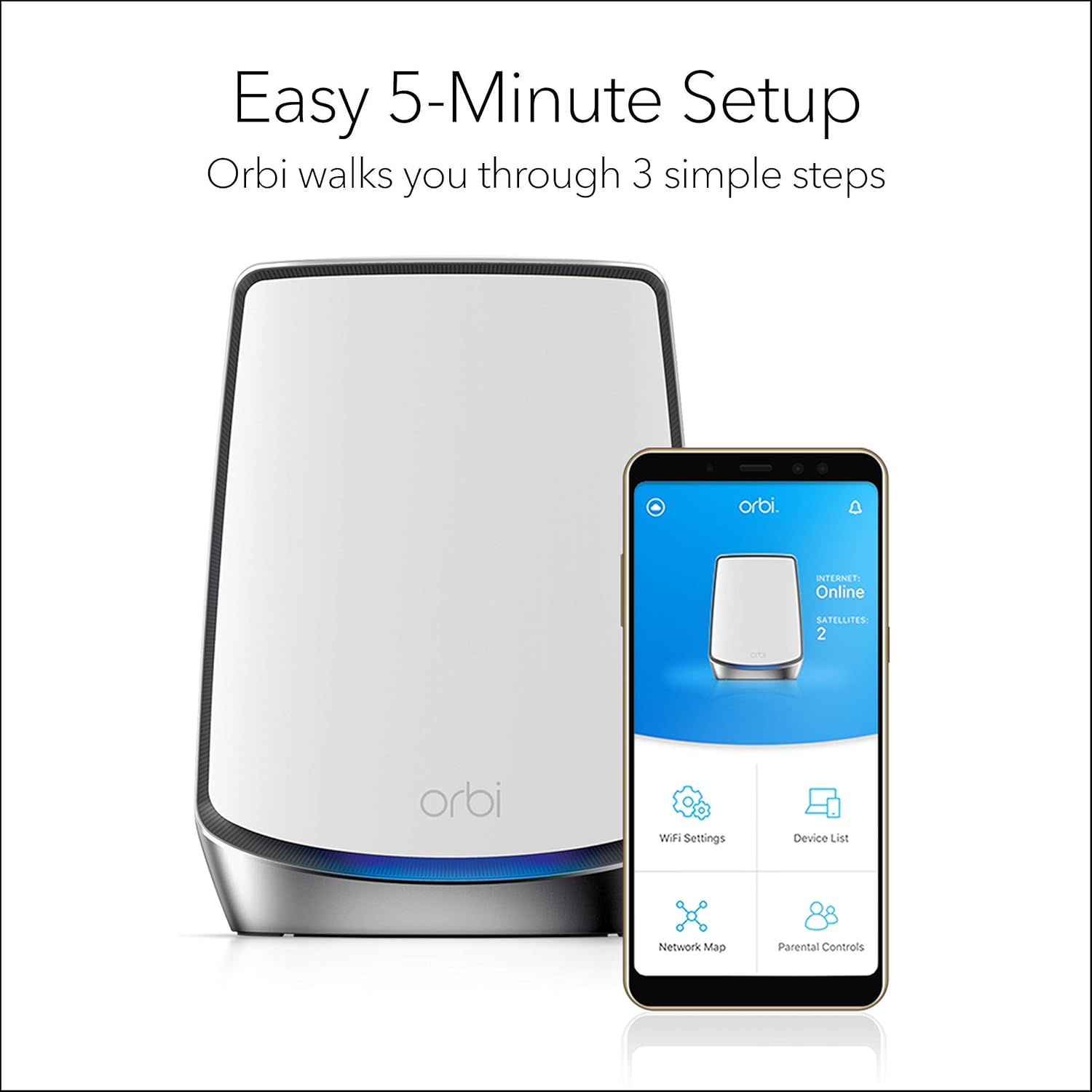
Setting up the RBK853 is straightforward if you follow the Orbi app prompts or the web interface steps, and you’ll be guided to plug the router into your modem and power up the satellites. The Orbi app walks you through steps like naming your WiFi, setting a password, and checking connection quality, so you shouldn’t need advanced networking knowledge to get started.
Orbi app features and usability
The Orbi app lets you configure basic settings, perform speed tests, monitor device connections, and see a history of speeds and usage. You’ll appreciate being able to manage each device and set up guest networks or parental controls from your phone without digging into a complex web interface.
Performance: coverage
Netgear promises up to 7,500 square feet of coverage for the 3-pack, and in many typical multi-level homes you’ll get robust coverage that eliminates most dead zones. Your actual experience will depend on floor plans, building materials, and placement, but the tri-band architecture and high-gain internal antennas are designed to reach far corners of a house more effectively than single-router solutions.
Factors that affect coverage
Concrete or brick walls, metal studs, thick floors, and large appliances can reduce the practical coverage you achieve, so you may need to tweak satellite locations for optimal results. If you find pockets of weak signal, moving a satellite a few feet or adding an additional satellite (sold separately) can make a big difference.
Performance: speed and throughput
AX6000 indicates a combined theoretical throughput of up to around 6 Gbps across the bands, which translates to very high real-world speeds when you have compatible WiFi 6 devices. You’ll notice faster device-to-device transfers, improved multi-user performance, and better handling of simultaneous 4K/8K streams compared with older WiFi 5 systems.
Tri-band backhaul benefits
Having a dedicated tri-band backhaul means the satellite-router link uses a separate high-bandwidth channel rather than sharing one of the device bands with client traffic. That separation preserves speed for your devices, lowers latency, and keeps peak throughput higher when multiple devices are active.
Device capacity and simultaneous connections
The RBK853 is rated to handle 60+ devices, which should cover most households with a mix of phones, tablets, smart TVs, streaming sticks, game consoles, and IoT devices. You’ll benefit from MU-MIMO and OFDMA technologies in WiFi 6 that improve efficiency and responsiveness when lots of devices communicate with the network at once.
What happens with many devices active
With many devices streaming, downloading, and syncing, the Orbi system manages traffic more intelligently than older routers, reducing congestion and smoothing performance across devices. If your household includes heavy simultaneous gaming, 4K streaming, and frequent large file transfers, the system will generally maintain better QoS than typical single-band routers.
Wired connectivity and LAN options
You get five Gigabit Ethernet ports on the router and four on each satellite, allowing you to connect wired devices like PCs, consoles, smart TVs, or a network-attached storage (NAS). Those ports make the Orbi RBK853 a good central hub for mixed wireless and wired network setups, and you can add a switch if you need more physical ports.
Using Ethernet backhaul
If you have Ethernet runs between floors or rooms, you can use wired backhaul to link satellites to the router, which improves stability and frees up wireless backhaul capacity for devices. Wired backhaul is especially useful in environments where WiFi signals must pass through many obstructions or when you want maximum consistency for latency-sensitive activities.
Security, privacy, and parental controls
The Orbi system includes WPA2 encryption and network-level protections such as a DoS firewall and optional VPN passthrough, which are solid baseline protections for a home network. You can also enable Guest WiFi to isolate visitors from your main network, and use the app to set device-level rules or time-limited access for kids.
Advanced security options and subscription services
Netgear offers additional security and content-filtering features through their Armor/Netgear subscription service; these add malware protection, intrusion detection, and more granular controls. You can use the core security features without a subscription, but consider the premium service if you want automated threat detection and broader device-level scanning.
Gaming and streaming experience
For gaming, the dedicated backhaul and the reduced latency of WiFi 6 can improve online play, and wired connections via Ethernet ports give you the most consistent performance for consoles and PCs. Streaming 4K and 8K content across multiple devices is well within the system’s capabilities, and you should see fewer buffering interruptions even with families streaming concurrently.
Tips to optimize for gaming
Use wired connections for your primary gaming devices when possible, enable QoS rules in the app or web interface for prioritizing low-latency traffic, and place satellites so that the main gaming area receives strong signal without unnecessary hops. These steps reduce lag spikes and maintain stable performance during competitive sessions.
Compatibility with ISPs and modems
The RBK853 is compatible with any Internet service provider and supports connections up to 2.5 Gbps, but you must pair it with a separate modem or gateway that delivers the ISP signal. If your ISP-supplied device is a modem/router combo, you may need to set that device to bridge mode or disable its WiFi to use the Orbi as your primary router effectively.
What to check before buying
Verify your ISP plan’s speed and ensure your modem supports the bandwidth you’re paying for, especially if your plan exceeds 1 Gbps. If you plan to use multi-gig services, confirm whether you need a modem with 2.5 Gbps or aggregated links to fully utilize the Orbi’s higher throughput.

Expandability and mesh scaling
You can expand coverage by adding Orbi satellites or compatible Orbi units, which gives you flexibility if you change living spaces or add floors. Keep in mind that adding more satellites is typically seamless when they are the same family model, and the system’s management will automatically incorporate added units into a single network name.
Adding satellites and mixed-model considerations
If you add satellites that are not the same exact model, check Netgear’s compatibility notes because mixed-model setups may limit feature parity or require firmware updates. For best results, match the same Orbi hardware generation to maintain the tri-band backhaul and the most efficient roaming behavior.
Renewed condition: what it means for you
Buying a renewed RBK853 usually means you’re getting hardware that has been inspected, tested, and restored to working condition, often at a lower price than new units. You should check the seller’s refurbishing standards and warranty or return policy, since packaging, cosmetic condition, and included accessories may vary.
Practical considerations with renewed units
Confirm that the firmware is up to date after setup and register the product if required to access updates and support. If you run into issues, be prepared to troubleshoot like you would with any router: power-cycle, verify connections, reset to factory defaults if necessary, and update to the latest Netgear firmware.
Setup checklist and step-by-step tips
Follow these steps to get reliable performance out of your Orbi RBK853 setup: 1) Connect the router to your modem with the included Ethernet cable and power them up. 2) Use the Orbi app to create your network name and password, following the on-screen prompts. 3) Position satellites where signal strength is strong enough for a solid backhaul. 4) Update firmware and verify device connections. These steps help avoid common pitfalls and reduce the need for repeated relocation or troubleshooting.
Optimization tips after setup
Run the app’s speed test and check for firmware updates immediately to ensure peak performance and security. If you notice uneven coverage, move satellites incrementally toward areas with weak reception while maintaining a good link to the main router.
Troubleshooting common issues
If you experience intermittent connectivity or slow speeds, first reboot the router, modem, and satellites, then verify firmware is current and check cable connections. For persistent issues, consider factory resetting and reconfiguring, testing wired connections, and testing the modem/router combo in bridge mode if applicable.
When to contact support
Contact Netgear support or the seller if you suspect a hardware fault after basic troubleshooting or if the renewed unit behaves inconsistently. Keep your purchase and warranty information handy, and replicate any issues with steps and times to help support diagnose problems faster.
Comparison: Orbi RBK853 vs alternatives
The Orbi RBK853 competes with other high-end mesh systems like Asus ZenWiFi AX, Google Nest WiFi Pro, and Amazon Eero Pro 6E. Orbi typically offers higher peak throughput, more Ethernet ports, and better large-home coverage, while some competitors may offer simpler interfaces, slightly lower prices, or more native integration with certain ecosystems.
Which choice might suit you best
If you need maximum coverage, robust wired connectivity, and top-tier throughput, Orbi is a strong pick; if you prefer a simpler setup and seamless smart home integration, alternatives may be more appealing. Evaluate specific features like port counts, multi-gig WAN, and the availability of subscription security services when comparing systems.
Pros: what you’ll likely appreciate
You’ll like the wide coverage, strong multi-device performance, and the convenience of a single network name for roaming around your home. The dedicated tri-band backhaul and plentiful Ethernet ports make it suitable for homes that mix heavy wireless use with wired devices.
Cons: potential downsides to consider
Renewed units can vary in cosmetic condition and included accessories, and some advanced security features may require a subscription. Additionally, the system’s size and need for open placement might not suit extremely compact spaces or minimalist aesthetics.
Who should buy the Orbi RBK853 (3-Pack)
You should consider this system if you have a large home or multi-level dwelling with dead zones, many connected devices, and a need for high throughput for gaming or multiple 4K streams. The RBK853 also fits households that want plenty of Ethernet ports for consoles, smart TVs, or a small wired backbone.
Who might want to look elsewhere
If you live in a small apartment, have only a few devices, or prefer the absolute lowest cost solution, a smaller mesh or single WiFi 6 router may meet your needs at a lower price. Also, if you require WiFi 6E or multi-gig wired backhaul native to every unit, check for newer alternatives that specifically support WiFi 6E.
Maintenance and long-term reliability
Regularly check for firmware updates through the Orbi app or web interface, because updates include security patches and performance optimizations. Keep the units in a ventilated location, and periodically review connected devices and access control settings to ensure network hygiene.
Firmware and security best practices
Enable automatic updates if available, set a strong unique password for your admin account and WiFi, and consider two-factor authentication for your Netgear account if supported. These steps reduce the risk of unauthorized access and help maintain system stability over time.
Price and value proposition
As a renewed unit, the RBK853 offers a compelling balance of high-end performance at a reduced cost compared to brand-new models. You’ll get many flagship features—WiFi 6, tri-band backhaul, large coverage—but you should weigh seller warranties and return policies when assessing value.
When it’s worth the investment
The system pays off if you currently experience spotty coverage, have multiple heavy users or gamers, or want to future-proof for WiFi 6 devices. If you plan on expanding your network, the modular nature of Orbi systems makes additional satellites a reasonable future investment.
Final thoughts and verdict
If you need high-performance whole-home WiFi, the Netgear – Orbi AX6000 Tri-Band Mesh WiFi System (3-Pack) RBK853-100NAR (Renewed) is a strong contender that combines coverage, speed, and features aimed at modern households. Purchase with reasonable expectations about refurbishment and perform basic checks at setup to ensure you get reliable performance over time.
Frequently asked questions (FAQs)
Can you use the Orbi RBK853 with a modem/router combo?
Yes, you can use the Orbi with a modem/router combo, but for best results you should put the combo into bridge mode or disable its WiFi to prevent double NAT and interference. Bridging reduces network complexity and lets the Orbi manage all routing functions cleanly.
Does the RBK853 support WiFi 6 devices?
Yes, the RBK853 fully supports WiFi 6 features and will improve performance and efficiency for compatible devices. Older WiFi devices will continue to work but won’t gain the full benefits of WiFi 6.
Is it safe to buy a renewed unit?
Buying renewed can be safe if you purchase from a reputable seller with a return policy or limited warranty. Verify the refurbisher’s practices and confirm firmware updates and serial registration post-purchase.
How many satellites can you add?
You can add additional Orbi satellites to expand coverage, but check Netgear’s compatibility guidance for supported models. Adding too many or mixing incompatible models can sometimes affect performance or feature availability.
Do you need a subscription for security features?
The core security features are included, but Netgear offers a subscription service (Armor) for additional protection like advanced threat detection and device scanning. You can use the basic protections without a paid subscription.
Can the Orbi RBK853 handle multi-gig Internet plans?
The system is compatible with ISPs up to 2.5 Gbps on the WAN side, but you should verify your modem and service plan to ensure you can pass that throughput to the Orbi. If your service exceeds 1 Gbps, make sure the modem and local wiring support the necessary speeds.
How do you update firmware?
You can update firmware through the Orbi app or the web interface by checking for updates and applying them; automatic updates may be available to simplify maintenance. Always apply firmware updates when recommended to maintain security and performance.
Is mesh better than a single powerful router?
Mesh systems like the RBK853 are generally better for large or complex homes with multiple floors or thick walls, because they distribute signal via multiple nodes. For a small apartment or a single floor with few obstructions, a single high-end router might suffice.
What if a satellite won’t connect?
Try relocating the satellite closer to the router, rebooting both devices, and ensuring firmware is current. If it still won’t connect, perform a factory reset and re-add the satellite using the Orbi app’s setup wizard.
Can you prioritize devices for gaming or streaming?
Yes, you can set prioritization rules and QoS in the Orbi interface to give certain devices or traffic types priority. Prioritization helps improve latency-sensitive tasks like gaming or VoIP during congestion.
If you want, you can ask for specific setup tips for your home layout, help comparing this Orbi to another system you’re considering, or a checklist tailored to ensure the renewed device arrives ready to install.
Get The Netgear Orbi AX6000 RBK853 3-Pack (Renewed) — Amazon
Disclosure: As an Amazon Associate, I earn from qualifying purchases.