
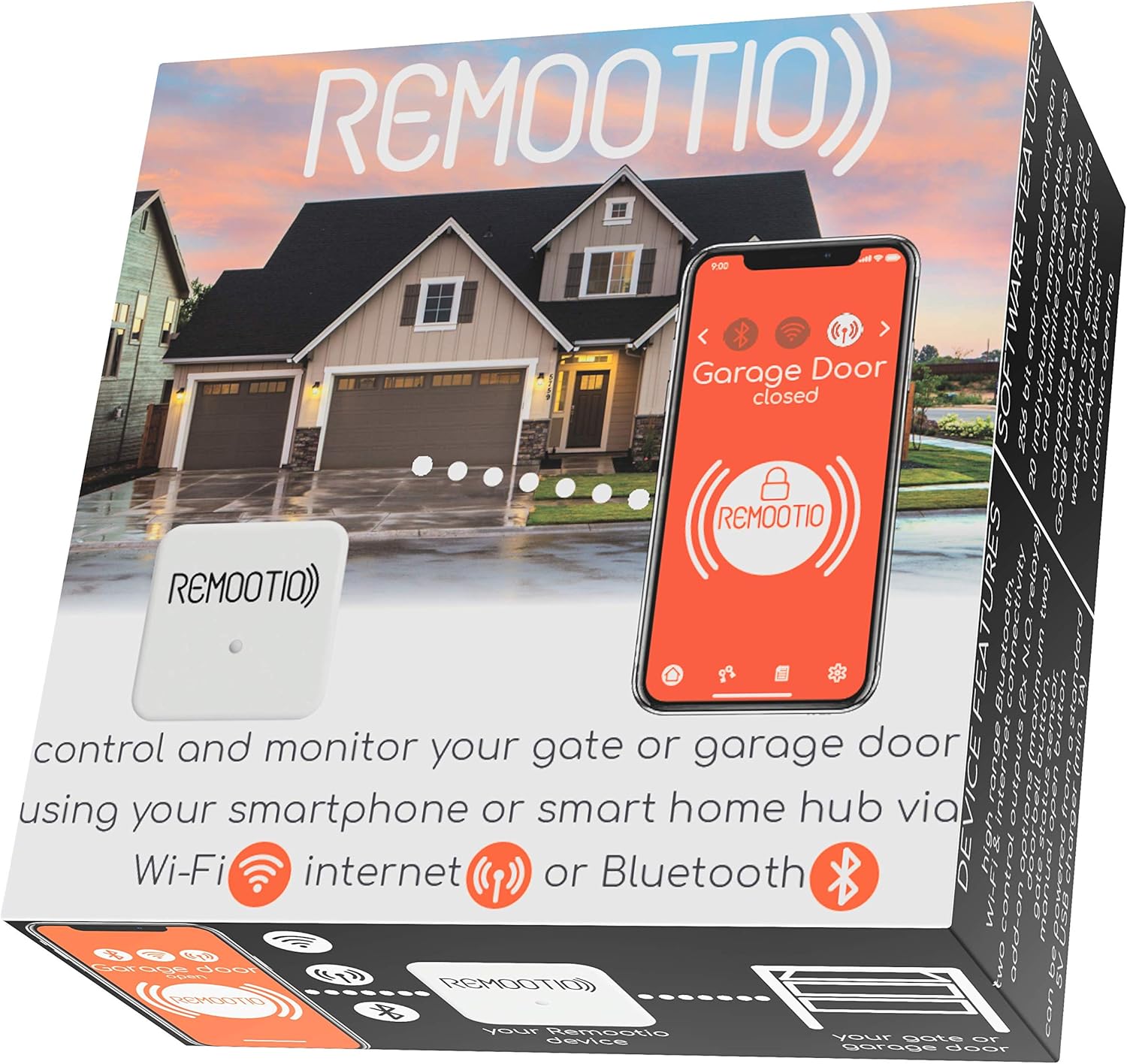
? Thinking about upgrading how you control your garage door with your phone and smart home devices?
First impressions of the Remootio 2 WiFi and Bluetooth Smart Garage Door opener with iOS and Android App, Apple Home (HomeKit), Amazon Alexa, Google Home, SmartThings, Siri Shortcuts compatible. With sensor and power adapter.
You’ll notice right away that the product name says a lot about what it can do. The Remootio 2 arrives as a compact, modern-looking device that promises smartphone control, broad smart home integration, and security-focused features — all without a subscription fee.

Remootio 2 WiFi and Bluetooth Smart Garage Door opener with iOS and Android App, Apple Home (HomeKit), Amazon Alexa, Google Home, SmartThings, Siri Shortcuts compatible. With sensor and power adapter.
What the device does for you
This unit lets you open and close your electric gate or garage door using an app on your phone. You can connect via Bluetooth when WiFi isn’t available, or connect over WiFi to control your opener from anywhere in the world. The device also includes a sensor so you can check the actual door status and receive notifications when the door opens or closes.
Purchase Remootio 2 Smart Garage Door Opener
Key specs at a glance
Below is a straightforward breakdown of the main technical and functional specs, so you can quickly see how it fits your needs. This table highlights compatibility, connectivity, power, and other critical details.
| Category | Details |
|---|---|
| Product | Remootio 2 WiFi and Bluetooth Smart Garage Door opener (sensor and power adapter included) |
| Compatibility | Works with most garage door openers that accept a wall-switch/dry-contact input — check compatibility on the Remootio website before buying |
| Power | 5V DC only (this version); if you need wide input voltage tolerance, consider Remootio 3 |
| Connectivity | WiFi (remote access), Bluetooth (local control) |
| Sensor | Magnetic/contact sensor included for open/closed status |
| Security | 256-bit end-to-end encryption |
| App | iOS and Android, subscription-free (no monthly fee) |
| Sharing | Share virtual keys via QR code; up to 20 people |
| Smart Home Integrations | Apple Home (HomeKit), Amazon Alexa, Google Home, SmartThings, Siri Shortcuts, Apple Watch |
| Price model | One-time purchase, no subscription |
Unboxing and what’s included
When you open the box, you’ll find the Remootio 2 module, the magnetic contact sensor, a 5V DC power adapter, mounting hardware, and a quick-start guide. Everything needed for a basic installation is included, which makes the first setup straightforward and reduces the need for extra purchases.
What you should check before installing
Before you start, check your garage door opener’s wall switch terminals. The Remootio 2 typically interfaces with the opener by simulating a push-button press across those terminals. Confirm compatibility on Remootio’s website or documentation before buying, especially if your opener uses unusual wiring or electronics.
Installation and setup
The installation process is designed for a moderately handy homeowner. If you’re comfortable with basic wiring, mounting a small device, and following app instructions, you’ll be fine. If you’re unsure, a local electrician or opener technician can handle it in 20–30 minutes.
Mounting location and wiring basics
You’ll mount the Remootio unit in the garage near the opener or where it’s convenient to run the sensor cable. For the electrical connection, you’ll connect Remootio’s relay wires to the garage opener’s wall-switch terminals. The included power adapter supplies 5V DC to the Remootio 2 — don’t attempt to power it with a different voltage.
Power considerations: 5V DC only
This version of Remootio works with 5V DC power only. If your garage setup provides higher voltages or you want a device with wider input tolerance, you should order Remootio 3 instead. Using the wrong voltage can damage the unit and void any support or warranty.
Sensor placement and calibration
The sensor is magnetic/contact-style and should be mounted so it accurately detects whether the door is open or closed. Typically, you adhere the sensor to the top section of the door and the magnet to the frame so the circuit closes when the door is shut. You’ll test and calibrate the sensor through the app during setup to ensure reliable status updates.
Connecting to WiFi and Bluetooth
During first-time setup you’ll use Bluetooth to pair the unit if you’re near it. Then you’ll configure your WiFi credentials so the Remootio 2 can offer remote access. Bluetooth is handy for initial pairing or when WiFi is temporarily down; WiFi is needed for remote control from outside your home network.
Typical setup time and difficulty
Expect 15–45 minutes depending on how comfortable you are with wiring and installing small devices. If you need to mount the sensor on a difficult surface or run cables, add more time. The app guides you through the steps, and support resources are available if you run into trouble.

App and daily use
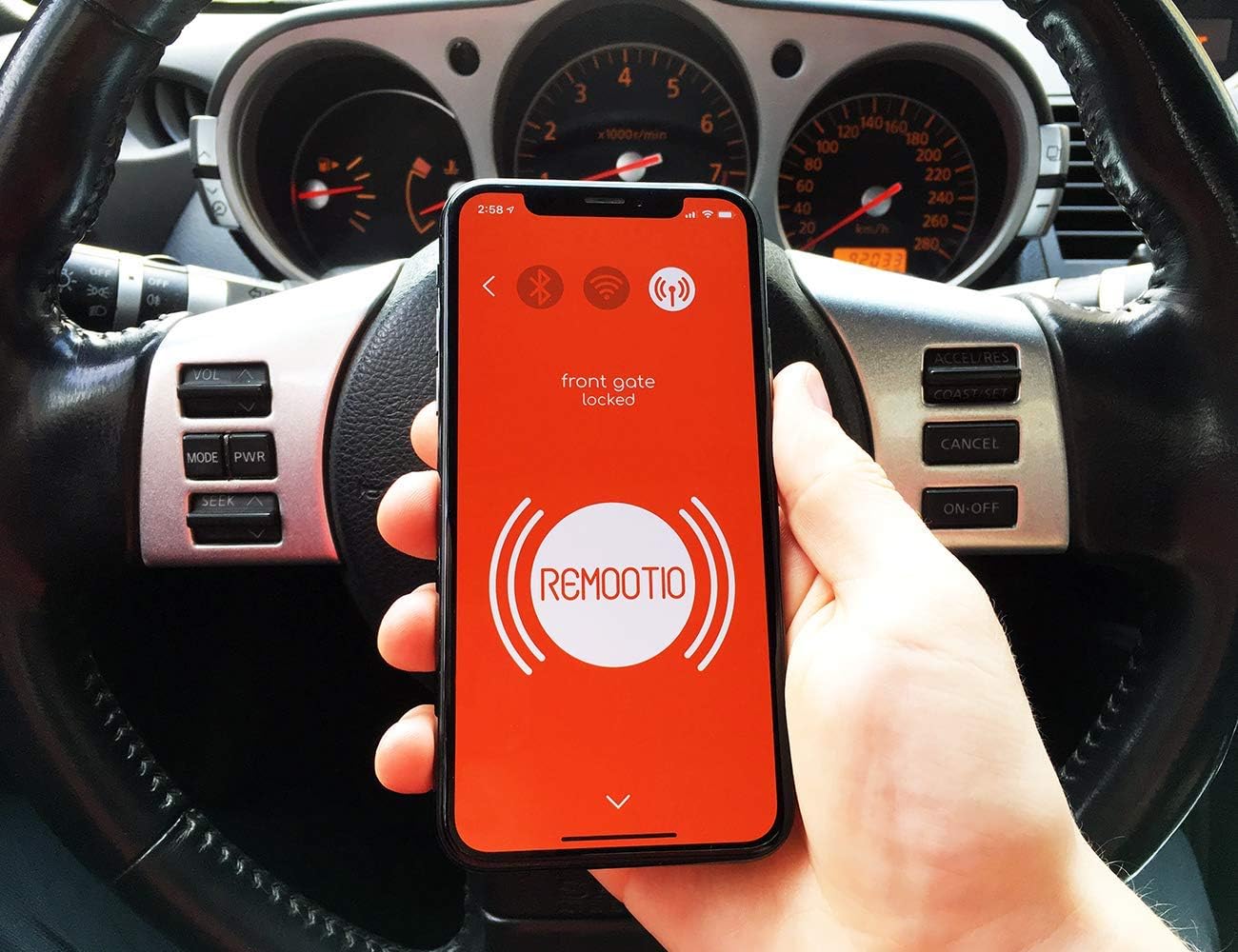
The Remootio app is the primary interface you’ll use to open/close the door, check door status, manage users, and view logs. It’s subscription-free, so once you buy your device you don’t need to pay monthly fees to use core features.
App interface and controls
The app presents a clear status indicator (open/closed), a large action button to open or close the door, and a history log showing who used the door and when. You’ll be able to rename devices, set up notifications, and manage access directly from the app.
Notifications and activity logs
You can configure notifications to alert you when the door opens or closes — useful for deliveries or for checking that family members left or arrived. The activity log keeps timestamps and user identities when you share virtual keys, letting you audit history and see who used the door.
Sharing access and virtual keys
Sharing is one of the most convenient features. You’ll generate a virtual key and send it via QR code or app-based sharing to family, guests, or service providers. You can limit time windows or revoke access at any point. The system supports up to 20 people, which is plenty for most households.
Voice assistant and smart home integrations
If you already use smart home ecosystems, you’ll appreciate compatibility with Apple Home (HomeKit), Amazon Alexa, Google Home, SmartThings, Siri Shortcuts, and Apple Watch. You can add Remootio to automations and voice routines, letting you open or check the door with a voice command or automate behaviors tied to other devices.
Performance and reliability
Remootio 2 generally performs well when installed correctly. You’ll enjoy reliable remote access over WiFi and dependable local control over Bluetooth. The included sensor reliably reports door state, although placement and interference can affect accuracy.
Bluetooth vs WiFi performance
Bluetooth gives you a quick local connection without entering WiFi credentials, which is handy during setup or if the WiFi network is down. WiFi enables remote control from anywhere and tends to be more stable for notifications and logging. If you have weak WiFi in your garage, consider a WiFi extender or ensure the opener area has adequate network coverage.
Sensor accuracy and responsiveness
The magnetic sensor is accurate when mounted correctly and protected from excessive vibration or debris. You’ll see status changes in the app within a couple of seconds after the door moves. If your door mechanism induces heavy vibration or if the sensor sits too far from its magnet when closed, recalibrate or reposition it for better performance.
Reliability over time
Users typically report consistent operation after initial setup. Because Remootio simulates a wall push-button (dry contact), it works reliably with a wide range of opener electronics. The device’s long-term reliability depends on stable power, solid WiFi, and protected placement inside the garage away from extreme temperatures and direct moisture.
Security and privacy
Security is a key selling point. The Remootio 2 uses 256-bit end-to-end encryption, protecting control messages between your phone and the device. The subscription-free model means you don’t have to store usage data on a paid cloud service unless you specifically enable cloud features.
Encryption and secure communications
256-bit end-to-end encryption is strong and helps ensure that only authorized devices can send open/close commands. This level of encryption protects your door from casual interception attempts on local or remote networks.
Local control and privacy
Because the device supports Bluetooth and local operation, you’ll retain control even if your internet connection fails. The app stores user access and logs locally or via the manufacturer’s cloud if you enable any cloud features — review their privacy policy if you have concerns about where logs are stored.
Access control and user management
You can assign and revoke access quickly through the app, and viewing the access logs shows who operated the door and when. This helps you maintain a clear picture of activity without turning to monthly subscription services.
Compatibility and limitations
The Remootio 2 works with most garage door openers that accept a wall switch/dry-contact input. However, you’ll need to check a few things before buying and installing.
Garage door opener compatibility
Because Remootio closes a contact across the wall-switch terminals, it’s compatible with most openers irrespective of the remote protocol (including rolling-code systems). Always verify with the Remootio compatibility checklist on their website to avoid surprises, especially with older or very new models that use unusual control circuits.
Power requirements and when to choose Remootio 3
If your garage environment or existing wiring delivers voltages other than 5V DC, or if you prefer a unit with broader voltage tolerance, opt for Remootio 3 instead. Using the correct power adapter is essential to prevent damage.
Situations where it might not work
If your opener lacks accessible wall-switch terminals, uses an uncommon control interface, or if the sensor cannot be mounted properly due to door construction, the Remootio 2 may not be suitable. In multi-door commercial installations or heavy-duty industrial openers, consult a professional or the manufacturer.
Pros and cons
You’ll want a balanced view before buying. Below are the main advantages and potential drawbacks to help you decide.
Pros
- You get full smartphone control with no subscription fee.
- Broad smart home integration with HomeKit, Alexa, Google Home, SmartThings.
- Secure 256-bit end-to-end encryption.
- Bluetooth fallback when WiFi is unavailable.
- Sensor included so you can see door status.
- Easy user sharing with QR code and per-user logging.
Cons
- This model only accepts 5V DC; you may need Remootio 3 for different power setups.
- Requires access to wall-switch terminals and a bit of wiring.
- Bluetooth range is limited compared to WiFi; if WiFi is weak, remote features may be hindered.
- Not a plug-and-play solution for users uncomfortable with wiring or mounting.
Alternatives to consider
If you’re considering other products, here are some popular alternatives and how they differ. Each of these has strengths that might match your needs better in certain scenarios.
- Chamberlain MyQ: Popular, integrates with many opener brands and smart assistants, but some features require partnerships or hubs and there may be regional limitations.
- Garadget: Web-based notifications and solid hardware, but different installation approach and cloud model.
- Nexx Garage: Affordable and integrates with Amazon and Google ecosystems; some users prefer its straightforward app.
- Tailwind iQ: Focuses on convenience and multi-user scheduling, with some family-oriented features.
If you prioritize native HomeKit support and subscription-free operation, Remootio 2 is a strong contender. If your power requirements differ or you need additional features like solar power tolerance or PoE, consider alternatives or Remootio 3.
Installation tips and best practices
Follow a few simple best practices to make setup smoother and keep the device working reliably over time.
Prepare tools and workspace
You’ll need a screwdriver, wire strippers, mounting tape or screws, and possibly zip ties. Have your garage door manual handy to identify the wall-switch terminals and to double-check safety configurations.
Ensure solid WiFi coverage
Before installing, check WiFi strength in the intended mounting spot. If signal is weak, plug in a WiFi extender or move your router slightly if possible. Reliable WiFi improves both remote control and notifications.
Secure mounting and protection
Mount the Remootio 2 inside the garage away from direct contact with the opener’s moving parts, moisture, or extreme heat. Keep the sensor clean and affixed firmly to avoid false readings.
Test fully before finalizing
After wiring and mounting, test the open/close command, sensor readings, and sharing features. Test Bluetooth pairing and WiFi remote access from a different network (mobile data) to confirm remote functionality.
Maintain firmware updates
Keep the app updated and apply firmware updates for the device when prompted. Firmware updates can add features, improve security, and fix bugs.
Real-world scenarios and use cases
You’ll find the Remootio 2 useful in many practical situations around home life and property access.
Family access control
Share a virtual key with family members so everyone can use their phone instead of a physical remote. Set time-limited access for babysitters or cleaning services that only applies during certain hours.
Delivery and service access
Grant short-term access to delivery drivers, pet sitters, or maintenance personnel so they can place packages inside the garage or access the property without leaving keys in insecure locations.
Remote monitoring
If you travel or commute, you’ll be able to check if your garage is closed and receive alerts if it opens unexpectedly. This adds convenience and a layer of safety.
Vacation rental or guest management
If you rent a property, you can provide temporary virtual keys and remove access once guests check out. The activity log helps you audit usage.
Final verdict
If you want a secure, subscription-free smart garage door controller that integrates with most major smart home systems and gives you flexibility with Bluetooth and WiFi control, the Remootio 2 is a compelling choice. Its included sensor, encryption, and robust sharing options make day-to-day use convenient and safe. The biggest constraint is the 5V DC power requirement: make sure that matches your setup or choose the Remootio 3. Overall, for homeowners comfortable with a small amount of wiring and mounting, Remootio 2 offers excellent value and strong feature coverage.
Frequently asked questions (FAQ)
Will this work with my garage door opener?
Generally yes, if your opener has wall-switch/dry-contact terminals. You should check the Remootio compatibility list on their website to confirm your model. If you’re unsure, take a photo of the opener’s control board and compare it to the compatibility notes or contact support.
Do I need a subscription to use the Remootio app?
No. The Remootio 2 offers a subscription-free app for core functionality. You won’t have a monthly fee for opening/closing, notifications, or user management. Optional cloud features may exist, but the fundamental control and sharing features are available without ongoing payments.
Can I use it without WiFi?
Yes. You can use Bluetooth for local control when WiFi isn’t available, but remote access and cloud-based notifications will require WiFi. Bluetooth is useful for setup and local operation, while WiFi lets you control your garage from anywhere.
How secure is the device?
The device uses 256-bit end-to-end encryption for communications, which is a strong standard for protecting control messages. You should also use strong passwords for your app account and keep firmware up to date to maintain security.
How many people can I share access with?
You can share virtual keys with up to 20 people, which should cover most family and guest scenarios. You can manage permissions, set time limits, and revoke access at any time.
What if the power in the garage is different than 5V DC?
Remootio 2 requires 5V DC. If your available power is different or you need wider voltage tolerance, choose Remootio 3. Using incorrect voltage can damage the unit and void support.
Is installation hard?
If you’re comfortable with basic wiring and mounting, it’s reasonably straightforward and usually takes under an hour. If you’re not comfortable doing electrical connections, consider hiring a technician.
Does it integrate with HomeKit?
Yes, Remootio 2 is compatible with Apple Home (HomeKit), letting you add it to HomeKit scenes and automations. You can also use Siri Shortcuts and Apple Watch integration.
Will it work with rolling-code remotes?
Yes. Because Remootio simulates the wall switch contact (dry contact closure), rolling-code remotes are generally irrelevant. Remootio works at the opener side rather than emulating the radio remote signals.
What’s the difference between Remootio 2 and Remootio 3?
The main difference is power tolerance: Remootio 2 requires 5V DC only, while Remootio 3 supports a wider input voltage range. Choose 3 if you need more flexible power options. There might also be incremental feature updates between versions, so review specifications before buying.
If you’d like, I can help you check compatibility for a specific garage opener model or walk you through the wiring diagram and app setup step-by-step.
Disclosure: As an Amazon Associate, I earn from qualifying purchases.