
Have you been looking for a single system that can secure your home or small business without a complicated setup?


Quick verdict
You’ll find the Ring Alarm 14-Piece Kit (newest model), Wireless smart home or business security system, expandable, easy setup, Mobile App Control, 24/7 Professional Monitoring, Alexa Compatible to be a solid, user-friendly starter security system for most 2–4 bedroom homes and many small businesses. It gives you flexible automation, straightforward installation, and the option for professional monitoring if you want that extra layer of protection.
Ring Alarm 14-Piece Kit (newest model), Wireless smart home or business security system, expandable, easy setup, Mobile App Control, 24/7 Professional Monitoring, Alexa Compatible
What’s included in the kit
You’ll receive everything needed to establish a basic, but capable, alarm system that covers doors, windows, and main living spaces. The kit is balanced for common household layouts and is designed so you can add more sensors as you grow.
Box contents
The kit includes one Base Station, two Keypads, eight Contact Sensors, two Motion Detectors, and one Range Extender. You’ll also find power adapters, mounts, and necessary batteries for most sensors so you can get started right away.
| Component | Quantity | Primary purpose | Recommended coverage |
|---|---|---|---|
| Base Station | 1 | Central hub and alarm siren | Home/business center |
| Keypad | 2 | Arm/disarm locally, code entry | Front and back entrances |
| Contact Sensors | 8 | Detect door/window open/close | Exterior doors, main windows |
| Motion Detectors | 2 | Detect movement in rooms | Living room, hallway, main stair |
| Range Extender | 1 | Improve wireless signal | Large homes or more metal walls |
| Power adapters & batteries | Varies | Power and backup | Included for immediate setup |

Key features at a glance
You’ll notice the kit focuses on a mix of local control and cloud-enabled convenience. It offers app control, professional monitoring options, and voice control compatibility with Alexa.
Base Station
The Base Station is the command center that communicates with all included sensors and sends alerts to your phone. It contains a built-in siren, and you’ll be able to see status lights and connectivity indicators directly on the unit.
Keypads
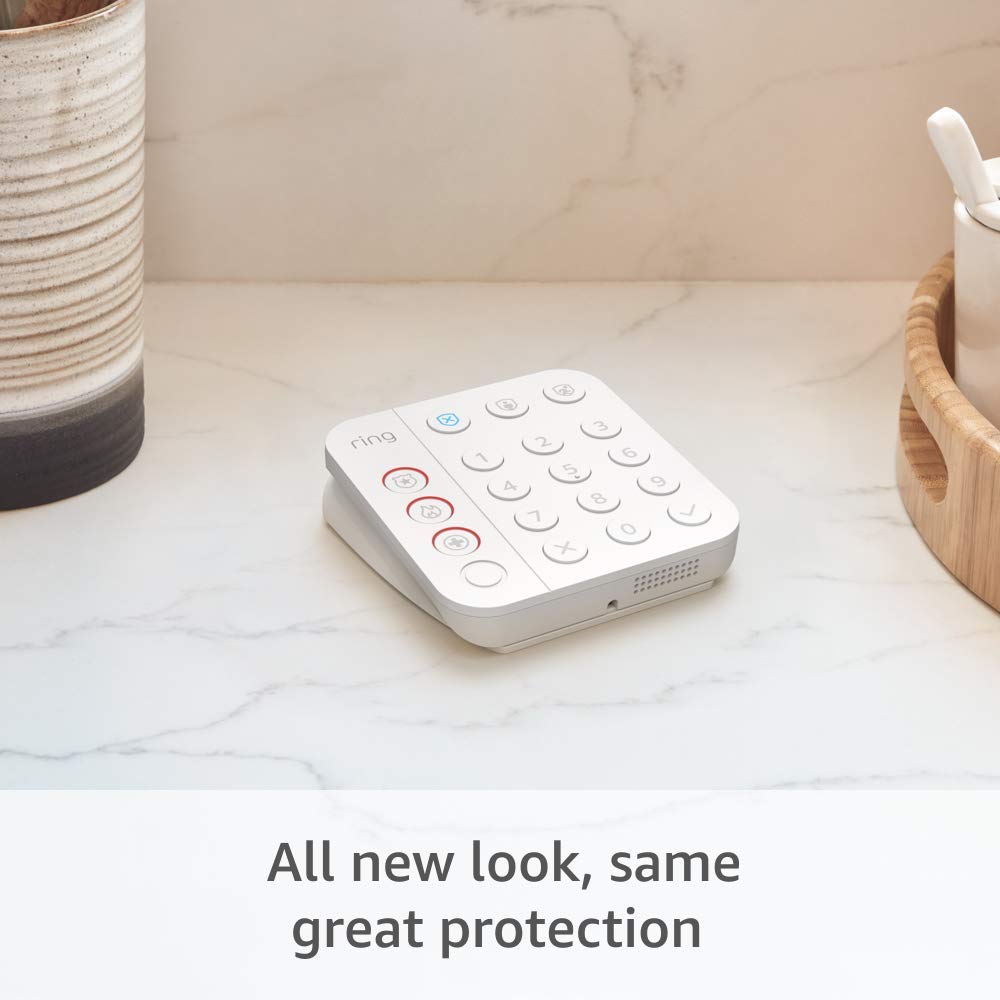
The Keypads offer a convenient local interface to arm and disarm the system using PIN codes. You’ll like that the Keypads are battery-powered so you can place them by entry points without wiring.
Contact Sensors
Contact Sensors mount on doors and windows to notify you when they’re opened or closed. You’ll find them unobtrusive and easy to stick in place using the included adhesive; they’re a key line of defense for perimeter breaches.
Motion Detectors
Motion Detectors sense activity in rooms and trigger alerts when motion occurs while your system is armed. You’ll appreciate the pet-immune angle on some Ring motion models if you have small animals, but placement is important to avoid false triggers.
Range Extender
The Range Extender boosts the mesh network the Base Station creates for sensors to communicate reliably across larger rooms or through thick walls. If your home has unusual architecture or long distances between components, this piece is essential.
Mobile App Control
The Ring App gives you full control of arming, disarming, modes, and viewing event history from anywhere. You’ll get real-time push notifications when sensors trip, and the app summarizes activity so you can respond quickly.
24/7 Professional Monitoring
You can choose optional 24/7 Professional Monitoring that contacts emergency services for police, fire, and medical response. You’ll want to read the plan details because some features (like cellular backup) require an active subscription.
Alexa Compatibility
If you use Alexa, you can arm and disarm the system with voice commands when you subscribe to certain Ring plans. You’ll also be able to integrate other Ring devices and routines in the Alexa ecosystem for coordinated automations.
Expandability and accessories
You can add extra Contact Sensors, Motion Detectors, environmental sensors, and more to tailor coverage to your space. You’ll have the flexibility to build the system up over time without swapping core hardware.
Design and build quality
The components feel lightweight but sturdy, designed for consumer installation rather than pro-grade commercial gear. You’ll notice clean plastic housings and simple mounting options that keep the look discreet.
Aesthetic and material notes
Ring favors a minimalist design in white that blends with most interiors and exteriors where sensors are visible. You’ll find the materials adequate for indoor use; sensors are compact enough to stay out of sight if you prefer.
Durability and battery considerations
Most wireless components rely on included batteries, and you’ll want to monitor battery health in the app. You’ll get months of normal usage before changing batteries, but heavy use of notifications and events reduces that lifespan.

Installation and setup
You’ll be able to set the system up with basic tools and following step-by-step prompts in the Ring app. The process is meant for first-time installers, so it’s accessible without professional help.
Typical setup workflow
You’ll plug in the Base Station, connect it to your Wi‑Fi or to a compatible cellular backup (with subscription), then add sensors one-by-one using the app’s pairing sequence. You’ll be guided through placing Keypads and testing each Contact Sensor and Motion Detector to confirm detection zones.
Tips for smoother installation
You should plan sensor placement before sticking anything down, and test each sensor’s range from the Base Station location. You’ll avoid having to re-mount by ensuring adhesive locations are permanent and by using the Range Extender early if coverage is inconsistent.
Performance and reliability
You’ll find the system generally reliable for everyday home and small-business uses, especially when you maintain good Wi‑Fi coverage and keep firmware up to date. Ring’s mesh network helps sensors communicate efficiently, but environmental factors still matter.
Sensor accuracy and response times
Contact Sensors typically trigger instantly when a door or window opens, giving you quick notifications. You’ll see Motion Detectors respond promptly in most rooms, though their coverage angle and placement determine how well they do in practice.
False alarms and nuisance alerts
False alarms are possible if you place motion sensors facing windows with sun movements or near vents. You’ll reduce nuisance alerts by adjusting sensitivity, setting schedules, or using modes so some sensors are disabled during expected activity.
Connectivity and backup
The Base Station supports Wi‑Fi and optionally benefits from a cellular backup through a Ring Protect subscription, which helps keep the system online if your internet drops. You’ll want the Range Extender for larger homes or if you have thick walls that block signals.

App experience and user interface
The Ring App provides a central spot to control your alarm, view events, and manage other Ring devices. You’ll appreciate the simplicity, but power users may find some advanced settings less visible.
Notifications and alerts
You’ll get push notifications, text messages, or email (depending on your settings) when sensors trigger or when the system status changes. You’ll be able to customize which events create instant alerts versus which are summarized.
Remote arming/disarming and modes
You’ll arm away, arm home, or disarm the system from the app, and you can also set schedules to automate mode changes. You’ll find geofencing and quick-action buttons helpful to manage the system while you’re on the go.
Sharing access and user permissions
You can add household members and assign them codes to use the Keypad or app access. You’ll be able to limit permissions for guests or service personnel, and you’ll get a log of who arms or disarms the system if multiple users are active.
Subscription, costs, and what you should expect
Some important capabilities require paid Ring plans, so you’ll need to decide which features matter most to you. You’ll still get local alarming without a subscription, but cloud conveniences come with a fee.
Ring Protect plans and what they provide
Ring offers a variety of plans; a household-level Ring Protect subscription typically unlocks video storage, extended features for devices, and professional monitoring options. You’ll find a “Protect Plus” plan that bundles multiple benefits like cellular backup for Base Station and professional monitoring at an added monthly price.
What requires a subscription
Features like 24/7 professional monitoring, cellular backup for Base Station, and advanced cloud logging and storage are tied to subscription plans. You’ll still receive local alarm triggers and local keypad control without a subscription, but remote rewind and certain automation options may be restricted.
Privacy and security considerations
You’ll want to be mindful of account security and data storage practices, since your system reports activity to Ring and stores certain events in the cloud. Ring uses encryption and account protections, but you should enable strong passwords and two-factor authentication.
Data storage and access
Ring retains event logs and, if you add cameras, video clips in the cloud for the period specified by your plan. You’ll be able to manage storage settings and delete recordings if you choose, but consider the tradeoffs between local-only systems and cloud convenience.
Account security and best practices
You should enable two-factor authentication for your Ring account and avoid sharing primary credentials. You’ll also keep the system secure by applying firmware updates and monitoring connected devices for strange activity.
Using the system in a small business
You’ll find the Ring Alarm kit suitable for small offices, retail shops, or front-of-house spaces where perimeter security is most important. The kit’s scalability means you can add sensors in critical areas like stockrooms or back doors.
Business-oriented setup tips
You should place Keypads at primary employee entry points and use multiple contact sensors on high-risk entry points. You’ll also want to consider who has disarm permissions and to keep a detailed log of user activity for accountability.
Pros and cons
You’ll want to weigh the advantages and limitations before you buy, because every security system involves tradeoffs between price, features, and professional services.
Pros:
- You’ll get a comprehensive starter kit that covers doors, windows, and main interior spaces.
- You’ll appreciate easy setup and a clean app interface for remote control.
- You’ll have upgrade paths and accessory options to expand coverage over time.
- You’ll get optional professional monitoring and Alexa voice compatibility.
Cons:
- You’ll need a subscription for cellular backup and 24/7 professional monitoring.
- You’ll need to manage battery replacements on wireless sensors periodically.
- You’ll rely on cloud services for many conveniences, which may concern privacy-conscious users.
- You may experience some false alarms if sensors aren’t optimally placed.
Alternatives to consider
You’ll find other brands that offer similar kits with different strengths; comparing options helps you choose based on what matters most to you.
SimpliSafe
SimpliSafe provides easy-to-install systems with a strong focus on professional monitoring packages and simple hardware. You’ll find SimpliSafe’s monitoring plans and hardware ecosystem to be a direct competitor, often with straightforward subscription tiers.
Google Nest Secure (or Nest-compatible solutions)
Google’s approach blends cameras and alarm sensors tightly with smart home features, especially if you already use Nest devices. You’ll get deep integration with Nest cameras and thermostats if you prefer a Google-centric ecosystem.
ADT or professional installers
If you prefer a fully professional installation and long-term on-site service, you’ll be looking at ADT or local security firms. You’ll trade DIY flexibility for hands-off setup and often higher monthly costs.
Other DIY options (Arlo, Abode)
Abode and Arlo give you more choices around local storage and professional monitoring, catering to users who want either more privacy or advanced camera setups. You’ll want to compare monthly costs, hardware compatibility, and local backup options.
Tips and tricks for best performance
You’ll get the most from the system by planning placement, managing accounts, and using automations smartly. These practical actions help reduce false positives and improve response speed.
- Place Contact Sensors on frequently used doors where they won’t be jarred by strong winds or typical slamming. You’ll also ensure sensors are aligned correctly to avoid missed triggers.
- Mount Motion Detectors away from direct sunlight, vents, and heating sources to reduce false activations. You’ll aim for 6–8 feet height for optimal coverage in living areas.
- Put a Keypad in a convenient but discreet location so guests don’t see codes being entered. You’ll rotate codes periodically for added security.
- Use the Range Extender early if signal strength is inconsistent; you’ll save time troubleshooting later.
- Enable two-factor authentication for your Ring account and use a strong unique password. You’ll reduce your risk of unauthorized access.
- Consider geofencing or schedules to automatically arm or disarm the system when you arrive or leave. You’ll remove the burden of remembering to arm the system every time.
Troubleshooting common issues
You’ll encounter occasional issues with any wireless system, but most are solvable with simple steps. Here are common problems and quick fixes.
- Sensors not pairing: You’ll restart the Base Station and follow the pairing sequence in the app, making sure batteries are inserted and sensors are close during initial pairing.
- Weak signal/“device offline”: You’ll move the Range Extender closer to the problematic device or relocate the Base Station for better central coverage.
- Frequent false alarms: You’ll check motion sensor placement, adjust sensitivity settings, and ensure glass break or vibration-prone zones are not in sensor sightlines.
- Battery drains quickly: You’ll verify firmware is current and check event logs—frequent triggers or excessive notifications shorten battery life.
Frequently asked questions you might have
You’ll likely have a few practical questions before buying or after installing; here are the answers to the ones people ask most.
- Do you need a subscription to use the alarm? You’ll be able to use the basic alarm, Keypad, and local alerts without a subscription, but 24/7 professional monitoring, cellular backup, and cloud storage require a paid plan.
- Can the system work without Wi‑Fi? You’ll need Wi‑Fi for full app functionality; cellular backup can keep monitoring active if your internet goes down but requires a Ring plan.
- How many sensors can you add? You’ll be able to expand the system with dozens of sensors—Ring supports a flexible number depending on your needs.
- Is the system pet-friendly? Motion sensors have adjustable sensitivity; you’ll reduce false triggers from pets by placing detectors above the typical movement level of small animals.
Final recommendation
If you want a straightforward, scalable security solution for a 2–4 bedroom home or a small business and you value easy DIY installation and app control, the Ring Alarm 14-Piece Kit (newest model), Wireless smart home or business security system, expandable, easy setup, Mobile App Control, 24/7 Professional Monitoring, Alexa Compatible is an excellent option. You’ll enjoy the balance of features, expandability, and optional professional monitoring, but you should budget for subscription costs if you want cellular backup and remote monitoring.

Disclosure: As an Amazon Associate, I earn from qualifying purchases.