
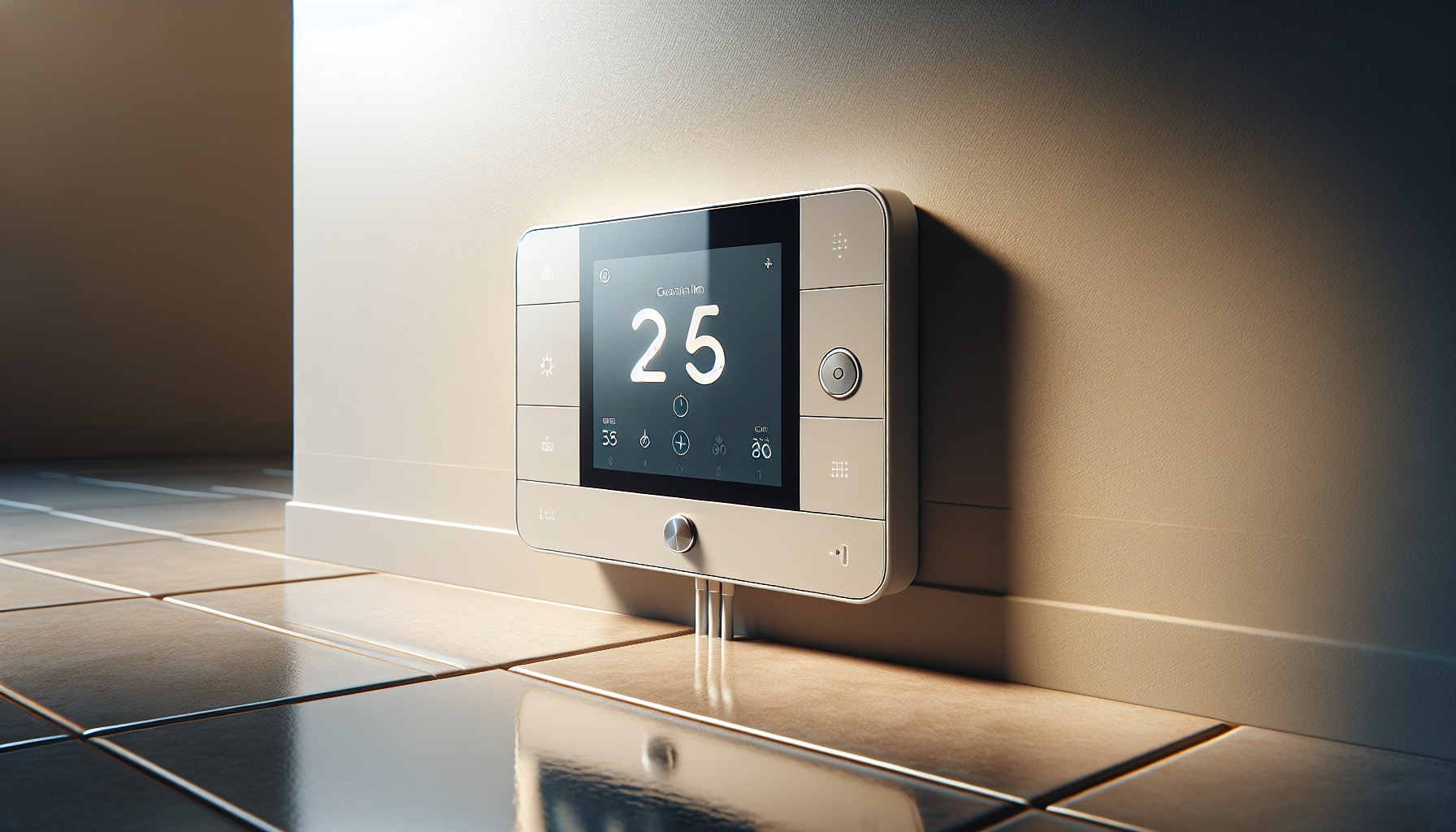
?Are you looking for a smart, safe, and energy-conscious thermostat to control your heated floors?
Buy Schluter Ditra-Heat-E-WiFi Thermostat DHERT104/BW On Amazon
Product Overview
You’ll find the Schluter Ditra-Heat-E-WiFi Thermostat with Floor Sensor – Ideal for Home Floor Heating – Programmable Touchscreen, Energy Monitoring, App-Controlled, Smart Home Integration – DHERT104/BW is designed specifically for underfloor heating systems where precise temperature control and safe electric operation matter. It combines a touchscreen interface, built-in smart features, and a floor sensor to give you control over both comfort and energy use, while addressing safety with a built-in GFCI.
What the device is and what it does
This thermostat is intended for electric floor heating systems and integrates with 120V or 240V heating cables up to a 15 amp load. You get a programmable touchscreen, energy monitoring through an app, voice assistant compatibility, and an integrated class A Ground Fault Circuit Interrupter (GFCI) to cut power in the event of a ground fault.
Who this product is for
If you’re installing heated floors in a bathroom, kitchen, mudroom, or other living space and you want smart control plus safety features, this model is a practical choice. It’s also well suited to homeowners who want to track energy usage to manage heating costs and integrate the thermostat into their existing smart home ecosystem.
Purchase Schluter Ditra-Heat-E-WiFi Thermostat DHERT104/BW
Schluter Ditra-Heat-E-WiFi Thermostat with Floor Sensor - Ideal for Home Floor Heating - Programmable Touchscreen, Energy Monitoring, App-Controlled, Smart Home Integration - DHERT104/BW
$341.88 In Stock
Key Features
You should know the main features before deciding, and this thermostat packs several that directly impact comfort, convenience, and safety. Below you’ll find an at-a-glance breakdown of the most important attributes and how they affect everyday use.
Smart Control and Integration
You can connect the thermostat to your home Wi‑Fi and pair it with voice assistants and compatible smart home platforms. That means you can adjust temperature schedules, check energy use, or change settings with voice commands or through smart home routines.
Programmable Touchscreen
The unit’s touchscreen gives you local control and programming capability right at the wall, so you don’t have to rely solely on the app. The interface is designed to be intuitive so you can create schedules, adjust setpoints, and control the system without extra devices.
Energy Monitoring and App
You’ll gain insights into how much power your floor heating uses through the Schluter app, helping you identify ways to lower bills in colder months. The app’s energy tracking makes seasonal adjustments easier and helps you see when usage spikes occur.
Heating Compatibility and Power
This thermostat supports both 120V and 240V heating cables and is rated for a maximum load of 15 amps. If your heating layout exceeds that load, Schluter provides an optional additional power module so you can scale the system without compromising the thermostat’s core features.
Safety: GFCI and Compliance
The thermostat includes a class A GFCI that automatically cuts power to the circuit if an electrical leak is detected, reducing the risk of electric shock. This integrated protection helps the installation meet electrical safety expectations in wet-room areas like bathrooms.
Warranty and Long-Term Support
Schluter backs the unit with a 3-year limited warranty against manufacturing defects when you install it according to the Schluter Installation Handbook and Technical Data Sheet. That warranty coverage gives you some reassurance, provided you follow the prescribed guidelines and local codes.
Quick Specification Table
You can use this table to quickly compare the product’s key specifications and decide whether it fits your system and installation needs.
| Specification | Details |
|---|---|
| Product Name | Schluter Ditra-Heat-E-WiFi Thermostat with Floor Sensor (DHERT104/BW) |
| Voltage Compatibility | 120V and 240V |
| Max Load | 15 amps |
| Touchscreen | Programmable touchscreen interface |
| Floor Sensor | Included |
| App Control | Schluter app with energy monitoring |
| Smart Home Integration | Compatible with common voice assistants and home automation systems |
| Safety | Class A GFCI integrated |
| Warranty | 3-year limited warranty (installation per Schluter guidelines) |
| Optional Add-ons | Additional power module for larger systems |
Installation and Setup
Installation is one of the most critical parts of your experience because correct wiring and sensor placement determine both performance and safety. You’ll want to review the Schluter Installation Handbook and possibly consult a licensed electrician for the electrical connections.
Pre-installation Requirements
Before you start, verify the voltage of your heating cables and the load to ensure the thermostat’s 15 amp limit won’t be exceeded. You’ll also want a Wi‑Fi network in range for app features and smart home integration, and a wall box that fits the thermostat.
Wiring and Voltage Considerations
You’ll run line and load wires through the thermostat and connect the included floor sensor to the designated terminal so the thermostat can read floor temperatures directly. Because the unit includes an internal GFCI, you must follow wiring diagrams precisely to ensure the GFCI protects the intended circuit and any downstream devices as required by local code.
Using the Optional Power Module for Larger Systems
If your total heating load exceeds the thermostat’s 15 amp rating, you’ll need the Schluter power module to handle the extra current while letting the thermostat retain its control and monitoring capabilities. That approach keeps the thermostat as the control point without overloading its internal switching components.
Practical Tips for a Smooth Install
You should label wires and photograph wiring layouts before disconnecting anything, and double-check grounding connections to ensure the GFCI will function correctly. If you’re not comfortable with electrical work, hire a licensed electrician to perform the wiring and final verification to meet code and warranty requirements.
Using the App and Controls
The app interface is a central part of what makes the thermostat “smart.” You’ll want to spend a little time setting up schedules, checking energy reports, and integrating the device into your preferred voice assistant or automation platform.
App Features and Energy Tracking
You can monitor real-time usage and historical energy consumption in the app, helping you understand when and where heat is being used. This insight makes it easier for you to adjust schedules and reduce waste during times you don’t need heated floors.
Scheduling and Programming
The thermostat supports scheduling so you can set different temperatures for wake, away, and sleep periods or specific times of day. Programming is done either from the touchscreen or the app, and changes sync across both, allowing you to adjust remotely.
Voice Assistant and Smart Home Integration
You’ll be able to link the thermostat to popular voice assistants to control setpoints and schedules with voice commands. Integration also allows the thermostat to participate in broader automation routines—like lowering floor temperature when you leave home or turning heat up before you arrive.
Troubleshooting Common App Issues
If you lose connectivity or experience sync issues, try restarting your router, checking that the thermostat is on the same network band (2.4 GHz is commonly required), and ensuring the app is updated. If problems persist, uninstalling and reinstalling the app or resetting the thermostat to factory defaults (and re-pairing) can resolve lingering issues.
Performance and Reliability
You’ll want the thermostat to maintain comfortable floor temperatures consistently and respond to changes with minimal lag. The thermostat’s floor sensor and intelligent control logic are designed to maintain stable floors without unnecessary cycling.
Temperature Accuracy and Floor Sensor
The included floor sensor reads floor temperature directly and informs the thermostat to prevent overheating or undershooting the target. This direct measurement is generally more accurate for tiled surfaces than relying solely on ambient room sensors.
Responsiveness and User Experience
The touchscreen is responsive and makes local adjustments quick, while the app provides remote control when you’re away from home. You’ll notice more consistent comfort compared to non-programmable or less intelligent controls because the thermostat modulates power based on floor measurements and schedules.
Real-World Heating Performance
In real use, the thermostat will usually bring floors up to temperature on schedule and hold them there, with the GFCI protecting the circuit if a fault develops. Your actual warmth and energy consumption will depend on room insulation, floor construction, and how you program schedules.
Longevity and Build Quality
Schluter builds products specifically for tile and stone floor systems, and this thermostat has a solid feel and finish that suits bathroom or kitchen environments. With proper installation and adherence to the handbook, you should expect reliable operation; the three-year limited warranty helps protect against manufacturing defects.
Safety Considerations
Safety is one of the thermostat’s strong suits because electric floor heating presents specific risks that you must manage carefully. The integrated GFCI and prescribed installation methods are central to safe operation.
GFCI Operation and Resetting
The class A GFCI monitors for ground faults and will trip to cut power if an imbalance occurs, protecting you from potential electrical shock. If the GFCI trips, you’ll need to diagnose the cause (e.g., a damaged heating cable or moisture intrusion) and reset only after ensuring the circuit is safe; never bypass safety features.
Code Compliance and Professional Installation
You should follow local electrical codes and Schluter’s installation guidelines to ensure the installation complies with regulations and to preserve the warranty. Hiring a licensed electrician is often the best path to meet code requirements and ensure the GFCI and wiring are correctly configured.
Sensor Placement and Overheating Prevention
The floor sensor must be placed in a location that represents the typical floor temperature—usually centered in a tile field away from direct sunlight or localized heat sources. Correct placement prevents false readings that could lead to uncomfortable floors or unnecessary cycling.
Pros and Cons
You’ll want to weigh the thermostat’s strengths and limitations to see whether it matches your priorities for smart home features, safety, and heating capability.
Strengths
You get a feature-rich unit that integrates safety (class A GFCI), smart control, energy monitoring, and programmable schedules in one package. The included floor sensor and app-based energy tracking make it easier for you to achieve consistent comfort and monitor operating costs.
Limitations
The thermostat’s built-in switching is limited to 15 amps, so you’ll need an additional power module for larger heating layouts or higher combined loads. Also, some homeowners prefer separate GFCI protection at the breaker for certain installations, which may require coordination with an electrician.
Comparison with Alternatives
You’ll want to understand how this thermostat stacks up versus traditional thermostats and other smart floor heating controllers before you decide.
Traditional Thermostats
Compared to a basic mechanical thermostat or a non-programmable electric floor thermostat, the Ditra-Heat-E-WiFi offers more precise floor sensing, programmable schedules, and energy tracking. Traditional units may be cheaper upfront but lack the smart features and integrated GFCI that this unit offers.
Competing Smart Thermostats
Against other smart thermostats for floor heating, the Schluter unit stands out for the built-in GFCI and the focus on tile-floor systems. Some competing smart thermostats offer broader smart home compatibility or different app ecosystems, but may require external GFCI protection and lack the floor-specific features Schluter provides.
Frequently Asked Questions (FAQ)
Do you need an electrician to install the thermostat?
Yes, you should strongly consider a licensed electrician for wiring and final commissioning, especially because the thermostat integrates a GFCI and works with mains voltage. Professional installation ensures code compliance and reduces the risk of miswiring which could void warranty coverage.
Can the thermostat control baseboard heaters or other loads?
This unit is designed specifically for electric floor heating cables and is rated to switch up to 15 amps; it’s not optimized for use with resistive heaters like baseboard radiators without confirming compatibility and potential load issues. If your load exceeds 15 amps, use Schluter’s additional power module to handle the extra power safely.
How does the floor sensor affect comfort?
The floor sensor provides direct feedback about the floor surface temperature so you can maintain warm floors without overheating. You’ll likely get more consistent comfort with less energy waste compared with systems that use only room air temperature sensors.
What happens if the GFCI keeps tripping?
If the built-in class A GFCI trips repeatedly, you should troubleshoot for potential causes such as moisture, damaged heating cables, or wiring faults. Have an electrician inspect the circuit to identify and correct the problem before resetting the GFCI to ensure continued safety.
How does the app measure energy usage?
The app reports energy consumption based on the thermostat’s control of the heating circuit and time-on metrics; this gives you an estimate of how much energy the floor heating uses over specified periods. Use these reports to modify schedules and setpoints to reduce unnecessary heating and lower costs.
Is the warranty conditional?
The three-year limited warranty applies only when the thermostat is installed per Schluter’s Installation Handbook and Technical Data Sheet and when local codes are followed. Improper installation or failure to follow Schluter’s guidelines can void parts of the warranty, so adhere strictly to the instructions.
Practical Use Cases
You should consider how the thermostat will perform in real-life spaces and whether it aligns with your desired use cases.
Bathroom and Shower Areas
The unit is particularly useful in bathrooms where tile floors can feel cold and where moisture exposure is a concern; the integrated GFCI adds a level of protection you want in wet areas. Proper sensor location and durable installation materials matter most in these environments.
Kitchens and Mudrooms
In zones where you want warmth underfoot during morning routines, the programmable scheduling and quick adjustments from the touchscreen or app let you tailor comfort to daily habits. Energy monitoring helps you see the cost impact of using heated floors in frequently used areas.
Whole-room or Partial Coverage
For single-room installations the thermostat works directly up to its 15 amp limit; for whole-home or larger-area coverage you’ll need the additional power module to scale safely. Plan your load distribution in advance to avoid the need for mid-project changes.
Troubleshooting and Maintenance
You’ll want to maintain a few practices to ensure reliable performance and longevity.
Routine Checks
Periodically check the thermostat for firmware updates via the app, and view energy logs to detect irregular usage that may indicate issues. If the GFCI trips more often than expected, schedule an inspection to identify potential problems.
Firmware and App Updates
Keep the app and thermostat firmware current to benefit from performance improvements and bug fixes. Update notifications typically appear in the app; follow prompts to update both the device and the application.
What to do if the thermostat is unresponsive
If the touchscreen becomes unresponsive, try a power cycle or checking the circuit breaker; if the problem persists, reset to factory defaults and reconfigure. Persistent issues should be handled with Schluter support or a qualified technician to avoid unnecessary downtime.
Installation Checklist
You’ll find this checklist useful for preparing the site and ensuring all materials and steps are in place before you begin the install or your electrician starts work.
- Confirm heating cable voltage (120V or 240V) and total load in amps.
- Verify wall box depth and mounting location with good Wi‑Fi reception.
- Ensure the floor sensor is placed in a representative tile area, away from edges and localized heat.
- Label all wires and take photos before disconnecting to simplify reassembly.
- Have the Schluter Installation Handbook and Technical Data Sheet on hand.
- Arrange for a licensed electrician to perform the wiring and final tests.
- Prepare for the optional power module if your calculated load exceeds 15 amps.
Cost and Value Considerations
You’ll weigh upfront cost against long-term savings and peace of mind from safety features.
Upfront Cost vs Long-Term Savings
The thermostat may be pricier than a basic non-smart unit, but the energy monitoring, scheduling, and reduced cold-floor complaints can translate into savings and increased satisfaction. You should factor in any electrician fees and the potential need for the power module if your system is large.
Value of Integrated GFCI
The built-in class A GFCI can reduce the complexity of adding external protection and provides site-appropriate safety without separate GFCI devices. This built-in protection is valuable in bathrooms and other wet areas and simplifies the number of components in the wall.
Final Verdict
If you want a dedicated floor heating thermostat that balances smart home convenience, direct floor sensing, and built-in safety, the Schluter Ditra-Heat-E-WiFi Thermostat is a strong choice for many homeowners. You’ll get programmable control, energy monitoring, voice integration, and an integrated class A GFCI—all of which add convenience and safety when installed per Schluter guidelines and local codes.
If your heating layout stays within 15 amps and you value direct floor temperature control plus smart features, you’ll likely appreciate what this thermostat offers. For larger systems, plan to include Schluter’s additional power module and engage a licensed electrician to ensure a safe, compliant installation.
Get The Schluter Ditra-Heat-E-WiFi Thermostat (DHERT104/BW)
Disclosure: As an Amazon Associate, I earn from qualifying purchases.