
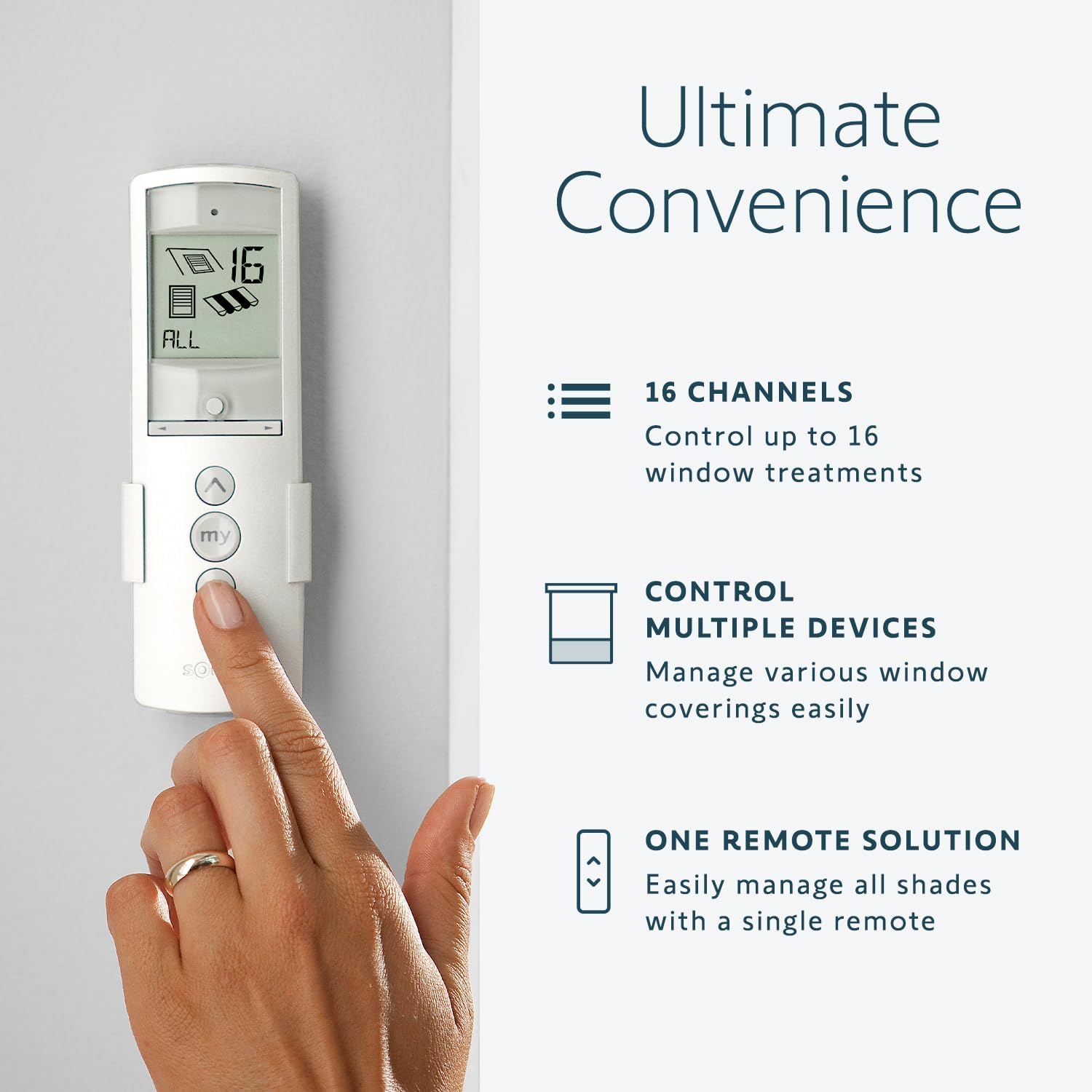
Looking for a single remote that puts complete control of your blinds, screens, awnings and more right in your hand?
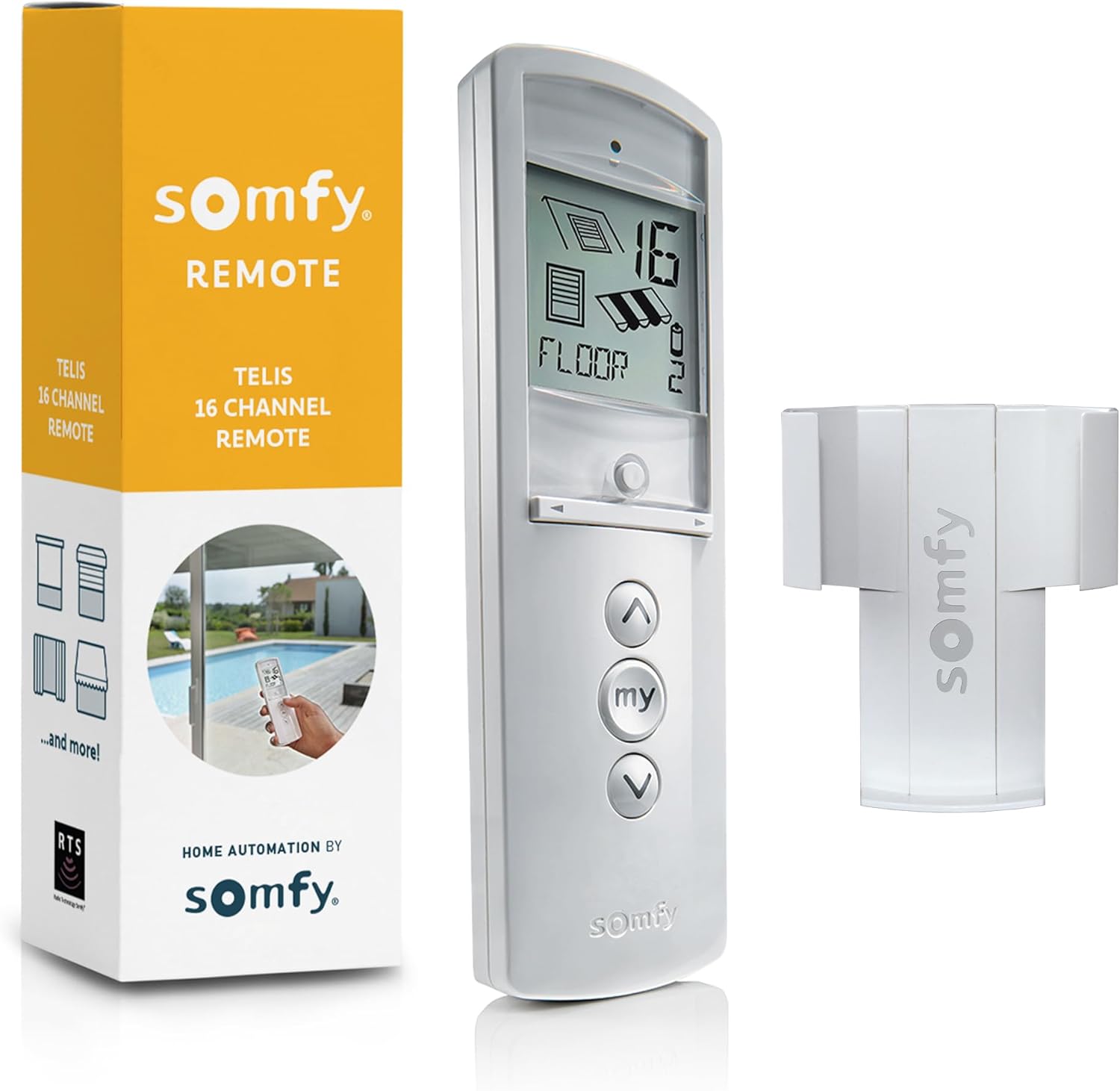

Overview of the Somfy Telis 16 RTS White Remote – Advanced Multi-Channel Handheld Device for Controlling Blinds, Screens, Awnings & More – Pure Tone with On-Screen Display, Part # 1811081
This is the long-form look at the Somfy Telis 16 RTS White Remote — a multi-channel, handheld controller designed to simplify how you manage motorized window coverings and outdoor shading. You’ll get an overall sense of what the remote can do, how it looks and feels, and whether it suits the way you want to automate your home.
What this product aims to solve
You’re likely juggling multiple remotes or adjusting different switches across your rooms. This unit centralizes control for up to 16 individual or grouped motorized applications so you can operate multiple devices from one compact controller. It removes repetitive manual operation and gives you a single, programmable interface.
Who should read this review
If you’re upgrading from single-device remotes, building a centralized shading solution, or just want a cleaner, more modern remote for existing Somfy RTS motors, this review helps you decide whether this remote will meet your daily needs. You’ll get practical details on setup, everyday use, customization and maintenance.
Somfy Telis 16 RTS White Remote - Advanced Multi-Channel Handheld Device for Controlling Blinds, Screens, Awnings & More - Pure Tone with On-Screen Display, Part # 1811081
Key Features at a Glance
Below are the headline features you’ll care about when comparing this remote to other options. Each feature is practical, aimed at saving you time or improving the user experience.
Main capabilities
The Telis 16 RTS supports up to 16 channels, allows group naming and icon assignment, and includes a dedicated “my” button for favorite positions. You’ll appreciate the on-screen display for confirmations and the discreet wall clip that keeps the remote within reach and out of the way.
Design and ergonomics
The remote’s rounded shape and Pure finish are designed for comfortable handling and an attractive appearance in contemporary interiors. You’ll often find the curved form sits naturally in your hand, which makes frequent use pleasant rather than awkward.
Detailed specifications table
This table breaks down the most important technical and practical specs so you can quickly compare them against your needs.
| Specification | Details |
|---|---|
| Product name | Somfy Telis 16 RTS White Remote – Advanced Multi-Channel Handheld Device for Controlling Blinds, Screens, Awnings & More – Pure Tone with On-Screen Display, Part # 1811081 |
| Channels | Up to 16 (individual or grouped) |
| Display | Large LCD on-screen display |
| My Button | Programmable favorite position |
| Finish | Pure (White) |
| Mounting | Discreet wall clip included |
| Ergonomics | Rounded shape for comfortable grip |
| Icon/Name Customization | Yes, name groups and assign icons |
| Battery | Replaceable (user-accessible) |
| Compatibility | Somfy RTS motorized products (RTS protocol) |
| Programming difficulty | Low to moderate; designed for user-friendly setup |
| Use cases | Blinds, screens, awnings, shutters (with RTS) |
| Part number | 1811081 |
Design & Build Quality
You’ll notice the Somfy Telis 16 RTS balances durable construction with an aesthetic that fits modern homes. The Pure finish is glossy but subtle, which helps it blend with most decor without drawing attention.
Handling and physical feel
The rounded shape improves grip and prevents the remote from feeling like a flat slab of plastic. You’ll hold it comfortably for programming sessions and everyday use, and the button layout is spaced to reduce accidental presses.
Display and button layout
The large LCD offers readable feedback about channels, positions and battery status, and the buttons are tactile and responsive. You’ll appreciate the clarity when you’re naming groups or setting your favorite “my” position.
Installation & Setup
Setting this remote up is aimed to be simple, even if you’re not deeply technical. You’ll pair it with RTS-compatible motors, assign channels and groups, and customize icons or group names.
Pairing with motors
Pairing is typically a matter of following Somfy’s sequence: putting the motor into programming mode and pressing the remote’s channel buttons to link. You’ll find instructions straightforward, but if you manage many motors, plan a little time to register each device.
Mounting the wall clip
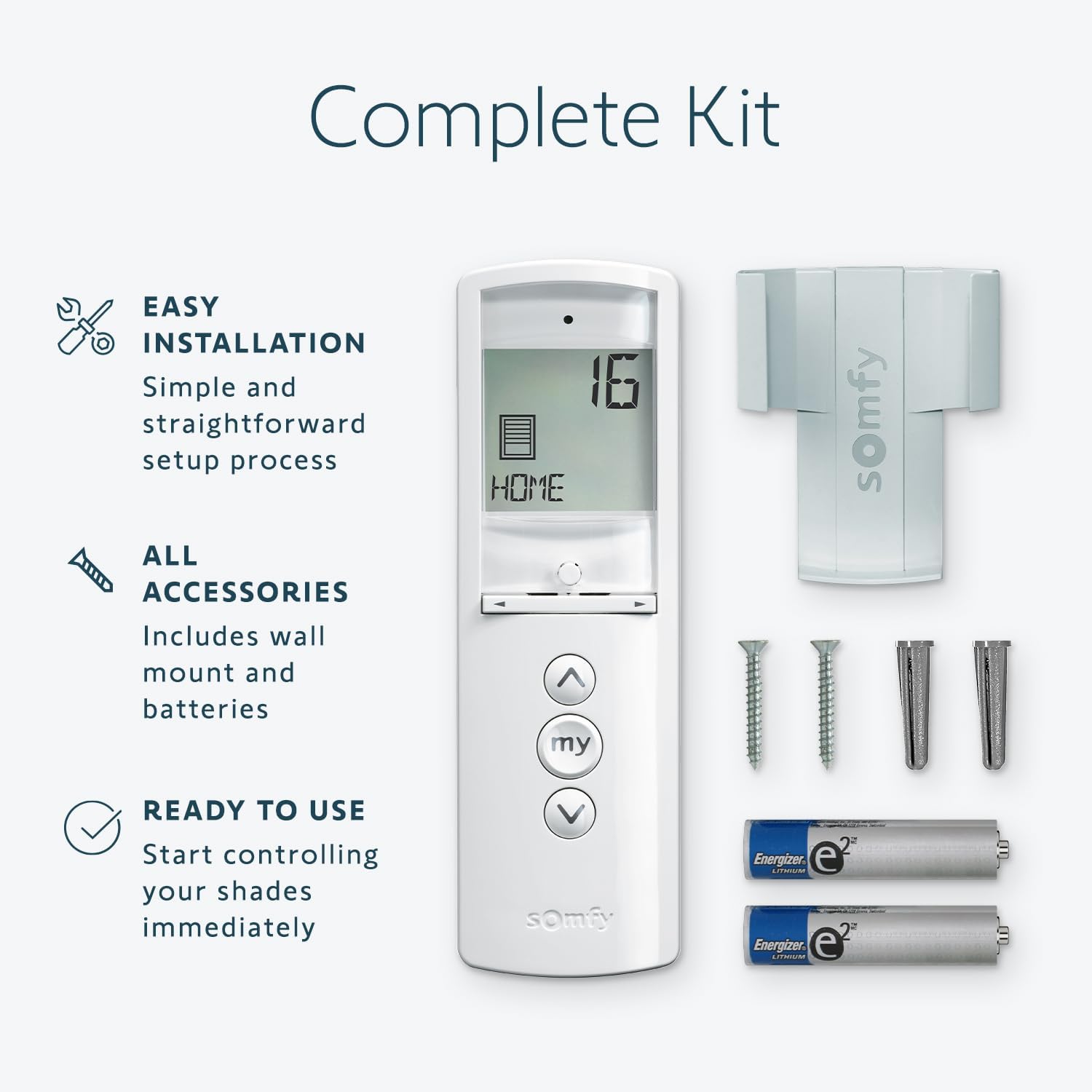
You’ll get a discreet wall clip included with the remote so you can keep it docked close to the door or another convenient spot. The clip is small and unobtrusive; installing it requires minimal effort and leaves the remote easy to grab when you need it.


User Interface & Everyday Operation
This is where you’ll interact with the remote most often, and Somfy designed the interface to be clear and direct.
Using the on-screen display
The LCD gives you straightforward feedback on channel selection, group names and icons, and verifies that your command was received. You’ll rarely have to guess whether a motor responded — the screen confirms it for you.
The “my” button advantage
The dedicated “my” button lets you program and jump directly to a preferred position for any device or group. You’ll set a comfortable shade position once and return to it instantly, which is especially handy for glare control or precise privacy settings.
Channel Management & Grouping
One of the strongest attractions here is flexible channel and group management. You’ll configure up to 16 channels and group devices however you prefer.
Naming groups and assigning icons
You’ll be able to name individual channels or groups (for example, “Living Room East” or “Patio Awning”) and assign icons that help you recognize controls at a glance. This reduces confusion when you’re switching between areas.
Group control versus individual control
Group control is useful when you want several shades to move together, while individual control gives you precision for single windows. You’ll use both depending on whether you’re adjusting a whole room’s light or only one window.
Performance & Range
The Telis 16 RTS uses Somfy’s RTS (Radio Technology Somfy) protocol, designed for reliable, low-latency control of motorized devices.
Signal reliability
You’ll generally get dependable performance across a typical home when line-of-sight isn’t required. Signal strength can be affected by thick walls or metal structures, so placement and testing are recommended if you’re using the remote on a property with heavy construction.
Effective range in real conditions
Somfy quotes practical operating ranges that are adequate for most homes. You’ll typically control motors across multiple rooms, but if you live in a larger property or have underground storage, you may need additional RTS repeaters or wired solutions.
Battery Life & Maintenance
Battery considerations matter because they determine how often you’ll need to replace power sources.
Battery type and replacement
The remote uses replaceable batteries, and Somfy designed the battery compartment for easy access. You’ll be able to swap batteries without special tools and keep your remote operational with minimal interruption.
Battery life expectations and indicators
Battery life depends on usage, screen activity and radio transmission frequency. The on-screen display indicates battery status so you’ll know when to replace batteries before performance degrades.
Compatibility & Integration
Understanding what devices this remote will work with is critical because not every shading motor uses the RTS protocol.
Which devices it works with
You’ll use this remote with Somfy RTS motors and RTS-compatible accessories. If your motors use a different control protocol, such as Io-homecontrol or wired systems, this remote won’t directly control them without bridging devices.
Smart home integration options
The Telis 16 RTS is primarily a handheld RTS controller, but you can integrate its functions into larger automation systems using Somfy RTS-compatible hubs and interfaces. You’ll need a compatible hub to bridge to popular smart home ecosystems (voice assistants, home automation platforms).
Programming Tips & Troubleshooting
A few practical tips will make setup and ongoing use smoother, and common troubleshooting steps save time when something doesn’t behave as expected.
Quick setup tips
Label channels as you program them so you don’t forget which device is tied to which button. You’ll also want to set your “my” positions during a calm, measured session to get them exactly where you prefer.
Common issues and fixes
If a channel doesn’t respond, check battery level, verify the motor is in programming mode, and make sure you’re within reasonable range. Re-pairing the motor often resolves intermittent glitches.
Customization & Personalization
You’ll find custom naming and icon assignment improve usability, especially in setups with many devices.
Naming conventions to use
Adopt simple, location-based names like “Kitchen Shade” or “Patio Awnings” so you’ll immediately know which button controls which device. You’ll appreciate this organization when you’re quickly toggling shades.
Using icons effectively
Assign icons that match the function (e.g., sun for awning, blind for indoor shades) to speed recognition. Visual cues make it easier to operate the remote without squinting at the display.
Mounting, Storage & Practical Placement
Where you keep the remote matters for convenience and longevity.
Best places to keep the remote
Mount it near entryways, by the room’s main seating area, or close to the devices you use most often. You’ll avoid searching and establish a habit of returning the remote to the wall clip after each use.
Wall clip use and considerations
The included wall clip is small but effective. You’ll find that mounting it at chest or eye level is most ergonomic so you can grab the remote quickly.
Pros & Cons
It’s helpful to see a clear list of advantages and limitations so you can weigh them against your priorities.
Pros
- You’ll control up to 16 channels from a single remote.
- The my button gives immediate access to favorite positions.
- Clear LCD simplifies programming and confirms operations.
- Comfortable, rounded design for frequent use.
- Discreet wall clip included for tidy storage.
- Customizable names and icons reduce confusion in multi-device setups.
Cons
- Only compatible with RTS protocol devices — check your motors first.
- Range can be limited by structural obstacles; larger properties might need repeaters or hubs.
- No native Wi-Fi or voice control without additional integration hardware.
- If you prefer fully cloud-based smart home control, this is primarily a local radio remote and will require extra components to bridge to ecosystems.
Comparison to Alternative Controls
You’ll want to know how this remote stacks up against other control options like single-channel remotes, wall switches, and smart hubs.
Single-channel remotes vs. Telis 16 RTS
Single-channel remotes are simpler and sometimes cheaper but quickly become inconvenient as you add motors. You’ll gain centralized control with the Telis 16 RTS, reducing the number of remotes on your coffee table.
Smart hubs and voice assistants
Smart hubs provide networked control and voice integration, which you’ll prefer if you want remote access or routines. However, the Telis 16 RTS gives instant local control without network dependence, which can be faster and more reliable for everyday use. If you want both local ease and smart home access, plan to pair the remote’s ecosystem with a compatible hub.
Who Should Buy This Remote?
This is a practical section to help you determine whether the Telis 16 RTS matches your needs.
Ideal user profiles
You should consider this remote if you have multiple Somfy RTS motorized shades, screens, awnings or shutters and want a single handheld controller. If you prefer physical controls with immediate local response and clear on-screen feedback, this remote is a good fit.
Situations to reconsider
If all your devices use a different protocol or you only need one motor controlled, a single-channel remote or manufacturer-specific controller might be more cost-effective. Also, if your priority is cloud-based automation and voice control without additional purchases, consider a hub-first approach.
Practical Scenarios & Use Cases
Here are some everyday scenarios that show where the remote shines and how you’ll interact with it.
Morning routines
You’ll program a “my” position for morning light that opens blinds to a precise level for soft daylight. Using one press, you’ll set multiple shades to the same comfortable position.
Entertaining and privacy control
When guests arrive, you’ll group outdoor screens and interior shades and lower them quickly for privacy or to reduce glare on TVs and screens. Naming groups makes this process near-instant.
Weather-driven shading
If sun angle changes throughout the day, you’ll use channel grouping to retract or lower awnings quickly to protect furniture or manage heat gain. The remote’s quick feedback reduces guesswork.
Maintenance & Long-Term Care
Simple care will keep the remote functioning well for years.
Cleaning and physical upkeep
Wipe the remote and the wall clip occasionally with a dry or slightly damp cloth. Avoid corrosive cleaners and never submerge the remote in water. You’ll preserve the finish by handling it with care.
Software and hardware longevity
Because this is primarily a hardware remote using a radio protocol, you won’t need software updates for basic operation. You’ll, however, want to test batteries periodically and replace them when the display signals low power.
Frequently Asked Questions (FAQs)
This section answers common questions you’ll likely have before or after purchase.
Can you control more than one device at once?
Yes — you’ll group motors into channels and control them together or individually. The remote supports up to 16 channels in total.
Is it compatible with non-Somfy motors?
Direct compatibility is limited to Somfy RTS motors and RTS-compatible devices. For other systems, you’ll need a bridging device or different controller.
How do you set the “my” button?
You’ll position the shade where you want it, press and hold the “my” button until the remote confirms the position (check the on-screen display for confirmation). The exact programming steps are simple and are detailed in the manual.
Does it support voice assistants natively?
Not natively. You’ll need a compatible Somfy RTS hub or third-party integration to connect this remote functionality to voice assistants or cloud-based systems.
Final Verdict
If you want a dedicated, reliable handheld remote that consolidates control over multiple Somfy RTS devices, you’ll find the Somfy Telis 16 RTS White Remote – Advanced Multi-Channel Handheld Device for Controlling Blinds, Screens, Awnings & More – Pure Tone with On-Screen Display, Part # 1811081 to be a strong choice. It’s comfortable to hold, easy to program, and practical for everyday use. You’ll benefit from the ability to name channels, assign icons, and use the convenient “my” button to return to favorite positions instantly.
Who will gain the most
You’ll get the most value if you have several RTS-driven shades or outdoor screens and want a tidy, single-control solution without the immediate need for cloud features. If you care primarily about local control reliability and simple setup, this remote is tailored for you.
Final considerations before buying
Verify your motors use the RTS protocol and consider whether you’ll want smart home integration later; if so, plan for an RTS-compatible hub or gateway. After that check, you’ll be ready to enjoy the convenience of centralized control and the polished look the Pure finish brings to your home.

Disclosure: As an Amazon Associate, I earn from qualifying purchases.