
Looking to upgrade your TV audio with a compact soundbar that promises immersive sound and easy setup?

Quick overview of the Sonos Beam Gen 2 – Black – Soundbar with Dolby Atmos
You’ll find that the Sonos Beam Gen 2 is positioned as a compact, feature-rich soundbar designed to improve TV audio and bring immersive sound into smaller rooms. It combines Dolby Atmos processing, streaming capabilities, and smart features in a neat package that fits most living spaces.
What this product aims to deliver
The Beam Gen 2 promises vibrant bass, crystal clear dialogue, and a panoramic soundstage to match your movies, shows, and music. It also supports Dolby Atmos for a three-dimensional surround effect, and multiroom streaming so your listening doesn’t stop when the TV is off.
Design and build
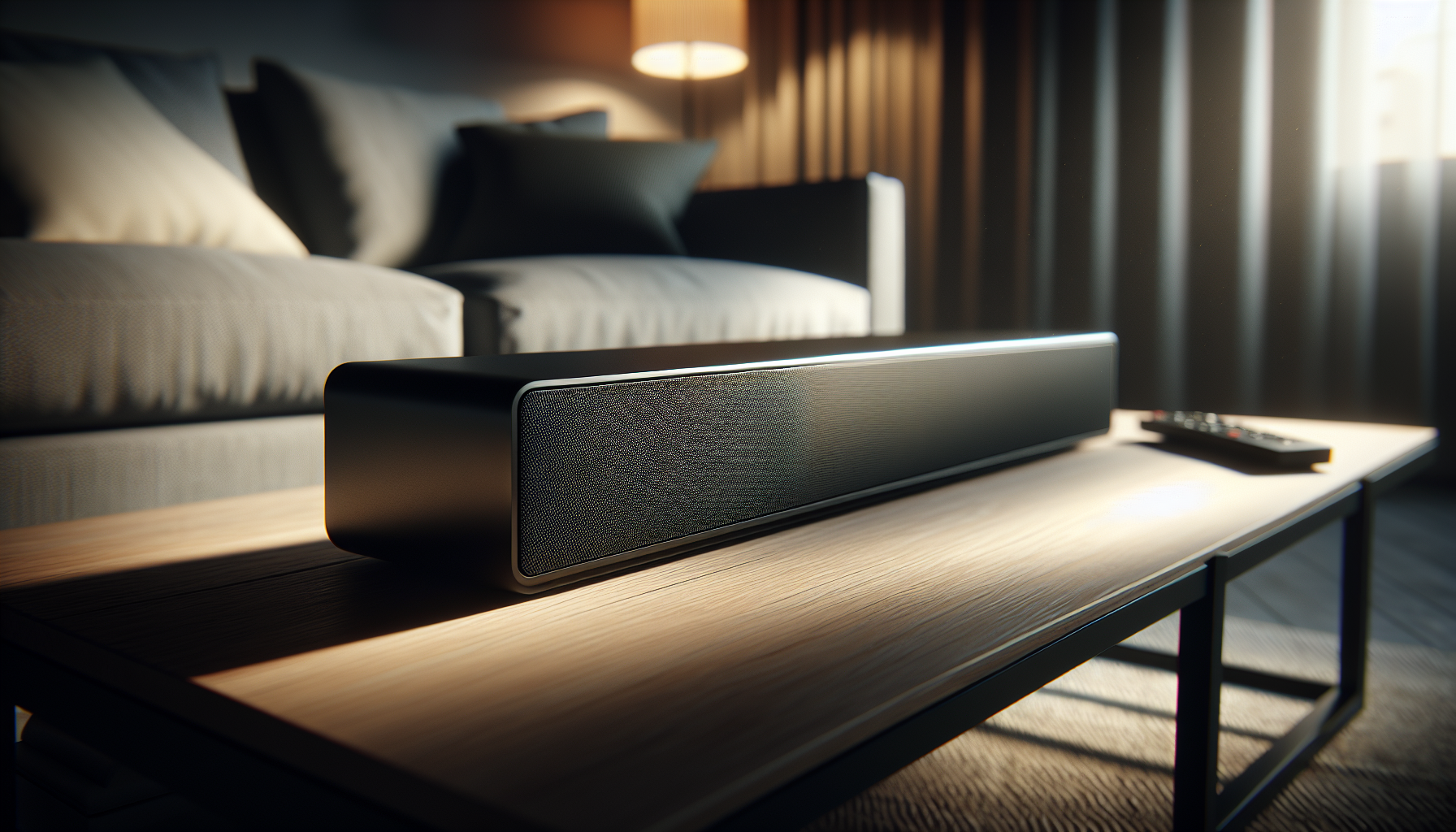
You’ll notice the Beam Gen 2 maintains Sonos’s clean, minimalist aesthetic with a low-profile silhouette that sits comfortably under most TVs. The matte black finish keeps it discreet, while the grille and tapering ends give it a polished look without drawing too much attention.
Size and placement flexibility
The soundbar is compact enough to sit on a TV stand without blocking the screen, yet wide enough to offer a balanced stereo image. You can also wall-mount it if your setup calls for it, and its understated design helps it blend with different decor styles so it won’t become a visual centerpiece unless you want it to.
Build quality and materials
You’ll find a solid feel in the enclosure and grille, with no flimsy parts that creak when you press them. Sonos prioritizes a premium tactile experience which you’ll notice when you move or handle the unit for setup.
What’s in the box
You’ll get the soundbar itself, a power cable, an HDMI cable, and a quick-start guide. If you’re replacing an older soundbar or external speakers, the included cables will cover most standard setups, but you might need adapters for legacy TV connections.
Required additional items
If your TV lacks HDMI ARC/eARC support, you’ll need an adapter or alternative connection method. Additionally, if you want a fuller surround system right away, you’ll need optional Sonos speakers such as the Sonos One or Sub to complete the setup.
Key specifications table
Below is a simple breakdown of the main specifications and features so you can quickly compare what matters to you.
| Feature | Specification / Detail |
|---|---|
| Product name | Sonos Beam Gen 2 – Black – Soundbar with Dolby Atmos |
| Audio formats | Dolby Atmos, Dolby Digital, PCM |
| Channels | Upfiring virtualization for 3D feel; built-in center channel for dialogue |
| Connectivity | HDMI eARC, Wi‑Fi (2.4/5 GHz), Apple AirPlay 2 |
| Voice assistants | Built-in Amazon Alexa, Google Assistant (availability varies by region) |
| Streaming support | Spotify, Apple Music, Amazon Music, Tidal, podcasts, radio, etc. |
| App control | Sonos app (iOS, Android) |
| Trueplay tuning | Smart Trueplay tuning (room correction) |
| Expandability | Compatible with Sonos ecosystem (rear surrounds, Sub, multiroom) |
| Physical dimensions | Compact, low-profile design (fits under most TVs) |
| Setup | Two cables recommended (power, HDMI) |
| Colors | Black (this review’s model) |
| Ideal room size | Small to medium living rooms, bedrooms, home offices |
Sound quality: first impressions
When you listen for the first time, you’ll be struck by a clear center channel that puts dialogue front and center. The Beam Gen 2 doesn’t try to overwhelm with raw volume; it focuses on clarity, balance, and an immersive soundstage that punches above its size.
Midrange and dialogue performance
You’ll appreciate how voices sit forward and intelligible, which is crucial for TV shows and news. Sonos has engineered the Beam to prioritize vocal clarity so you won’t have to strain to hear conversations, even during complex mixes.
High frequencies and detail
The high end is clean and extended without sounding brittle, so details like window shatters, stringed instruments, and subtle ambience come through with crispness. You’ll notice textures and micro-details that are often lost on smaller TV speakers.
Stereo imaging and soundstage
Despite being a single chassis, the Beam Gen 2 creates a surprisingly wide and coherent soundstage. You’ll get a sense of left-right separation and spatial cues that help place instruments and effects across the front sound field, making music and movies feel more expansive.
Dolby Atmos and 3D sound
You’ll experience a simulated vertical layer to the sound thanks to Dolby Atmos processing, which Sonos recreates with its internal driver layout and signal processing. While it’s not the same as a full ceiling speaker setup, the Beam Gen 2 does a credible job of creating height effects for smaller spaces.
How Atmos is implemented here
Sonos uses upward-firing/angled drivers and advanced DSP to bounce sound off the ceiling and produce perceived overhead effects. You’ll notice this with overhead ambiences, flying objects, and certain environmental cues in Atmos-encoded films and shows.
What to expect compared to larger systems
If you’ve heard a full surround Atmos rig with dedicated ceiling speakers, you’ll notice more immersive height in that system. However, for many users in apartments or smaller rooms, the Beam Gen 2’s Atmos rendition offers meaningful improvement over standard stereo sound without the complexity of a multi-speaker installation.
Bass and low-end performance
You’ll find bass to be tighter and better controlled than typical TV speakers, with enough punch to sell explosions and bass lines without feeling bloated. The Beam Gen 2 emphasizes accuracy over brute force.
When you might want a Sub
If you love deep, chest-thumping bass for big action films, bass-heavy music, or larger rooms, adding the Sonos Sub will give you the extension and impact you may crave. The Beam is room-aware and pairs well with a Sub for a more cinematic low-end.
Bass tuning and control
The Sonos app allows you to tweak bass and treble levels, and the Trueplay tuning adapts the low-frequency response to your room. You’ll notice bass becomes more natural and less boomy after automatic tuning in most setups.
Streaming, multiroom, and music features
The Beam Gen 2 is much more than a TV soundbar — it’s a networked speaker for streaming music, radio, podcasts, and audiobooks when the TV is off. You can stream from nearly any major service, and control playback through the Sonos app, AirPlay 2, or voice commands.
How music sounds
You’ll get detailed, dynamic playback for a wide range of genres, and the Beam handles vocals and acoustic instruments very well. Electronic and bass-heavy tracks are enjoyable, though they’ll lack the deepest sub-bass unless you pair the Beam with a Sub.
Multiroom and party use
You’ll appreciate the ability to group the Beam with other Sonos speakers for whole-home audio or play different sources to different rooms simultaneously. It’s a flexible ecosystem if you plan to expand over time.
Connectivity and compatibility
The Beam Gen 2 supports HDMI eARC for the best audio passthrough and low-latency performance with compatible TVs. It also supports Apple AirPlay 2 for easy streaming from iPhones and iPads, and the Sonos app handles other services.
HDMI eARC vs ARC
You’ll get higher bandwidth and better passthrough with eARC, which supports higher bitrate audio and object-based formats more reliably. If your TV only has ARC, you’ll still get good performance, but some Atmos features might be limited.
Voice assistants and control
You can control the soundbar with built-in Amazon Alexa or Google Assistant (regional availability varies), or use your TV remote for basic functions. You’ll appreciate the flexibility of multiple control options depending on how you like to interact with your system.
Setup and the Sonos app
You’ll find the setup process straightforward: connect power and HDMI, download the Sonos app, and follow the guided steps. Sonos has streamlined the process so most users can get up and running in minutes.
Trueplay tuning
The Beam Gen 2 includes smart Trueplay tuning that measures how sound reflects in your room and adjusts parameters for the best result. You’ll benefit from a tailored sound profile that compensates for furniture, wall placement, and room size.
Troubleshooting and tips
If you run into issues, the Sonos app offers step-by-step troubleshooting and diagnostics. You’ll want to ensure firmware and app versions are current, and that your Wi‑Fi is stable during setup to avoid hiccups.
Voice control and hands-free features
You can use built-in assistants to play music, control volume, and manage basic tasks. Voice control is convenient for hands-free operation when your phone or remote isn’t in hand.
Privacy controls
You’ll find privacy options that let you disable microphone access or manage voice history if you prefer not to use voice services. Sonos provides transparency around voice features so you can decide your comfort level.
Performance by use case
Movies and TV shows
You’ll get a clear, immersive front soundstage that enhances movie soundtracks and TV dialogue. Atmos effects add a sense of height and air that makes scenes feel more cinematic compared to built-in TV speakers.
Video games
You’ll appreciate tight timing and good directional cues that improve situational awareness in games. If you’re serious about competitive gaming, you may still prefer a direct headset for latency-critical play, but the Beam is excellent for immersive single-player experiences.
Music listening
You’ll get accurate mids and crisp highs that make vocals and acoustic tracks shine. For heavy bass music and party-level loudness, pairing with a Sub and additional Sonos speakers improves dynamics and fullness.
Podcasts and audiobooks
You’ll find spoken-word content exceptionally clear thanks to the dedicated center channel emphasis and vocal tuning. If you’re a podcast listener, the Beam makes dialogue effortless to follow.
Expandability within the Sonos ecosystem
You’ll be able to add Sonos One or other Sonos speakers as rear surrounds, and the Sonos Sub for deep bass. The ecosystem approach means your initial purchase can grow into a full surround or multiroom setup over time.
Practical expansion advice
If you plan to expand, match speaker firmware and app versions to avoid pairing issues, and position surrounds to suit your listening room. You’ll also want to consider Wi‑Fi bandwidth if many devices join the network.
Comparisons: How the Beam Gen 2 stacks up
Compared to entry-level soundbars, you’ll notice a major step up in clarity, feature set, and integration. Against larger, higher-end soundbars or full surround systems, the Beam Gen 2 trades ultimate power for compact footprint and smart features.
Versus smaller Bluetooth soundbars
You’ll get better room coverage, streaming services, and app control with the Beam, which is designed for long-term integration rather than portable use. Bluetooth-only units can be simpler, but they lack multiroom and Atmos features.
Versus premium multi-speaker setups
You’ll enjoy simpler setup and a more compact footprint, though you’ll concede some surround realism and raw power. If your priority is true home theater performance, a discrete multi-speaker Atmos system will outperform the Beam in scale.
Pros and cons
You’ll find strengths and trade-offs in the Beam Gen 2 that matter depending on your needs.
Pros
- Clear, natural dialogue and midrange presence you’ll appreciate for TV and movies.
- Dolby Atmos support for perceived height and a more immersive presentation.
- Compact, elegant design that fits most living rooms and TV stands.
- Easy streaming from major services, AirPlay 2, and Sonos multiroom features.
- Simple setup with Sonos app and smart Trueplay tuning for room optimization.
- Expandable into a larger Sonos system over time.
Cons
- Bass is controlled but limited compared to systems with a dedicated Sub (which you’d need to buy separately).
- You’ll get better height resolution from a full Atmos setup with ceiling speakers.
- Reliance on HDMI eARC for best Atmos experience may require a TV upgrade in some cases.
- Higher price than very basic soundbars, though justified by features and ecosystem.
Practical setup tips and placement advice
You’ll want to center the Beam under your TV and avoid blocking its top surface to keep microphones and IR sensors unobstructed. Leave some space on either side where possible to avoid putting it in a tight corner that can color the sound.
Wall mounting vs shelf placement
If wall mounting, use the Sonos wall mount for secure installation and to optimize sound projection. On a shelf, make sure it isn’t tucked too far back or behind objects that reflect or absorb sound.
Optimizing for small rooms
You’ll notice the Beam excels in smaller spaces, where its controlled bass and simulated height are most convincing. For larger rooms, consider adding a Sub and surrounds to maintain impact and immersion.
Price and value
You’ll weigh the Beam Gen 2’s price against its compact size, advanced features, and the Sonos ecosystem. While not the cheapest option, the soundbar offers high value if you want a dependable, upgradeable system with streaming and smart features.
Long-term value
You’ll likely appreciate the long-term support and frequent updates Sonos provides, plus the ability to expand into a full Sonos home theater over time. That makes the initial investment more defensible if you plan to scale later.
Frequently asked questions (FAQs)
Do you need a Sonos account to use the Beam?
Yes, you’ll need to create a Sonos account to set up and manage the device through the Sonos app. The account lets you link streaming services, manage settings, and access firmware updates.
Will the Beam work with any TV?
The Beam will work with most modern TVs, especially those with HDMI ARC/eARC. If your TV lacks HDMI ARC/eARC, you might be able to use an optical adapter, but some Atmos features or advanced passthrough capabilities may be limited.
Can you use the Beam as part of a stereo pair?
No, the Beam is a single soundbar and cannot form a traditional stereo pair with another Beam. For surrounds, you’ll add Sonos One/One SL or other Sonos speakers as rear channels.
Is Wi‑Fi required?
Yes, a stable Wi‑Fi connection is required for streaming, firmware updates, and multiroom features. Some basic functionality may work without network connectivity, but the Sonos experience depends on your home network.
Does the Beam support Bluetooth?
No, the Beam doesn’t offer Bluetooth streaming. Sonos focuses on Wi‑Fi streaming and AirPlay 2 for local device casting.

Who should buy the Sonos Beam Gen 2?
You should consider the Beam Gen 2 if you want an easy-to-install soundbar that improves TV audio, supports Dolby Atmos for a more immersive experience, and doubles as a capable music streamer for the rest of your home. It’s ideal for small to medium rooms, apartment dwellers, and anyone who values a compact, elegant device that can grow into a fuller Sonos system.
Who might want something else
If you need thunderous bass at high volumes in a large room, or you want the absolute pinnacle of Atmos realism with ceiling speakers, you might prefer a larger soundbar with a built-in Sub or a full multi-speaker system. Gamers who need the lowest possible latency for competitive titles may still prefer direct wired headsets.
Final verdict
You’ll get a thoughtfully engineered soundbar with the Sonos Beam Gen 2 that balances clear dialogue, respectable low-end, and spatial Atmos effects in a compact, attractive package. Sonos’s streaming, multiroom features, and easy expansion make it a strong choice if you plan to build out a connected audio system over time. For your living room or bedroom where space and simplicity matter, the Beam Gen 2 offers a compelling blend of performance, convenience, and smart features.
Quick buying considerations
If you want better bass or a fuller cinematic impact immediately, plan for a Sonos Sub alongside the Beam. If your TV supports HDMI eARC, you’ll get the most from Atmos content. And if you value an ecosystem that’s easy to expand, the Sonos platform makes future upgrades straightforward.
If you want, I can give you a short comparison with other popular soundbars in the same price range, or outline the exact steps to set the Beam up with your TV model. Which would you prefer?

Disclosure: As an Amazon Associate, I earn from qualifying purchases.