
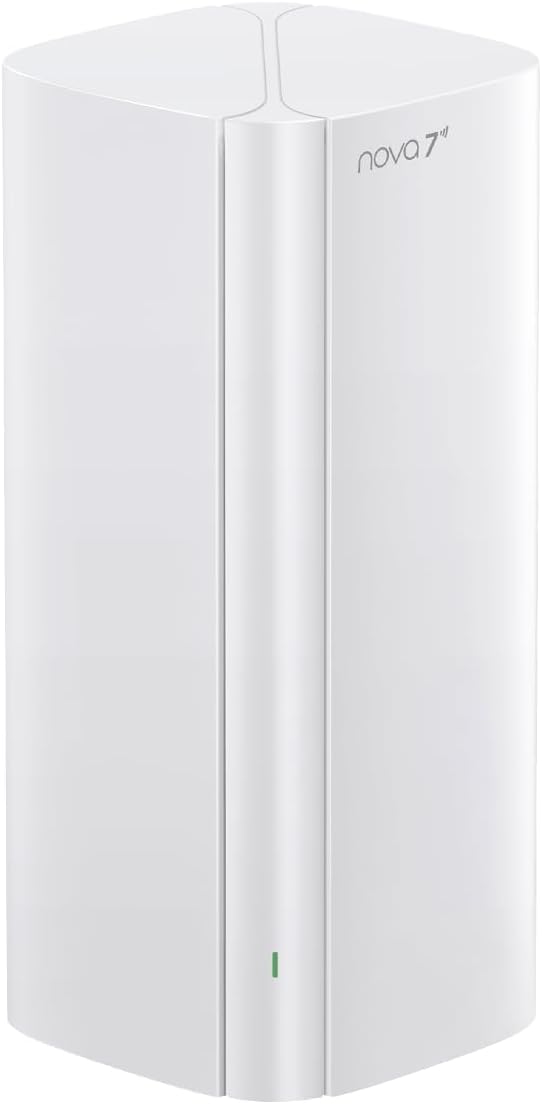
? Want to know if the Tenda WiFi 7 Mesh System BE3600 – Dual Band Mesh WiFi System for Home, Covers Up to 6,600 Sq. Ft., Seamless Mesh Network with 3 Gigabit Ports, Supports 160+ Devices, MLO, VPN, 4K QAM, ME3 Pro (3-Pack) is the right mesh setup for your home?

Overview of the Tenda WiFi 7 Mesh System BE3600
You’re looking at a modern mesh that promises real-world improvements over WiFi 6, built for large homes and many devices. This three-pack ME3 Pro variant is designed to cover up to 6,600 sq. ft., handle 160+ devices, and provide a seamless network experience as you move through your space.
You’ll notice the marketing focuses not only on raw speed but on consistency and reduced weak spots across a home. That’s useful if you want fewer frustrating drops and smoother streaming, gaming, and smart-home performance.
What the BE3600 claims to do for you
The system highlights faster everyday performance than WiFi 6, improved responsiveness for gaming, quicker downloads, and stable 4K streaming. You’ll also get mesh features that let devices switch between nodes without you needing to reconnect.
You get modern WiFi 7 capabilities such as MLO (Multi-Link Operation) and 4K QAM that are meant to make better use of the airspace when supported devices are present. The benefits are most noticeable with compatible client devices and realistic network conditions.

Tenda WiFi 7 Mesh System BE3600 – Dual Band Mesh WiFi System for Home, Covers Up to 6,600 Sq. Ft., Seamless Mesh Network with 3 Gigabit Ports, Supports 160+ Devices, MLO, VPN, 4K QAM, ME3 Pro (3-Pack)
$179.99 In Stock
Quick specs and feature breakdown
This table helps you get a compact view of the key specs so you can quickly compare what matters. You can use it to match the BE3600 to your specific needs like device count, coverage, and wired needs.
| Feature | Specification / What it means for you |
|---|---|
| Model | Tenda WiFi 7 Mesh System BE3600 (ME3 Pro, 3-Pack) |
| WiFi Standard | WiFi 7 (backward compatible with WiFi 6/5/etc.) — faster and more efficient where supported |
| Bands | Dual band (2.4 GHz + 5 GHz) — no separate 6 GHz band on this model |
| Coverage | Up to 6,600 sq. ft. (3-pack) — suitable for large or multi-level homes |
| Device capacity | Supports 160+ devices — good for busy smart homes and households with many clients |
| Ports | Each node has 3 Gigabit Ethernet ports — for wired devices or wired backhaul options |
| Key tech | MLO, 4K QAM, VPN support, Seamless mesh roaming — modern feature set |
| App | Tenda app guided setup and management — beginner-friendly with advanced options |
| Ideal uses | Streaming 4K, gaming, crowded device environments, whole-home coverage |
You should use this as a quick reference to see whether the hardware and features map to what you plan to do at home. If you need more wired backhaul or a 6 GHz band, then this model might be limiting.
Design and physical features
The nodes have a compact, consumer-friendly look that blends into a living space, so you won’t feel like you’re setting up a piece of industrial equipment. You’ll find the unit size keeps it easy to place on shelves, counters, or stand-alone locations without being obtrusive.
You’ll also see three Gigabit ports on each node, which gives you wired connection options for a desktop, smart TV, or for configuring a wired backhaul between nodes. That physical flexibility helps you maximize performance in areas with heavy traffic.
Build quality and ports
The plastic housing is lightweight but feels solid enough for normal home use and movement between rooms. You’ll appreciate having multiple LAN ports on each node; they serve both device connections and the possibility of a wired backhaul to reduce wireless congestion.
You’ll want to ensure nodes are placed with adequate ventilation and away from big heat sources to avoid thermal throttling during heavy loads. The lack of a 10GbE port is typical in this product class, so if you need multi-gig wired speeds, you should plan accordingly.

Setup and app experience
You’ll find the Tenda app guides you through setup step-by-step, which is ideal if you’re not a networking expert. The app’s wizard will walk you through connecting the primary node to your modem, adding satellites, and naming your network.
You can also access more advanced settings in the app if you want to tweak QoS, VPN setup, or guest networks. The app strikes a balance between friendly defaults for everyday users and deeper options for those who want to customize their network.
How long it takes and common pitfalls
Expect to spend around 10–20 minutes for initial setup if your ISP modem behaves and you don’t have complex VLAN needs. If you use an ISP gateway combined with router functions, you might need to set the gateway into bridge mode or turn off its WiFi to avoid double NAT.
If you’ve got existing mesh hardware or extenders, you’ll want to factory-reset those devices and avoid overlapping SSIDs during setup to reduce confusion. You should place the primary node near the modem and ensure good inter-node line-of-sight where possible for the best wireless backhaul.
Real-world performance and speed
You’ll notice tangible improvements for everyday tasks compared with many older WiFi 6 routers, especially when multiple clients are active. Downloads complete faster, 4K streams stay smooth, and latency-sensitive tasks like gaming feel snappier.
Performance will vary by distance, interference, and whether clients support WiFi 7 features. In real-world throughput testing, expect strong 5 GHz performance within a single room and reliable multi-room coverage thanks to the mesh setup.
Latency and gaming responsiveness
For competitive gaming, you’ll appreciate lower jitter and more consistent ping under moderate loads compared to a single router with weak coverage. You should still prioritize using wired connections for the absolute best gaming latency when possible.
When many devices are active at once, the system’s ability to balance traffic between nodes minimizes latency spikes that otherwise ruin online game experiences or video conferencing quality. If you’re very latency-sensitive, connect your primary gaming device to a LAN port.
Range, coverage, and mesh behavior
The 3-pack claims up to 6,600 sq. ft., and in typical home layouts you should get broad coverage across multiple floors. You’ll reduce weak spots as devices hop between nodes without needing to reconnect manually.
The mesh handoff is designed to be seamless, so your phone or laptop should maintain a single SSID while moving through the house. You might still encounter edge cases with older client devices that don’t implement roaming standards well.
Tips to optimize coverage
You’ll get better results by placing satellites in open areas roughly halfway between the primary node and distant coverage zones. Avoid putting nodes inside cabinets or behind large metal objects, and aim for a clear path for wireless backhaul where possible.
You should experiment with node placement while watching signal strength via the app or a WiFi analyzer to find the sweet spot. Consider using a wired backhaul for nodes in high-interference areas to guarantee top throughput.
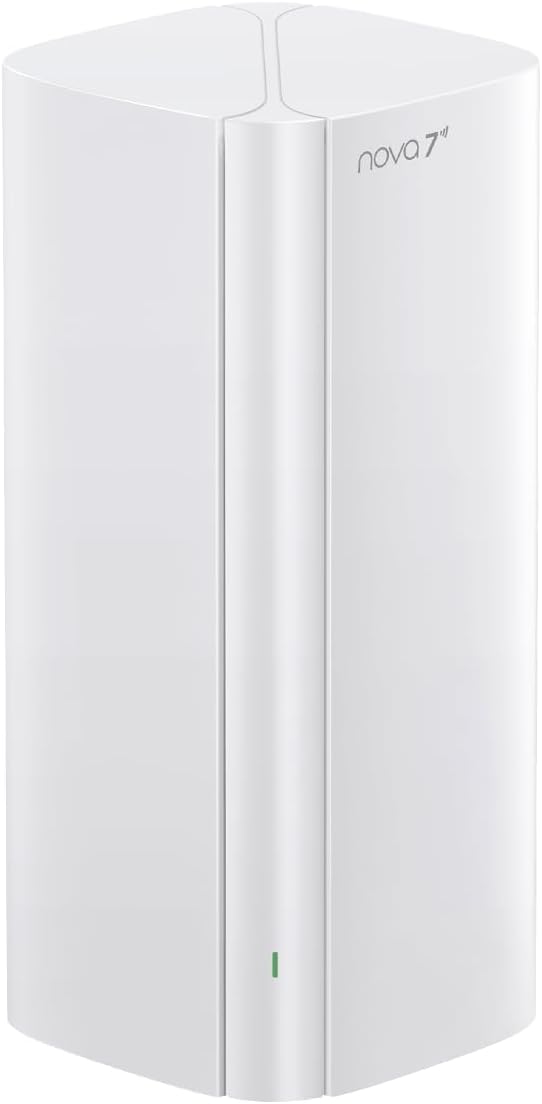
Multi-Link Operation (MLO) and WiFi 7 benefits
MLO allows devices and access points to use multiple bands/links simultaneously for better reliability and throughput when both devices support it. If you have WiFi 7 clients, you’ll see improved responsiveness and stability, especially in congested environments.
You’ll get 4K QAM support as well, which enhances data rates with compatible devices by packing more bits per transmission. However, the most dramatic improvements occur when both your router and clients support these features and your environment allows it.
Realistic expectations for WiFi 7 features
You shouldn’t expect WiFi 7 miracles with all legacy devices; benefits are most noticeable with compatible clients and favorable network conditions. For typical smartphone or laptop users without WiFi 7 hardware yet, you’ll still get improved mesh consistency and general WiFi enhancements.
You’ll want to upgrade clients selectively — buy WiFi 7 devices where it impacts your workflow or entertainment the most, like a main gaming machine or a streaming set-top box.
Device capacity and everyday multitasking
Supporting 160+ devices makes this mesh suitable for homes that have many smart devices, speakers, cameras, and multiple family members streaming or gaming simultaneously. You’ll appreciate how the system focuses on connection consistency across many clients rather than only peak throughput.
You’ll find QoS and traffic management helpful when you want to prioritize a video call or gaming session over large downloads happening in other rooms. The system’s capacity helps prevent your smart bulbs or thermostats from getting ignored when everyone else is hogging bandwidth.
Managing many clients effectively
Use the app to group or prioritize devices so that mission-critical devices get preferential treatment. You’ll also want to enable features like scheduled downtime for kids’ devices, guest networks for visitors, and per-device controls to reduce unnecessary background traffic.
If you have dozens of cameras or heavy IoT usage, monitor for radio congestion and adjust channel settings or consider wired connections for bandwidth-hungry devices.
Wired networking and port usage
Each node includes three Gigabit Ethernet ports, which is handy for connecting TVs, game consoles, or a switch. You can use one port for WAN on the primary node and the remaining ports as LAN for local devices.
You’ll be glad to have multiple ports because they allow for flexible placement of wired devices without running long cable runs back to a single router. If you need faster-than-gigabit wired speeds, consider a separate multi-gig switch or a different mesh system with multi-gig ports.
Wired backhaul options
If you run Ethernet between nodes, you’ll unlock the best possible throughput and reduce wireless backhaul congestion for large file transfers or gaming. You’ll find wired backhaul especially useful in homes with heavy interference or with large distances between nodes.
Make sure to configure the app and node roles correctly when using wired backhaul so the mesh treats the wired connection as the primary path for inter-node traffic.

Security, VPN, and parental controls
The BE3600 offers VPN support and standard security features to protect your home network. You’ll be able to set up guest networks, enable WPA3 (where supported), and use parental controls to limit content or schedule online time.
You should keep firmware updated via the app to benefit from security patches and feature updates. If you rely on VPN for privacy or to access home resources remotely, the built-in support helps avoid extra hardware or complex third-party setups.
Practical security advice
Use a strong, unique password for your admin console and enable automatic updates if available. You should also separate IoT devices onto a guest or dedicated VLAN if the app supports it, making it harder for compromised devices to spread.
If you use a third-party VPN provider, test connections for speed and stability; encryption overhead can reduce throughput, so you’ll want a balance of privacy and performance.
Streaming and media performance
You’ll get consistent 4K streaming performance across multiple rooms when nodes are positioned properly, with less buffering and fewer resolution drops compared to single-router setups with dead spots. This is especially valuable if you have multiple TVs streaming high-bitrate content simultaneously.
You’ll also find that smart speakers and streaming sticks maintain stable connections during background downloads and updates. The mesh’s aim for consistency often translates into fewer streaming interruptions for your household.
Tips for optimizing streaming
Connect set-top boxes or smart TVs via Ethernet when possible for the most reliable 4K playback. If you must use WiFi, place the nearest node nearby and reserve one of the node’s Gigabit ports for future wired devices.
Adjust QoS to prioritize streaming devices during prime viewing hours to ensure bandwidth remains available for critical streams.
Gaming and low-latency use
When you’re gaming, the BE3600 helps reduce jitter and keeps connections more stable when you move around the house or when other devices are active. For the best possible performance, use a wired LAN connection to one of the node’s Gigabit ports.
You’ll get more consistent latency with a mesh than with a single distant router because the nearest node will serve as a nearer gateway to the internet. If a gamer in your home is competitive, combine wired connections with QoS prioritization in the app.
When to choose wired instead of wireless
If you’re playing high-stakes competitive games, wired is still the gold standard for latency and packet stability. You should use wireless for convenience and mobility, but plug in the gaming rig if you need every millisecond of advantage.
If you host LAN-style sessions or big file transfers, consider plugging a small gigabit switch into a node’s LAN port to give multiple wired devices a stable local network.
Placement, environment, and practical installation tips
Place the primary node close to your ISP modem and position satellites in open spaces rather than behind TVs or inside cabinets. You’ll get the best mesh performance with nodes elevated and away from thick walls or large metal objects.
You’ll want to test different locations while checking real-world throughput and signal strength. Consider temporary placements and run a few speed tests in rooms where you need the best performance before finalizing node locations.
Handling tricky layouts
In multi-floor houses, put at least one node on each floor for consistent coverage, and aim to place the upstairs node near the stairwell or a central hallway. Brick or concrete walls dramatically reduce signal, so use wired backhaul if your home has such construction.
Large open-plan homes benefit from spreading nodes evenly, while narrow linear homes may require more careful placement to avoid signal drop-offs at the ends.
Troubleshooting and maintenance
If nodes lose connectivity, try power-cycling them and checking the app for alerts or firmware updates. Repositioning nodes slightly can often fix weird coverage gaps caused by new furniture or appliances.
You should check for channel congestion and consider using the app’s diagnostics to identify interference from neighboring networks. Keeping the firmware updated will often resolve stability and performance issues over time.
Common problems and quick fixes
If devices won’t roam properly, try enabling or disabling 802.11k/802.11v if those options are accessible, and ensure your client devices also support roaming features. If speeds are slower than expected, check whether the backhaul is wireless or wired and, if wireless, move nodes closer.
If an ISP modem is providing routing functions, consider setting it to bridge mode to avoid double NAT, which can cause slowdowns or troubles with services like gaming consoles or remote admin access.
Comparisons with other mesh systems
Compared with WiFi 6 mesh kits, the BE3600 typically offers improved efficiency and features that will be future-proof as WiFi 7 client devices arrive. Against tri-band mesh systems, you should weigh the lack of a dedicated 6 GHz band and whether your environment needs that extra band for peak speeds.
You’ll find this system compelling if you want accessible WiFi 7 benefits in a dual-band mesh form factor and you don’t require multi-gig wired ports. If you need the absolute fastest backhaul or multi-gig LAN, there are other higher-end options.
When to consider alternatives
If you have a very congested apartment complex or plan to use lots of 6 GHz devices, a tri-band or a model with a dedicated 6 GHz radio might be preferable. If you need 10 Gbps wired speeds for a home server or pro workstation, look for mesh systems with multi-gig ports.
For most typical homes with many devices and 4K streaming needs, the BE3600 will be an excellent value and deliver meaningful improvements.
Pros and cons summary
You’ll benefit from clearer everyday performance gains over older WiFi 6 setups, strong multi-device handling, and a friendly app that simplifies setup. The three-pack form factor, Gigabit ports, and modern WiFi 7 features make it a solid choice for large homes.
On the other hand, you won’t get a dedicated 6 GHz band, and wired multi-gig connectivity is absent, which could be limiting for power users. Also, the biggest WiFi 7 benefits require compatible client devices, so immediate dramatic gains may be limited if your devices are mostly older.
Practical buying recommendations
If your home needs better coverage, you have lots of smart devices, and you want future-ready tech without jumping to an enterprise solution, this system is a sensible purchase. You’ll get tangible improvements and a long-term upgrade path as client hardware adopts WiFi 7.
If you are a power user needing multi-gig wired speeds or dedicated 6 GHz operation now, consider comparing models with those specific features. For average to heavy consumer usage, this will likely meet or exceed your expectations.
Ideal buyer profile
You should buy this if you want simple, guided setup, reliable whole-home coverage, and the ability to support many devices without constant network frustration. This is a good match for families, apartment-sharers, and homeowners with multiple streaming/gaming devices.
You should consider alternatives if you have professional-grade network demands or require a 6 GHz band for a large number of cutting-edge client devices immediately.
Final verdict
You’ll find the Tenda WiFi 7 Mesh System BE3600 – Dual Band Mesh WiFi System for Home, Covers Up to 6,600 Sq. Ft., Seamless Mesh Network with 3 Gigabit Ports, Supports 160+ Devices, MLO, VPN, 4K QAM, ME3 Pro (3-Pack) a practical and friendly upgrade for modern homes. It focuses on real-world improvements—stability, coverage, and multi-device performance—that matter day to day.
If you want a straightforward setup, robust coverage, and a future-ready feature set without paying for niche high-end features you might not use, this system is worth your consideration. With careful placement and potential wired backhaul where needed, you should get a noticeably better home network experience.
Frequently asked questions (FAQs)
You’ll likely have specific questions; here are answers to common ones to help with your decision.
Q: Can I use one node as a wired-only access point?
A: Yes, you can connect nodes via Ethernet and use them to provide wired backhaul and additional LAN ports for devices. This typically improves performance and reliability.
Q: Will this work with my existing router?
A: You can use it as an access point if your existing router supports it, but the best experience is to replace the old router and let the BE3600 manage the whole home network. If your ISP gateway is also a router, setting it to bridge mode is often required.
Q: Do I need WiFi 7 devices to see improvements?
A: You’ll see better coverage and consistency even with older devices. Peak WiFi 7-specific features like MLO and 4K QAM provide additional benefits with compatible devices.
Q: Is parental control included?
A: Yes, the app provides parental controls and guest networks, letting you schedule or limit access for specific devices.
Q: How often should I update firmware?
A: You should check for and install firmware updates regularly or enable automatic updates to maintain security and performance improvements.
If you want more specific testing scenarios or help deciding node placement for your floor plan, tell me about your house size and layout and I’ll give tailored placement suggestions.

Disclosure: As an Amazon Associate, I earn from qualifying purchases.