
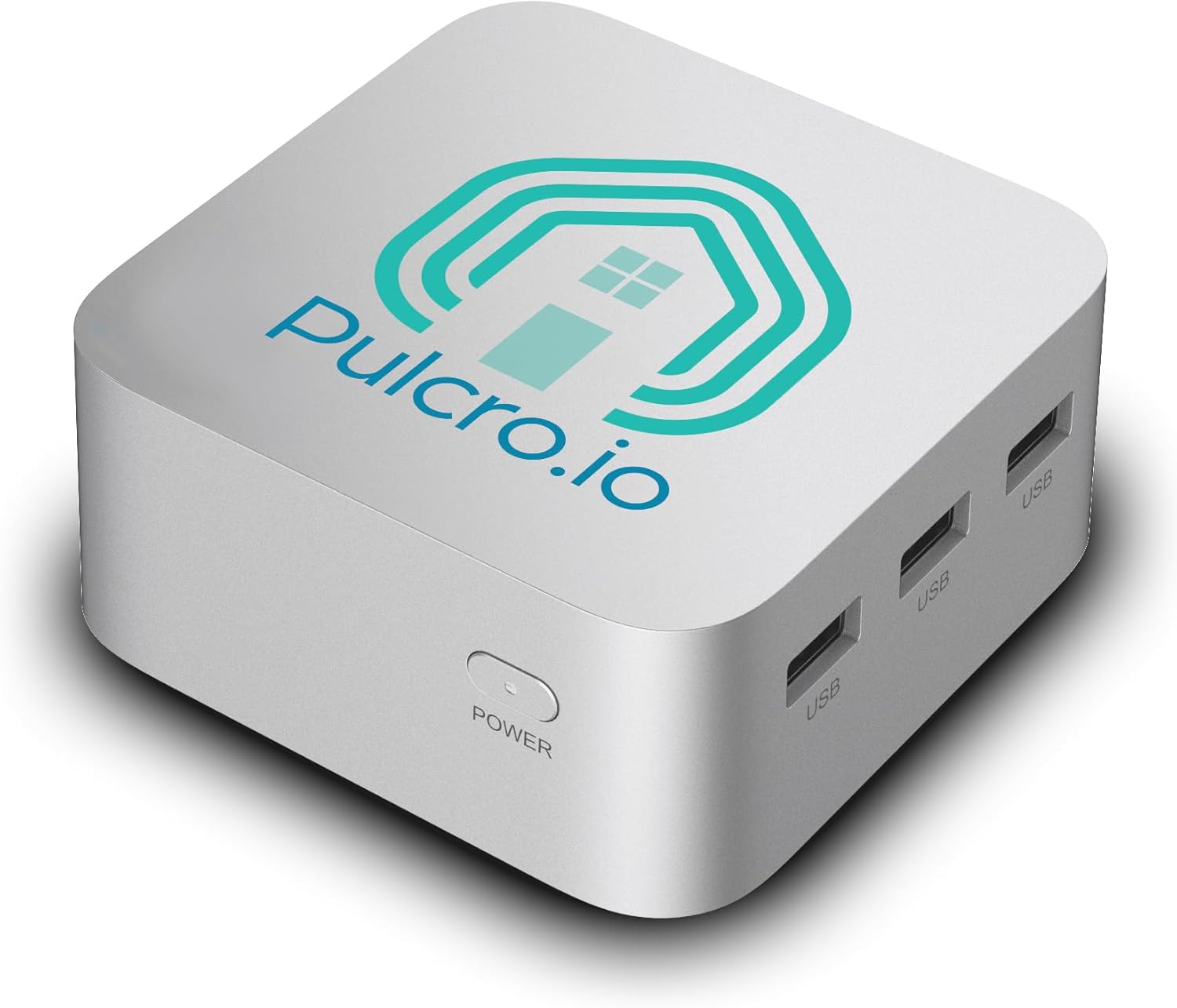
Looking for a compact mini PC that can drive three 4K monitors and still be quiet on your desk?

First impressions and what this product is
You’ll notice the TK QBE Mini PC – N150 CPU, Windows 11 Pro, 16GB LPDDR5, 512GB SSD, 3X 4K HDMI, Silver is built to solve a specific set of problems: space, connectivity, and efficient multi-monitor workflows. On unboxing, you’ll likely appreciate the compact footprint and the fact that it’s assembled and quality-checked in Texas, USA, with a two-year limited warranty—something that gives extra peace of mind if you prefer domestic builds.
What the box includes
The package comes with everything you need to get started right away, so you won’t be hunting for compatibility parts. You’ll find a 12V DC power adapter (US), a 3ft Ethernet cable, and a VESA mounting kit to tuck this mini PC behind a monitor or onto a wall.
TK QBE Mini PC - N150 CPU, Windows 11 Pro, 16GB LPDDR5, 512GB SSD, 3X 4K HDMI, Silver
Key specifications at a glance
You’ll want an easy way to reference the main specs, so here’s a concise breakdown of the important hardware and features. This helps you quickly decide whether the core configuration fits your needs before reading deeper into performance and use cases.
| Feature | Specification | Why it matters for you |
|---|---|---|
| CPU | N150 (4 cores, up to 3.6 GHz) | Good for everyday multitasking, office apps, light content work, and smart home control. |
| RAM | 16GB LPDDR5 (also available in 8GB) | LPDDR5 offers better bandwidth and efficiency; 16GB gives comfortable headroom for multiple apps and browser tabs. |
| Storage | 512GB SSD (also available in 256GB) | Fast boot and app load times; roomy enough for documents, media, and everyday software. |
| GPU | Integrated UHD Graphics | Suitable for video playback, multiple displays, and light GPU tasks. Not for demanding AAA gaming. |
| Displays | 3x HDMI 2.1, 4K@60Hz each | Supports three simultaneous 4K screens at 60Hz—ideal for productivity and video walls. |
| Connectivity | Dual Gigabit Ethernet, Dual-band WiFi (2.4/5 GHz), Bluetooth | Robust wired and wireless options for wired networks, Bluetooth peripherals, and stable WiFi connections. |
| Size | 3.5″ x 3.5″ x 1.7″ | Extremely compact footprint—fits on a desk, behind a monitor, or in tight AV setups. |
| Power | < 1 kWh/day (claimed), whisper-quiet cooling | Low power draw and quiet operation for continuous use without noise distraction. |
| OS | Windows 11 Pro | Familiar desktop experience and business features like BitLocker and remote access. |
| Warranty | 2-year limited | Extra assurance for hardware defects and quality issues. |
Design and build quality
The TK QBE Mini PC is small and unassuming, finished in silver with clean lines that won’t draw attention in your workspace. You’ll see a no-nonsense industrial feel: vents where they’re needed, solid mounting points for VESA, and tactile ports that don’t feel flimsy.
Materials and assembly
You’ll find the chassis is designed to be functional rather than flashy, with a metal or metal-like shell that helps with heat dissipation and durability. Because it’s assembled and quality-checked in Texas, you’ll likely notice consistent fit-and-finish compared to some low-cost imports.
Port layout and accessibility
Access to ports is immediate and easy, with three HDMI ports, dual Gigabit Ethernet, USB ports, and audio all where you’d expect them. You’ll appreciate that the layout is practical for multi-monitor setups and for placing the unit close to other cables or behind a monitor using the VESA mount.
Get The TK QBE Mini PC — Amazon
Performance: CPU, memory, and storage
You’ll want practical expectations: the N150 with 4 cores up to 3.6 GHz, paired with 16GB LPDDR5 and a 512GB SSD, targets mainstream productivity users. This configuration balances power efficiency with enough responsiveness for most daily workflows.
CPU behavior and real-world use
You’ll find the N150 handles web browsing with many tabs, video conferencing, office suites, and light photo editing without choking. For heavily threaded, compute-intensive tasks like large video renders or heavy virtual machines, you’ll notice slower performance compared with higher-end desktop CPUs, but for typical office and creative tasks you’ll be satisfied.
Memory and multitasking
With 16GB of LPDDR5, you’ll run multiple apps, browser tabs, and virtual desktops comfortably. LPDDR5 helps with efficient power use and snappier responsiveness, which you’ll appreciate when switching apps or keeping background services running.
Storage speed and capacity
The 512GB SSD provides quick boot times and fast application loading. If you need more capacity, the product allows choices (256GB or 512GB), and you can often expand storage later depending on internal expansion options or by using external drives.
Graphics and triple 4K monitor support
If you rely on multiple displays, this is where the TK QBE Mini PC stands out. You’ll be able to connect three independent 4K@60Hz displays using the three HDMI 2.1 ports with the integrated UHD Graphics.
What multiple 4K displays mean for your workflow
You’ll get a true multi-monitor desktop without scaling quirks if you’re using productivity apps, spreadsheets, or web dashboards. For video playback and content preview across monitors, the GPU handles everyday tasks smoothly; however, you should temper expectations for GPU-intensive tasks like modern 3D gaming or heavy GPU compute.
Media playback and streaming
You’ll enjoy smooth 4K video playback and streaming, assuming your media apps and codecs are optimized. If you use local 4K video files or stream from services, the integrated graphics plus hardware acceleration will keep playback smooth while you manage other apps.
Connectivity: wired and wireless options
You’ll find both robust wired and wireless connectivity on this mini PC, which is key if you move it between home, office, or AV installations.
Ethernet and network reliability
Dual Gigabit Ethernet provides you with redundancy or the ability to separate networks (for instance, one for LAN and another for a dedicated device network). This is useful in small-office setups or for streaming/recording where stable wired connections matter.
WiFi and Bluetooth
You’ll get dual-band WiFi (2.4 GHz and 5 GHz) with integrated antennas that optimize reception. Bluetooth support makes connecting peripherals like keyboards, mice, and audio devices straightforward for a wireless desk setup.

Cooling, noise, and power efficiency
One of the selling points is the promise of whisper-quiet cooling and low energy use. You’ll appreciate it if you need a silent workstation or plan long continuous operation.
Thermals and fan noise
You’ll notice that the cooling is tuned for low noise rather than performance-headroom. For typical office loads and media playback, fan noise is unobtrusive. If you run sustained heavy loads, fans may ramp up, but the small CPU design and efficient cooling should reduce thermal throttling in normal use.
Energy consumption and running costs
You’ll benefit from a low power draw: the claim of under 1 kWh/day translates to modest operating costs. If you run this machine 24/7 for home servers or signage, you’ll pay only a few dollars a month in electricity depending on local rates.
Windows 11 Pro experience and software
Windows 11 Pro comes pre-installed to give you a modern desktop environment with business features. You’ll have access to productivity and security features such as BitLocker, Remote Desktop, and advanced update controls.
Out-of-box setup and driver support
You’ll want to run Windows Update and the vendor’s support pages to ensure you have the latest drivers for WiFi, networking, and display features. The Windows-ready engineering makes installation and activation straightforward, and the included setup should get you to productivity quickly.
Business features and security
If you use this in a business setting, you’ll appreciate built-in Windows 11 Pro features like enhanced device management, encryption options, and group policy controls that make deployment and maintenance easier for IT-managed environments.
Practical use cases and who this is best for
You’ll want to match the product to your needs. This mini PC is designed for several practical roles where space, low power, and multi-display capabilities matter.
Home office and productivity
You’ll find this an excellent choice for remote work, office tasks, and general productivity, especially if you run multiple monitors and depend on stable networking. You’ll appreciate the small footprint on a crowded desk and the ability to mount it behind a monitor.
Content consumption and media center
You’ll use it as a compact media box for streaming and local media playback with three 4K outputs. If you’re creating a living room or conference-room AV setup, the TK QBE can act as a capable source device.
Digital signage and control systems
You’ll benefit from the 3x 4K outputs in digital signage or kiosks that require synchronized content across screens. The low power draw and quiet operation make it suitable for continuous display tasks.
Light creative work and software development
You’ll be able to handle photo editing, light video editing, and web development comfortably. For intensive 3D work, large datasets, or serious video rendering, you’ll want a more powerful workstation, but for many creatives this will be adequate.
Home server or networked role
You’ll be able to run small server tasks, local backups, or home automation orchestration thanks to the dual Ethernet and decent storage options. It’s not a powerful NAS replacement for heavy I/O loads, but it fits many lightweight server needs.

Setup and installation tips
You’ll want to set this up for the best balance of noise, performance, and long-term reliability. A few configuration tips will keep the experience smooth.
Physical placement and mounting
You’ll find the VESA mount handy for attaching the mini PC to the back of a monitor, which reduces cable clutter and keeps your desk tidy. Make sure vents have clearance and avoid enclosing the unit in airtight cabinets that could trap heat.
Network setup tips
You’ll set up wired Ethernet when you need the lowest latency or the most stable connection, and keep WiFi as a backup. If you use both Ethernet ports, consider separating traffic types or creating a management path on the second port.
Power and BIOS/firmware recommendations
You’ll want to check for firmware updates after setup—vendors sometimes release BIOS updates for improved stability or fan control. If you plan to run 24/7, set the power profile for balanced efficiency and consider enabling wake-on-LAN if you need remote access.
Expandability and customization
You’ll find some options for customizing memory and storage at purchase, and potentially additional upgrades later depending on internal accessibility.
RAM and storage choices
You’ll see the device offered with 8GB or 16GB LPDDR5, and 256GB or 512GB SSD options. You’ll benefit from choosing 16GB and 512GB if you multitask heavily or store lots of media locally; otherwise, the 8GB/256GB option is more budget-friendly.
External expansion and peripherals
You’ll expand via USB ports and external storage. If you need more storage or backup, attached USB-C or high-speed external drives are the straightforward route.
Security and maintenance
You’ll want to maintain the PC for both security and longevity. Windows 11 Pro gives you tools, and hardware choices affect how you secure the unit physically.
Physical security
You’ll use the VESA mount to hide or secure the device, and the small size makes it easy to place in a locked cabinet if needed. Make sure to securely fasten any mounts and consider cable locks in public installations.
Software maintenance
You’ll keep Windows Update enabled and apply driver updates from the manufacturer’s support page. Regular backups and security software are recommended—particularly if you use the mini PC for business tasks or store sensitive files.
Pros and cons
You’ll want a balanced rundown of what makes this mini PC shine and where it might fall short. Here’s what to expect so you can weigh priorities.
Pros
- You’ll get strong multi-monitor capabilities with 3x HDMI 2.1 supporting 4K@60Hz each.
- You’ll enjoy compact size and VESA mounting for neat, space-saving installations.
- You’ll appreciate quiet, low-power operation suitable for continuous use.
- You’ll benefit from Windows 11 Pro and a two-year limited warranty for business-friendly features and peace of mind.
- You’ll have flexible connectivity with dual Gigabit Ethernet, dual-band WiFi, and Bluetooth.
Cons
- You’ll be limited if you need heavy CPU/GPU performance for demanding professional workloads or modern AAA gaming.
- You’ll rely on integrated graphics, which are fine for media and productivity but not for high-end rendering.
- You’ll want to confirm upgrade paths if you anticipate needing larger internal storage later.
Comparisons with other mini PCs
You’ll see many mini PCs in the market, some focusing on raw performance and others on ultra-affordability. Here’s how this TK QBE model positions itself compared with typical alternatives.
Versus ultraportable thin clients and NUC-like boxes
You’ll notice the TK QBE leans toward multi-display and connectivity rather than raw processing power. Compared to some ultra-compact thin clients, it offers more robust display outputs and better on-board networking options, making it more suitable for hybrid office and media roles.
Versus higher-end mini workstations
You’ll recognize that mini workstations with Ryzen or Intel H-series chips offer much higher compute and GPU power. You’ll choose the TK QBE when you prioritize size, multi-monitor support, and low power rather than top-tier performance.
Troubleshooting common issues
You’ll likely encounter only a few common, easy-to-fix problems during setup—connectivity, display scaling, or WiFi setup. Here are practical steps to solve them.
No display on one or more monitors
You’ll first check HDMI cables and ports, then ensure display settings in Windows are detecting all monitors. You’ll also verify the HDMI cables are rated for 4K@60Hz and that display drivers are up to date.
WiFi or Bluetooth issues
You’ll toggle airplane mode off and on, update drivers, and check router settings for dual-band issues. You’ll use the Ethernet connection as a fallback to isolate whether the problem is wireless-only.
Fan noise or thermal throttling
You’ll clear vents from dust and ensure the unit has adequate airflow. If fans seem louder than expected, check BIOS fan control settings and update firmware if recommended by support.
Warranty, support, and service
You’ll appreciate the two-year limited warranty and the fact the unit is assembled and quality-checked in Texas. That often translates to better support responsiveness and more consistent QC than some overseas-only vendors.
What the warranty covers
You’ll typically get coverage for manufacturing defects and hardware failures within the limited warranty period. You’ll read the warranty terms for specifics on accidental damage, return shipping, or regional service processes.
Getting help and drivers
You’ll check the manufacturer’s support site for driver downloads and firmware updates, and you’ll contact support if you run into hardware failures during the warranty window. Keep proof of purchase handy in case of claims.
Tips to get the most from your TK QBE Mini PC
You’ll want practical adjustments and settings to maximize responsiveness, battery (if applicable in other configs), and longevity.
- You’ll choose the 16GB/512GB config if you value multitasking and local storage.
- You’ll enable Windows performance and power profiles suited to your tasks when on AC power.
- You’ll keep firmware and drivers current to ensure optimal connectivity and display compatibility.
- You’ll mount the device using VESA to save desk space and protect it from spills or physical damage.
- You’ll use external drives or network storage for large media libraries to avoid filling the internal SSD.
Final verdict
You’ll find the TK QBE Mini PC – N150 CPU, Windows 11 Pro, 16GB LPDDR5, 512GB SSD, 3X 4K HDMI, Silver is a practical, space-saving machine designed for modern multitasking and multi-monitor setups. If your priorities are an unobtrusive desktop footprint, reliable Windows Pro experience, triple 4K display support, solid networking options, and low operating costs, this unit checks those boxes.
You’ll want to consider a higher-end machine only if you require heavy CPU or GPU horsepower for rendering, simulation, or demanding content creation. Otherwise, this model offers an excellent balance of features and practicality that should fit well in home offices, small business environments, digital signage, and media setups.
Disclosure: As an Amazon Associate, I earn from qualifying purchases.