
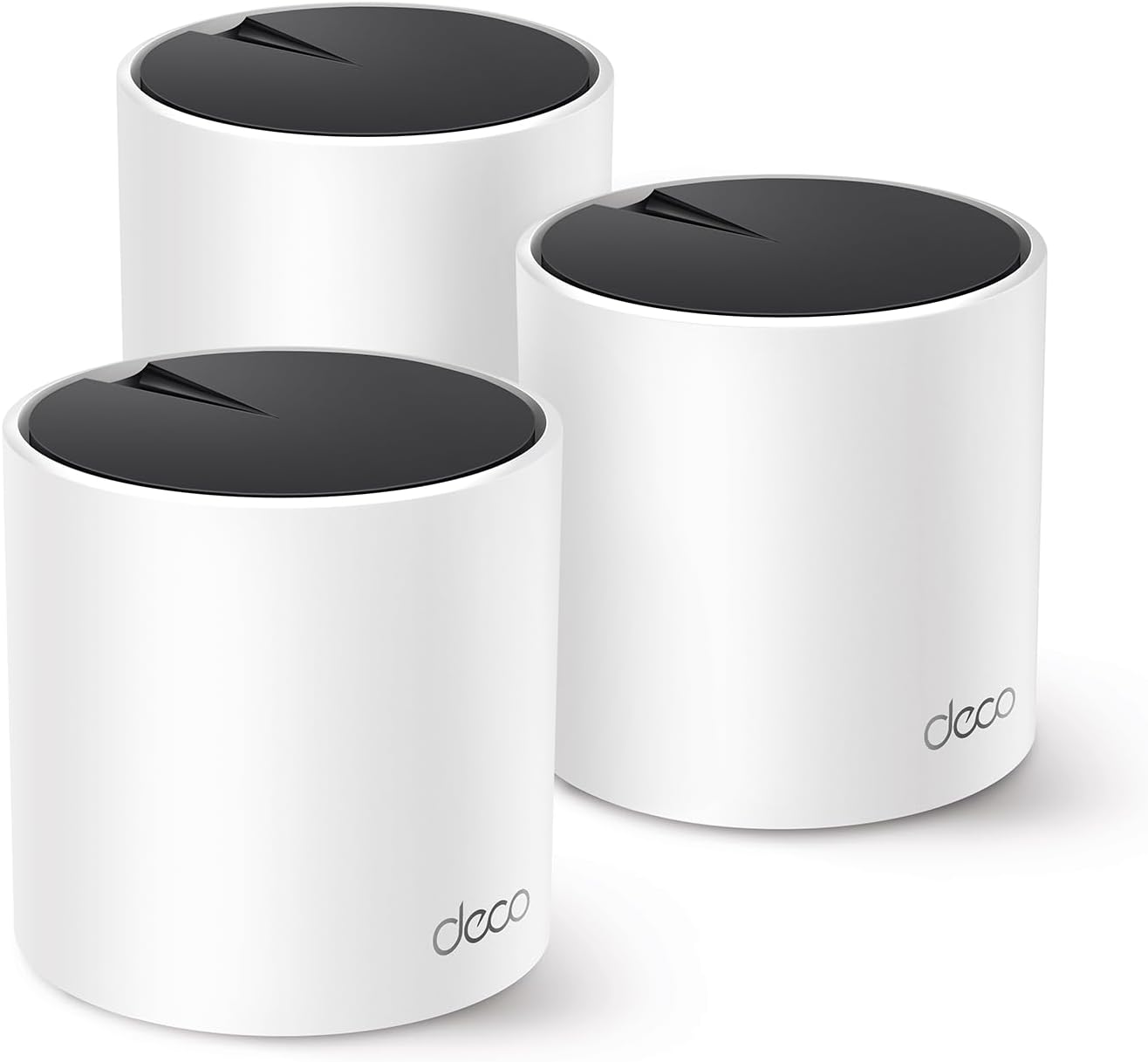
Looking for a mesh system that can handle a 1Gbps (or faster) connection, cover a large home, and keep more than a hundred devices connected without hiccups?


TP-Link Deco X55 Pro AX3000 Whole Home Wi‑Fi 6 Mesh System — Quick overview
You’re looking at a mesh kit built for modern homes with heavy device counts and fast internet plans. The TP‑Link Deco X55 Pro AX3000 (3‑pack) aims to give you high‑performance Wi‑Fi 6 coverage up to 6,500 sq. ft., support for over 150 devices, and multi‑gig wired options that make it future‑ready.
What’s in the box
You’ll typically find three identical Deco X55 Pro units, power adapters for each, a couple of Ethernet cables, and a quick start guide. TP‑Link usually keeps the unboxing simple so you can get the system set up quickly with the Deco app.
Key specifications
You’ll want a compact view of the technical details before making a decision, so here’s a table that breaks down the main specs at a glance.
| Feature | Detail |
|---|---|
| Model | TP‑Link Deco X55 Pro AX3000 (3‑pack) |
| Wi‑Fi standard | Wi‑Fi 6 (802.11ax) |
| Radio configuration | 2×2 HE160 2402 Mbps (5 GHz) + 2×2 574 Mbps (2.4 GHz) |
| Streams | 4 streams total |
| Coverage | Up to 6,500 sq. ft. (3‑pack, typical home layout) |
| Devices supported | Up to 150+ devices |
| WAN/LAN ports | 2 × 2.5 Gbps ports per unit (configurable) |
| Backhaul | Wired Ethernet backhaul supported |
| App | Deco app (iOS, Android) |
| Security | TP‑Link HomeShield (free features + premium options) |
| Special features | AI‑driven mesh, QoS, Parental Controls, IoT identification |
| Ideal internet | 1 Gbps+ Internet plans supported |
| Set up | Deco app guided setup |
| Manufacturer security pledge | Signatory to CISA Secure‑by‑Design pledge |
TP-Link Deco X55 Pro AX3000 Whole Home Wi-Fi 6 Mesh System - Coverage up to 6500 Sq.Ft & up to 150 Devices, 2x2.5G WAN/LAN Ports, 4 Streams, Wired Ethernet Backhaul, Ideal for 1Gig+ Internet, 3-Pack
$169.99 In Stock
Performance and coverage
You’ll notice the Deco X55 Pro is positioned as a performance upgrade from basic mesh kits thanks to its AX3000 designation and multi‑gig ports. In real houses with many devices and mixed traffic, it’s designed to keep streams isolated and consistent so video calls, streaming, and gaming coexist smoothly.
Wi‑Fi 6 and AX3000 explained
You’ll see AX3000 on the box; that combines the theoretical maximum of the radios: about 2402 Mbps on the 5 GHz band using HE160 and 574 Mbps on 2.4 GHz. Those numbers are theoretical and reflect the peak bandwidth under ideal lab conditions, but they still translate into meaningful improvements in device capacity and efficiency compared with older Wi‑Fi 5 gear.
Real‑world speeds and latency
You’ll typically get high throughput close to a Deco unit when your ISP speed is fast, especially using the 5 GHz radio. Expect less than ideal numbers through multiple walls and floors, but the system’s MU‑MIMO and OFDMA features improve multi‑device performance, so latency stays reasonable even when many devices are active.
Coverage and placement tips
You’ll want to place the three units so they form a triangular or linear chain depending on your floor plan, avoiding tight spots like closets and metal cabinets. Place one unit centrally on each floor or wing, at least a few feet above the floor if possible, and keep them a few rooms apart to let each unit reach the next while covering adjacent living spaces.
Ports, backhaul and wired features
You’ll appreciate that each Deco X55 Pro includes two 2.5 Gbps ports. That gives you flexibility: one can act as a WAN link for a multi‑gig connection while the other serves as a LAN port for high‑speed devices or a wired backhaul between units.
Multi‑gig connectivity and why it matters
You’ll notice multi‑gig ports are increasingly useful as ISPs offer 1 Gbps and 2.5 Gbps plans and as local devices like NAS and gaming rigs begin to require higher-than‑Gigabit throughput. Choosing a mesh with 2.5G ports means you won’t bottleneck a fast internet plan or a wired NAS connection.
Wired backhaul and NAS use cases
You’ll get the most consistent performance when you can use a wired Ethernet backhaul between Deco units; the 2.5G ports make that backhaul faster than traditional gigabit options. If you host a NAS for large media libraries or backups, those ports let you move huge files, stream multiple 4K videos, or run a cloud VM without saturating your home LAN.

Software, AI‑driven mesh and management
You’ll interact mainly with the Deco app for setup and daily management, and TP‑Link advertises an AI‑driven mesh that “learns” your environment. In practice, that means the system handles client steering and path selection so devices move to the best node automatically, which reduces the amount of manual tuning you’ll need.
TP‑Link HomeShield: free vs premium
You’ll get a useful set of free security features in HomeShield such as security scans, basic parental controls and device identification. If you want additional protections like advanced antivirus, more granular filtering, or extended reporting, TP‑Link sells a HomeShield Premium subscription that unlocks extra functionality.
Deco app: setup and daily management
You’ll find the Deco app walks you through QR code scanning, naming your network, and placing nodes with simple prompts. The app also lets you run speed tests, check device lists, create guest nets, and make quick changes to QoS and parental controls when you need them.
Security and privacy
You’ll want to be sure your family and devices are safe; TP‑Link highlights its CISA Secure‑by‑Design pledge and HomeShield security suite. That means the company commits to secure development practices and provides tools for you to monitor and protect connected gadgets.
Parental controls and QoS
You’ll be able to set schedules, block categories or individual devices, and apply time limits per user through the Deco app. QoS tools let you prioritize traffic for gaming or video calls so critical tasks get bandwidth when the network is busy.
Setup walkthrough (step‑by‑step)
You’ll typically have the system up in 15–30 minutes. Here’s a straightforward step sequence you can follow.
- Unbox and place the main Deco unit near your modem. Plug it into the modem and power both devices on.
- Install the Deco app on your phone and create or sign in to your TP‑Link account.
- Follow the app prompts to add a new Deco, scan the QR code on the unit, and name your network SSID and password.
- Power up the second and third Decos, add them via the app, and position them. The app will indicate signal strength between units as you move them.
- Optionally connect units with Ethernet for a wired backhaul (recommended for busiest households).
- Run an initial speed test and enable HomeShield features you want, like parental controls or QoS.
Tips for optimizing your network during setup
You’ll save time by updating firmware right away and enabling Ethernet backhaul if you can route cable between floors. Also, name your SSID and guest network distinctly so your devices connect to the right network in multi‑SSID households.

Troubleshooting common issues
You’ll encounter a few common issues with any mesh system; here’s how to handle them quickly.
- Slow speeds on a distant unit: Move the node closer to its parent Deco or add a wired backhaul.
- Devices stuck on 2.4 GHz: Disable “smart connect” if you want to force band selection for a specific device or adjust settings in-app.
- Unstable connections for gaming: Check QoS to prioritize the gaming device and ensure wired connections where possible.
- App can’t find Decos during setup: Power cycle your phone’s Wi‑Fi, the Deco, and the modem, then retry the setup flow.
Firmware updates and stability
You’ll want to keep firmware up to date; TP‑Link regularly issues security patches and stability improvements. The Deco app notifies you of updates, and applying them as they’re released is the simplest way to keep performance and security humming.
Real‑world scenarios and testing
You’ll want to know how the Deco X55 Pro performs in different layouts and use patterns, since real homes differ widely. Below are scenarios that help you picture how the system performs when faced with typical demands.
Single‑family home with 1 Gbps ISP
You’ll likely experience near‑full ISP speeds close to the main Deco and strong speeds in common areas around secondary Decos, especially if you enable a wired backhaul. When many family members stream 4K simultaneously, the Deco’s Wi‑Fi 6 efficiencies help avoid bottlenecks compared with older Wi‑Fi 5 systems.
Apartment or condo with many neighboring networks
You’ll benefit from Wi‑Fi 6’s ability to handle congestion and client density better than older standards. If you live in a dense building, place the Deco away from windows and metal structures, and it should give you more stable connections amid crowded RF space.
Home office and remote work
You’ll appreciate the QoS features and the ability to prioritize video calls and VPN traffic, along with multi‑gig WAN support if your employer provides high bandwidth needs. Wired connections remain preferable for mission‑critical work, and the Deco X55 Pro’s ports let you connect an Ethernet switch for multiple wired devices.
Integration with smart home devices
You’ll find that the Deco system is geared to identify and protect IoT devices, which are often the weak link in home network security. The app highlights unknown devices and those that might need attention, and HomeShield applies basic segmentation to keep IoT traffic safer from the rest of your network.
IoT device identification and handling
You’ll see a device list in the app that groups gadgets and can suggest labeling. If you’ve got a mix of smart bulbs, cameras, thermostats and hubs, being able to identify and apply rules per device makes managing access and schedules much easier.

Power usage and physical design
You’ll notice the units are compact, with a neutral aesthetic that fits most home interiors. Power draw is modest compared to larger routers, so running three units around the clock won’t be a major energy concern.
Placement and cable considerations
You’ll want to plan where to place units for both Wi‑Fi reach and cable routing if you plan to use wired backhaul. Conceal Ethernet runs with cable raceways or through walls where feasible to keep the setup tidy.
Comparisons with similar systems
You’ll want to compare the Deco X55 Pro to other mesh options in terms of speed, features and price. Here’s how it stacks up in a few key areas.
Deco X55 Pro vs Deco X60 (or similar TP‑Link models)
You’ll find the X55 Pro’s multi‑gig ports and HE160 support for wider channels make it better for extremely fast internet plans and aggregated local traffic. The X60 may be close in Wi‑Fi performance, but the X55 Pro’s 2.5G ports and AI mesh tweaks give you more headroom for future upgrades.
Deco X55 Pro vs competing mesh systems (Netgear, Eero, ASUS)
You’ll notice competitors may focus on mesh management simplicity or premium security bundles; the Deco offers a solid balance of hardware and software for the price, especially with multi‑gig support. If you need the absolute fastest throughput across multiple wired backhauls, higher‑end Orbi or ASUS tri‑band systems might slightly outperform, but at a higher cost.
Who should buy this?
You’ll love the Deco X55 Pro if you have a 1 Gbps (or higher) internet plan, many connected devices, and a medium to large home that needs seamless coverage. It’s also a great fit if you plan to use wired backhaul or want to connect a NAS and get multi‑gig wired performance.
Ideal user profiles
You’ll benefit if you:
- Run multiple 4K streams and video calls concurrently.
- Have many smart home devices.
- Need future‑proof ports for a NAS or multi‑gig ISP.
- Prefer simple app‑based management with useful security features.
Who might want something else?
You’ll want to consider alternatives if you need absolute top-tier single‑device speed for LAN gaming or you want more advanced custom firmware options. Power users who want enterprise‑grade control might prefer separate high‑end routers and access points that offer deeper configuration.
Cases where another product may be a better fit
You’ll consider a different route if you:
- Require tri‑band mesh for maximum wireless backhaul throughput without wiring.
- Want full advanced routing features for complex VPN or VLAN setups.
- Need local on‑box storage or advanced USB NAS features that some routers offer.
Pros and cons
You’ll appreciate the balance of features here, but it’s useful to see the strong points and tradeoffs clearly.
Pros:
- You get Wi‑Fi 6 performance with HE160 that boosts 5 GHz throughput.
- You get two 2.5 Gbps ports per unit for true multi‑gig WAN/LAN and fast backhaul.
- The system covers large homes when using three units and supports 150+ devices.
- Deco app makes setup and management simple and approachable.
- HomeShield provides useful security and parental tools out of the box.
- AI‑driven mesh helps keep the network optimized without much manual tweaking.
Cons:
- You’ll still face physical limits—walls and dense floors will reduce throughput.
- Advanced power users might find the app lacks deep professional routing controls.
- Some premium security features require a subscription.
- If you need peak wireless backhaul without wiring, a tri‑band mesh can outperform dual‑band systems in some scenarios.
Pricing and value
You’ll judge value not only by price but by how long the equipment will meet your needs. The Deco X55 Pro usually sits in a mid‑to‑upper price band for consumer mesh systems, but multi‑gig ports and high device capacity make it a good long‑term investment.
When the price makes sense
You’ll see strong value if you have a fast ISP plan or plan to use wired backhaul and want a single‑vendor mesh that’s easy to manage. The combination of hardware and security features weighs in favor of the purchase for connected households.
Tips for getting the most from your Deco X55 Pro
You’ll get better results faster with a few practical steps.
- Update firmware as soon as you set it up.
- Use Ethernet backhaul when possible for the most consistent performance.
- Position nodes near high‑traffic areas and avoid obstructive materials.
- Label devices and set guest networks to keep visitors off your primary network.
- Use QoS for mission‑critical devices like work laptops or consoles.
Future‑proofing and longevity
You’ll find the Deco X55 Pro is designed with future proofing in mind: multi‑gig LAN/WAN ports, Wi‑Fi 6 support, and a focus on security. Those elements combine to make the system a smart buy if you expect to upgrade your internet service or add higher throughput devices over the next few years.
Firmware and feature updates
You’ll want to watch for ongoing software updates from TP‑Link; new features and security patches extend the useful life of the hardware. The Deco app’s OTA updates are straightforward and help keep the system current.
Alternatives and add‑ons
You’ll sometimes find that adding a wired switch or an access point can extend capabilities without replacing the entire system. If you need more wired ports, consider a managed or unmanaged multi‑gig switch and connect it to one Deco unit.
Expanding coverage or capacity
You’ll expand capacity by adding more Deco units from the same family, which generally integrate seamlessly. If you find one Deco struggles with too many wired devices, a switch connected to the 2.5G port solves that neatly.
Final verdict
You’ll find the TP‑Link Deco X55 Pro AX3000 3‑pack is a compelling option for modern homes that need both wide coverage and multi‑gig wired flexibility. It balances user‑friendly setup, strong device capacity, and future‑proof wired ports in a package that should satisfy most families, home offices, and tech enthusiasts looking to upgrade from older Wi‑Fi gear.
If you want, I can walk you through a tailored placement plan for your home layout, suggest optimum settings for your specific devices, or compare current prices and offers so you get the best deal.

Disclosure: As an Amazon Associate, I earn from qualifying purchases.