
Are you ready to finally get reliable whole-home Wi‑Fi that keeps up with every device you own?


Quick verdict
If you’re looking to replace a router and extenders with one modern, high-capacity mesh system, the TP-Link Deco XE75 AXE5400 Tri-Band WiFi 6E Mesh System is a strong choice. You’ll get a true tri-band setup with the new 6 GHz band, AI-driven mesh features that simplify roaming and connection management, and claimed coverage up to 7,200 sq. ft. in a 3-pack. For busy homes with many devices, gamers, and 4K/8K streamers, this will likely feel like a big step up from older Wi‑Fi 5 or single-unit Wi‑Fi 6 routers.
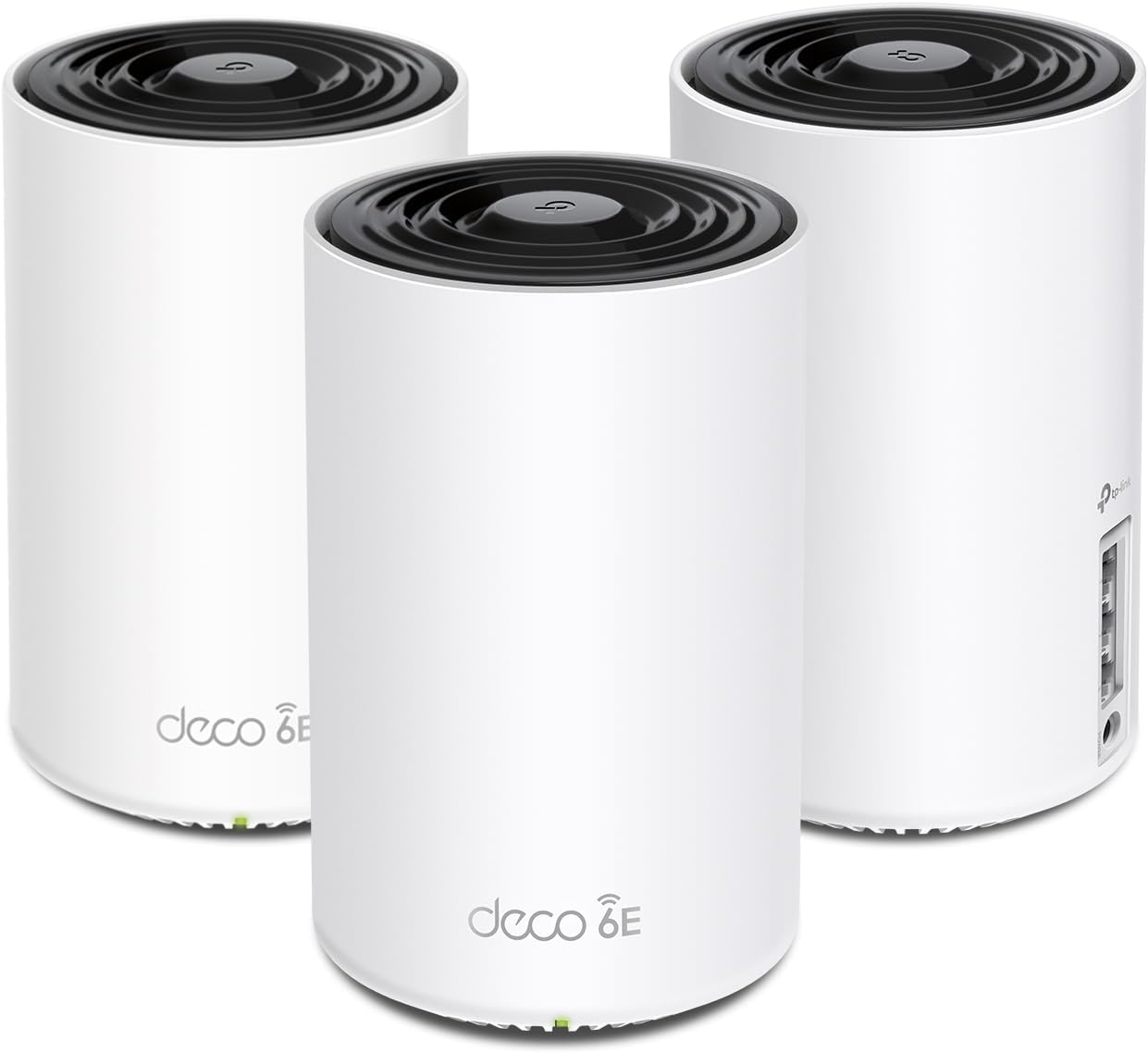
TP-Link Deco XE75 AXE5400 Tri-Band WiFi 6E Mesh System - Wi-Fi up to 7200 Sq.Ft, Engadget Rated Best Mesh for Most People, Replaces WiFi Router and Extender, AI-Driven Mesh New 6GHz Band, 3-Pack
$219.98 In Stock
What the TP‑Link Deco XE75 is
This product is a three-node mesh kit that replaces a traditional router + extender combo and aims to supply seamless Wi‑Fi across a large home. It’s designed around Wi‑Fi 6E (AXE5400), which adds a 6 GHz band alongside 5 GHz and 2.4 GHz bands. The system uses AI-driven mesh features to learn your network and keep devices on the best node and band automatically.
What you get in the box
You receive three Deco XE75 units (a 3-pack). Each unit is a node that you place around your home to create a single unified Wi‑Fi network. The Deco app guides you through physical placement, setup, and network customization. You’ll need your ISP’s modem (if the ISP provided one or you have a compatible third-party modem) to connect the mesh to the internet.
Key specs and quick breakdown
Below is a concise table to help you quickly understand the most important technical specs and claims.
| Feature | What it means for you |
|---|---|
| Coverage (3-pack) | Up to 7,200 sq. ft. (actual coverage varies with building layout and materials) |
| Wi‑Fi standard | Wi‑Fi 6E (AXE5400) — supports 6 GHz, 5 GHz, 2.4 GHz bands |
| Total theoretical throughput | Up to 5,400 Mbps combined (6 GHz: 2402 Mbps HE160; 5 GHz: 2402 Mbps HE160; 2.4 GHz: 574 Mbps) |
| Device support | Up to 200 devices (concurrent) |
| Backhaul | 6 GHz band used as default backhaul for stable node-to-node links; can switch to 6 GHz network mode to connect clients |
| App & voice control | Deco app setup/management; works with Alexa (guest Wi‑Fi toggling by voice) |
| Security | TP‑Link HomeShield basic features included; CISA Secure-by-Design pledge signer |
| ISP compatibility | Works with major ISPs (modem typically required) |
| Intended use | Replace router + extender; large homes with many devices |
Performance — what you should expect
You’ll notice a meaningful improvement over older single-router setups, especially if you had persistent dead zones or frequent device drops. The combination of three radios (2.4, 5, and 6 GHz) allows the system to manage traffic efficiently across many devices.
- The 6 GHz band gives you a clean, low-interference channel for Wi‑Fi 6E-capable devices, which is excellent for high-throughput, low-latency tasks like cloud gaming and 4K/8K streaming.
- The 5 GHz band remains a strong all-around performer for slightly older clients and for devices that still need strong speeds but aren’t Wi‑Fi 6E-capable.
- The 2.4 GHz band provides broad range and good penetration through walls for IoT devices and older hardware.
Real-world throughput will depend on distance, walls, device capability (HE160 support matters), and local interference. In a typical multi-floor home, you can expect much more consistent speeds and fewer buffering events compared with a single older router or extender chain.
Speed across bands
Each band serves a purpose; here’s what you can expect in practical terms:
- 6 GHz: Best for short-to-medium range high-bandwidth devices that support Wi‑Fi 6E. Expect top-tier throughput close to nodes and excellent low latency.
- 5 GHz: Best mix of speed and range for most modern devices; more resilient across larger spaces than 6 GHz.
- 2.4 GHz: Not fast, but covers long distances and penetrates obstacles — ideal for smart sensors and legacy devices.
Coverage and range — will it actually cover your house?
TP‑Link advertises up to 7,200 sq. ft. coverage for the 3-pack. That’s achievable in open-plan environments with minimal obstructions, but typical homes with multiple floors, thick walls, or lots of interference will see reduced coverage.
A few things that affect coverage:
- Construction materials: concrete, brick, and metal studs reduce range more than drywall or wood framing.
- Placement: putting each node on a central floor and avoiding enclosed cabinets helps a lot.
- Interference: neighboring Wi‑Fi networks and wireless devices on crowded channels will lower performance.
If you have a very large home, multiple detached structures, or thick stone walls, you might need additional nodes. If your layout is a typical suburban home, the 3-pack is likely sufficient.

Mesh behavior and AI-driven mesh features
The “AI‑Driven Mesh” promises smoother roaming and automatic optimization of client connections. That means the system monitors signal quality between nodes and devices, then adjusts which node serves which device for the best overall experience.
How this benefits you:
- Seamless handoffs: When you move around the house, your device should switch nodes automatically with minimal disruption.
- Backhaul decisions: The system prioritizes the 6 GHz band as the backhaul by default, giving strong, dedicated inter-node links and leaving other bands for clients.
- Auto-optimization: The mesh adapts to changing conditions — if one path becomes congested, it can reroute traffic.
This all adds up to fewer manual tweaks on your part and generally more reliable connectivity for everyday use.
6 GHz band: practical implications
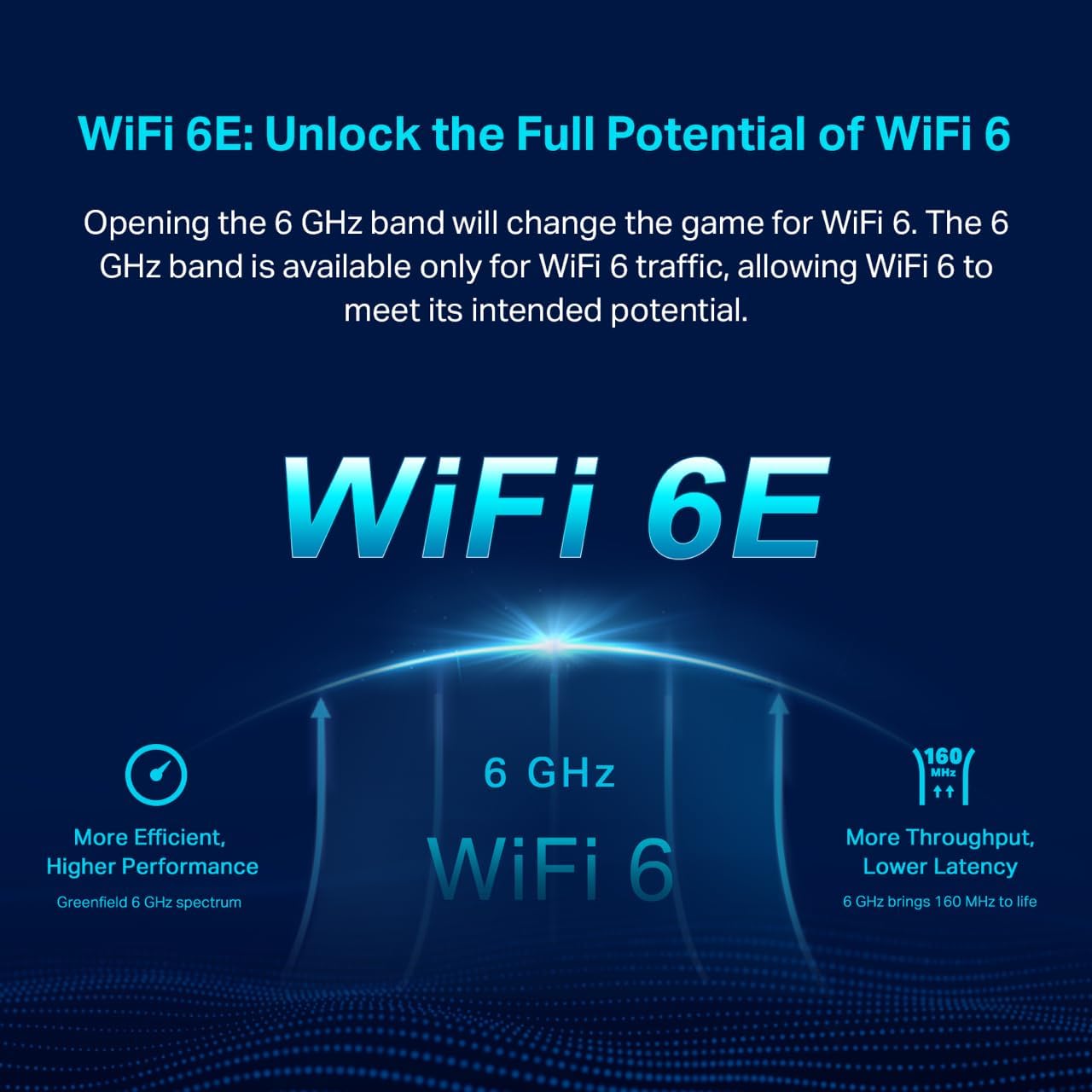
The 6 GHz band is the headline feature. It’s exclusive to Wi‑Fi 6 devices and provides a lot of clean spectrum:
- Less interference: Legacy devices that only use 2.4 or 5 GHz won’t crowd the 6 GHz band.
- Higher capacity: With extra channels and support for wider channels (HE160), you get higher throughput potential.
- Default backhaul: TP‑Link uses 6 GHz as the default backhaul to keep node-to-node links stable. If you want to connect your Wi‑Fi 6E client to 6 GHz, you can switch the band into Wi‑Fi network mode.
Keep in mind:
- Benefits are most visible if you have Wi‑Fi 6E capable devices. If your client devices are mostly Wi‑Fi 5 or older, you’ll still gain mesh benefits and better coverage, but won’t fully exploit 6 GHz.
- 6 GHz has shorter range and less wall penetration than 5 GHz, so node placement matters.
Setup and management — how easy is it to get running?
You set up the Deco XE75 using the Deco app, which provides step-by-step instructions and visual guidance. The setup is aimed at being beginner-friendly, so you can have a network up in minutes if you follow the prompts.
What the app gives you:
- Guided physical placement and network initialization
- Simple guest network creation and toggling
- Device lists and the ability to prioritize devices or services
- Firmware update control to keep the mesh secure and performing well
Voice control via Alexa lets you perform basic actions like toggling guest Wi‑Fi with voice commands, which is handy if you like smart-home convenience.
Tips for a smooth setup
- Connect the main Deco to your modem with an Ethernet cable and follow the app prompts.
- Place secondary Decos on different floors or in large dead zones — ideally in open spaces and not hidden in cabinets.
- Avoid putting nodes near heavy interference sources like microwave ovens or large metal objects.
- If you have a wired backhaul option (Ethernet between nodes), consider using it for maximum stability — though the Deco can perform well with wireless backhaul on 6 GHz by default.
Security and TP‑Link HomeShield
TP‑Link includes HomeShield basic security features with the Deco XE75, which brings practical protections to your home network.
Included basic features:
- Network security scan and device identification for IoT devices
- Basic parental controls to limit access or schedule device connectivity
- Quality of Service (QoS) for allocating bandwidth priorities
- Basic weekly/monthly reports about network activity
TP‑Link is also a signatory to the U.S. Cybersecurity and Infrastructure Security Agency’s (CISA) Secure-by-Design pledge — meaning advanced security is a core design consideration. HomeShield premium features may be available for subscription if you want extended protections, but you’ll have useful baseline protections out of the box.

Parental controls and QoS — are they usable?
The Deco app’s parental controls are straightforward. You can create profiles for family members, schedule internet access windows, and block categories of content. For most households, these controls will be adequate for limiting kids’ screen time and managing device-level access.
QoS (Quality of Service) is available to prioritize bandwidth for key devices like gaming consoles or work laptops. The app’s interface is simple, so you can quickly set priorities without deep networking knowledge.
Gaming and streaming — latency and consistency
If you game or stream frequently, the Deco XE75 supports low-latency connections, especially on the 6 GHz backhaul and on clients that support Wi‑Fi 6E. Two key benefits stand out:
- Reduced contention: The extra 6 GHz spectrum reduces congestion for latency-sensitive sessions.
- Stable backhaul: Using 6 GHz for node-to-node traffic keeps wireless backhaul stable so downstream devices maintain consistent throughput.
You should see fewer stutters in cloud gaming and more reliable 4K streaming when compared to older, congested networks. For competitive gamers who demand the absolute lowest latency, a wired connection is still the gold standard, but this mesh will satisfy most serious gamers at home.
Smart home and IoT — handling many small devices
Homes with lots of IoT devices benefit from the Deco’s device identification and network segmentation. You can keep IoT devices on 2.4 GHz or a guest network, isolating them from your main devices for extra security.
- Device count: The system supports up to 200 devices, which is ample for most households containing phones, tablets, smart TVs, speakers, cameras, and sensors.
- Identification: HomeShield helps you spot unknown devices and manage them.
This makes the XE75 a practical choice if you’re building a smart home and want a single consolidated network that’s easy to manage.
Reliability and firmware updates
Like most modern mesh systems, the Deco app will notify you about firmware updates and can help you install them. Regular firmware updates are important for security patches and performance improvements. TP‑Link’s commitment to secure design and on-going maintenance means you should expect steady firmware support, though you’ll want to watch update notes and apply them.
Ports, wired options, and network integration
The product description emphasizes the wireless capabilities and backhaul behavior more than specific port layouts. You should verify the exact port configuration on the units if you plan to use many wired devices or set up a dedicated wired backhaul. If you have existing wired network runs, using Ethernet backhaul between nodes will usually boost stability and throughput compared with wireless-only setups.
Troubleshooting tips
If you run into problems, here are practical steps:
- Reboot your modem and primary Deco if the internet goes out.
- Move nodes to more open, central spots if coverage or speeds are poor.
- Check the Deco app for device health and signal metrics — it gives clues about weak links.
- If a device refuses to use 6 GHz, check that it supports Wi‑Fi 6E and that the 6 GHz band is enabled in the app.
- If you see unexpected devices, use HomeShield to identify and block them.
Pricing and value
Mesh systems with Wi‑Fi 6E tend to be priced at a premium versus basic Wi‑Fi 6 or Wi‑Fi 5 kits. The Deco XE75’s value proposition is strong if you need:
- Large coverage with fewer dead zones
- Support for many concurrent devices
- Future-proofing with Wi‑Fi 6E’s 6 GHz band
If price sensitivity is a factor and most of your devices aren’t Wi‑Fi 6/6E capable, you might consider Wi‑Fi 6 mesh options at a lower cost. But if you’re building a network to last several years and want a smoother high-capacity experience, the Deco XE75 is worth the investment.
Pros and cons
Here’s a quick table to help you weigh the main advantages and trade-offs.
| Pros | Cons |
|---|---|
| True tri-band Wi‑Fi 6E with 6 GHz backhaul for stable mesh links | 6 GHz range is shorter, so node placement matters |
| Covers up to 7,200 sq. ft. (3-pack) in ideal conditions | The full benefit requires Wi‑Fi 6E-capable client devices |
| AI-driven mesh for smoother roaming and auto-optimization | Premium features beyond the basics may require subscription |
| App-based setup and easy management, plus Alexa support | Actual speeds/coverage vary widely by home layout |
| HomeShield basic security and CISA Secure-by-Design pledge | Might be overkill (and more costly) for very small homes |
Who should buy this
You should consider the Deco XE75 if:
- You live in a large or multi-level home and have dead zones that need fixing.
- You have or plan to buy Wi‑Fi 6E devices (laptops, phones, VR headsets, or next‑gen consoles) and want to use the 6 GHz band.
- Your home has many devices (smartphones, tablets, smart TVs, cameras, IoT) and you want centralized management and security.
- You prefer a system that handles roaming and optimization automatically, with minimal manual configuration.
You might look elsewhere if:
- You have a small apartment or single-room setup and don’t need a tri-band mesh.
- Most of your devices are old and unlikely to use Wi‑Fi 6E — in this case a Wi‑Fi 6 mesh could be more cost-effective.
Alternatives to consider
If you’re evaluating other options, here are general alternatives and why you might look at them:
- Other Wi‑Fi 6E mesh systems (from brands like Asus, Netgear, or Google alternatives) for similar next‑gen spectrum and performance.
- Wi‑Fi 6 mesh systems if you want lower cost and don’t need 6 GHz.
- High-end single routers if you prefer a powerful central unit and wired backhaul is practical.
Comparisons should factor in price, coverage, device support, app features, and included security services.
Real-world scenarios — how the XE75 performs in daily life
- Family streaming: You can have simultaneous 4K streams on multiple TVs while kids play online games and you’re on a video call. The mesh will distribute traffic across bands and nodes to reduce contention.
- Work-from-home: Video conferencing and file uploads remain stable as you move around the house, thanks to automatic roaming and consistent backhaul links.
- Smart home: Cameras, sensors, and smart speakers remain connected. You can isolate IoT devices and keep them from affecting your main devices’ performance.
- Gaming: Consoles connected to a node near the 6 GHz backhaul or to a wired port will get stable, low-latency connections for most home gaming needs.
Practical placement guide
- Place one node near the modem (main node).
- Put a second node on an adjacent floor or the opposite side of the main living area to bridge coverage.
- Place the third node to cover the farthest active area (bedrooms, home office, garage if connected).
- Keep nodes at least a few feet away from large metal appliances and off the floor.
- If you have wired Ethernet drops, use them for wired backhaul when possible to maximize performance.
Frequently asked questions (short answers)
- Do you need Wi‑Fi 6E devices to benefit? No — you’ll get better coverage and mesh stability without Wi‑Fi 6E clients, but you’ll miss out on the new 6 GHz speeds and capacity benefits for compatible devices.
- Can you switch the 6 GHz band to client mode? Yes — you can change the 6 GHz band from backhaul to a Wi‑Fi network mode to allow Wi‑Fi 6E devices to connect directly.
- Is a modem required? For most ISPs, yes — the Deco connects to your modem to provide internet access.
- Does it support wired backhaul? Check your model’s port specifications if you plan to rely heavily on wired backhaul, but wireless backhaul on 6 GHz is the default.
Final verdict
If you want a future-ready mesh system that significantly reduces dead zones, supports a large number of devices, and gives you the benefits of the 6 GHz Wi‑Fi 6E band, the TP‑Link Deco XE75 AXE5400 Tri‑Band Mesh System is a compelling pick. It balances performance, ease of use, and security features in a package that’s designed for modern, device-dense homes. You’ll get real improvements in streaming, gaming, and day-to-day reliability — as long as you place the nodes thoughtfully and have some devices that can take advantage of Wi‑Fi 6E or you want to future-proof your network.
If you want, I can help you evaluate whether this 3-pack fits your exact home layout or compare it to a few specific alternatives based on your budget and device list. Which devices are you using today, and what size/layout is your home?

Disclosure: As an Amazon Associate, I earn from qualifying purchases.