
Looking for smart string lights that actually make your room feel like a crafted light show without complicated wiring?
Buy Twinkly 105ft Smart String LED Lights On Amazon
Product overview
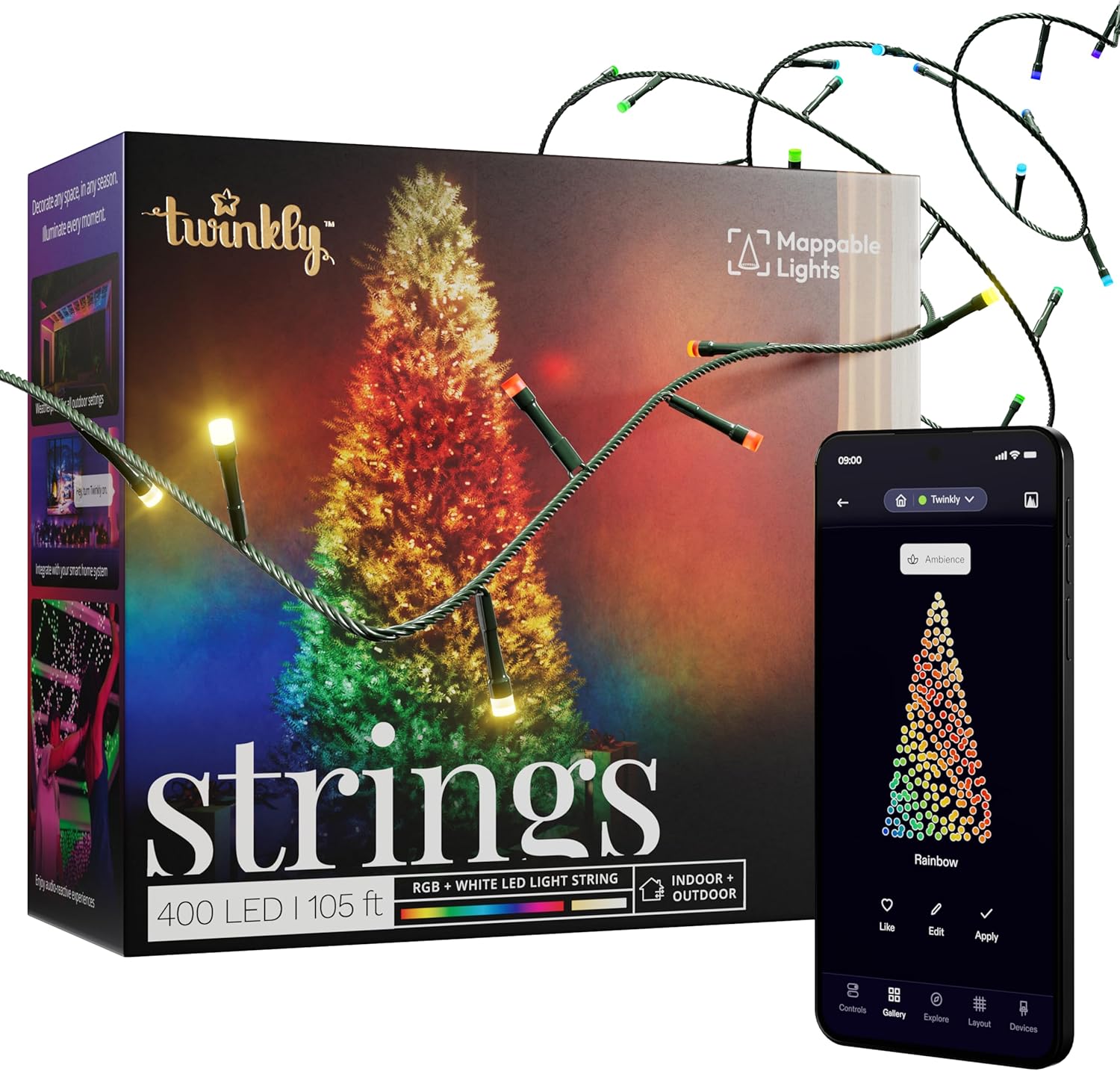
You’re looking at the Twinkly App-Controlled 105ft Smart String LED Lights with 400 RGB+W LEDs- WiFi & Bluetooth Connectivity, Sync with Music, Indoor/Outdoor Use (IP44), Compatible with Google Assistant & Amazon Alexa and this section gives you a quick sense of what these lights promise. The string delivers 400 RGB+W LEDs across 105 feet so you can wrap, hang, or weave them through large spaces. You’ll control everything from an app, link them to voice assistants, and use music synchronization for animated displays.
What these lights do well
You’ll get addressable LEDs, which means each LED can be its own color, producing complex animations and patterns. The Twinkly app maps the physical layout and lets you paint animations on that map so your effects match the real wiring. You’ll also be able to combine multiple Twinkly strings to cover very large areas and sync them for cohesive displays.
Quick note on who this fits best
If you like decorating bedrooms, gaming rooms, patios, or outdoor kitchen areas and want a high degree of control and animated effects, these lights will match your needs. If you prefer ultra-simple plug-and-play single-color lights, this product might be more advanced than you need.
Twinkly App-Controlled 105ft Smart String LED Lights with 400 RGB+W LEDs- WiFi & Bluetooth Connectivity, Sync with Music, Indoor/Outdoor Use (IP44), Compatible with Google Assistant & Amazon Alexa
$195.59 Only 5 left in stock - order soon.
What’s in the box
You’ll get the essentials to get started and enough length to cover big areas. Knowing exactly what arrives helps you plan mounting and power needs.
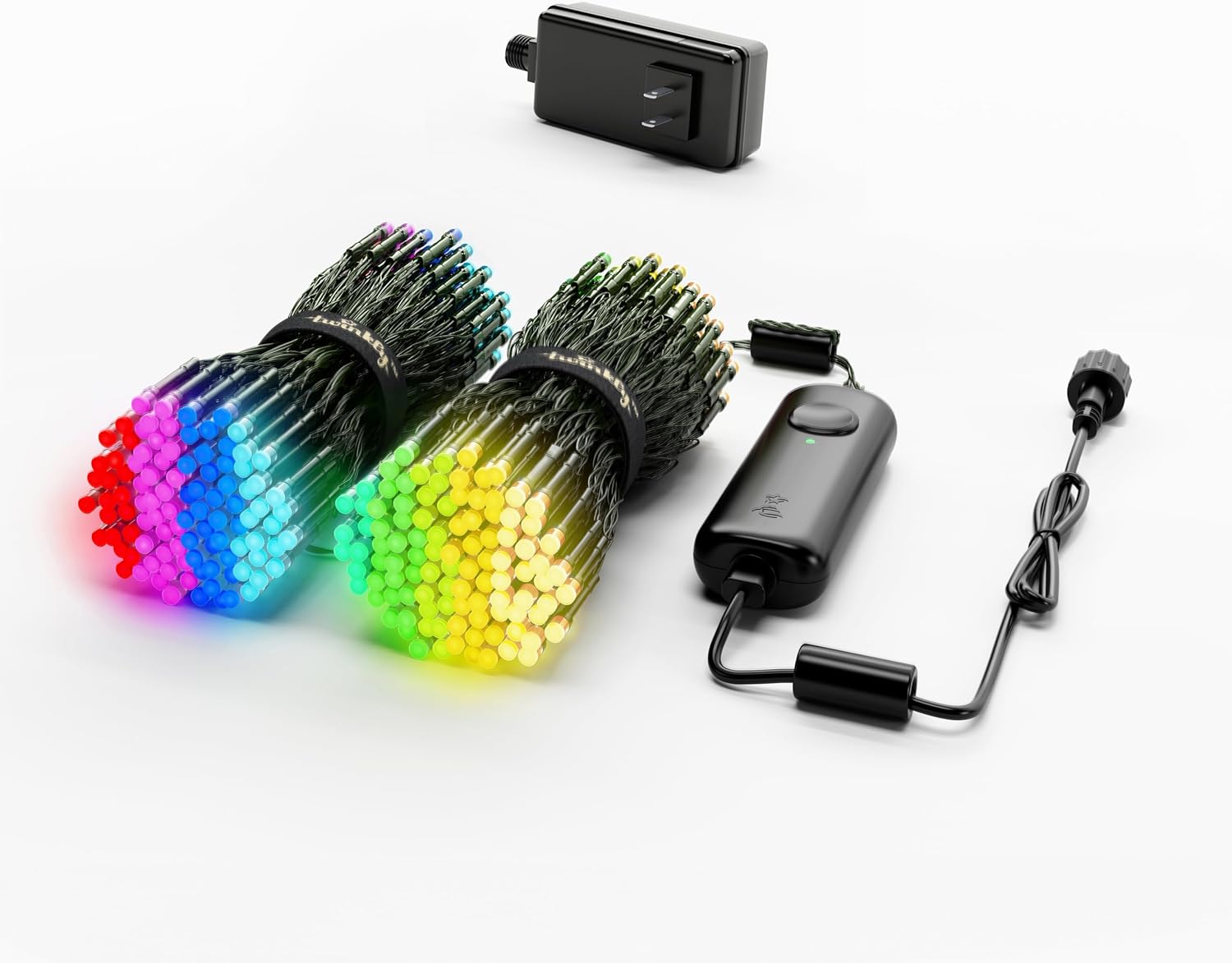
- One 105ft Twinkly LED string with 400 RGB+W LEDs
- Controller module with WiFi & Bluetooth
- Power adapter (region-specific)
- Quick start guide and safety instructions
- Mounting clips may be included depending on retailer and region
You’ll want to verify the retailer’s listing to confirm accessories like clips are included, because packing contents can vary slightly.
Technical specifications (at-a-glance)
You’ll find the numeric specs helpful when comparing with other lights or planning installations. The table below breaks down the main specs.
| Feature | Specification |
|---|---|
| Length | 105 feet (32 meters) |
| LED count | 400 RGB+W addressable LEDs |
| LED type | Individually addressable RGB+W |
| Connectivity | WiFi (2.4 GHz) & Bluetooth |
| App | Twinkly (iOS & Android) |
| Voice control | Google Assistant, Amazon Alexa |
| Music sync | Yes (via microphone accessory or phone mic depending on setup) |
| Weather rating | IP44 (splash-resistant) |
| Indoor/outdoor | Suitable for both (outdoor use with some precautions) |
| Power | Plug-in power adapter (region dependent) |
| Mapping | App-based camera mapping and layout editor |
| Compatibility | Can combine with other Twinkly lights for synchronized effects |
You’ll want to pay attention to the 2.4 GHz WiFi requirement because many smart home devices won’t connect to 5 GHz networks.
Design and build quality
You’ll notice the string looks and feels like a premium, flexible light strand designed for creative layouts. The wires are thin enough to remain discreet while being sturdy enough for repeated adjustments.
The LEDs are mounted along the strand with consistent spacing so patterns map reliably. The controller enclosure is small and unobtrusive, but you’ll need to make sure it stays sheltered from heavy rain since IP44 is limited to splashes and not full immersion.
Aesthetics and flexibility
You’ll appreciate how the strand blends into backgrounds during the day while popping at night. You can weave it among shelving, drape it across ceilings, or wrap it around furniture. The flexible design means you can bend and shape it without damaging the LEDs.
You’ll also notice that the neutral wire color and small LED housings keep attention on the light output, which is what matters most for ambient mood setting.
Purchase Twinkly 105ft Smart String LED Lights
Installation and setup
You’ll likely find setup user-friendly if you follow the steps closely and have a stable 2.4 GHz WiFi network. The process combines physical routing with an app-based pairing and mapping routine.
Step-by-step notes you’ll appreciate:
- Unroll and place the strip to plan layout and find where the controller will sit near a power outlet.
- Plug in and power up the controller.
- Open the Twinkly app and follow the in-app pairing prompts (Bluetooth first, then WiFi).
- Map the lights by taking a photo or following the app mapping routine to record the physical layout.
- Save and assign effects.
You’ll want to keep the controller where Bluetooth and WiFi signals are strong during setup. If you have a large home or weak signal areas, placing a mesh router node nearby can help.
Common setup hiccups and how you’ll fix them
You’ll occasionally encounter pairing issues if your phone’s Bluetooth/GPS is off or the device attempts to connect to a 5 GHz network. Make sure:
- Your phone’s Bluetooth is on and location permissions are granted.
- You’re connecting to a 2.4 GHz WiFi network.
- Any VPN or network-level firewalls are temporarily disabled during setup.
You’ll also want to keep the app updated for stability improvements and new features.
Twinkly app and user interface
You’ll control everything from the Twinkly app, which is the heart of the product. The app is designed for both novices and power users, with presets for quick looks and advanced tools for custom animations.
You’ll find:
- Easy onboarding and pairing
- Prebuilt themes and preset effects
- Mapping tools to create custom animations based on your actual layout
- Ability to group multiple Twinkly devices and synchronize them
- Scheduling, brightness control, and timers
The app’s mapping feature is particularly useful because you’ll be able to “paint” on the mapped layout and watch those colors appear exactly where expected on your physical lights.
App reliability and updates
You’ll see that Twinkly frequently updates the app to add effects, improve mapping, and refine music sync. Occasionally, an update might change the interface, so you’ll want to read release notes if you rely on a specific workflow.
The app can be demanding on older phones during mapping because image recognition and processing are involved. If your device is older, mapping might take a bit longer.
Mapping, effects, and customization
You’ll enjoy the addressable nature of the LEDs which enables advanced effects. Mapping is the trick that makes effects feel cohesive and realistic on large or irregular layouts.
What you’ll be able to do:
- Map the exact layout by taking a smartphone photo and letting the app auto-detect LED positions
- Apply pre-made animated effects or create your own by painting or importing color palettes
- Edit timing, direction, intensity, and transition curves for animations
- Save unlimited custom scenes (limited by app/device storage)
You’ll gain the biggest creative control here; these features let you create seasonal scenes, reactive palettes for gaming, or ambient transitions for movie nights.
Practical tips for great mappings
You’ll get cleaner maps if you:
- Lay the lights out flat on the floor for an initial mapping photo, especially if you have a complex 3D installation
- Ensure even lighting when taking the mapping photo (no harsh shadows)
- Take multiple shots if the app struggles, and adjust the mapping points manually if needed
Over time you’ll discover mapping tricks that help bring complex animations to life.
Music synchronization
You’ll love the party feature: music sync makes your lights react to beats and peaks. Twinkly offers music synchronization through either the app’s microphone input (phone mic) or an external music dongle (sold separately depending on bundle).
How you’ll use it:
- Open the music sync mode in the Twinkly app and allow microphone access for reactive effects
- Choose a music-responsive effect or create one that responds to bass, mids, or highs
- Fine-tune sensitivity and smoothing to avoid frantic flickering
You’ll find this feature works best in quieter rooms or when using the external microphone accessory for more accurate detection.
Limitations to keep in mind
You’ll notice that phone mic-based sync is decent but can be influenced by background noise and microphone quality. If you plan to rely heavily on music sync for parties, consider purchasing the dedicated Twinkly Music Dongle (if available) for more consistent and powerful audio detection.

Connectivity and integrations
You’ll expect modern smart integrations and the Twinkly lights deliver with WiFi, Bluetooth, and compatibility with virtual assistants.
Connectivity highlights:
- Bluetooth for quick local control and initial setup
- 2.4 GHz WiFi for remote control, schedules, and cloud features
- Google Assistant and Amazon Alexa support for voice control (turn on/off, change preset scenes)
- Ability to group and synchronize multiple Twinkly devices within the app
You’ll need to keep your router settings in mind: these lights require 2.4 GHz WiFi and may not connect if your network segregates IoT devices or uses aggressive firewall rules.
Using voice control effectively
You’ll be able to ask your smart assistant to switch scenes or power the lights on and off. For more granular controls (like custom animation selection), you’ll still use the app. Voice integration is great for convenience but not a full replacement for the app’s creative tools.
Brightness, color quality, and performance
You’ll find the brightness of each LED suitable for ambient and accent lighting rather than stadium-level illumination. The RGB+W configuration means you’ll get cleaner whites alongside vibrant colors.
What you’ll experience:
- Brightness sufficient to illuminate a room’s mood but not to replace task lighting
- Smooth color transitions thanks to individually addressable LEDs
- Deep saturated colors and decent white rendering from the added white chip
You’ll appreciate the contrast and depth that animated effects can produce, particularly in low-light environments.
Battery and power considerations
You’ll plug these lights into mains power, so you won’t have battery life concerns. You’ll however want to consider power outlet placement before mounting to avoid running long extension cords outdoors where they’re exposed.
Indoor vs outdoor use
You’ll be able to put these lights outside thanks to the IP44 rating, but with sensible precautions.
Indoor use:
- Ideal for bedrooms, gaming rooms, living spaces, LED backdrops, and large installations inside homes
- Mapping and color calibration work best in controlled indoor lighting
Outdoor use:
- IP44 protects against splashes, rain, and moisture, so you can use them on patios, pergolas, or outdoor kitchens
- Protect power connections and the controller from direct exposure; put the controller under an overhang or inside a weatherproof box
- Avoid placing the controller in spots where water can pool or where it might be fully submerged
You’ll enjoy the versatility, but you’ll also be careful to keep direct exposure and extreme weather in mind.
Durability and maintenance
You’ll find the build is aimed at lasting through seasonal decorations and frequent reconfigurations.
Durability pointers:
- The wire insulation and LED housings are durable for handling and repeating setups
- Regularly check the controller seals and wire terminations before exposing them outdoors
- Store the string loosely coiled to avoid kinking or damaging the LED leads when not in use
You’ll get longer lifespan if you avoid harsh UV exposure in direct sunlight and protect connectors from corrosion with dielectric grease if you live in a salt-air environment.

Power consumption and safety
You’ll appreciate the efficiency of LED technology; 400 LEDs can still be energy-efficient compared to older lighting tech.
Power & safety tips:
- LEDs are low-wattage but check the power adapter’s rating to estimate total draw
- Avoid connecting multiple high-wattage LED strings to a single outlet without checking combined load
- Use outdoor-rated extension cords for exterior runs and keep connections off the ground
You’ll also want to follow local electrical safety rules for outdoor installations, particularly for permanent mounts.
Performance and reliability in daily use
You’ll find reliable daily performance in typical homes, though some edge cases exist where network complexity can affect reliability.
What you’ll notice:
- Responsive controls locally via Bluetooth and instant WiFi responses when the network is stable
- Occasional delays or reconnection needs if your WiFi has mesh roaming issues or the controller loses signal
- App updates that regularly add effects and improve stability
If you need always-on, ultra-reliable lighting for commercial displays, you’ll consider network improvements like a dedicated IoT access point.
Stability tips
You’ll reduce hiccups by:
- Placing the controller where it gets direct line-of-sight to your router or a mesh node
- Using a stable 2.4 GHz SSID with minimal interference
- Restarting the controller and re-pairing if behaviors become odd after a firmware update
Tips and tricks to get the most out of your Twinkly lights
You’ll want to use a few simple hacks to create better displays and reduce setup friction.
Handy tips:
- Map on a flat surface before final installation for cleaner mapping results
- Use clear adhesive hooks or thin zip-ties to keep wires neat and maintain consistent spacing
- Save presets for seasonal looks so you can switch quickly
- Combine strings and assign synchronized effects for large area installations
- If using outdoors, place the controller in a small plastic tub with a foam gasket for extra protection (ensure ventilation and avoid heat buildup)
You’ll also find community-shared effects and palettes online that you can import for quick inspiration.
Troubleshooting common issues
You’ll likely encounter only a few small problems, which usually have straightforward fixes.
Common problem fixes:
- If the app can’t find the controllers: ensure Bluetooth is on, location permissions are granted, and the phone is within range.
- If mapping is inaccurate: lay the string flat and retake the photo in even lighting, then manually adjust mapping points.
- If WiFi pairing fails: double-check you’re using a 2.4 GHz SSID and that the password is correct. Temporarily disable VPN or firewall rules on the router.
- If lights stutter or freeze: reboot the controller and check for firmware updates in the app.
You’ll find that most issues resolve quickly once you check those basics.
Comparisons with other smart string lights
You’ll want to know how Twinkly stacks up versus simpler LED strips or cheaper smart bulbs.
Where Twinkly stands out:
- Addressable LEDs give far more creative power than single-color or grouped RGB strips.
- The mapping-based animation system produces visually coherent effects that cheaper alternatives can’t match.
- Integration and voice support are on par with mainstream smart home products.
Where other options might be preferable:
- If you only need static color or simple color changing, less expensive non-addressable smart strips might save money.
- If you need fully weatherproof (IP67+) lights for harsh outdoor exposure, you’ll need a different product or additional enclosure.
You’ll choose Twinkly when visual complexity matters; you’ll choose simpler lights when budget or ruggedized outdoor use is the priority.
Who should buy this product
You’ll benefit most if you:
- Want highly customizable lighting effects for rooms, gaming setups, or seasonal displays
- Like creative control and the ability to map and animate lights precisely
- Need a long run of lights (105 ft) with individually addressable LEDs
- Use Google Assistant or Alexa and want integrated voice control
You’ll also find it great if you host parties or create映 lighting installations that react to music.
Who might want a different product
You’ll consider alternatives if:
- You only want simple color changes or a single white mode without the need for mapping
- You need lights that will remain outdoors year-round in harsh climates without additional protection
- You prefer a purely offline lighting system without cloud or app dependence
You’ll avoid Twinkly if you want an ultra-budget single-color or less feature-dense product.
Pros and cons
You’ll appreciate both the strengths and the trade-offs of this product.
Pros:
- Very creative control with addressable RGB+W LEDs
- Large length (105 ft) and 400 LEDs for expansive coverage
- Powerful app with mapping, custom effects, and scheduling
- Music synchronization adds party and media-reactive options
- Works with major voice assistants
Cons:
- Requires 2.4 GHz WiFi; no 5 GHz support
- IP44 is splash-proof but not fully weatherproof for harsh conditions
- Mapping can be a bit complex for very intricate 3D layouts without practice
- Some advanced features rely heavily on the app (less direct device-only control)
Frequently asked questions (FAQ)
You’ll likely have practical questions — here are the common ones answered.
Q: Can you use multiple Twinkly strings together?
A: Yes, you can group and synchronize multiple Twinkly strings within the app for coherent large-scale effects.
Q: Do these lights work without the app?
A: Basic on/off might be possible through voice assistant or controller buttons (if present), but you’ll rely on the app for full color and animation control.
Q: Is the music sync good for parties?
A: The built-in app mic works well for casual parties; for best results, use Twinkly’s external music dongle if available.
Q: How weatherproof are the lights?
A: They’re IP44 rated — splash-resistant. Keep controller and power connections sheltered from heavy rain and submersion.
Q: Will the lights work with smart home routines?
A: Yes, Twinkly integrates with Google Assistant and Alexa so you can build basic routines that include turning the lights on/off or switching scenes.
Final thoughts and recommendation
You’ll get a very capable and creative lighting system with the Twinkly App-Controlled 105ft Smart String LED Lights with 400 RGB+W LEDs- WiFi & Bluetooth Connectivity, Sync with Music, Indoor/Outdoor Use (IP44), Compatible with Google Assistant & Amazon Alexa. If you want high-quality addressable LEDs, advanced app-driven mapping, music synchronization, and a long strand to cover large areas, this product is an excellent choice.
You’ll be happiest with this product if you’re creative, like customizing lighting scenes, and can accommodate the 2.4 GHz WiFi requirement. If you primarily need simple lighting or heavy-duty outdoor durability, consider simpler or more rugged alternatives. Overall, you’ll find these lights deliver a striking and flexible way to transform your space into a vibrant, animated environment.
Shop Twinkly 105ft Smart String LED Lights — See Price
Disclosure: As an Amazon Associate, I earn from qualifying purchases.