
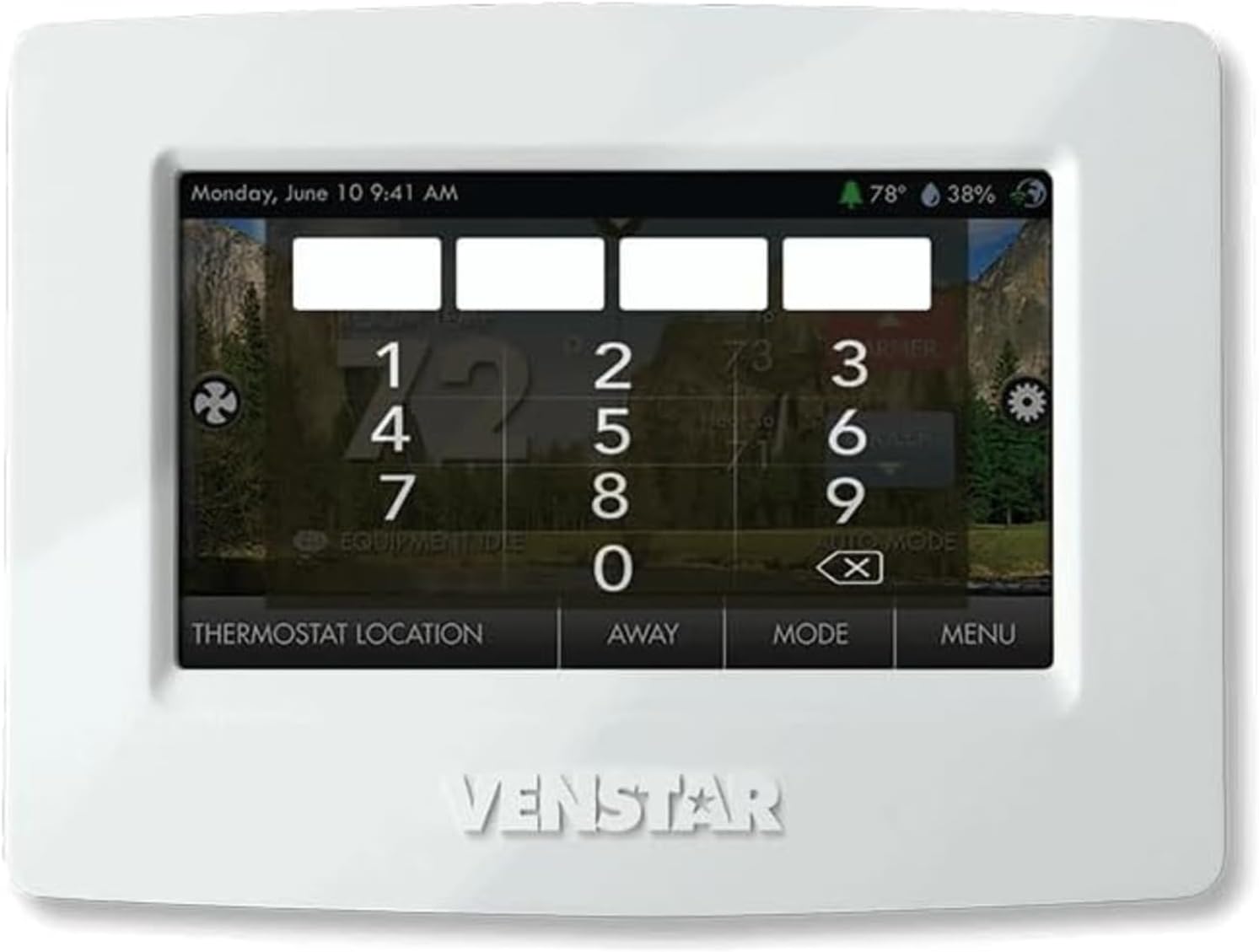
Have you been looking for a touchscreen thermostat that gives you fine-grained control over comfort, humidity, and your energy use?

Buy Venstar T8900 ColorTouch Thermostat On Amazon
Product Overview: Venstar T8900 ColorTouch High Resulation Touch Screen Programmable Thermostat w/WiFi, Alexa Compatible, 4 Heat & 2 Cool Stages, Gas/Electric/Heat Pump, API Control, Controls Dehumidification
You’ll want to know what this thermostat does before deciding if it fits your home. The Venstar T8900 ColorTouch offers a high-resolution touchscreen, multi-stage HVAC support, WiFi connectivity, and humidity control—features that make it a capable choice for many systems.
What this unit targets
This thermostat aims to provide precise control for homes with more complex HVAC setups like multi-stage heat and multi-stage cooling. If you have a heat pump, gas/electric system, or need auxiliary heat lockout and dehumidification control, this model was designed with those needs in mind. You’ll find it addresses both convenience and advanced control requirements.
Venstar T8900 ColorTouch High Resulation Touch Screen Programmable Thermostat w/WiFi, Alexa Compatible, 4 Heat & 2 Cool Stages, Gas/Electric/Heat Pump, API Control, Controls Dehumidification
Quick Specs Summary
Here’s a concise breakdown you can scan quickly to understand the core capabilities.
| Feature | Details |
|---|---|
| Display | 4.3″ high-resolution full-color touchscreen |
| WiFi | Built-in 2.4 GHz B/G/N WiFi, WEP and WPA/WPA2 compatible |
| HVAC Support | Up to 4 heat stages, 2 cool stages; gas/electric, heat pump, electric |
| Humidity Control | Controls humidification and dehumidification |
| Programming | 7, 5/2, 1-day or non-programmable; 365-day vacation calendar |
| Time Periods | Up to 4 per day: Morning, Day, Evening, Night |
| Security | 3 security levels, 4-digit passcode for full screen lock |
| Languages | English, Spanish, French |
| Additional | Service filter/UV lamp indicators, Emergency Heat switch, Energy Watch |
| Memory | Non-volatile memory (settings retained during power loss) |
| API | Remote control via API for integrators and advanced users |
Why these specs matter to you
You’ll appreciate the multi-stage support if you want smooth transitions and efficient operation for more sophisticated HVAC systems. The WiFi and API options help you integrate the thermostat into smart home setups and custom control platforms.
First Impressions and Design
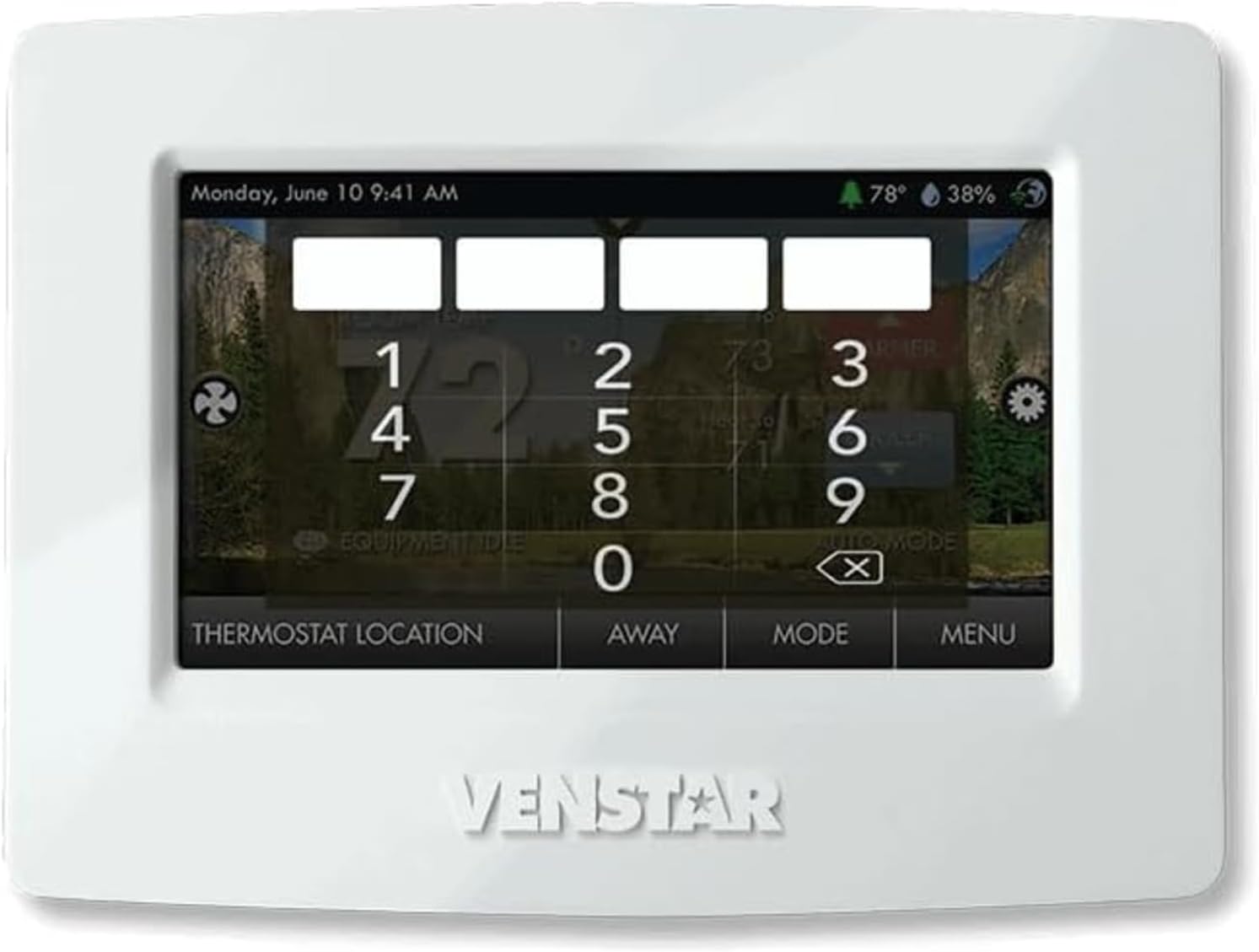
When you look at the Venstar T8900, the first thing you notice is the colorful screen and big touch area. You’ll find the interface intuitive, and the customizable wallpaper makes it feel less like a piece of technical equipment and more like a part of your living space.
Build and feel
The housing has a clean, modern look that blends with most interiors. The touchscreen responds quickly, and the brightness and contrast make day and night readability comfortable without being harsh.
Screen and aesthetics
You can personalize the wallpaper and screen saver, which helps the thermostat fit your home decor. The 4.3″ diagonal viewing area gives you ample space for readable fonts and clear icons, making daily use pleasant.
Installation
You might be able to install this yourself if you’re comfortable with low-voltage wiring and have basic DIY experience. If your system is complex or you don’t want to risk wiring mistakes, a pro HVAC technician is recommended.
Wiring and compatibility checks
Before you start, check the wiring diagram that matches your system type—gas/electric, heat pump, or electric. The T8900 supports multiple configurations, but ensuring proper wire connections for stages and accessories (like humidifiers/dehumidifiers) is essential.
Step-by-step feel
You’ll typically remove the old stat, mount the backplate, connect wires to labeled terminals, attach the display, and power up. The thermostat stores all programming in non-volatile memory, so you won’t lose settings if power is interrupted.
Setup and WiFi Connection
Setting up WiFi is straightforward if you have your network credentials ready. It uses 2.4 GHz B/G/N; make sure your router is set to support those modes and security types (WEP or WPA/WPA2).
Connecting to network
You’ll go into the menu, pick the WiFi setup, and select your SSID. After entering your password, the device connects and confirms online status. Remote access and cloud features depend on this connection.
What WiFi enables for you
Once online, you can use Alexa compatibility, remote monitoring, and any vendor-provided cloud services. The connectivity also opens the door for API control if you prefer building your own integrations.

See Venstar T8900 Price On Amazon
Display and User Interface
The touchscreen is the heart of interaction. You’ll find menu navigation logical, with large icons and adjustable contrast. The customizable wallpapers and screen savers let you personalize the look easily.
Readability and controls
Text and numbers are clear, and the touch targets are big enough to avoid accidental inputs. The full-screen lock with a 4-digit code gives you control over who can change settings, which is handy in shared spaces.
Language and accessibility
The display supports English, Spanish, and French, which makes the thermostat accessible for different users. You’ll appreciate having multiple language options for easier setup and daily use.
Programming and Scheduling
You can program schedules using 7-day, 5/2-day, 1-day, or a non-programmable mode, plus a 365-day vacation calendar. You’ll have up to four time periods per day, which gives you granularity for temperature changes throughout typical routines.
Setting up schedules
Programming is done through an on-screen wizard or manual entry. You’ll pick the time periods—Morning, Day, Evening, Night—and assign temperatures. The vacation calendar lets you set long-term exceptions for travel without erasing your normal schedule.
Practical scheduling tips
Think about when rooms are used and prioritize comfort where and when you need it most. You can program cooler temperatures during the day if you’re away and raise or lower them before you return to create comfort without wasting energy.
Energy Watch and Savings
The Energy Watch feature tracks heating, cooling, and auxiliary heat hours so you can see usage trends. You’ll get a better sense of when and how your system is running, which can inform behavior changes that save energy and money.
How Energy Watch helps
By monitoring run-time, the thermostat gives you insight into high-usage periods. You can use that information to tweak schedules or adjust thermostat settings to reduce reliance on auxiliary heat, which is typically more expensive.
Real-world savings potential
If you program smart schedules and use the vacation calendar, you’ll avoid running HVAC at unneeded times. Coupled with auxiliary heat lockout based on outdoor temperature, you’ll prevent unnecessary backup heat cycles that spike costs.
Humidity Control: Humidification and Dehumidification
You’ll find built-in controls for both humidification and dehumidification, which is rare in many consumer thermostats. This capability helps keep indoor air comfortable and healthy, especially in climates with humidity extremes.
Why humidity control matters
Controlling humidity can prevent mold, protect wood furniture, and improve perceived comfort. For summer months, dehumidification can make higher temperatures feel more tolerable; in winter, proper humidification prevents dry air problems.
How the T8900 handles humidity
You’ll connect humidifier/dehumidifier equipment to the dedicated terminals and configure setpoints through the menu. The thermostat will then regulate the auxiliary systems based on your chosen humidity targets.
Multi-stage HVAC Performance
If your home uses multi-stage heating or cooling, the T8900 is capable of handling up to 4 heat stages and 2 cool stages. That means smoother transitions and more efficient temperature control for complex systems.
Benefits of multi-stage support
You’ll get fewer short cycles and better comfort. Multiple stages let your system run at lower capacity when appropriate and ramp up only when needed, improving efficiency.
Practical setup considerations
Make sure you accurately identify and label wires during installation. The correct stage wiring ensures the thermostat sequences equipment properly to get the full benefit of multi-stage control.
Heat Pump and Auxiliary Heat Features
For heat pump systems, this thermostat offers emergency heat switching and optional auxiliary heat lockout based on outdoor temperature. You’ll have control to avoid unnecessary auxiliary heat usage, saving fuel or electricity.
Emergency Heat and lockout
Emergency Heat allows you to force another heat source if the heat pump fails. The auxiliary heat lockout prevents the backup heat from running unless the outdoor temperature drops below a set threshold, preventing costly heating cycles.
What you’ll appreciate
With these features, you’ll maintain comfort without paying for auxiliary heat when it’s not essential. That’s especially useful when outdoor conditions make the heat pump efficient for longer stretches.
Voice and Smart Home Integration
This model is Alexa compatible, so you can control it with voice commands if you use Amazon Echo devices. The built-in WiFi also supports cloud-based and local integrations.
Using Alexa
You’ll link your thermostat through the Alexa app and then use simple commands to change setpoints, switch modes, or query temperature. It’s convenient when your hands are full or you want quick adjustments.
API control for advanced users
If you’re technically inclined, you’ll find API control especially valuable. The API lets you integrate the thermostat into custom home automation setups or third-party platforms for greater flexibility.
Security and Access Control
Security levels and a 4-digit passcode allow you to limit access to full-screen control. You’ll be able to prevent accidental or unauthorized changes to schedules and setpoints, which is useful in multi-user homes or commercial settings.
Lock levels explained
Three security levels mean you can choose whether users can change everything, change only setpoints, or be fully locked out. The passcode protects critical settings from being altered by children or guests.
Non-volatile memory protection
All programming and setpoints are stored in non-volatile memory, so power outages won’t wipe your settings. You’ll come back to the same schedules and preferences after a blackout.
Maintenance and Service Indicators
The thermostat includes service filter and service UV lamp indicators, helping you stay on top of maintenance tasks. You’ll get reminders that support system longevity and indoor air quality.
Practical maintenance reminders
Those indicators help you track when to change filters or check UV lamps, preventing reduced efficiency and potential damage to your HVAC equipment.
What to do when indicators appear
You’ll follow HVAC maintenance guidelines: replace filters, inspect UV lamps, and consult an HVAC technician for service if you suspect broader system issues.
Troubleshooting and Common Issues
You’ll rarely encounter major problems, but when you do, understanding basic troubleshooting steps helps. Common issues include WiFi connection hiccups, incorrect wiring, or failed integration steps with smart assistants.
Basic troubleshooting steps
Restarting the thermostat, verifying wiring, and checking router settings usually fix many problems. For WiFi issues, make sure you’re on a 2.4 GHz band and that security modes are compatible.
When to call support
If your system won’t respond to the thermostat or you notice mis-sequencing of stages, bring in an HVAC pro. For network or API issues, Venstar support and the user manual will guide you through advanced steps.
Pros and Cons
You’ll want a clear snapshot of strengths and potential drawbacks before deciding.
Pros
- Comprehensive multi-stage HVAC support for complex systems.
- Built-in humidity control for both humidification and dehumidification.
- High-resolution 4.3″ touchscreen with customizable wallpaper.
- WiFi connectivity and Alexa compatibility for smart home use.
- API control for advanced integration.
- Multi-format programming and vacation calendar for flexibility.
- Energy Watch feature to monitor usage.
- Non-volatile memory preserves settings during power loss.
Cons
- Only supports 2.4 GHz WiFi, which might be limiting for newer mesh systems on 5 GHz.
- Advanced features may be overkill if you only have a simple single-stage furnace and AC.
- Setup for humidification/dehumidification may require professional wiring assistance.
- Slight learning curve for users not familiar with advanced thermostats.
Who Should Buy It
You should consider the Venstar T8900 if you have a multi-stage HVAC system, use a heat pump with auxiliary heat, want built-in humidity control, or plan to integrate the thermostat into a smart home or custom control system. It’s also a good fit if you appreciate a polished touchscreen interface and energy monitoring.
Who should skip it
If you have a simple single-stage heating and cooling system and you just need basic scheduling, this thermostat might be more than you actually need. Also, if your home network is strictly 5 GHz, you’ll want to ensure you can support a 2.4 GHz device.
Comparison with Typical Competitors
Compared to basic programmable thermostats, the T8900 offers more sophisticated control and HVAC support. Against smart thermostats from big consumer brands, it stands out for multi-stage and humidity controls and for providing API access for deeper integrations.
What sets it apart
The combination of humidity control, API accessibility, and up to 4 heat/2 cool stage support is not common in mid-market thermostats. You’ll get more professional features in a package that still targets residential users.
Practical Tips for Best Results
A few straightforward actions will help you get the most out of your thermostat.
- Have the wiring diagram of your current thermostat and HVAC unit before starting installation.
- Use the vacation calendar during long absences to prevent energy waste.
- Set auxiliary lockout to avoid unnecessary backup heat unless temperatures actually demand it.
- Monitor Energy Watch data for a few weeks to see patterns and adjust schedules accordingly.
- Keep the thermostat in a central location away from direct sunlight and drafts for accurate sensing.
Final Verdict
If you want a touchscreen thermostat that gives you robust HVAC compatibility, humidity control, and smart features, the Venstar T8900 ColorTouch High Resulation Touch Screen Programmable Thermostat w/WiFi, Alexa Compatible, 4 Heat & 2 Cool Stages, Gas/Electric/Heat Pump, API Control, Controls Dehumidification is a strong contender. You’ll enjoy a feature-rich device that supports both everyday convenience and advanced integrations.
Bottom line
You get a blend of professional-grade control and consumer-friendly features, especially valuable if your system is more than single-stage or if you want humidity management and API access. If you match that profile, this thermostat could be a very worthwhile upgrade that improves comfort and helps manage energy use.
Check The Venstar T8900 ColorTouch Amazon Listing
Disclosure: As an Amazon Associate, I earn from qualifying purchases.